Separate proofs from final exports
Use the correct resolution and processing stage for the client action. A proofing set should not be mistaken for the final delivered archive.
Client gallery upload
Prepare exports, upload photos to a GalleryDock client gallery, organize the client view, and verify selections, feedback, and downloads before sharing.

Quick answer
Uploading photos to a client gallery is the bridge between export and the client experience. A useful workflow starts with the correct files, keeps the assignment organized, checks how the gallery looks on the client side, and only then shares access. GalleryDock keeps favorites, comments, and released downloads connected to the uploaded photographs.
Prepare before uploading
The upload cannot correct an unclear file set. Before moving anything into the gallery, decide whether the client is reviewing proofs, approving finals, or receiving completed downloads.
Use the correct resolution and processing stage for the client action. A proofing set should not be mistaken for the final delivered archive.
Check near-identical exports, color tests, watermarked drafts, and obsolete revisions before they reach the gallery.
Consistent filenames help when the client selects a frame and you need to find the matching original in your production workflow.
Upload to the correct project and make sure every image is approved for the people who will receive the link.
Upload with a purpose
A good gallery is not a dump of exports. It helps the client understand the project and complete the next step with fewer questions.
01
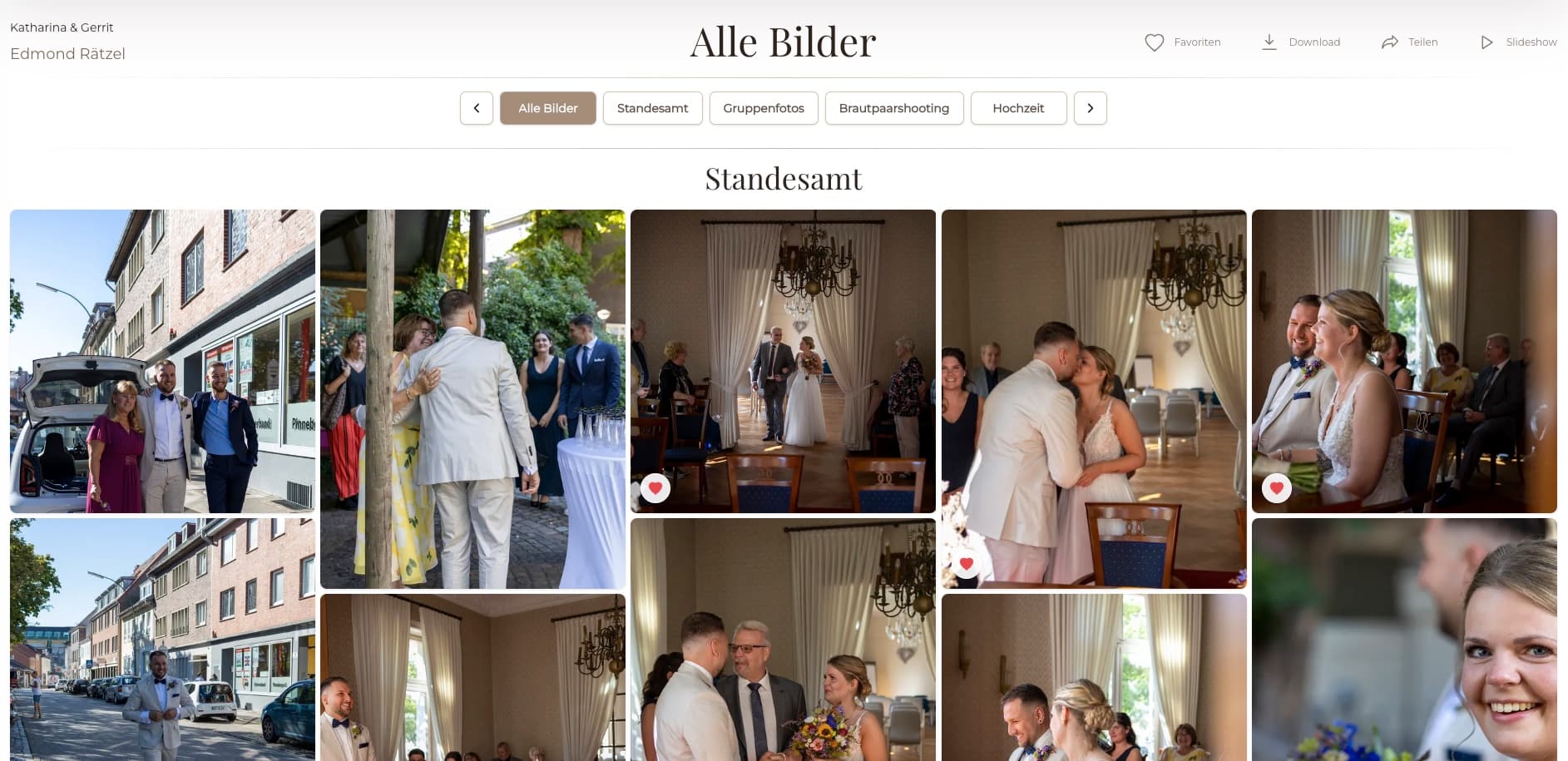
Use a recognizable gallery title and keep the project separate from other assignments or delivery stages.
02
Let the upload finish and check that the expected number of files appears before organizing the client view.
03
Group images by story, location, team, look, or another client-friendly structure rather than relying on export order alone.
04
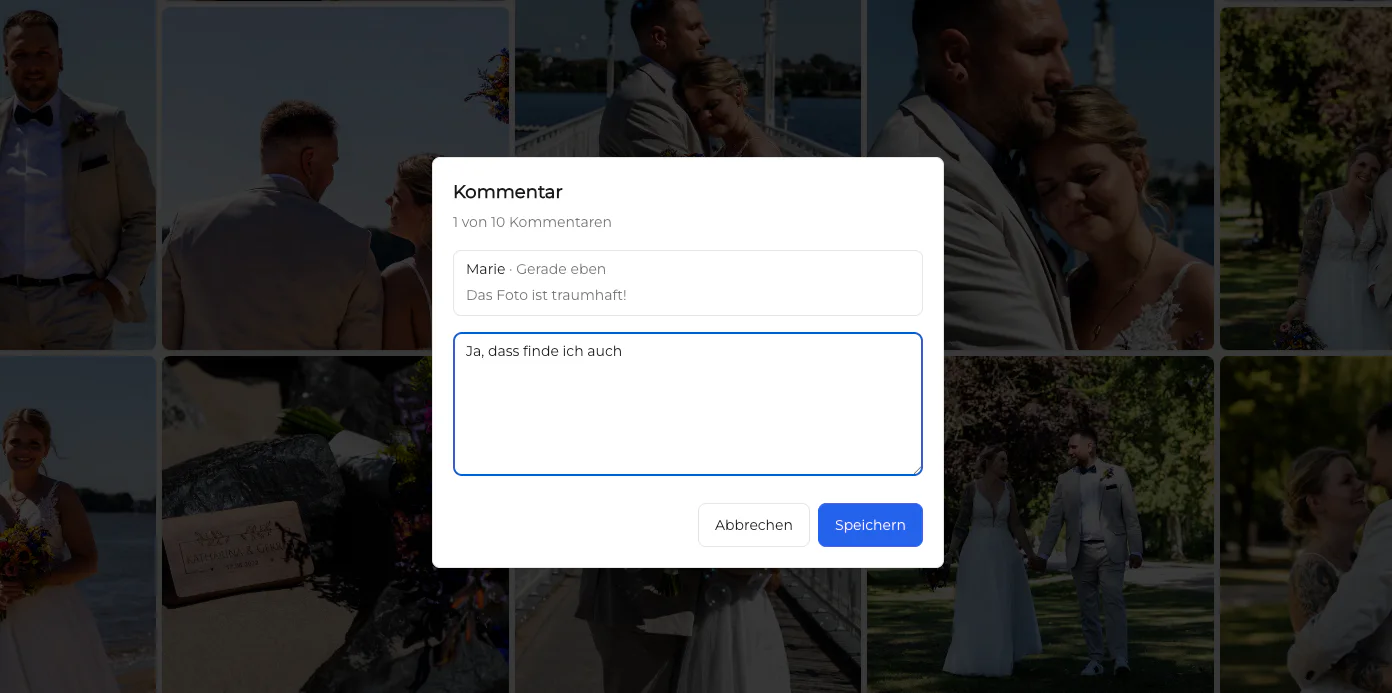
Confirm favorites, comments, password access, and downloads according to whether the client should review, approve, or receive files.
Quality control
The dashboard shows the photographer's setup. The client link proves whether that setup produces the experience you intended.
Use the same link the client will receive and check that no owner-only assumption is hiding a missing title, image, or instruction.
Make sure covers, image crops, gallery order, and actions remain understandable on both a larger screen and a phone.
Mark a favorite, inspect a comment path, or verify a download depending on the purpose of this gallery.
A short pre-send check is easier than explaining a broken link or recalling an incorrect client delivery.


Comparison
Storage, transfer, proofing, and client delivery overlap, but they are not identical. Choose the destination based on what the client must do after upload.
| Approach | Best for | Tradeoff |
|---|---|---|
| A few low-resolution references | Attachment limits and no organized review space | |
| Transfer service | Moving a known file package | Little support for selection or image-level feedback |
| Cloud folder | Shared storage and team file access | Clients navigate folders instead of a curated gallery |
| Social gallery or message thread | Informal previews | Quality, privacy, and final decisions become harder to track |
| GalleryDock client gallery | A prepared review, selection, or delivery experience | Requires file and gallery quality control before sharing |
Upload the focused set the client may choose from, then use favorites to return a reliable shortlist for retouching.
Organize employees or departments so the marketing contact can locate and approve the relevant portraits without decoding filenames.
Upload the completed event collection, verify the mobile gallery, and release downloads only after the final set is confirmed.
Frequently asked questions
Prepare the correct exports, open the matching GalleryDock project, upload the files, organize the client view, configure the required actions, and test the shared link before sending it.
Upload the file type that matches the client's next action. Use proofs for selection and approval; use completed exports when the gallery is intended for final delivery.
Yes. A GalleryDock proofing workflow can let clients mark favorites and keep their selection tied to the uploaded photographs.
Gallery feedback can remain connected to the relevant image, which is clearer than collecting mixed notes through email or messaging apps.
Enable downloads when the files are approved for release under the package and stage of the assignment. Review settings from the client side first.
Check the image set, order, title, access, password, favorites, comments, downloads, desktop view, mobile view, and the instruction in your client message.
Related resources
Pricing
Free forever
0 EUR
EUR 0 per month
Perfect for sharing your first galleries professionally.
Start free, no credit card required
Monthly
19 EUR
EUR 228 billed yearly. plus VAT
Ideal for photographers who regularly deliver client galleries.
For regular client delivery
Monthly
29 EUR
EUR 348 billed yearly. plus VAT
For photographers managing many projects, videos and growing storage.
For regular client delivery
Create a free GalleryDock account and turn the exported image set into a clear review or delivery experience.
Create a free account