01
Prepare the couple's review
Upload the intended highlight, long film, or teaser export to the private gallery.
Wedding video feedback workflow
Run a wedding video feedback workflow for story, music, speeches, guests, names, credits, and a combined photo-and-video client experience.
Quick answer
Run a wedding video feedback workflow for story, music, speeches, guests, names, credits, and a combined photo-and-video client experience. GalleryDock organizes client feedback and delivery; it does not license music, provide legal sign-off, identify people automatically, or edit the wedding film.
Workflow
Keep each handoff explicit so the client and creative team know what happens next.
01
Upload the intended highlight, long film, or teaser export to the private gallery.
02
Explain what the couple should verify and how to comment at a specific moment.
03
Keep follow-up questions with the original scene and the responsible reviewer.
04
Close corrections, check sound, names, credits, and the final export before delivery.
Project-specific review
Review the decisions that belong to this project instead of collecting vague approval messages.
Ask whether the film reflects the day and the agreed narrative priorities.
Check meaningful lines, intelligibility, transitions, and requested music changes.
Have the couple verify people, name spellings, titles, and sensitive moments.
Inspect the ending, credits, export, and the combined photo/video client area.
Quality control
A successful handoff needs a tested client path and an honest boundary around what the software does.
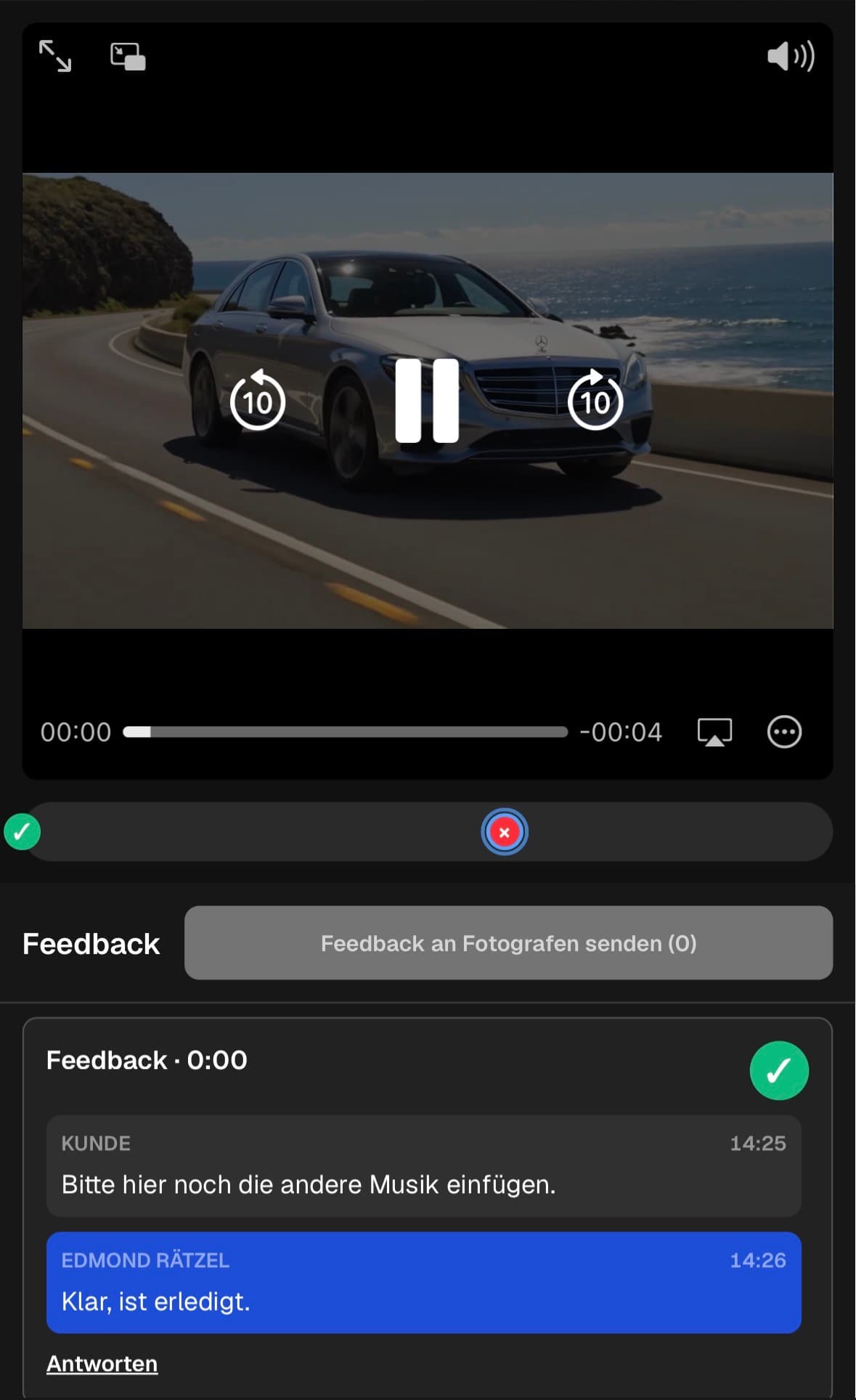
Open the client view on desktop and mobile. Check access, readable labels, media playback or product choices, and the next action without horizontal overflow.
Use names and instructions the client understands. Keep internal production language out of the final handoff unless it helps them make a decision.
GalleryDock organizes client feedback and delivery; it does not license music, provide legal sign-off, identify people automatically, or edit the wedding film.
Resolve every open point, verify the intended final file or order state, and only then publish or deliver the next version.
Comparison
Use this comparison to keep wedding video feedback workflow precise and product-truthful.
| Approach | Best for | Tradeoff |
|---|---|---|
| Private couple review | Story, speeches, guests, music, and credits | The filmmaker applies the corrections |
| Email feedback | A short general response | Scene and speaker context can be unclear |
| Live review call | An emotional or sensitive discussion | Corrections still need a written record |
| Automatic person recognition | Identifying every guest | Not part of this workflow |
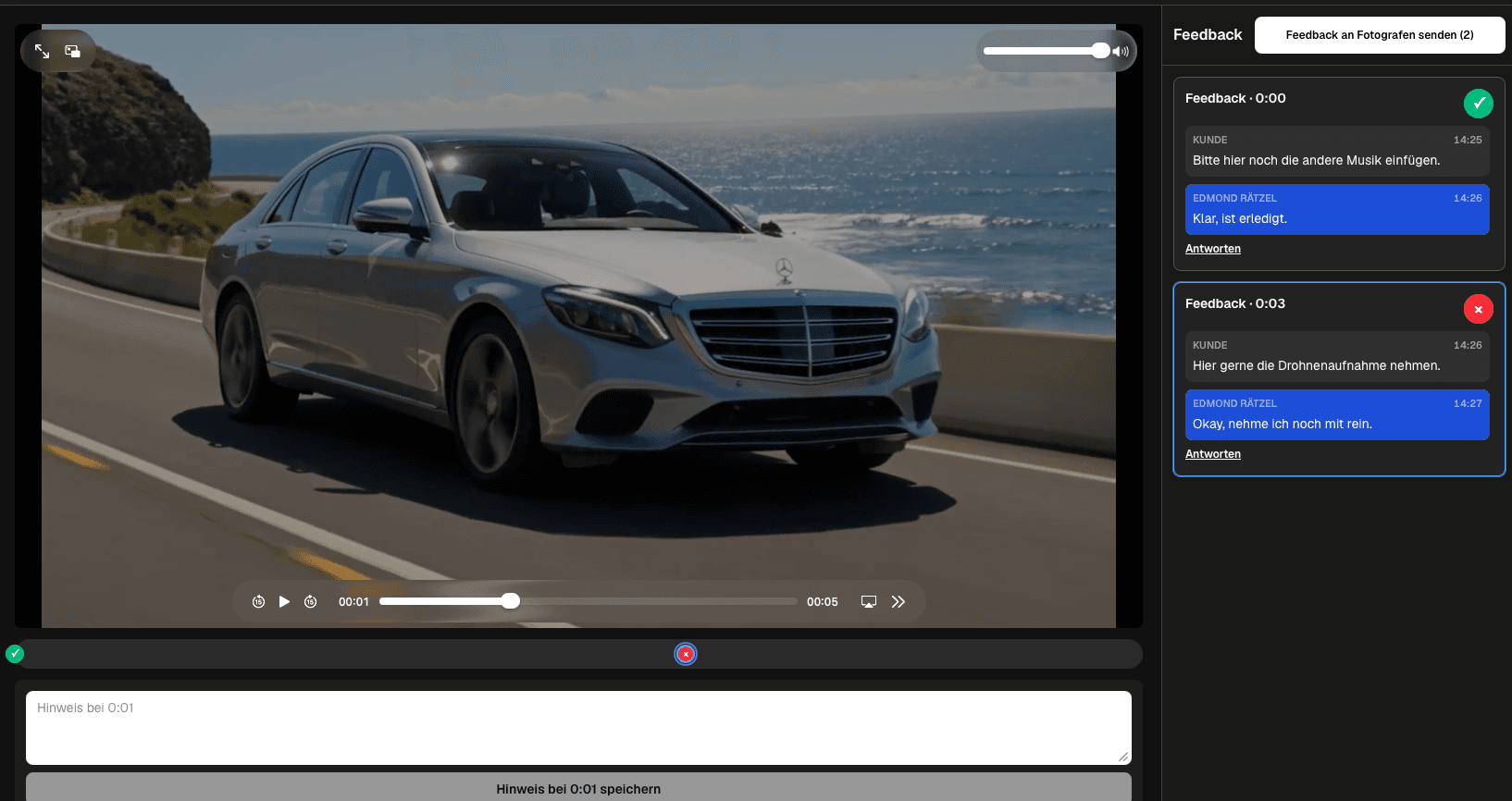
The couple reviews story, music, speeches, and the emotional arc.
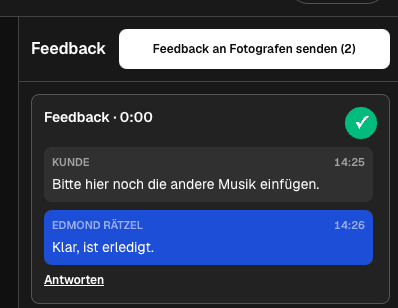
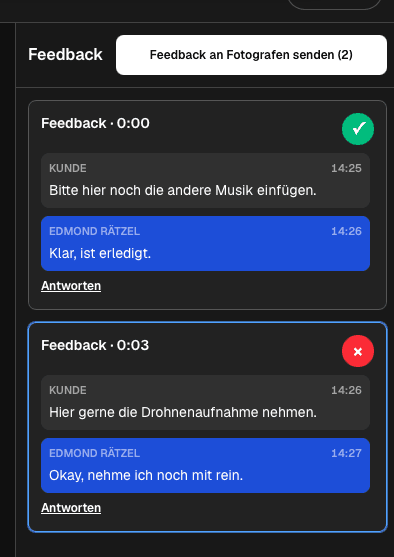
The couple checks ceremony and speech details with scene-specific notes.
The filmmaker shares a short video and related photo delivery in one client area.
Frequently asked questions
Share the intended private client path and ask the couple to keep each correction in the relevant scene thread.
The client view is designed to be reviewed on mobile, but test the actual film and gallery before sharing.
Set clear expectations, ask for scene-specific notes, and separate story corrections from names, audio, and credit checks.
A GalleryDock client area can present the project's media together while video corrections remain tied to the relevant playback time.
No. Music licensing remains the filmmaker's responsibility.
No formal legal sign-off is claimed. Define the contractual approval process separately.
Related resources
Pricing
Free forever
0 EUR
EUR 0 per month
Perfect for sharing your first galleries professionally.
Start free, no credit card required
Monthly
19 EUR
EUR 228 billed yearly. plus VAT
Ideal for photographers who regularly deliver client galleries.
For regular client delivery
Monthly
29 EUR
EUR 348 billed yearly. plus VAT
For photographers managing many projects, videos and growing storage.
For regular client delivery
Use one real client project to test the complete wedding video feedback workflow path before you make it your default.
Create a free account