01
Define the production boundary
List whether the team needs internal dailies, asset management, version comparison, NLE connections, external client review, final delivery, or a combination. Those are different jobs.
Frame.io alternative
Compare Frame.io and GalleryDock by workflow center: production review and connected creative operations versus a branded client gallery that joins feedback, delivery, and optional photo sales.
Quick answer
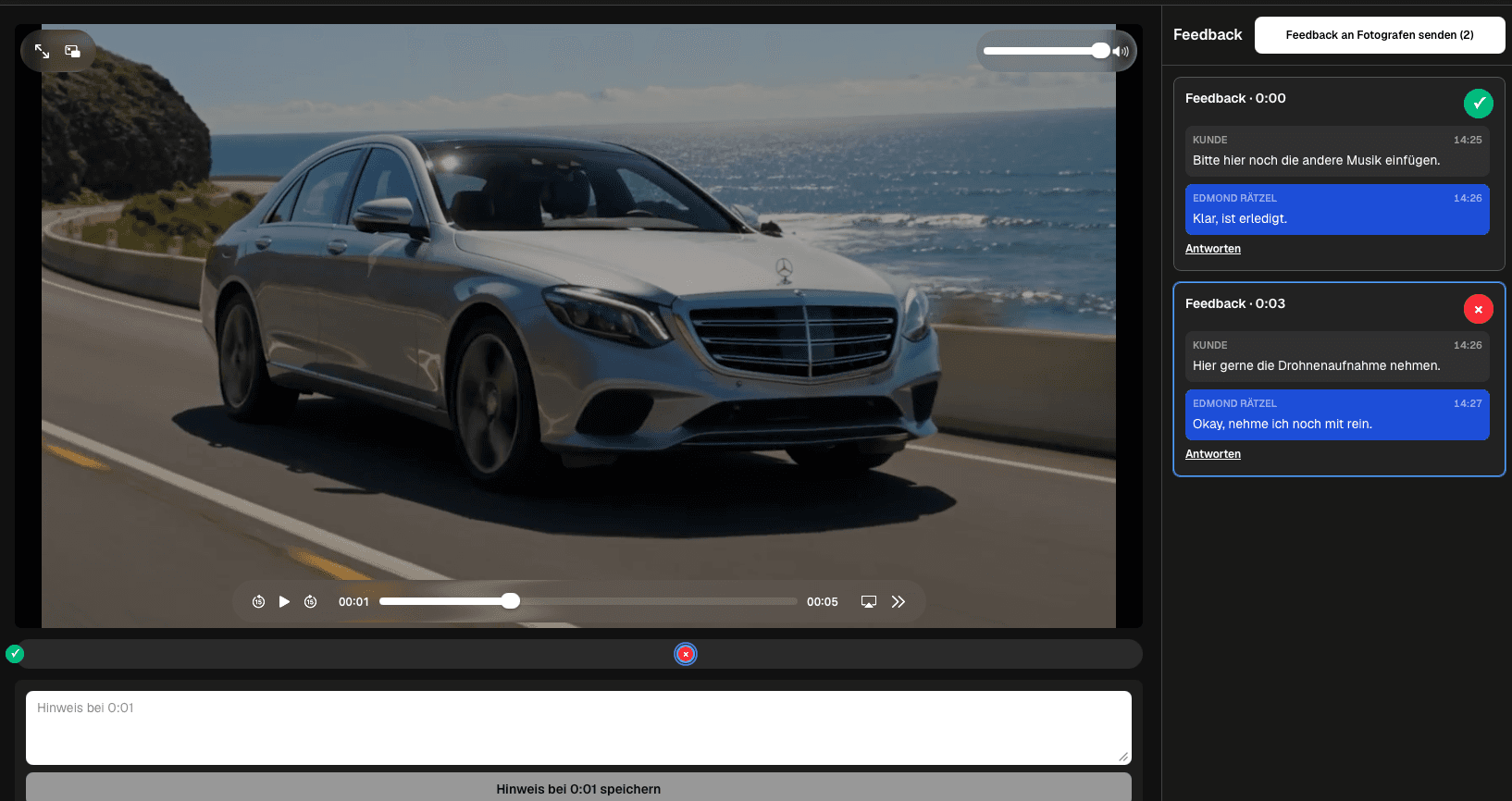
Frame.io and GalleryDock overlap in client feedback but center different workflows. Compare the production-review depth you need with the value of a simple branded gallery for mixed-media review and final delivery. This is a workflow comparison, not a claim that GalleryDock reproduces every Frame.io feature, integration, storage model, version-management capability, security option, or current plan entitlement.
Fair comparison
A responsible alternative page starts with the workflow center, reviewer type, and handoff that the studio needs to improve.
01
List whether the team needs internal dailies, asset management, version comparison, NLE connections, external client review, final delivery, or a combination. Those are different jobs.
02
Editors, producers, agency teams, and commissioned clients bring different expectations. A powerful production environment may be unnecessary friction for a simple client decision.
03
A team may prefer a familiar interface without needing every capability it contains. Record the required outcome before comparing products or migration effort.
04
Plans, pricing, storage, integrations, regions, and security options can change. Treat official current documentation as authoritative rather than copying dynamic claims into a durable guide.
GalleryDock path
GalleryDock is most relevant when review should feel like part of a branded commissioned-client journey rather than an exposed production workspace.
01
Name the file and review stage, state what decisions are requested, and keep older candidates out of the primary path so the client knows what is current.
02
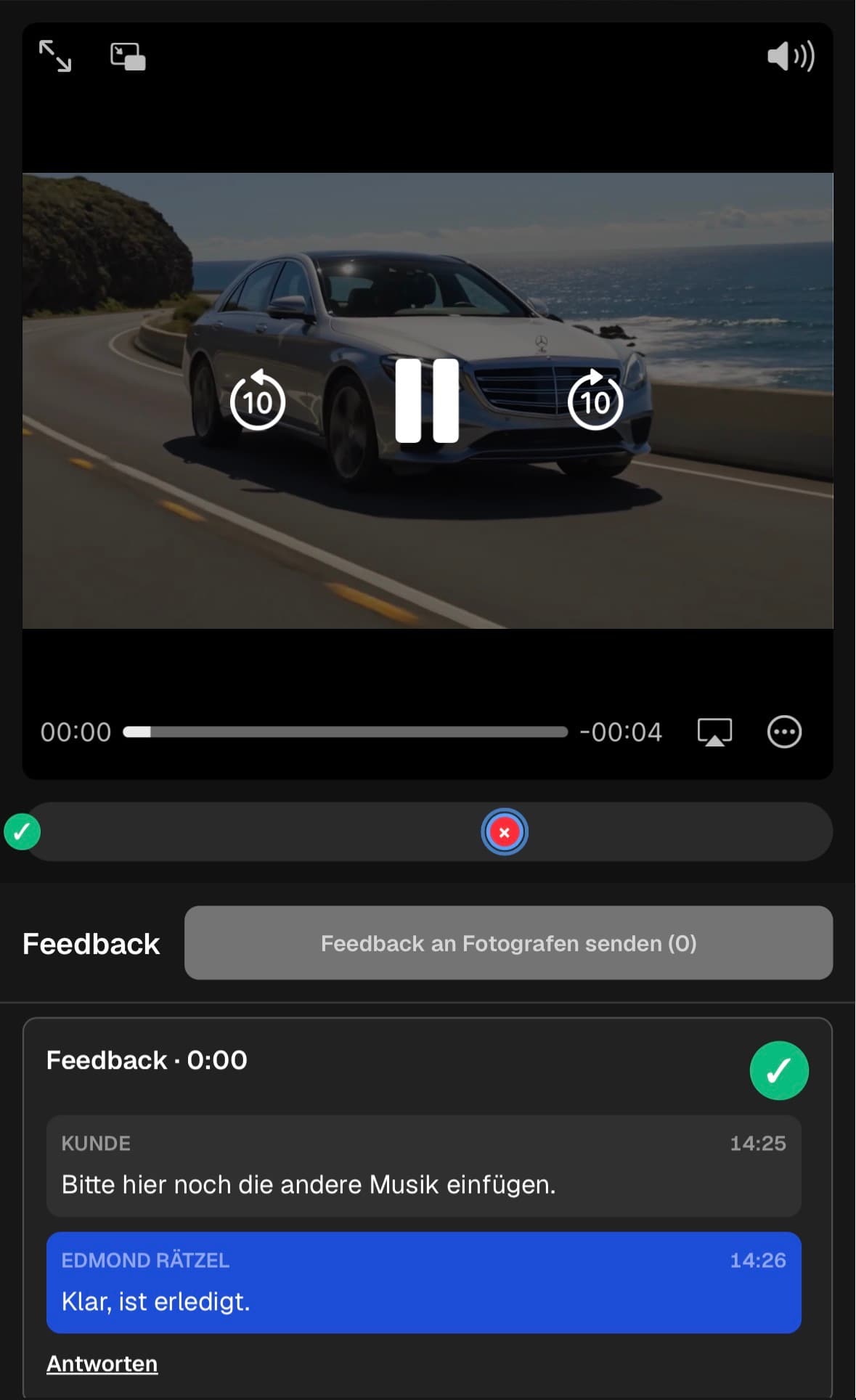
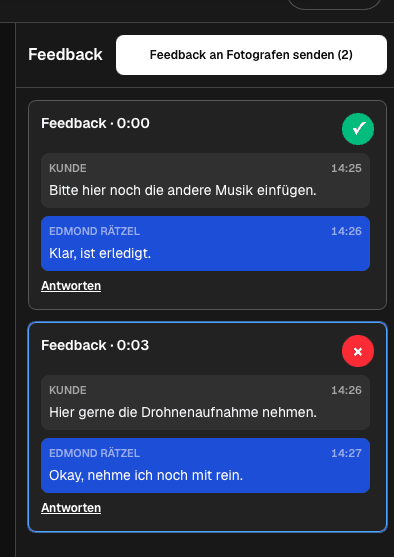
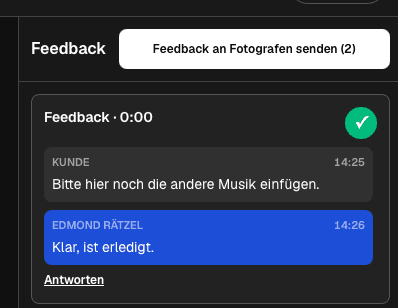
Clients can attach notes to playback moments, continue clarification in threads, and distinguish open requests from corrections already checked.
03
Photo selects, cover stills, campaign images, and video exports can belong to the same client handoff while each medium retains an appropriate decision path.
04
After the correction list is resolved, the approved gallery can lead into controlled downloads and configured digital or physical sales without pretending to replace production storage.
Migration test
A migration decision should be based on completed work, not a screenshot or a generic list of checkmarks.
01
Use the wording, export complexity, reviewer mix, and deadline of a typical job. Artificially simple tests hide the communication problems that matter.
02
Count how often reviewers leave vague notes, move discussion into email, or require support. Then verify whether every agreed correction can be closed confidently.
03
Follow the project until the client receives the correct files. A strong comment experience does not prove the final handoff, mixed-media package, or download path.
04
Preserve source files and production records independently, migrate a limited set of projects first, and avoid claims that either system must replace every part of the other.
Decision
The right answer may be Frame.io, GalleryDock, or a deliberate combination, depending on where production ends and the client journey begins.
01
Prioritize it when the team depends on the specific current production-review, workflow-management, or supported integration capabilities verified directly for the account.
02
Prioritize it when a branded client gallery, straightforward external review, mixed photo/video delivery, selections, downloads, and optional sales define the core need.
03
Define the moment a production asset leaves internal review and becomes the client-facing candidate. Duplicate open feedback across systems should be avoided.
04
Tell the team which system owns internal review, client decisions, final delivery, and archival records so projects do not drift between tools.
Operational proof
The final comparison should use evidence from the people who will operate the workflow and the clients who will experience it.
01
Watch whether a representative client understands the current export, places a useful note, follows clarification, and recognizes when the round is complete without being coached through production terminology or a second communication channel.
02
Ask the editor, producer, photographer, and delivery owner whether the chosen path leaves one authoritative correction list, one verified final candidate, and an unambiguous destination for approved files after the conversation ends.
Comparison
Use the differences below as decision criteria, then verify the complete path with one real client project before changing your standard workflow.
| Decision area | Frame.io | GalleryDock |
|---|---|---|
| Primary orientation | Creative review, approval, file management, and production workflows | Branded client galleries for review, delivery, photo selection, downloads, and optional sales |
| Client review | Precise feedback within a broader production-review environment | Private client-facing review with timecoded video notes and media-specific context |
| Photo and video handoff | Production assets and review workflows | A mixed gallery journey designed to continue into final client delivery |
| Editing integrations | Integrations can connect review with supported creative tools | Editing stays in the filmmaker's or photographer's existing production software |
| Decision to test | Best when production review depth and connected workflows are central | Best when a simple branded client journey and final delivery are central |
| Honest limit | Current features and plans must be checked directly with Frame.io | Not an NLE, source archive, automatic comparison engine, or clone of Frame.io |
A filmmaker who needs clear client notes and final delivery tests whether the gallery-centered path is sufficient without assuming deeper production features.
A studio presents stills and the current video export together, collects medium-specific decisions, and delivers the approved package through one client-facing destination.
A larger team keeps detailed internal production review in its chosen environment and uses GalleryDock only when the work moves into client presentation and delivery.
Frequently asked questions
It can be an alternative for photographers and filmmakers whose priority is a simple branded client review and delivery journey. It is not a feature-for-feature Frame.io replacement.
Frame.io presents itself around creative asset review and approval, file and workflow management, precise feedback, sharing, presentation, and supported creative integrations.
GalleryDock centers the invited client experience: private photo and video galleries, contextual feedback, selections, controlled delivery, and configured digital or physical sales.
GalleryDock is not presented here as a Premiere Pro or other NLE plugin. Editors apply approved notes in their existing production software.
This page does not compare live prices or declare a cheaper winner. Current plans, limits, taxes, storage, and entitlements can change and should be checked directly.
Yes. A team can use a production-review environment internally and a GalleryDock client gallery for the external handoff when that separation matches its process.
Related resources
Pricing
Free forever
0 EUR
EUR 0 per month
Perfect for sharing your first galleries professionally.
Start free, no credit card required
Monthly
19 EUR
EUR 228 billed yearly. plus VAT
Ideal for photographers who regularly deliver client galleries.
For regular client delivery
Monthly
29 EUR
EUR 348 billed yearly. plus VAT
For photographers managing many projects, videos and growing storage.
For regular client delivery
Use one representative client project to compare reviewer friction, correction closure, mixed-media delivery, and the handoff from production into the final client experience.
Create a free account