01
Export from Resolve
Create the intended review file after the current Edit, Color, Fairlight, and Fusion work.
DaVinci Resolve client feedback workflow
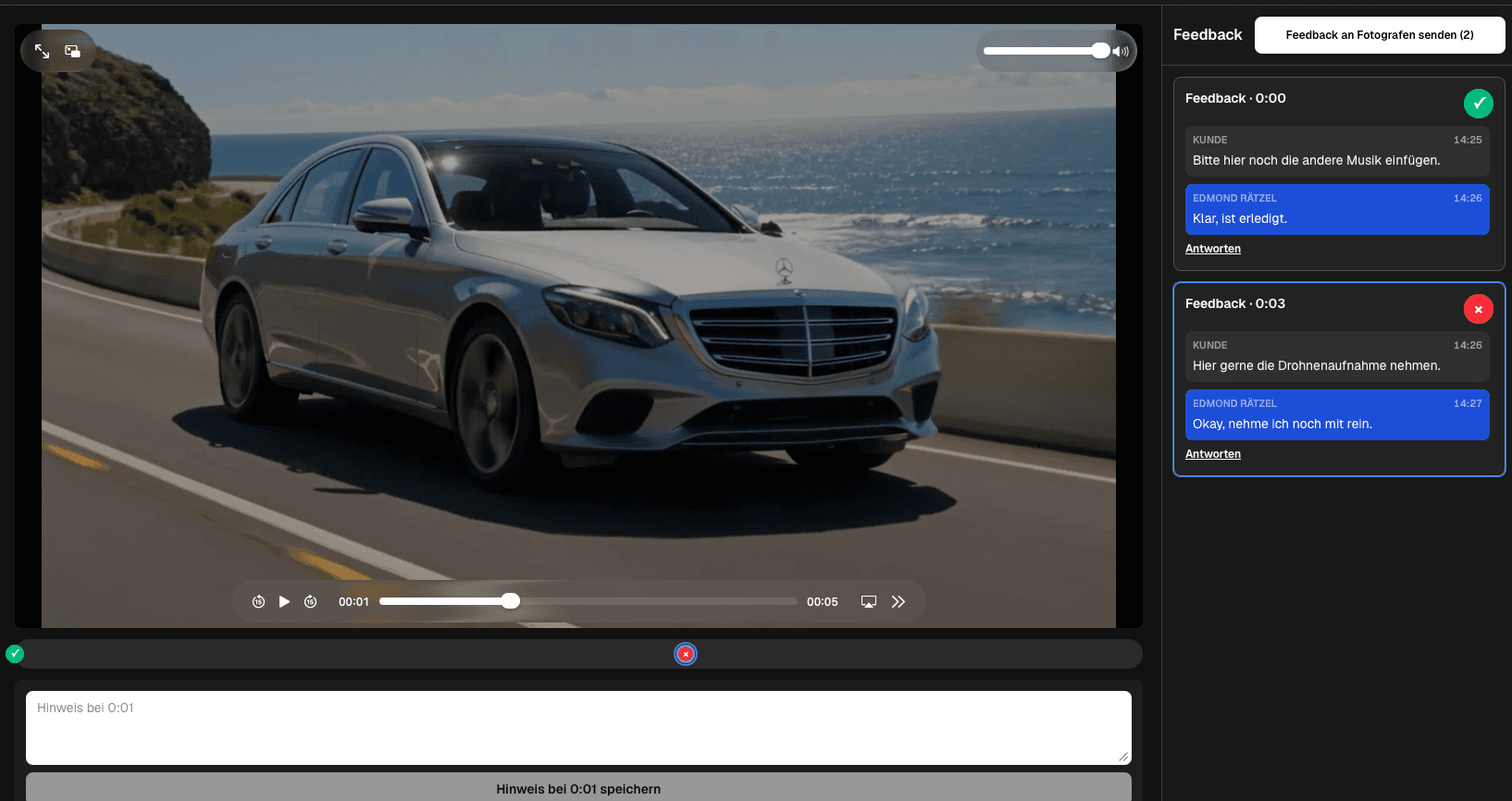
Use a DaVinci Resolve client feedback workflow: export from Edit, Color, Fairlight, or Fusion, collect timestamped client notes in GalleryDock, apply them manually, and share a verified new version.
Quick answer
Use a DaVinci Resolve client feedback workflow: export from Edit, Color, Fairlight, or Fusion, collect timestamped client notes in GalleryDock, apply them manually, and share a verified new version. GalleryDock is the client review layer after export; it is not a DaVinci Resolve plugin, marker import, bidirectional sync, Blackmagic Cloud replacement, or timeline version-control system.
Workflow
Keep each handoff explicit so the client and creative team know what happens next.
01
Create the intended review file after the current Edit, Color, Fairlight, and Fusion work.
02
Upload the export and invite the client through the private gallery path.
03
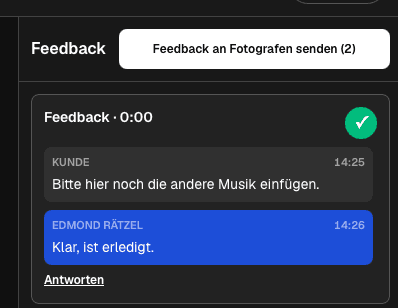
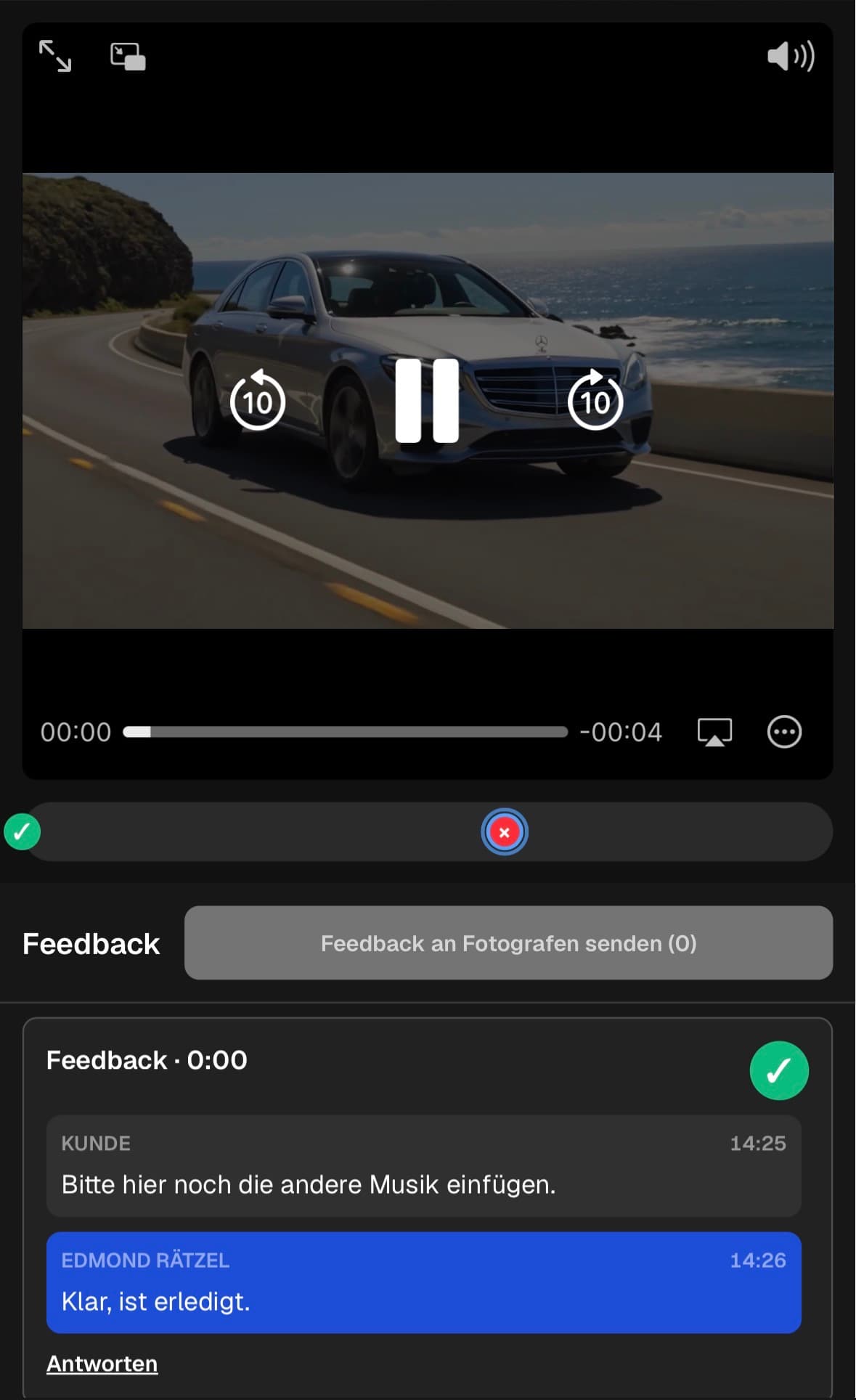
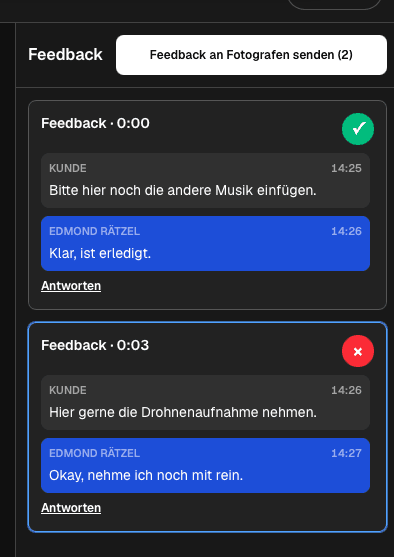
Read the timestamped feedback and make the approved corrections in Resolve.
04
Create the next version, check it against every resolved note, and share the verified result.
Project-specific review
Review the decisions that belong to this project instead of collecting vague approval messages.
Review structure, shot choice, pacing, transitions, and graphic timing.
Confirm the approved look and identify shots that need manual grading attention.
Check speech, music, effects, balance, and the client-facing mix.
Verify compositing, titles, logos, and animated elements in the exported result.
Quality control
A successful handoff needs a tested client path and an honest boundary around what the software does.
Open the client view on desktop and mobile. Check access, readable labels, media playback or product choices, and the next action without horizontal overflow.
Use names and instructions the client understands. Keep internal production language out of the final handoff unless it helps them make a decision.
GalleryDock is the client review layer after export; it is not a DaVinci Resolve plugin, marker import, bidirectional sync, Blackmagic Cloud replacement, or timeline version-control system.
Resolve every open point, verify the intended final file or order state, and only then publish or deliver the next version.
Comparison
Use this comparison to keep davinci resolve client feedback workflow precise and product-truthful.
| Approach | Best for | Tradeoff |
|---|---|---|
| Export and GalleryDock review | A private client-facing correction round | Notes are applied in Resolve manually |
| Resolve timeline markers | Internal editor notes | Not automatically created from GalleryDock comments |
| Blackmagic Cloud workflow | Native Resolve collaboration features | A different product boundary |
| Email feedback | A small general response | Timecode and scene context are easier to lose |
The client reviews story and pacing before the editor updates the Resolve timeline.
Brand and product teams comment on color, product detail, and graphic moments.
Communications reviewers check speech, lower thirds, logos, and final audio.
Frequently asked questions
No. Export a review version from Resolve and share that file through the client gallery.
No marker import or synchronization is claimed. The editor applies the client notes manually in Resolve.
Yes. Clients use the private gallery review path rather than the editing application.
No. It provides a separate client review and delivery path after export.
Keep the client discussion in its timestamped thread, mark resolved items, apply changes in Resolve, and verify the next export.
No timeline version-control system is claimed. Use clear export names and your production versioning process.
Related resources
Pricing
Free forever
0 EUR
EUR 0 per month
Perfect for sharing your first galleries professionally.
Start free, no credit card required
Monthly
19 EUR
EUR 228 billed yearly. plus VAT
Ideal for photographers who regularly deliver client galleries.
For regular client delivery
Monthly
29 EUR
EUR 348 billed yearly. plus VAT
For photographers managing many projects, videos and growing storage.
For regular client delivery
Use one real client project to test the complete davinci resolve client feedback workflow path before you make it your default.
Create a free account