01
Export from Premiere Pro
Create the cut intended for this client decision.
Premiere Pro client feedback
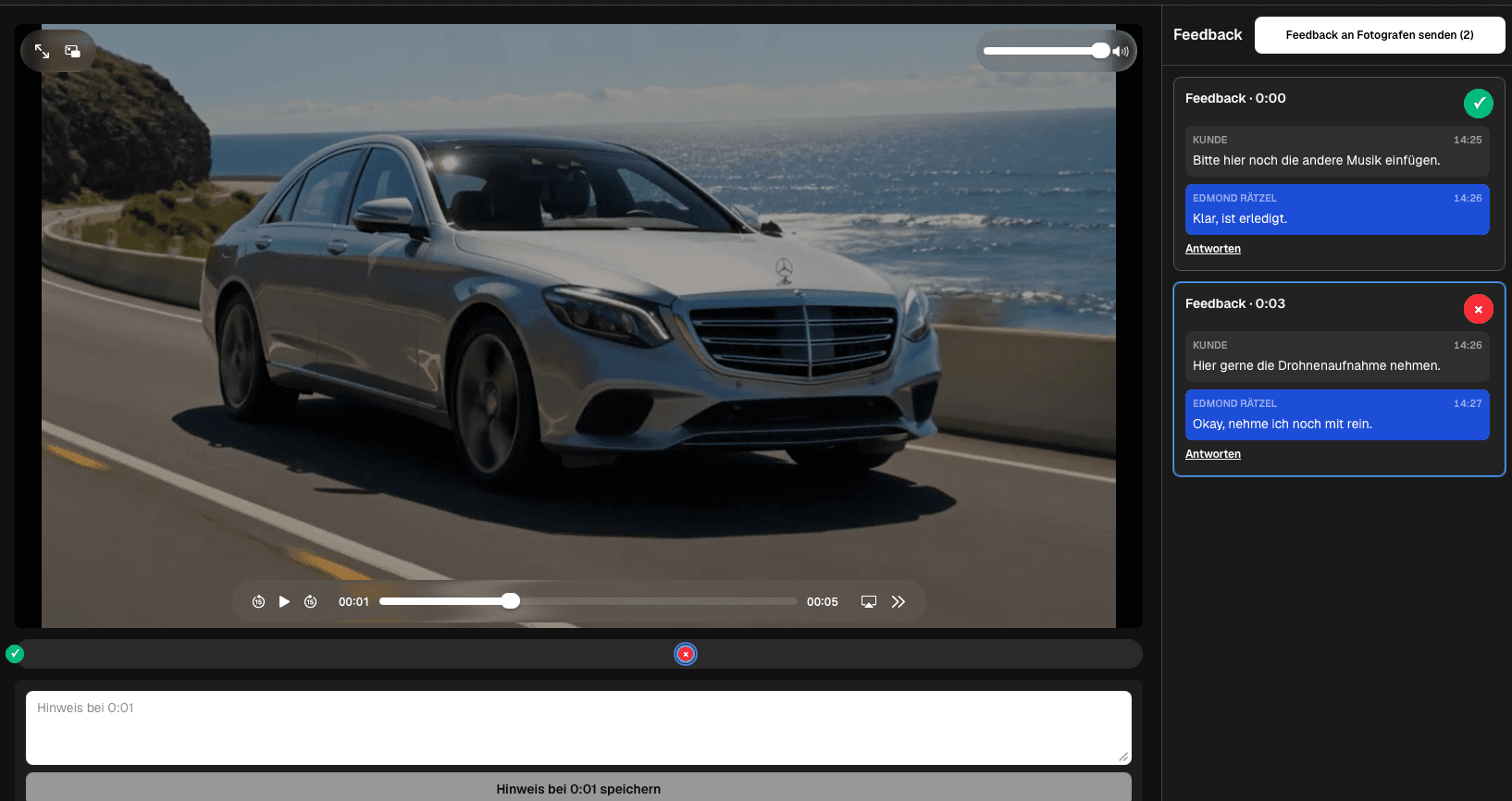
Connect a Premiere Pro export to client feedback with a clear upload, timecoded review, manual correction, and verified delivery workflow.
Quick answer
Connect a Premiere Pro export to client feedback with a clear upload, timecoded review, manual correction, and verified delivery workflow. GalleryDock is not a Premiere Pro plugin, Adobe review replacement, marker importer, bidirectional comment sync, editing tool, or version-control system; approved notes are applied manually in Premiere Pro.
Workflow
Keep each handoff explicit so the client knows what to review and the filmmaker knows what happens next.
01
Create the cut intended for this client decision.
02
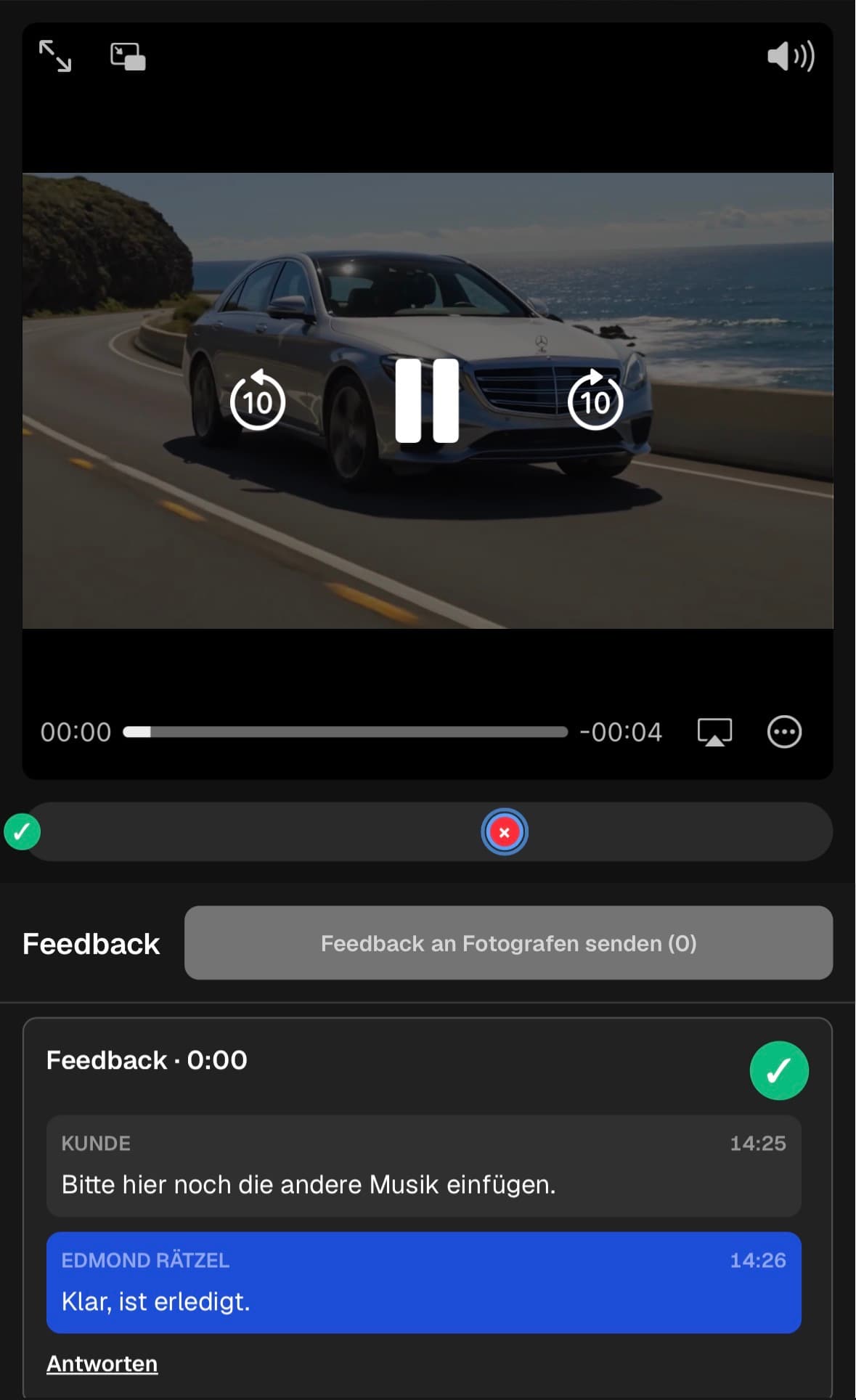
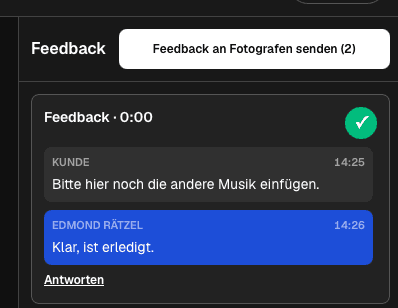
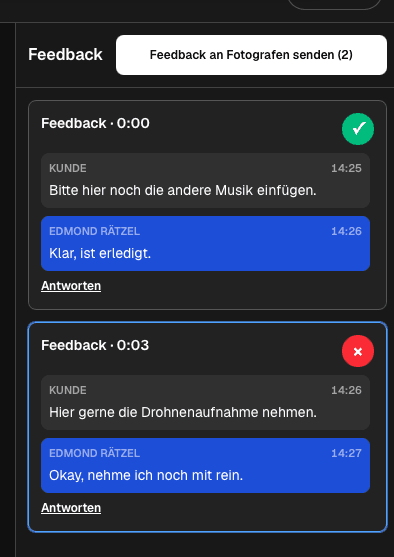
Share the private client path and collect timecoded notes.
03
Use the comments as references while updating the Premiere Pro timeline.
04
Check every resolved item before sharing or delivering the corrected file.
Review focus
Ask for decisions that belong to the current export instead of collecting vague reactions across several channels.
Check story, pacing, shot choice, and transitions.
Review speech, music, effects, and balance.
Verify lower thirds, logos, titles, and end cards.
Confirm that the corrected export matches every resolved note.
Quality control
A reliable review needs a tested client path and an honest boundary around what the software does.
Open the client view on desktop and mobile, play the intended export, and check that the next action is clear without horizontal overflow.
Use client-facing language and state what kind of decision is needed in this round.
GalleryDock is not a Premiere Pro plugin, Adobe review replacement, marker importer, bidirectional comment sync, editing tool, or version-control system; approved notes are applied manually in Premiere Pro.
Resolve every open point, verify the corrected export, and only then deliver or share the next version.
Comparison
Use this matrix to keep premiere pro client feedback specific, actionable, and tied to the current export.
| Approach | Best for | Tradeoff |
|---|---|---|
| Premiere Pro edit | Build and export the current review cut | Keep editing inside Premiere Pro |
| GalleryDock review | Present the export and collect client notes | Use timecoded comments in the client space |
| Manual correction | Translate approved notes into timeline changes | Apply each decision in Premiere Pro |
| New export | Verify the corrected result | Share the checked file through the client path |
The client asks for a clearer hook and shorter setup at a saved moment.
Lower thirds, voice, music, and logo use receive scene-specific notes.
The client verifies the call to action, end card, and remaining edit points.
Frequently asked questions
Export the intended review cut, upload it to GalleryDock, and let the client leave contextual notes at saved playback positions.
No. The invited client can use the private review path without creating an account.
Yes. A note can describe the requested outcome and follow-up questions can stay in the same scene thread.
Use the saved playback time and note as a reference, then apply the agreed change manually in the Premiere Pro timeline.
No. GalleryDock does not import markers or synchronize comments with Premiere Pro.
Yes. Export the corrected cut, verify it, and present it again through the branded client path.
Related resources
Pricing
Free forever
0 EUR
EUR 0 per month
Perfect for sharing your first galleries professionally.
Start free, no credit card required
Monthly
19 EUR
EUR 228 billed yearly. plus VAT
Ideal for photographers who regularly deliver client galleries.
For regular client delivery
Monthly
29 EUR
EUR 348 billed yearly. plus VAT
For photographers managing many projects, videos and growing storage.
For regular client delivery
Use one real client project to test the complete premiere pro client feedback workflow before making it your default.
Create a free account