01
Map the current handoff
Write down how the export reaches the client, where notes arrive, who consolidates them, and how completion is confirmed. This exposes the expensive gaps before software is compared.
Video feedback tool
Choose a video feedback tool that keeps client notes on the right scene, preserves clarification, tracks corrections, and leads cleanly into final delivery.
Quick answer
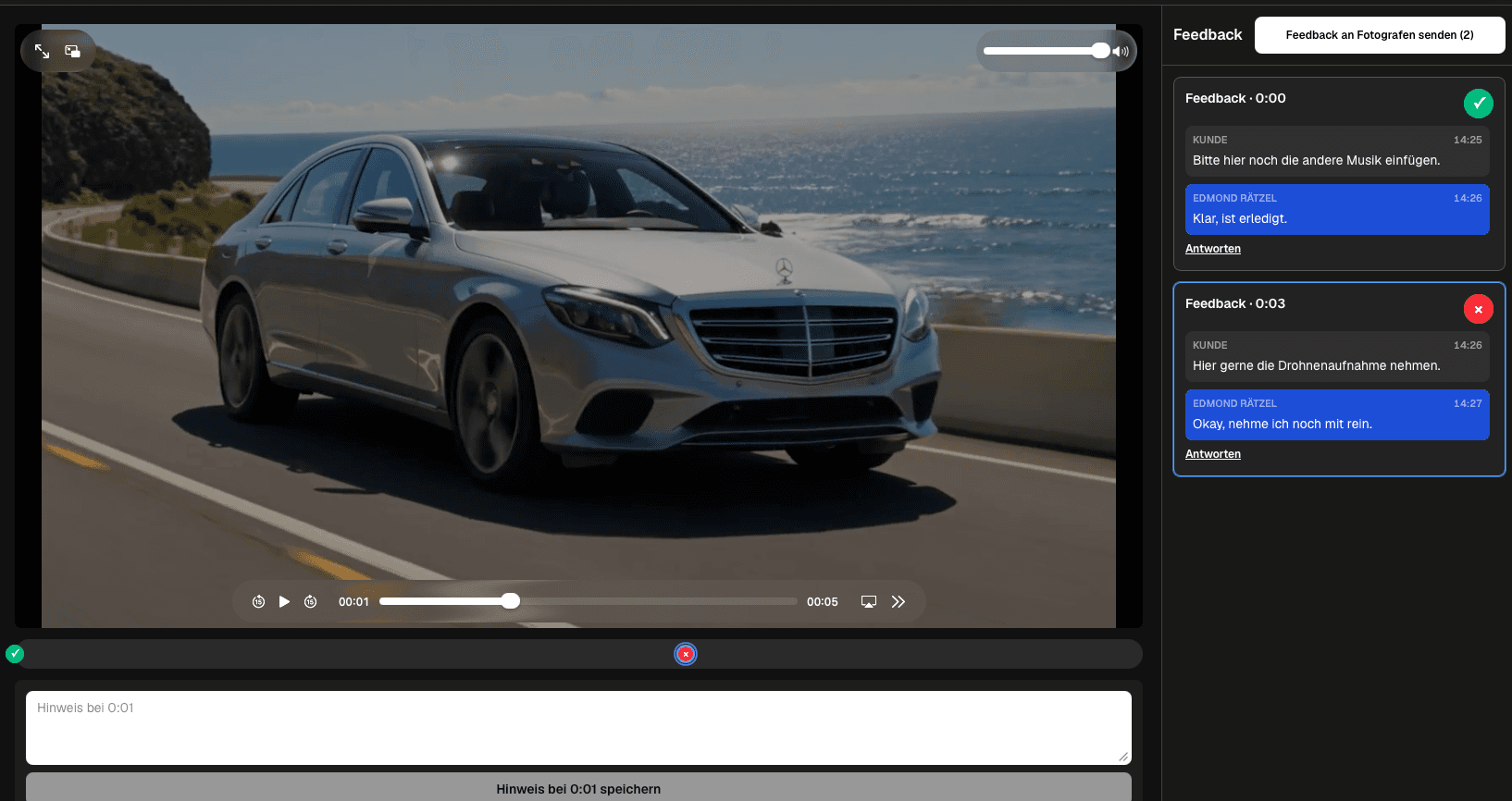
A useful video feedback tool gives clients a simple private path, anchors requests to exact playback moments, keeps replies in context, and shows what is still open before the final file is delivered. GalleryDock reviews exported video files; it is not an editing suite, live meeting platform, automated transcription service, or replacement for the filmmaker's source archive.
Selection criteria
The best tool is the one that removes ambiguity from the actual review path, not the one with the longest feature list.
01
Write down how the export reaches the client, where notes arrive, who consolidates them, and how completion is confirmed. This exposes the expensive gaps before software is compared.
02
Decide whether each round covers one export, several named clips, or a mixed gallery. Reviewers need to know exactly which file and production stage their note affects.
03
Multiple reviewers can contribute, but one person or explicit rule must resolve conflicting preferences. Otherwise a precise tool simply records an imprecise approval process.
04
The client interface should communicate decisions clearly while the production team retains control of timelines, source files, edit systems, and final rendering.
Client experience
A technically capable system still fails when the invited client cannot tell what to watch or what happens after a comment.
01
State whether the reviewer should judge story, factual accuracy, brand language, fine-cut craft, or final errors. A narrow brief produces more useful notes than a general request for thoughts.
02
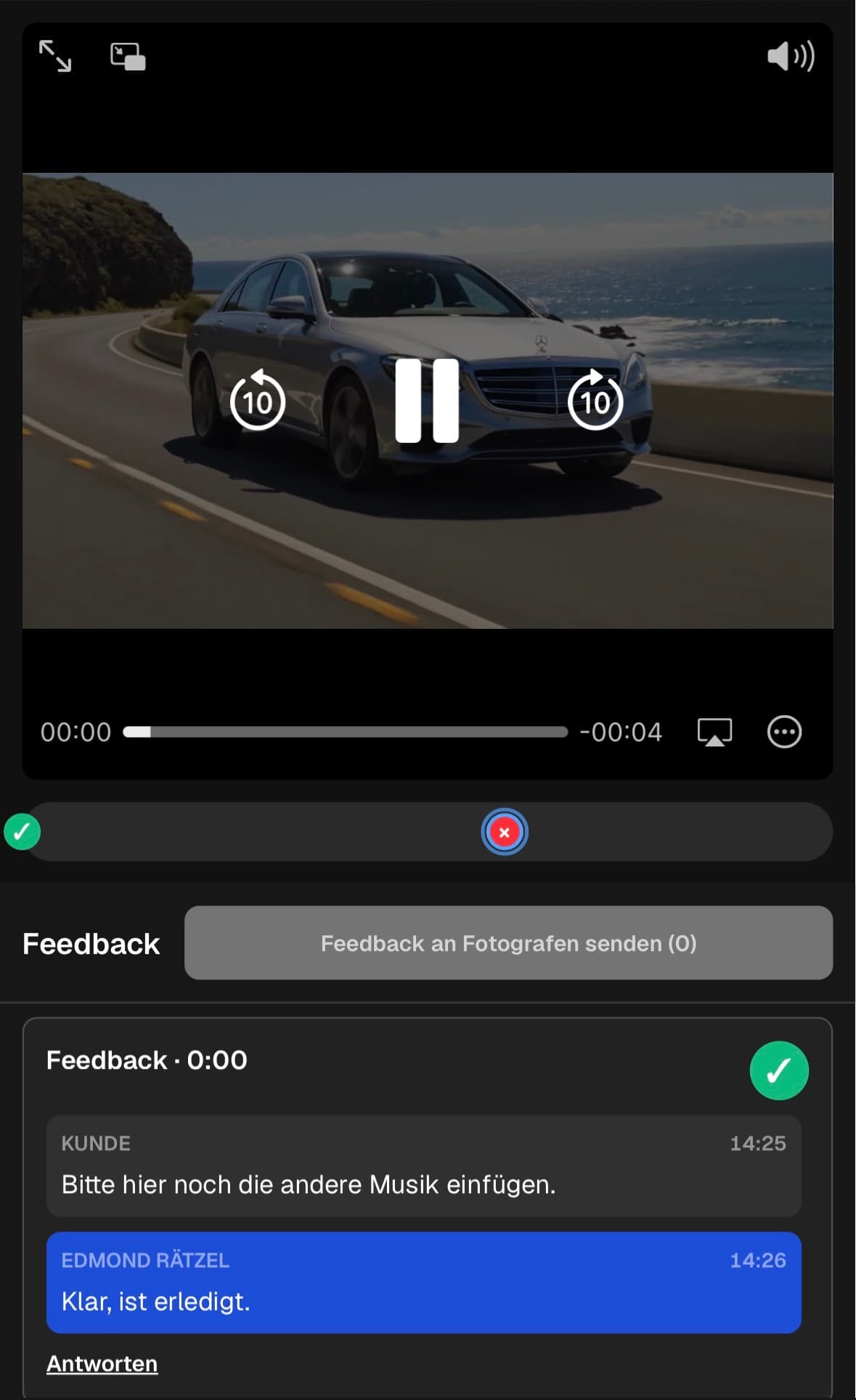
Open the client link on a phone, play the intended export, pause, comment, reply, and submit. Confirm that controls remain visible and the page does not require horizontal scrolling.
03
Questions about a note should stay in the same thread and beside the same scene. Moving clarification into email recreates the ambiguity the review tool was meant to remove.
04
Tell reviewers when notes are due, who consolidates them, whether another round follows, and how the final approved file will be delivered.
Correction control
A professional workflow needs a closing mechanism so comments become verified decisions rather than an endless conversation.
01
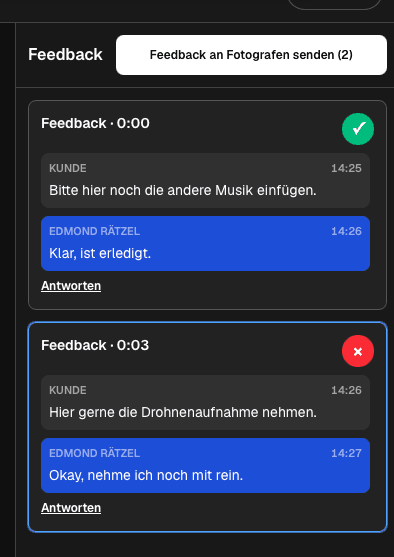
Separate unrelated edit, sound, text, and color changes. Small, focused requests are easier to assign, verify, and close without overlooking part of a compound comment.
02
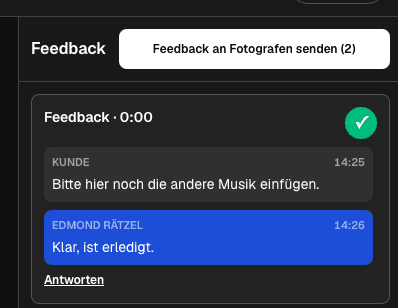
Leave a request open while work or clarification remains. Mark it completed only after the corrected export has been checked against the agreed outcome.
03
Name exports with a stable project and revision convention. The reviewer should never have to guess whether a comment belongs to the rough cut, fine cut, or final candidate.
04
Before delivery, verify that no open request remains, the decision owner accepts the current export, and the downloaded file matches the reviewed version.
Comparison
Use the differences below as decision criteria, then verify the complete path with one real client project before changing your standard workflow.
| Approach | Best for | Tradeoff |
|---|---|---|
| Timecoded comments | Specific scene-level requests | Check that the saved position survives replies and later review |
| Conversation threads | Questions that need clarification | Keep one decision per thread so the result remains readable |
| Open and completed status | A visible correction list | Status helps only when the team agrees who closes each request |
| Private client path | External reviewers who need a simple experience | Test desktop and mobile before inviting the real client |
| Gallery plus delivery | Teams that want review and final handoff together | Editing and long-term source storage stay in separate tools |
A couple comments on vows, speeches, pacing, and music transitions in the current cut while the filmmaker keeps creative and contractual boundaries explicit.
A marketing lead consolidates product, brand, and leadership notes so the editor receives one traceable correction list instead of several email chains.
An agency separates its internal quality check from the external client round, then confirms which stakeholder has authority to close the export.
Frequently asked questions
A video feedback tool lets reviewers watch an exported video, attach notes to specific playback moments, discuss those notes, and track which requests still need action.
No. A client-facing review path should let invited reviewers watch the export and respond without opening the editor used by the production team.
A useful note identifies the exact moment, states the requested result, names the decision owner when necessary, and belongs to the current export.
Yes, but the project still needs a named decision owner or consolidation rule so conflicting preferences do not become an undefined revision list.
No. Editing, grading, sound work, graphics, rendering, and source-file management remain in the filmmaker's production tools.
Yes. After corrections are resolved and the approved export is verified, GalleryDock can continue the client-facing journey into final gallery delivery.
Related resources
Pricing
Free forever
0 EUR
EUR 0 per month
Perfect for sharing your first galleries professionally.
Start free, no credit card required
Monthly
19 EUR
EUR 228 billed yearly. plus VAT
Ideal for photographers who regularly deliver client galleries.
For regular client delivery
Monthly
29 EUR
EUR 348 billed yearly. plus VAT
For photographers managing many projects, videos and growing storage.
For regular client delivery
Upload a real export, invite one representative reviewer, resolve every note, and verify the corrected version before adopting the tool for all client work.
Create a free account