Employees identify personal favorites
When appropriate, each person can compare their expressions and mark a preferred portrait without writing image numbers into an email.
Team headshot selection
Organize employee headshots, collect favorites and image notes, coordinate HR and marketing approval, and deliver final team photos in GalleryDock.

Quick answer
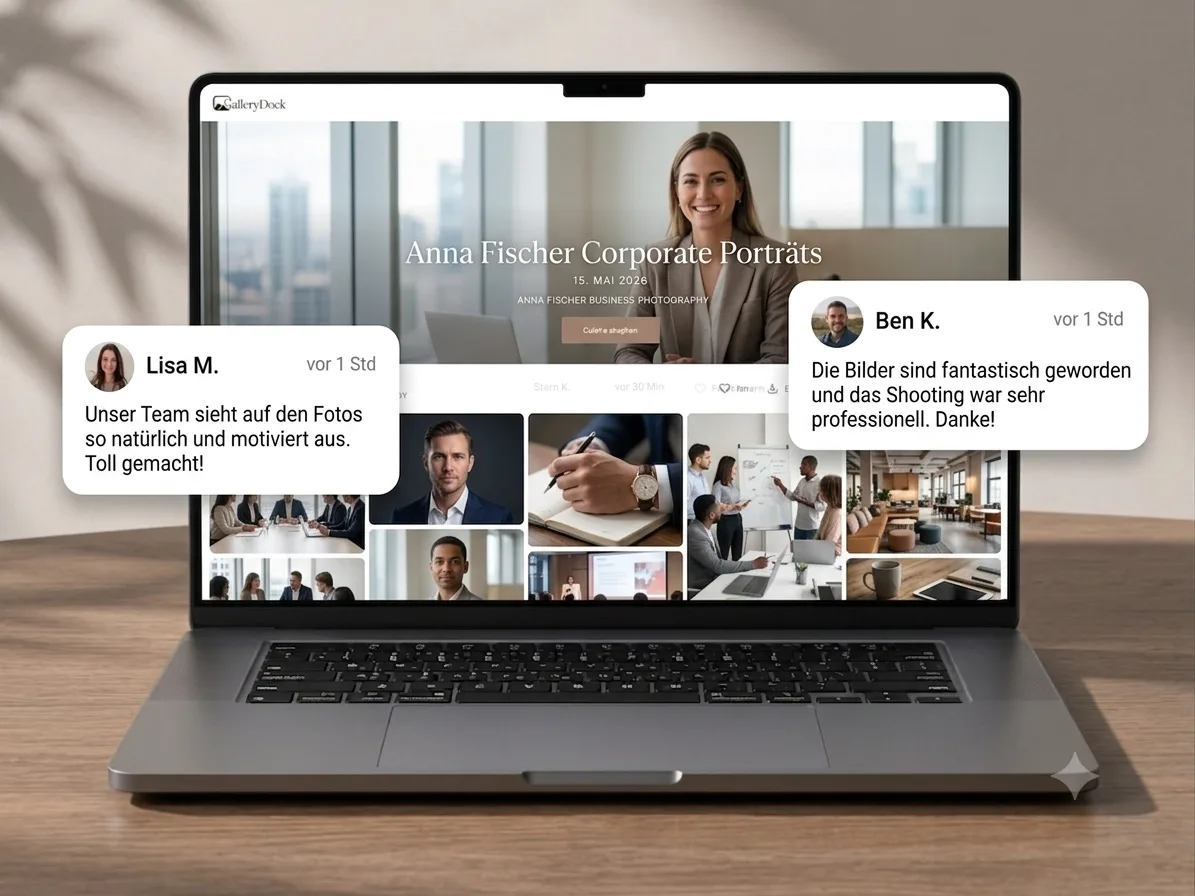
A team headshot selection workflow must coordinate the people in the photographs with the people responsible for the brand. GalleryDock gives photographers a private gallery where employees, HR, or marketing can review the relevant portraits, mark favorites, and leave image-specific notes. A defined decision owner then turns those responses into one approved set for retouching and delivery.
Define who decides
An employee may prefer one expression while marketing needs a consistent crop and visual style. The workflow should make both inputs useful without leaving the photographer to reconcile several conflicting message threads.
When appropriate, each person can compare their expressions and mark a preferred portrait without writing image numbers into an email.
HR can check that the correct employees are represented and that the set fits directories, recruiting, or internal communication needs.
Marketing can assess crop, background, expression, and brand fit across the team rather than approving each portrait in isolation.
Name the person whose approval moves images into retouching and delivery. Otherwise several valid opinions may still produce no actionable shortlist.
A scalable selection path
The larger the group, the more important it is to structure the gallery and communication before stakeholders begin reviewing photographs.
01
Use employee names, departments, locations, or another agreed structure that lets the company find the relevant images quickly.
02
State how many headshots may be chosen, whether employees or managers decide, and where crop or retouching requests belong.
03
If an employee and the brand team choose different frames, ask the decision owner to confirm the final image before production work begins.
04
Release the finished portraits in the expected formats and keep the final gallery distinct from the earlier proofing stage.
Common corporate use cases
A headshot is rarely used in only one place. The review becomes more useful when stakeholders consider the real destination instead of choosing solely on personal taste.
Consistent crop, background, orientation, and expression matter when many portraits appear side by side on the same page.
The selected image should remain recognizable and useful at small sizes while still matching the broader employer brand.
Executives may need several approved expressions or crops for interviews, announcements, speaker profiles, and media requests.
Marketing may select a broader set of group and workplace images alongside individual headshots for careers pages and campaigns.

Comparison
Corporate portrait projects become difficult when the image view and the approval record live in different tools.
| Approach | Best for | Tradeoff |
|---|---|---|
| Individual email replies | A very small team | Selections arrive in different formats and at different times |
| Spreadsheet plus filenames | Central status tracking | Reviewers constantly switch between rows and images |
| Shared cloud folder | Internal access to exports | Near-identical portraits are difficult to discuss precisely |
| Messaging channel | A quick informal opinion | Screenshots and approvals become hard to audit |
| GalleryDock team workflow | Visual favorites, image notes, and controlled approval | The company still needs one agreed decision owner |
Each employee identifies a preferred expression, then marketing checks consistency and submits the final retouching list.
Portraits are organized by office or department while one corporate contact coordinates the approved set across locations.
A smaller team selects different images for LinkedIn, speaking profiles, website biographies, and campaign material without losing track of intended use.
Frequently asked questions
Organize portraits by employee or team, define who may mark preferences, name one final decision owner, collect image-specific notes, and confirm the approved set before retouching.
Yes, if the company wants employee input. The workflow should still explain whether HR or marketing has final approval for brand consistency.
A shared GalleryDock client gallery can support visual review and image-specific feedback. The company should coordinate access and submit one final decision to the photographer.
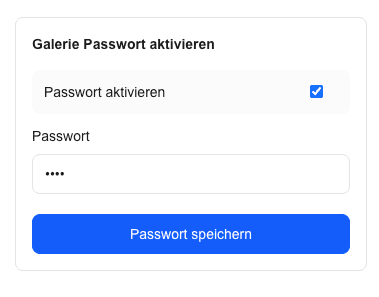
Yes. Optional password protection can be useful while employee portraits are private, unfinished, or limited to internal stakeholders.
Define the order of input before review begins: employee preference, HR verification, marketing review, and one named final approver.
The photographer can release completed files through the client gallery after selection, retouching, and company approval are complete.
Related resources
Pricing
Free forever
0 EUR
EUR 0 per month
Perfect for sharing your first galleries professionally.
Start free, no credit card required
Monthly
19 EUR
EUR 228 billed yearly. plus VAT
Ideal for photographers who regularly deliver client galleries.
For regular client delivery
Monthly
29 EUR
EUR 348 billed yearly. plus VAT
For photographers managing many projects, videos and growing storage.
For regular client delivery
Create a GalleryDock gallery, organize the portraits, and help employees, HR, and marketing reach one usable approval.
Create a free account