01
Start with the couple's gallery
Deliver the complete agreed wedding collection to the couple first unless the contract defines another sequence. They should understand the final set before a wider guest-facing link begins circulating.
Curated wedding delivery
Share a curated professional wedding gallery with family and guests through one controlled link, clear password guidance, and deliberate download access.
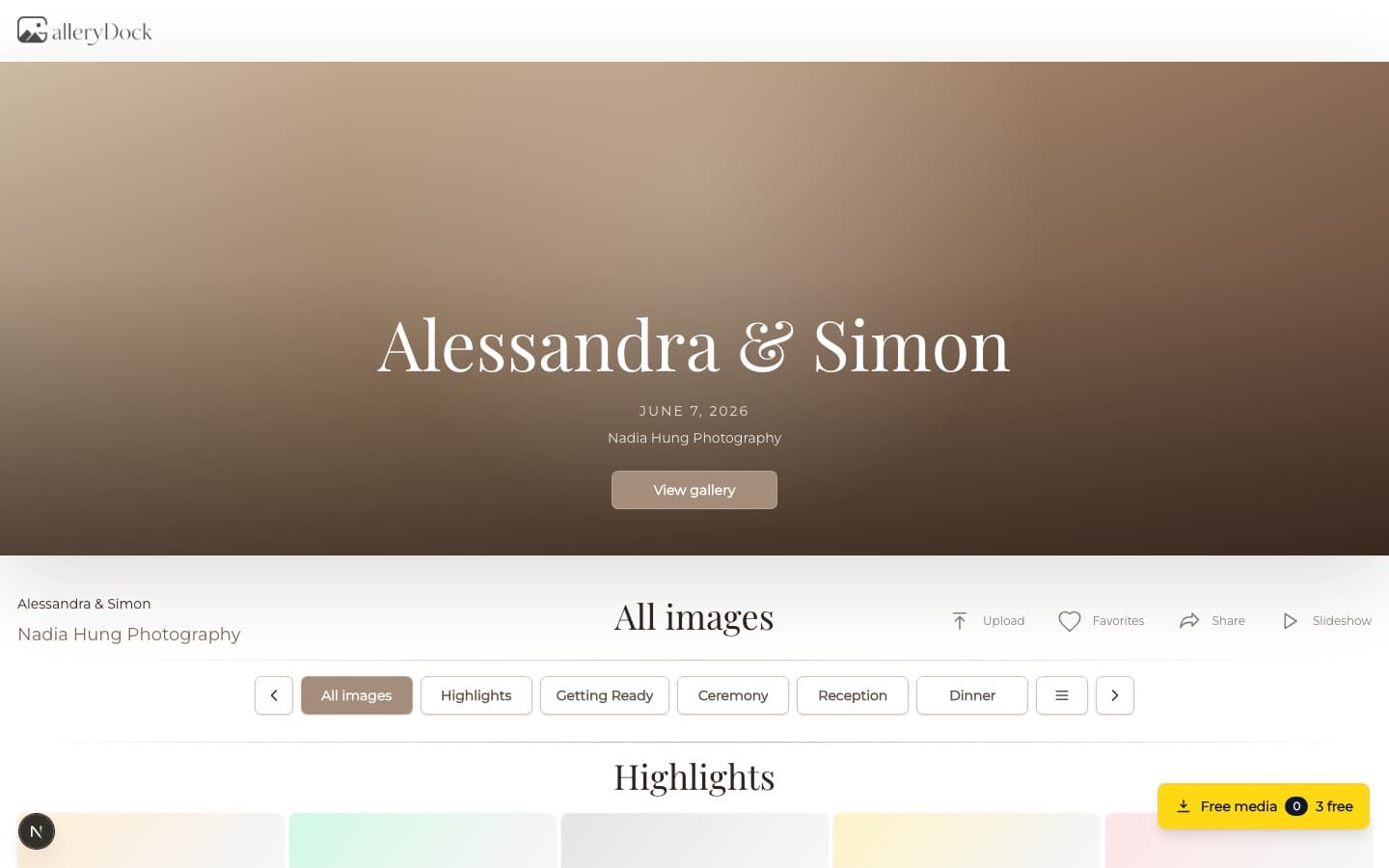
Quick answer
Sharing wedding photos with guests is different from collecting everybody's phone pictures. In this workflow, the photographer or couple distributes a curated professional gallery after the wedding. They decide which photographs belong in the guest-facing set, who receives the link, whether a shared password is appropriate, and which files can be downloaded. GalleryDock supports that controlled delivery path. It does not provide guest uploads, event QR collection, a social feed, face search, or separate permissions for every guest. Those product boundaries matter because the search phrase often mixes professional photo delivery with collaborative guest-photo apps. This guide stays with the curated photographer-gallery intent.
Audience
The couple, close family, and the full guest list may need different photographs and different levels of access.
01
Deliver the complete agreed wedding collection to the couple first unless the contract defines another sequence. They should understand the final set before a wider guest-facing link begins circulating.
02
Review private moments, children, preparations, personal documents, sensitive speeches, and images the couple may not want widely forwarded. A guest set can be smaller than the couple's final gallery.
03
Agree whether the photographer sends the guest link, the couple forwards it, or both. One clear owner reduces duplicate messages and prevents contradictory access instructions.
04
Gallery access does not create publication rights or override privacy and usage agreements. Keep contractual permissions separate from the technical ability to send a link.
Access
A controlled link is useful only when guests know what they may do with it and whom to contact when access fails.
01
Open the exact guest-facing route before distribution and confirm the wedding title, cover, photographer identity, image set, visible actions, and mobile layout.
02
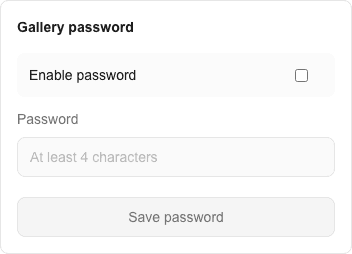
A shared password can add a practical barrier, but everyone who receives it can pass it on. Explain that limitation and avoid describing one password as individual guest authorization.
03
Place the link, password when used, available actions, and support contact in one message. Splitting those details across several chats increases preventable access questions.
04
Assume forwarded links can move beyond the first recipient circle. If the couple needs strict individual authorization, a single shared guest gallery is not the right control model.
Downloads and expectations
The photographer and couple should agree on file access, retention, and the boundary to guest-upload products.
01
Decide whether guests may view only, download selected files, or download the complete guest set. Verify that the configured behavior matches the message sent to them.
02
Tell guests whether downloads are intended for personal sharing and which versions are available. Usage rights still come from the photography agreement, not from the presence of a button.
03
If the gallery will close or change, communicate the date early enough for reasonable access. Keep the photographer's archive independent of that client-facing period.
04
GalleryDock is distributing the professional set in this workflow. It does not collect phone photos by QR code, build a guest social feed, or merge attendee uploads into the photographer's delivery.
Comparison
Choose according to whether the goal is professional delivery or collaborative collection.
| Approach | Best for | Tradeoff |
|---|---|---|
| Messaging app | A few casual images | Compression, fragmented threads, and weak organization |
| Cloud folder | Basic file access | Limited presentation and photographer context |
| Guest-upload QR app | Collecting attendee phone photos | Different from curated professional delivery |
| Social media album | Broad public sharing | Privacy, quality, and permission concerns |
| GalleryDock | Curated professional wedding photos | No guest uploads, QR collection, social feed, or per-guest permissions |
The couple receives and reviews the final wedding story before sharing a reduced guest-safe gallery with family and friends.
Close family members receive one password-protected link with an agreed set of downloadable professional photographs.
The couple shares a curated gallery for viewing while keeping download rights and the full private collection limited.
Frequently asked questions
Create a curated guest-safe professional gallery, verify the public view, choose link and password handling, define download access, and send all instructions in one clear message.
Yes. A shared password can add a practical access barrier, but it is not individual authorization and can be forwarded with the link.
No. This guide does not claim per-guest accounts or individual permission sets. Use a different system when strict person-level authorization is required.
No. GalleryDock is used here to deliver the photographer's curated images, not to collect attendee uploads or QR submissions.
They can when the photographer enables the agreed download scope. The couple and photographer should confirm which files and versions are appropriate before sharing.
No. Copyright, personal-use rights, publication consent, and commercial licensing come from the photography agreement and applicable law, not from the link itself.
Related resources
Pricing
Free forever
0 EUR
EUR 0 per month
Perfect for sharing your first galleries professionally.
Start free, no credit card required
Monthly
19 EUR
EUR 228 billed yearly. plus VAT
Ideal for photographers who regularly deliver client galleries.
For regular client delivery
Monthly
29 EUR
EUR 348 billed yearly. plus VAT
For photographers managing many projects, videos and growing storage.
For regular client delivery
Prepare a guest-safe professional set, verify the English client view, agree on link and password handling, and enable only the download access the couple and photographer intend.
Create a free account