01
Confirm the client contact
Use the contact information already associated with the assignment. Avoid copying a gallery credential into a broad group thread when only one client or a defined stakeholder group needs access.
Private access handoff
Send a client gallery password with a deliberate recipient list, suitable channel, clear instructions, and a signed-out access test without overstating security.
Quick answer
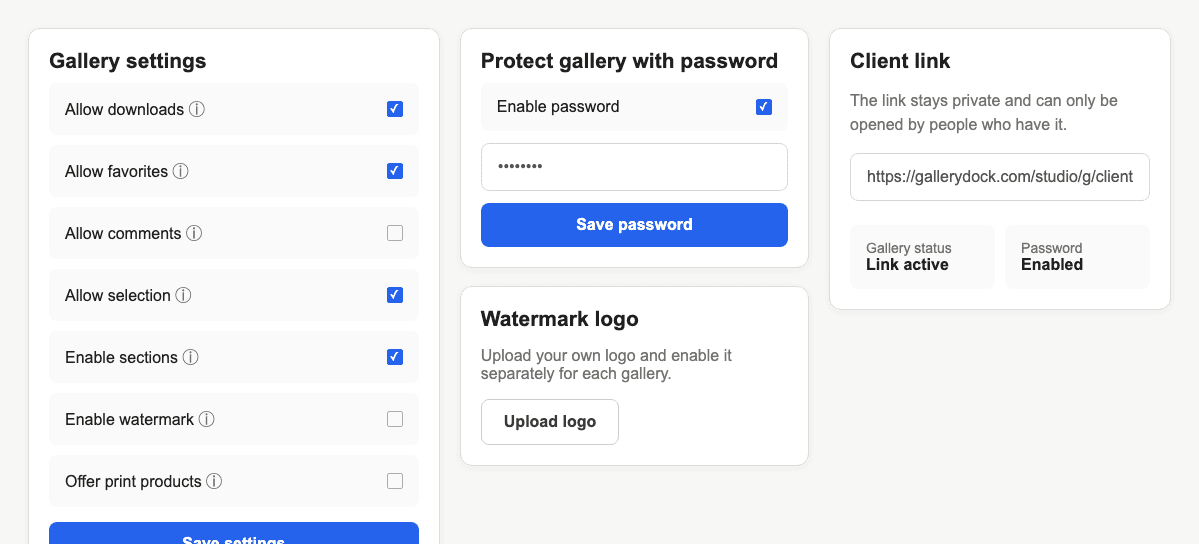
Sending a client gallery password securely means reducing avoidable exposure, not promising an unbreakable channel. Confirm who should receive access, publish the correct GalleryDock gallery, set a unique password, and decide whether the link and credential should travel together or separately based on the sensitivity of the assignment. Tell recipients that forwarding either item may extend access beyond the intended group. Test the exact link and password in a signed-out browser before delivery, and provide one named contact if access fails. GalleryDock protects the gallery with a shared credential; it does not provide verified recipient identity, per-person passwords, a complete access history, or a guarantee that messages cannot be forwarded.
Preparation
A secure handoff begins before the first message is sent.
01
Use the contact information already associated with the assignment. Avoid copying a gallery credential into a broad group thread when only one client or a defined stakeholder group needs access.
02
Use a credential that is not reused across unrelated galleries, accounts, or personal services. The value should be practical for the client to enter but not obvious from names or public project details.
03
Confirm the correct gallery is published and that visible media, comments, favorites, downloads, and watermark settings match the promised stage before anyone receives the link.
04
A family gallery, confidential commercial campaign, school assignment, and public event do not carry the same exposure. Choose the recipient list and communication method according to the actual risk.
Delivery
The client should understand both the practical steps and the limits of a shared password.
01
Send the credential through a private channel controlled by the intended recipient. For more sensitive work, send the link and password separately when that meaningfully reduces accidental forwarding.
02
State that the password is common to the protected gallery and should not be posted publicly. Do not imply that GalleryDock verifies the identity of every person who types it.
03
Tell the recipient to open the exact link, enter the password with the supplied capitalization, and contact the photographer instead of guessing if access does not work.
04
Ask the client before expanding access to relatives, vendors, or colleagues. A recipient can forward a message outside GalleryDock, so communication remains part of the protection model.
Verification
A password message is complete only after the photographer verifies the recipient path.
01
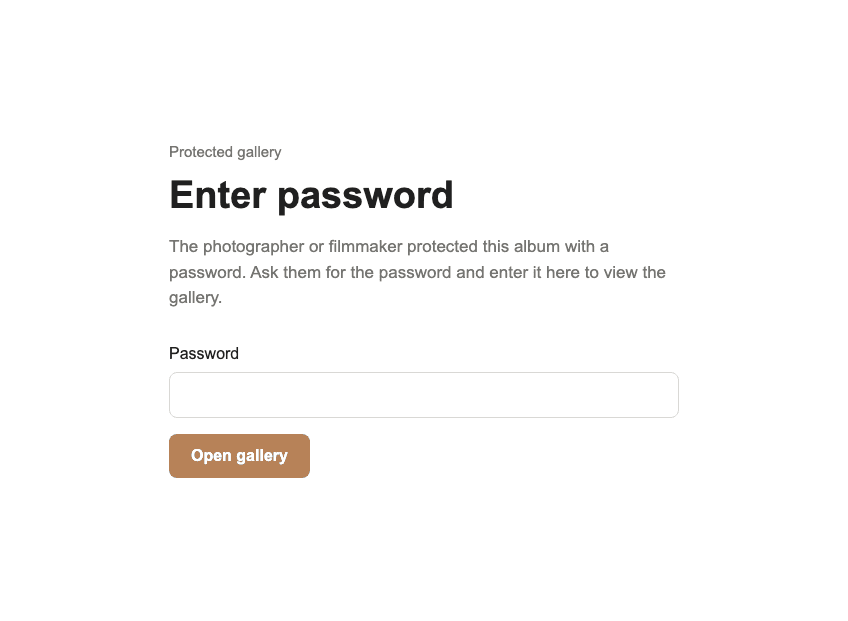
Open the delivered URL in a private window, verify that the password gate appears, submit the exact credential, and confirm that the intended gallery loads without owner-only state.
02
Review whether downloads, comments, favorites, selection, and shop behavior match the assignment. Password protection controls entry; it does not independently decide every action after entry.
03
Name the photographer or studio contact who can verify the current link and password. Clients should not post credentials or private screenshots in public support channels.
04
If the recipient group changes or a message is forwarded, decide whether a password change is justified. Changing the credential limits future entry but cannot recall files already saved elsewhere.
Comparison
No messaging channel makes a shared password impossible to forward.
| Approach | Best for | Tradeoff |
|---|---|---|
| Link and password together | Routine low-sensitivity delivery | One forwarded message can expose both |
| Separate messages | Reducing accidental combined forwarding | Adds coordination for the client |
| Small private group | Defined stakeholder team | Every member still receives a shared credential |
| Public post | Nothing protected | Defeats the purpose of password access |
| Per-person identity control | Individual accountability | Not provided by GalleryDock's shared gallery password |
The photographer sends the link to the client and the password in a second private message, then verifies the signed-out flow before announcing delivery.
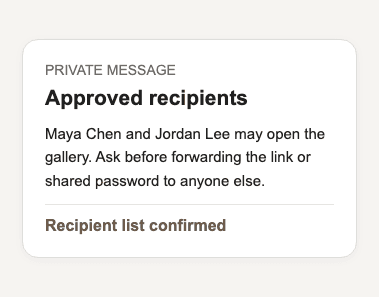
A named stakeholder distributes access inside an approved small group. The photographer explains that the common password does not create per-person activity records.
The client asks whether another relative may view the gallery. The photographer confirms the intended audience before deciding whether existing shared access remains appropriate.
Frequently asked questions
It can reduce accidental combined forwarding for sensitive work, but the choice should follow the assignment's real risk and the client's practical needs.
No. The gallery uses a shared password, not verified per-person credentials.
No. Do not describe the shared gallery password as a reliable personal recipient or access-history system.
Review the actual exposure, decide whether to change the password or downloads, inform affected clients, and retest the current state.
No. It limits future entry with the old credential but cannot recall files already downloaded, copied, or captured.
Ask for the exact link, visible message, device, browser, and attempt time through a private channel without posting the password publicly.
Related resources
Pricing
Free forever
0 EUR
EUR 0 per month
Perfect for sharing your first galleries professionally.
Start free, no credit card required
Monthly
19 EUR
EUR 228 billed yearly. plus VAT
Ideal for photographers who regularly deliver client galleries.
For regular client delivery
Monthly
29 EUR
EUR 348 billed yearly. plus VAT
For photographers managing many projects, videos and growing storage.
For regular client delivery
Define the recipient group, send the current link and password through an appropriate private channel, and test the signed-out client experience.
Create a free account