01
Open the newest gallery message
Use the latest email or message from the photographer. Similar project names, copied browser tabs, and old bookmarks can lead to a different gallery that legitimately expects another password.
Client gallery access help
Troubleshoot a client gallery password by checking the exact link, typing the current case-sensitive password, documenting the error, and contacting the photographer.
Quick answer
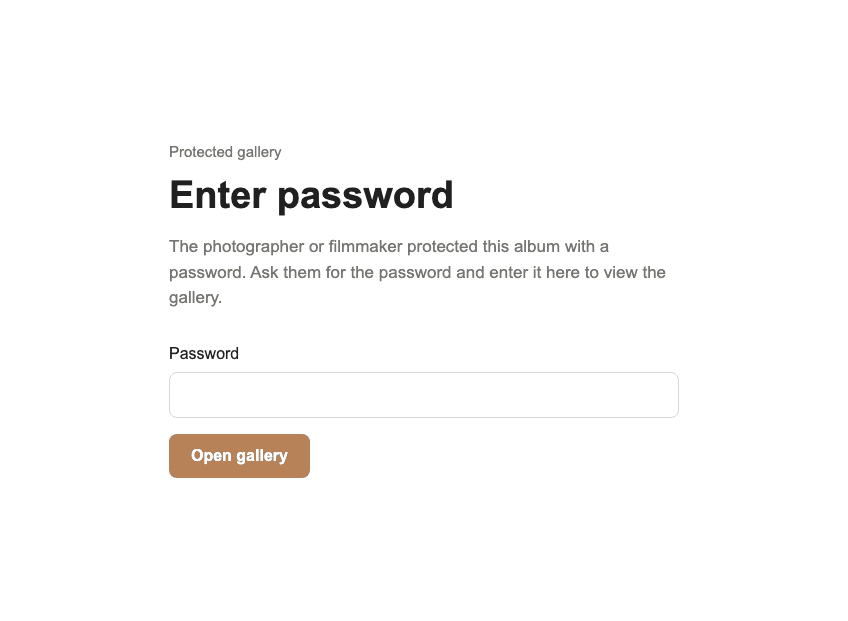
When a client gallery password does not work, the safest response is a short, controlled troubleshooting sequence rather than repeated guessing. Confirm that the gallery link belongs to the current assignment, type the password exactly as the photographer supplied it, and distinguish an incorrect-password message from an expired, unpublished, or unavailable gallery. GalleryDock trims accidental spaces at the beginning and end of a submitted password, but letters and symbols otherwise remain case-sensitive. Clients cannot reveal, reset, change, or bypass a photographer's gallery password. If one careful retry fails, capture the exact message and contact the photographer with the link, device, browser, and time of the attempt so the owner can verify the current access settings.
First checks
Most access problems can be narrowed down without exposing private information or making repeated password attempts.
01
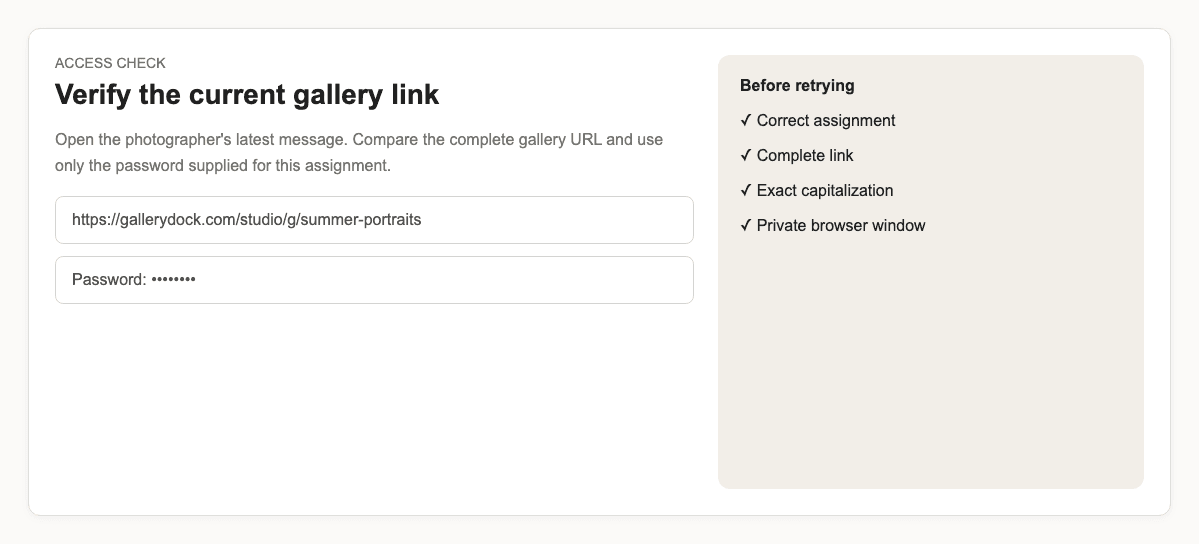
Use the latest email or message from the photographer. Similar project names, copied browser tabs, and old bookmarks can lead to a different gallery that legitimately expects another password.
02
Open the complete URL rather than searching for the gallery title. A shortened, wrapped, or partially copied link can point to the wrong destination or omit part of the public gallery address.
03
Enter the photographer's current password exactly. GalleryDock removes accidental outer spaces, but capitalization and the remaining characters still matter. Check keyboard language and mobile autocorrect before submitting.
04
Use a private browser window for one controlled retry. This separates the current test from a stale tab or browser state without encouraging repeated guessing or sharing the credential with another person.
Error meaning
The visible result determines what the photographer needs to inspect next.
01
An incorrect-password response means the gallery exists and still requires a credential, but the submitted value does not match the currently stored password. Ask whether a replacement password was issued.
02
A missing or unavailable gallery is not fixed by more password attempts. The photographer may need to publish the gallery, correct the link, restore access, or confirm that the assignment is still online.
03
An embedded gallery can show an access-specific message when its host or mode is not allowed. Open the direct gallery link supplied by the photographer before treating that notice as a password error.
04
If the page itself does not load, record the browser, device, connection, and visible message. Do not send the gallery password in a public support post or attach unrelated private client material.
Escalation
A precise report protects the client and shortens the owner's diagnosis.
01
Send the URL privately to the photographer who delivered the assignment. The link lets the owner identify the intended gallery without asking you to expose the password in an insecure public channel.
02
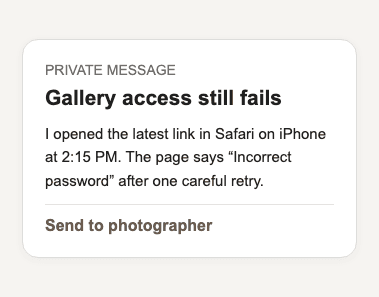
Copy the error text or provide a cropped screenshot that excludes unrelated personal information. Explain whether the password field appeared and whether the failure happened before or after submission.
03
State whether you used iPhone, Android, Windows, or macOS and which browser was open. This helps distinguish a credential problem from a device-specific display or embedded-browser issue.
04
Only the photographer can confirm the current password, publication state, and intended recipients. Do not attempt to bypass the gate, inspect another client's gallery, or keep guessing possible credentials.
Comparison
Choose the smallest action that tests the observed problem without weakening access control.
| Approach | Best for | Tradeoff |
|---|---|---|
| Recheck the current message | Possible old link or password | Depends on having the photographer's latest instructions |
| Private-window retry | Stale browser state | Does not repair an incorrect credential |
| Contact the photographer | Confirmed password rejection | Requires the owner to review settings |
| Request a fresh link | Missing or unavailable gallery | The gallery may intentionally no longer be published |
| Keep guessing | Nothing | Unreliable and inappropriate for protected client content |
The saved bookmark opens last year's gallery. The client returns to the latest delivery email, opens the current link, and uses only the password supplied for that assignment.
The client typed a lowercase letter where the shared password contains an uppercase character. One careful manual entry resolves the problem without changing the photographer's settings.
The direct URL does not present a password field. The client sends the exact link and message so the photographer can verify publication instead of issuing unnecessary replacement credentials.
Frequently asked questions
Yes. Outer spaces are trimmed, but the remaining characters are verified as entered, including capitalization.
No. A client can submit a password but cannot reveal, reset, change, or bypass the photographer's saved credential.
No. Confirm the current link, make one careful retry, and contact the photographer if the credential is still rejected.
No. The gallery may be unpublished, the link may be incomplete, or access may have changed. Report the exact result to the owner.
Send the gallery link, exact error text, device, browser, and time of the attempt through a private channel.
No. Access credentials should be confirmed by the photographer who owns and delivered the gallery.
Related resources
Pricing
Free forever
0 EUR
EUR 0 per month
Perfect for sharing your first galleries professionally.
Start free, no credit card required
Monthly
19 EUR
EUR 228 billed yearly. plus VAT
Ideal for photographers who regularly deliver client galleries.
For regular client delivery
Monthly
29 EUR
EUR 348 billed yearly. plus VAT
For photographers managing many projects, videos and growing storage.
For regular client delivery
Open the current link, enter the supplied password exactly, and send a concise private report to the photographer if access still fails.
Create a free account