01
Ask what the image should remember
Identify whether the family values connection, energy, a milestone, or a quiet portrait. That purpose helps narrow the collection.
family photos as wall art
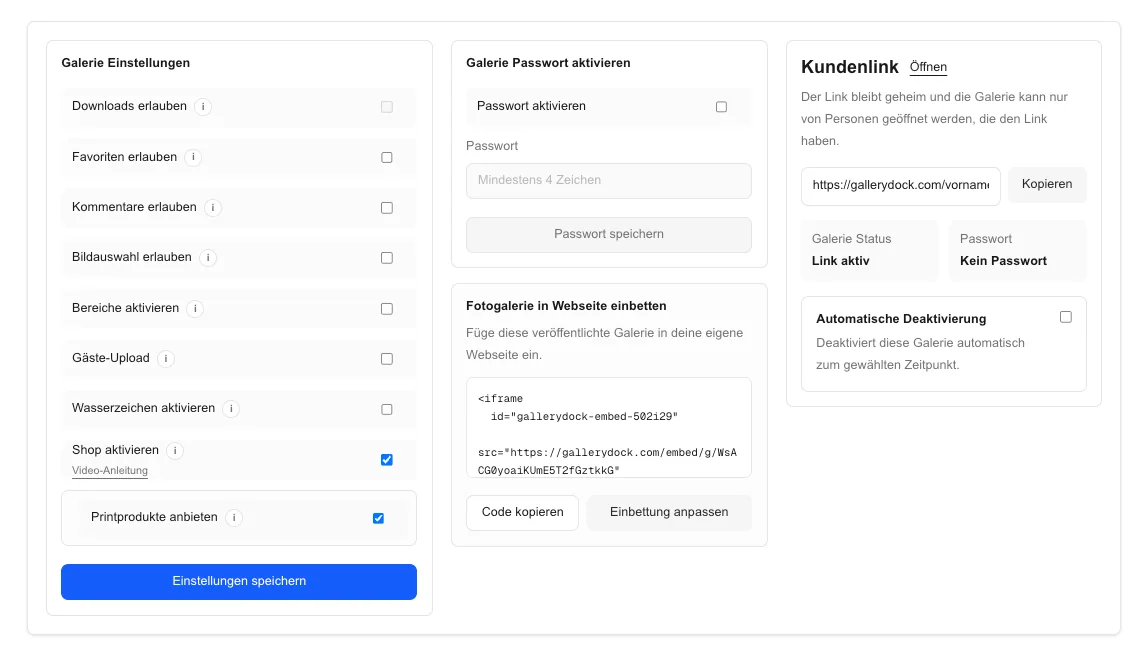
Sell family photos as wall art by choosing a meaningful favorite, matching room and product, preserving every face in the crop, and testing checkout.

Quick answer
Selling family photos as wall art helps a family move from a favorite gallery image to a physical piece chosen for a particular room, scale, and personal purpose. Start with one representative client project and decide what the visitor should understand, select, or buy before the page is assembled. GalleryDock maintains the gallery experience, contextual favorites and comments, controlled downloads, and digital or physical print sales when those options are configured. The website or shared link provides the surrounding entry, while the photographer remains responsible for the offer, access decisions, image suitability, product setup, and the published client check. Test the complete path on desktop and mobile instead of relying on an editor preview. This is not a collage builder, photo-book workflow, automatic wall-design service, interior-design guarantee, named print-provider promise, fixed delivery schedule, legal or tax advice, or guaranteed sale.
Favorite
Wall art selection is more personal than choosing the technically strongest frame.
01
Identify whether the family values connection, energy, a milestone, or a quiet portrait. That purpose helps narrow the collection.
02
Begin with the image that earns the strongest shared response. Keep alternate expressions available without turning the decision into another proofing round.
03
Inspect expression, focus, hands, and body position for all family members at the intended output scale.
04
A grandparent gift, child's room piece, and living-room centerpiece can call for different images and formats.
Room
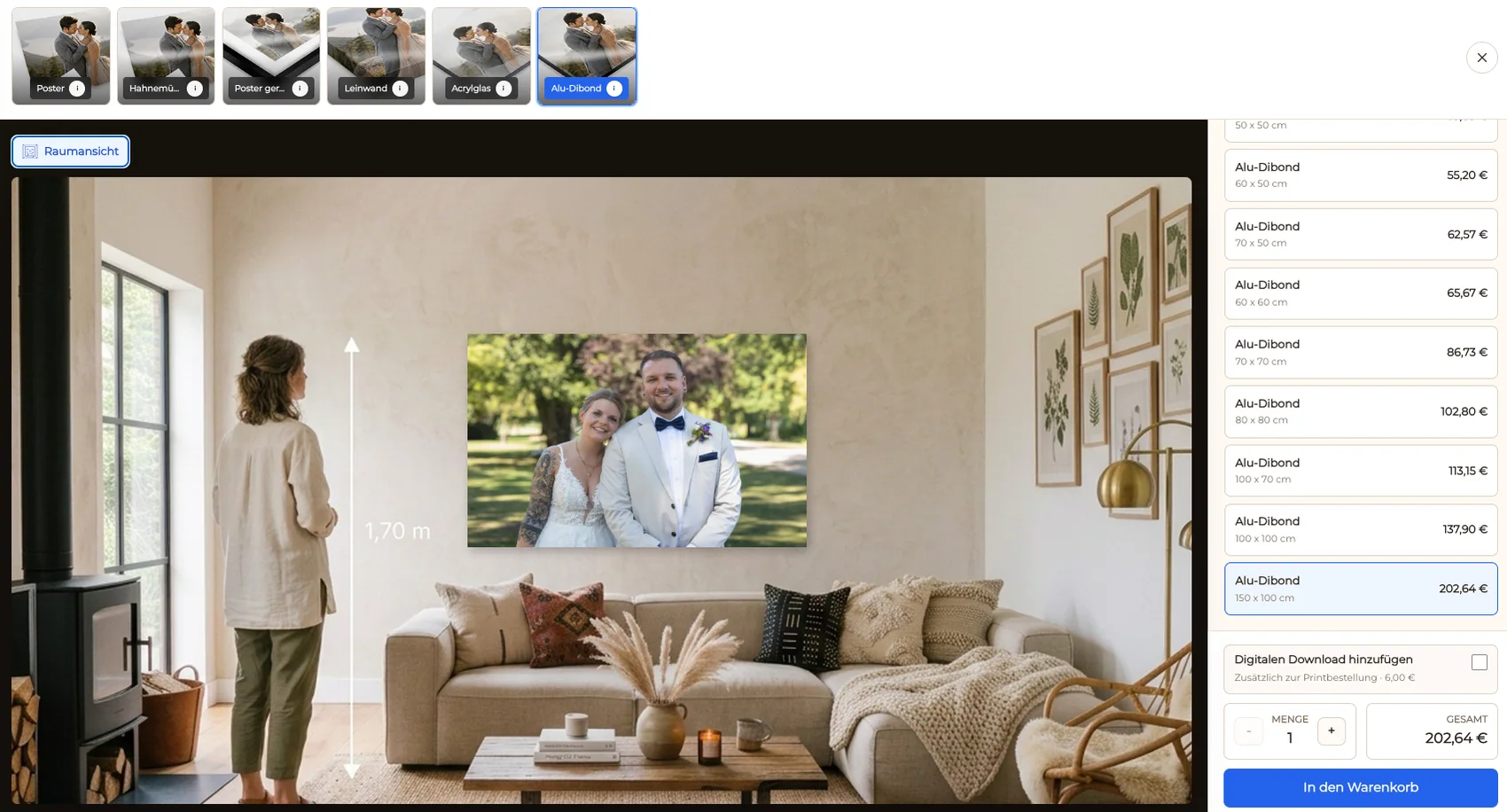
Use the actual display context to make size and material choices easier to understand.
01
Ask where the photograph may hang and what other visual elements share the wall before recommending a product or size.
02
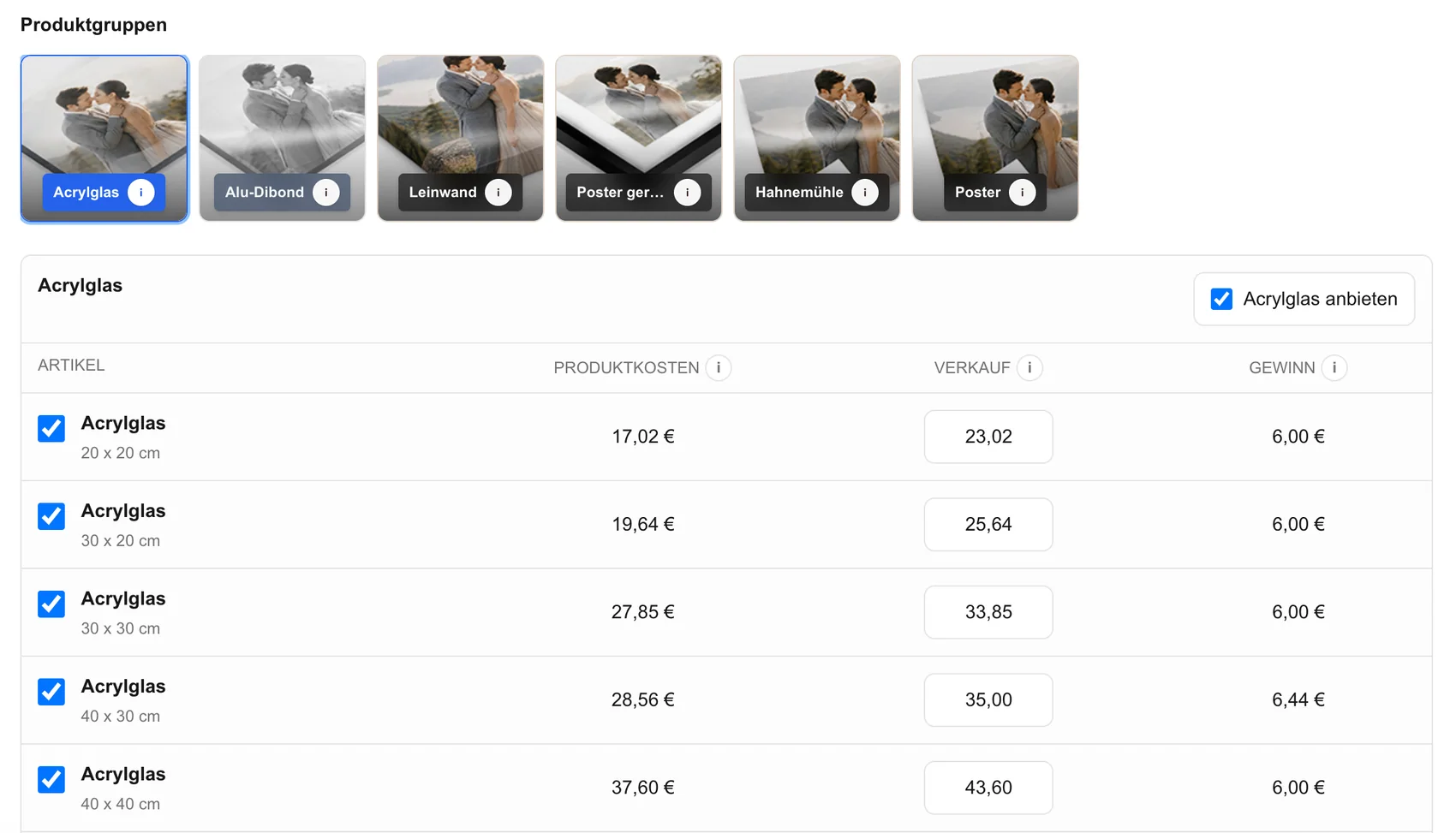
Present the configured canvas, framed print, or other available physical choices without claiming products that are not enabled.
03
Combine real measurements with a room visualization. A mockup supports judgment but does not replace measuring the wall.
04
Choose portrait or landscape orientation from the family grouping and room rather than cropping people to fit a predetermined slot.
Crop
A group portrait needs deliberate edge clearance and a final client-view check.
01
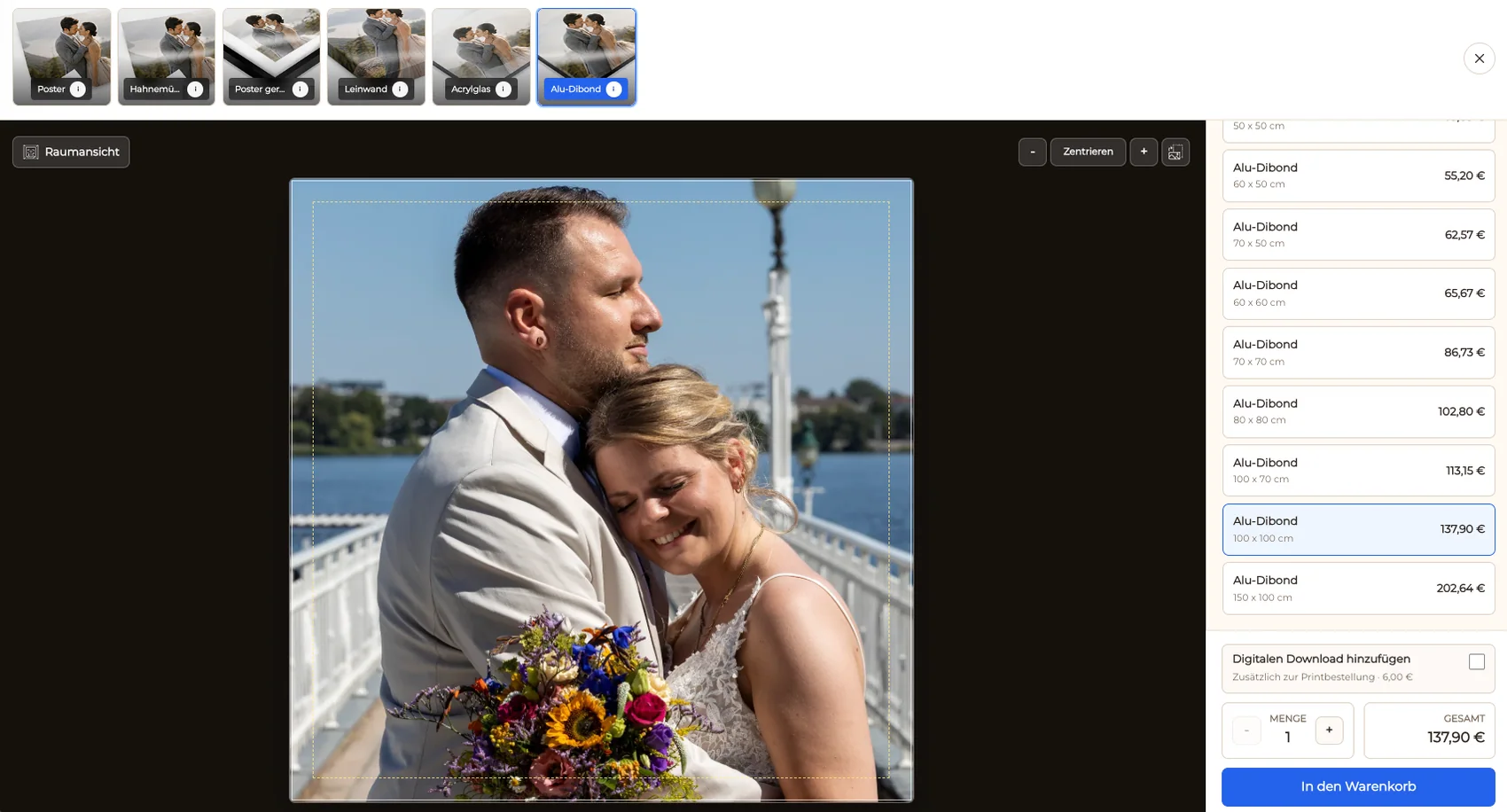
Review the safe area for every person and avoid trimming heads, hands, feet, or meaningful contact at the product boundary.
02
Make sure the selected size does not make a wider family arrangement feel compressed or leave important people too close to the edge.
03
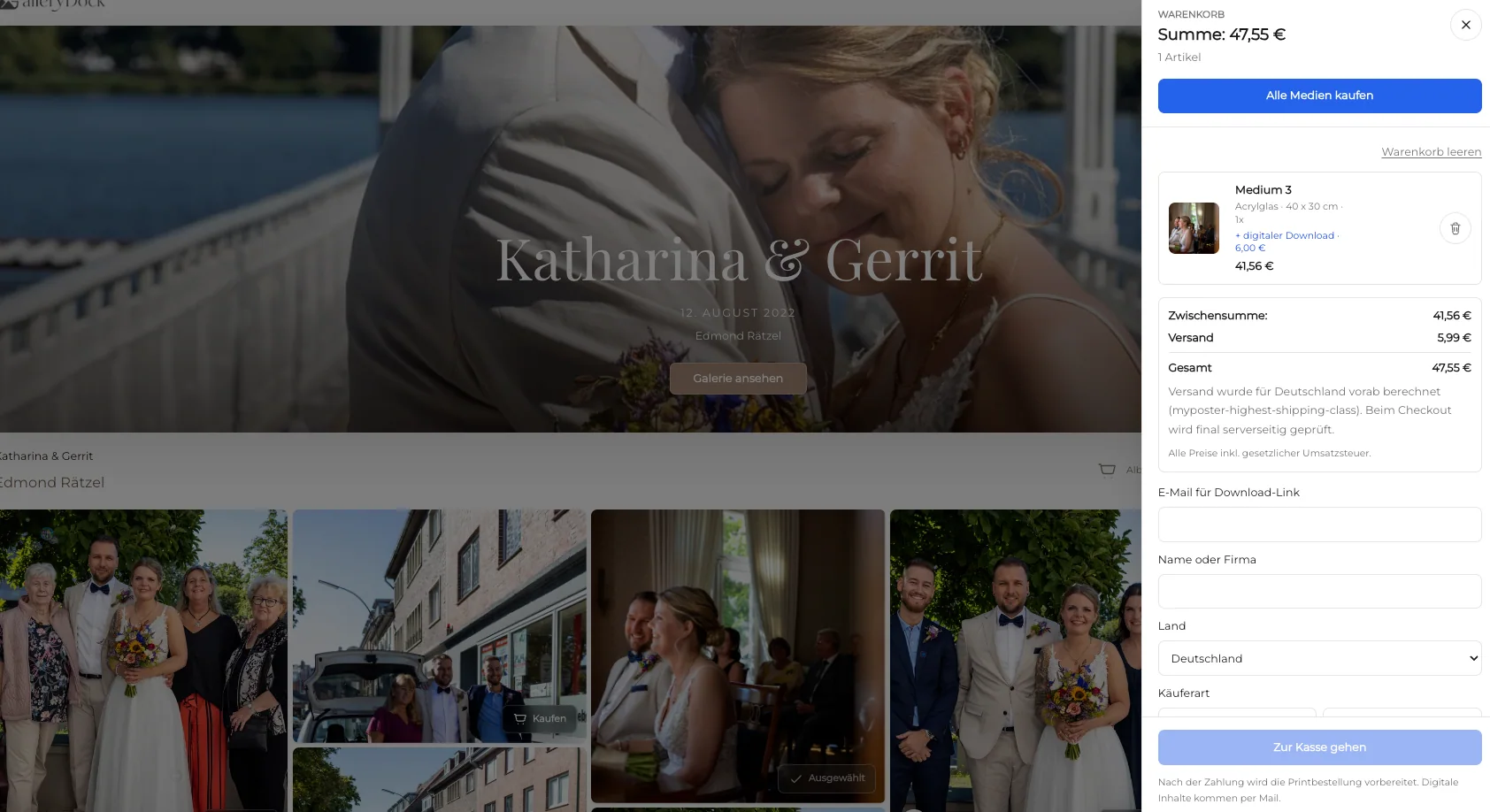
Review the exact family favorite, wall product, dimensions, crop, and price in the cart before checkout.
04
Use the intended family access, complete the selection on a phone, and confirm the checkout redirect without making a purchase.


Comparison
Let the family favorite and intended room lead the product decision.
| Approach | Best for | Tradeoff |
|---|---|---|
| Single family wall piece | One meaningful favorite with a clear room purpose | Requires a crop that protects every person |
| Canvas | A physical wall product with wrap-aware edges | Edge treatment changes the usable image area |
| Framed print | A defined presentation around the photograph | Frame and print choices need their own review |
| Digital file | Family access without a finished wall product | Leaves printing and display decisions open |
| Collage or photo book | Showing several moments from the session | Outside this single-image wall-art workflow |
A connected family group becomes the primary wall piece in a shared room.
A playful favorite uses a smaller scale and crop suited to the child's space.
The family selects a photograph and product for grandparents while preserving every face and gesture.
Frequently asked questions
Start with the image that best represents the family's relationship and still holds up technically at the intended size.
Compare the configured products using the room, portrait style, crop, dimensions, and client preference.
Measure the intended wall, consider viewing distance and furniture, and use the room view as supporting context.
Review the actual product safe area and keep faces, hands, feet, and important connections away from the edges.
Use access appropriate to the personal photographs and test the complete client path before sharing it.
Related resources
Pricing
Free forever
0 EUR
EUR 0 per month
Perfect for sharing your first galleries professionally.
Start free, no credit card required
Monthly
19 EUR
EUR 228 billed yearly. plus VAT
Ideal for photographers who regularly deliver client galleries.
For regular client delivery
Monthly
29 EUR
EUR 348 billed yearly. plus VAT
For photographers managing many projects, videos and growing storage.
For regular client delivery
Choose the meaningful portrait, match it to the intended room and configured product, protect every person in the crop, and verify the private order path.
Create a free account