01
Curate repeated expressions
Keep enough variety for a real choice without making parents compare near-identical frames.
Family photography proofing
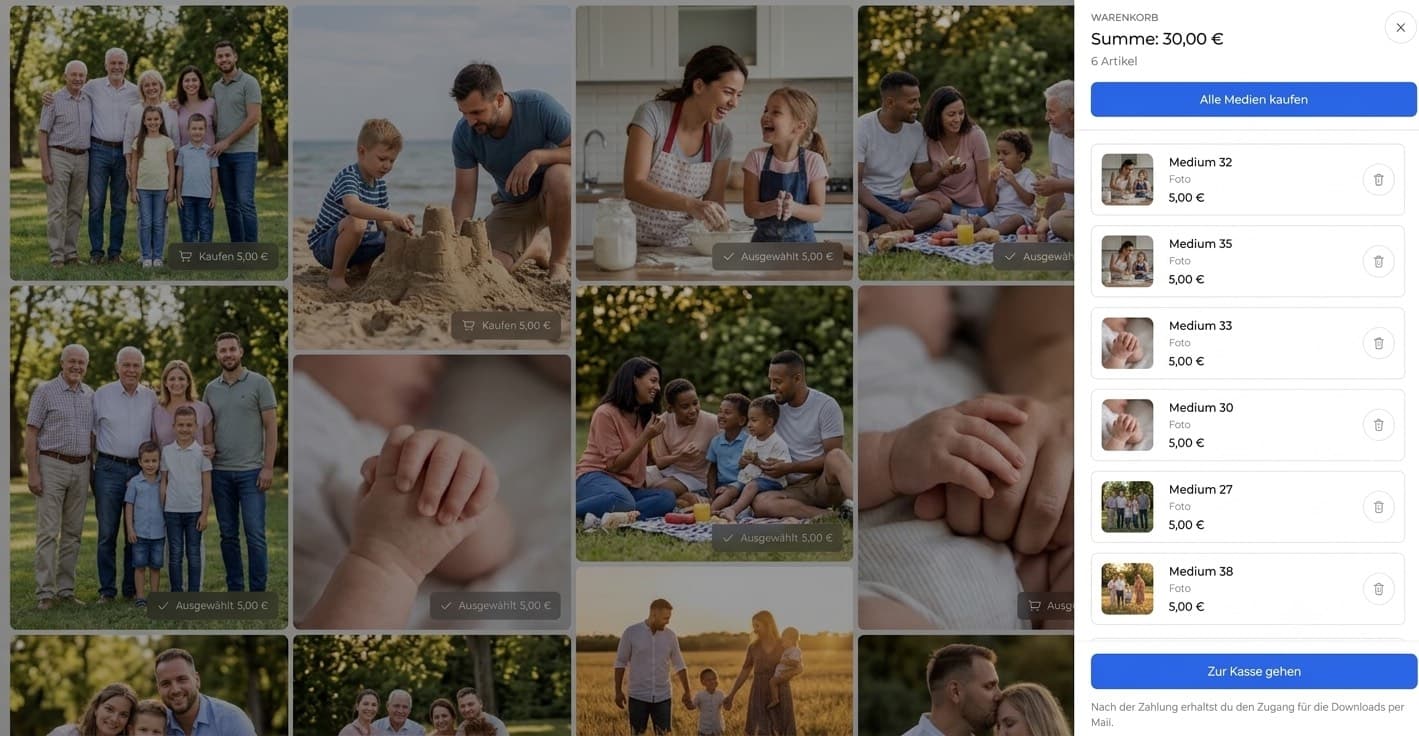
Give families a private online gallery for choosing favorites, sharing retouching notes, and downloading final photographs.

Quick answer
An online gallery for family photographers gives parents and families one calm, private place to review a session, choose favorites, explain retouching preferences, and receive final photographs. GalleryDock can protect access, collect image-level choices, manage downloads, and offer optional digital extras. The photographer still defines consent, retention, usage rights, and any print or fulfillment process.
Before sharing
Family clients need meaningful options, simple instructions, and confidence that personal photographs are handled deliberately.
01
Keep enough variety for a real choice without making parents compare near-identical frames.
02
Separate family combinations, children, parent portraits, and details when that helps navigation.
03
State how many finished images are part of the session before optional extras appear.
04
Review names, cover image, and gallery visibility before sending the private link.
Family decisions
A structured gallery replaces screenshots, chat messages, and ambiguous filename lists.
01
Ask one person to return the final household selection when several relatives are involved.
02
Let clients mark the exact photographs they want without retyping filenames.
03
Collect crop or retouching preferences where the photographer can interpret them.
04
Close the selection before retouching or releasing finished downloads.
Private delivery
The final experience should be clear about access, downloads, optional extras, and storage expectations.
01
Do not leave unfinished and final versions mixed without unmistakable labels.
02
Enable only the file scope and resolution promised in the session agreement.
03
Keep optional digital images relevant to the family's existing selection.
04
Tell clients to maintain their own backup instead of treating the gallery as permanent storage.



Comparison
Use the method that keeps personal images clear and appropriately private.
| Approach | Best for | Tradeoff |
|---|---|---|
| Messenger | A quick scheduling note | Selections and files become scattered |
| Email attachments | One or two small previews | No coherent family experience |
| Cloud folder | Basic file storage | Limited proofing guidance |
| In-person ordering | A guided sales appointment | Requires a scheduled meeting |
| GalleryDock | Private proofing and digital delivery | Does not provide print fulfillment |
Let parents compare groupings and expressions before final retouching.
Keep sensitive family photographs in a deliberate private handoff.
Offer a clear path from favorites to final downloads and optional extras.
Frequently asked questions
It is a private client space for presenting a family session, collecting choices, and delivering finished photographs.
Yes. Favorites can identify the exact images selected for retouching, delivery, or optional purchase.
Yes. Optional password protection can add an access layer, but the photographer remains responsible for the full privacy and consent process.
No. GalleryDock provides access controls; it does not replace legal assessment, consent records, or a documented retention policy.
Yes when the photographer enables downloads for the intended final files.
No physical print-lab or fulfillment service is promised by this guide.
Related resources
Pricing
Free forever
0 EUR
EUR 0 per month
Perfect for sharing your first galleries professionally.
Start free, no credit card required
Monthly
19 EUR
EUR 228 billed yearly. plus VAT
Ideal for photographers who regularly deliver client galleries.
For regular client delivery
Monthly
29 EUR
EUR 348 billed yearly. plus VAT
For photographers managing many projects, videos and growing storage.
For regular client delivery
Use GalleryDock to collect favorites, clarify the final set, and deliver photographs through one polished link.
Create a free account