01
Select emotionally strong images
Choose photographs the client already connects with and that remain visually convincing beyond a phone or small screen.
Client fine art prints
Turn selected client photographs into a focused fine art print offer with clear products, sizes, crop previews, pricing, cart, and checkout.
Quick answer
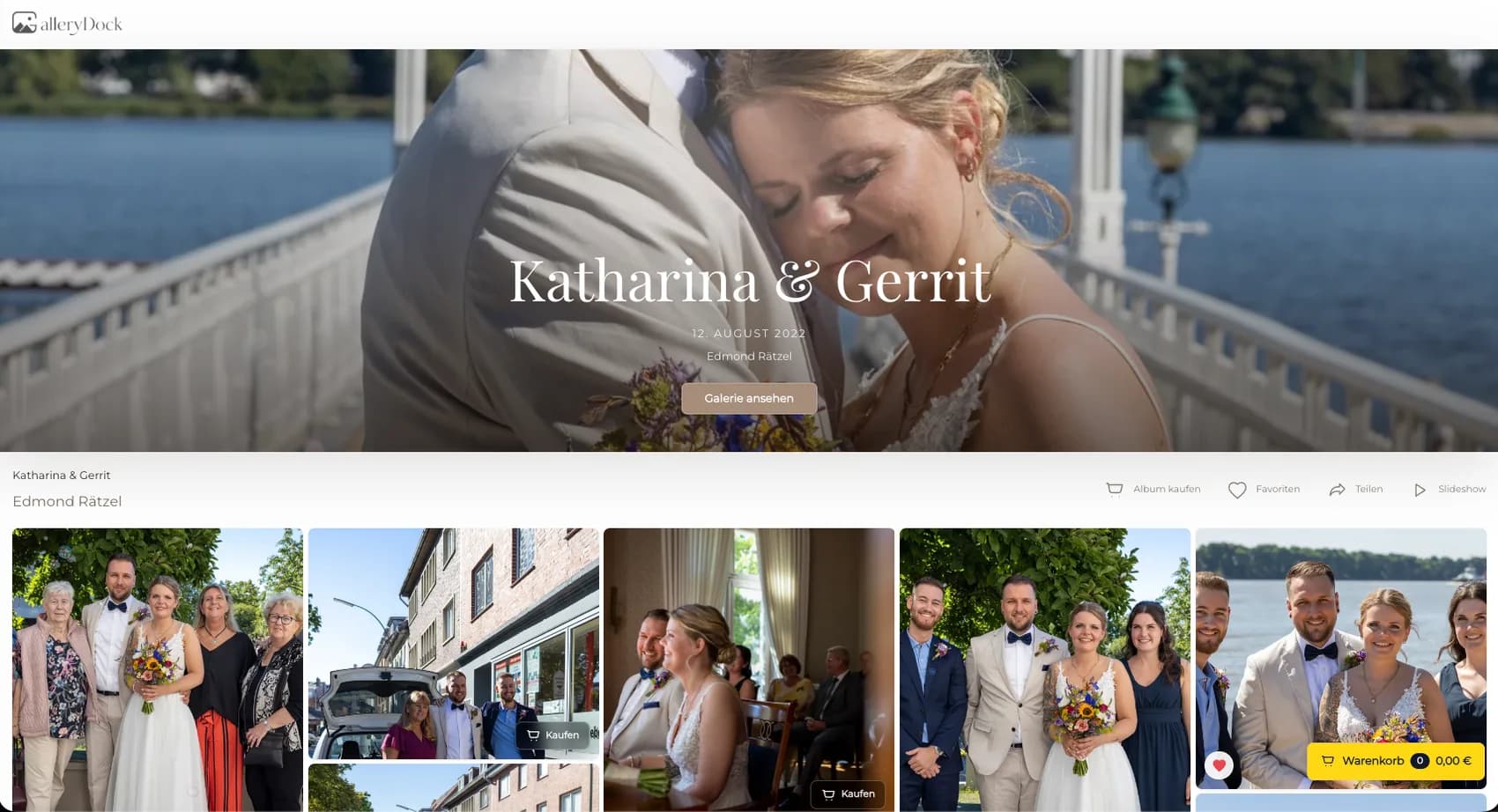
A fine art print offer works best when it begins with a photograph the client already values. Instead of presenting a large generic catalog, the photographer selects finished portraits, wedding moments, family images, or business artwork that can carry a more intentional physical product. GalleryDock keeps the offer inside the client gallery: the client can view the photograph, compare selected products and sizes, inspect orientation and crop, understand wall scale, and continue to cart and checkout. Digital files and physical prints can both be sold when they belong to the photographer's offer. The photographer still decides which image is print-ready, which products fit the work, how the item is priced, and whether the final source file meets the expected standard. This page focuses on the client conversation and purchase decision, not on operating a print lab or promising a particular material, manufacturer, or delivery time.
Offer design
A fine art offer becomes persuasive when selection and product intent are visible.
01
Choose photographs the client already connects with and that remain visually convincing beyond a phone or small screen.
02
Consider tone, contrast, detail, viewing distance, and intended room before deciding which physical products belong in the catalog.
03
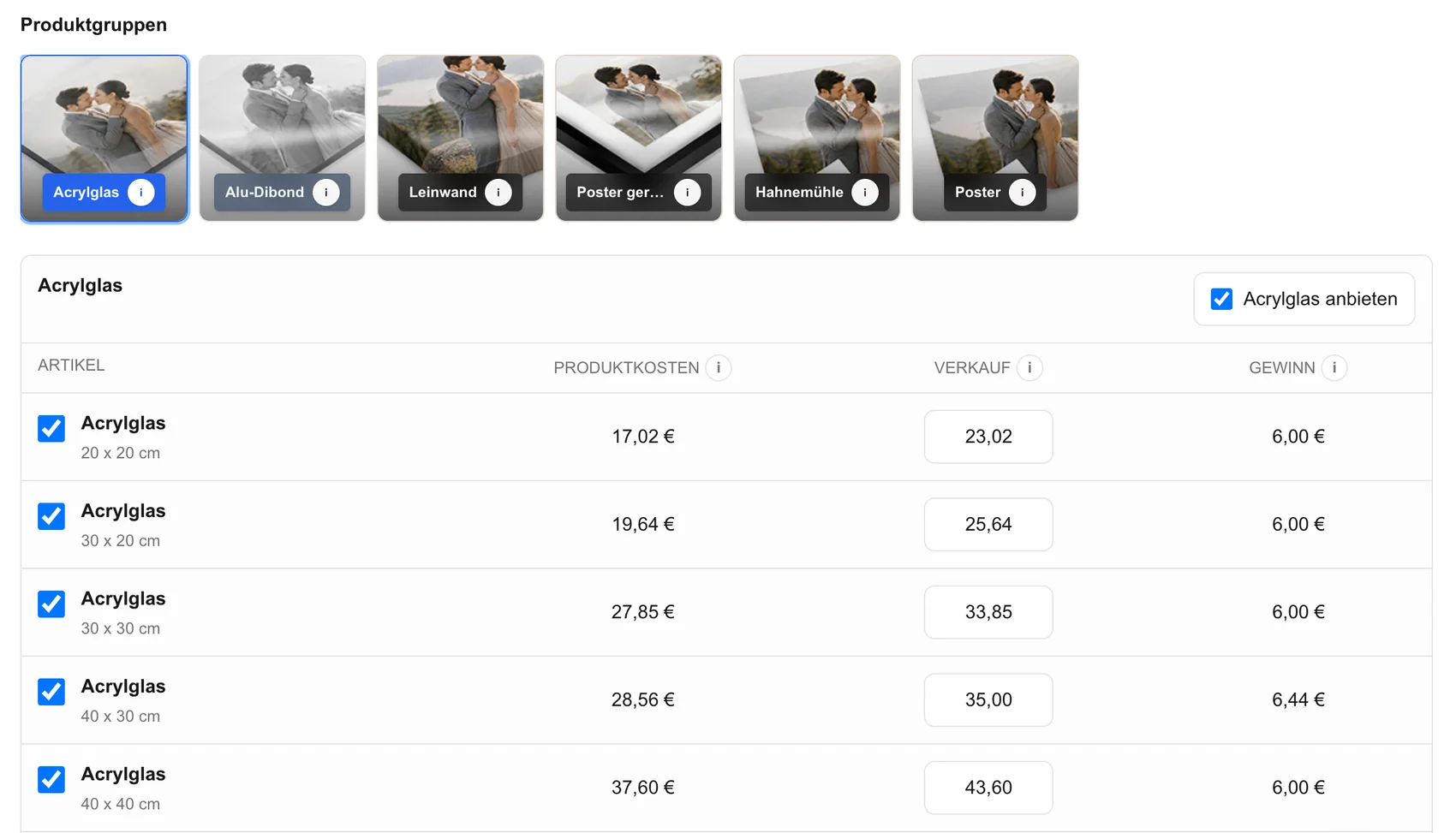
A short, approved size range feels curated and prevents choices that weaken composition or make the image look incidental.
04
Describe the finished piece, visual presence, and reason for the recommendation without burying the client in production jargon.
Client decision
Preview tools make the physical decision understandable before checkout.
01
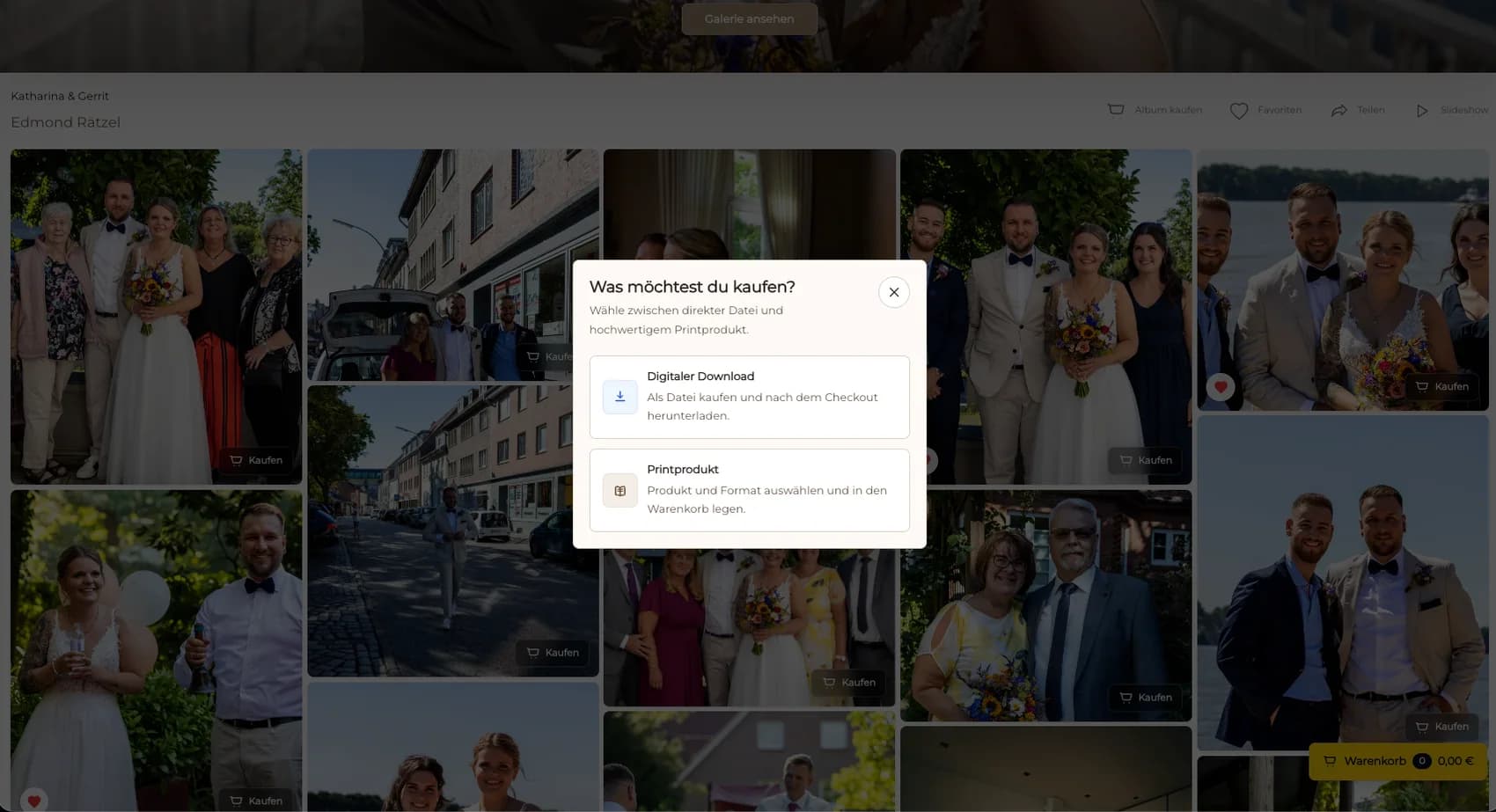
Keep a digital file and a physical print clearly separated so the client understands what each purchase provides.
02
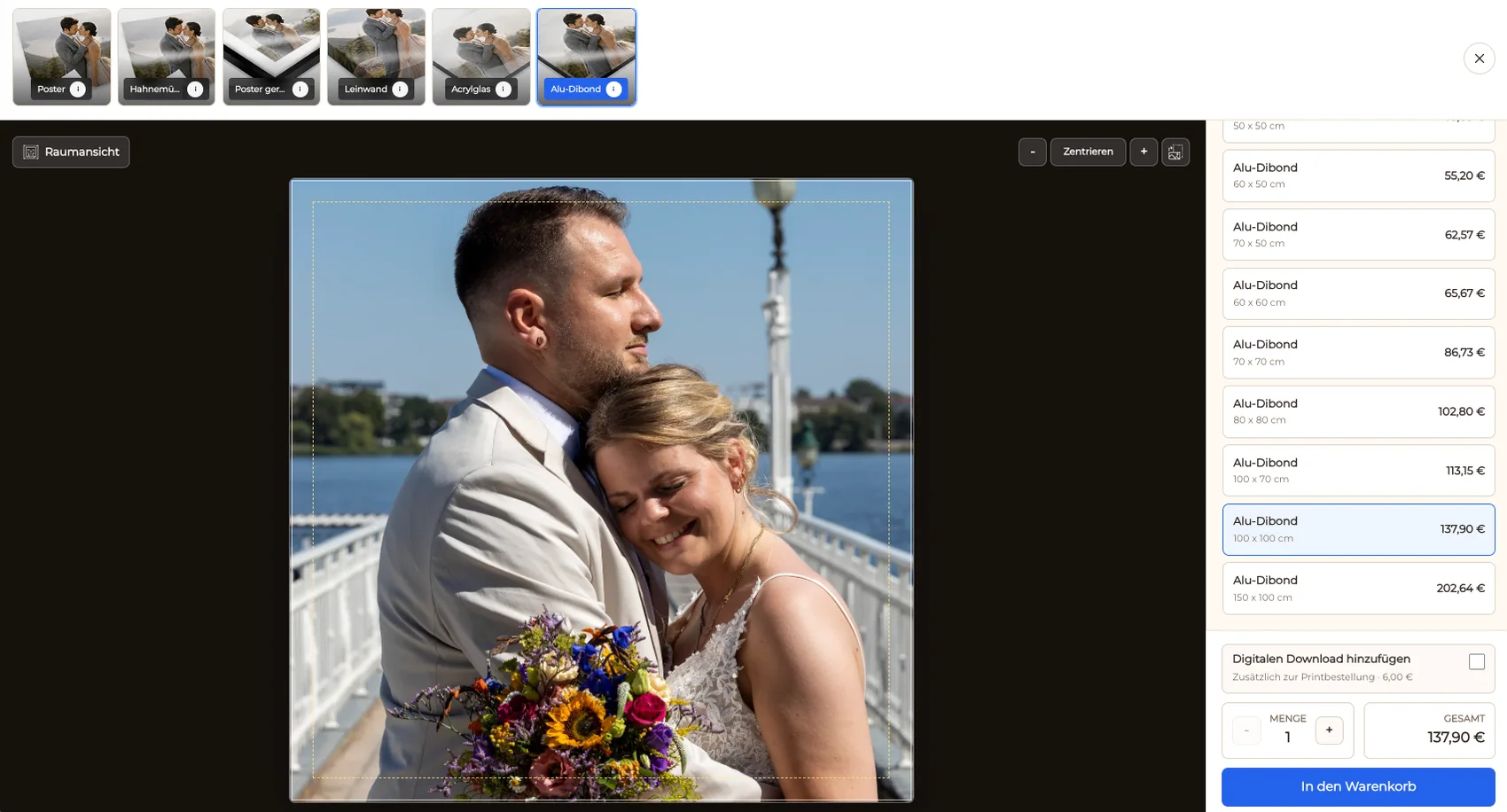
Check faces, hands, borders, negative space, and the intended direction in the actual size and aspect ratio.
03
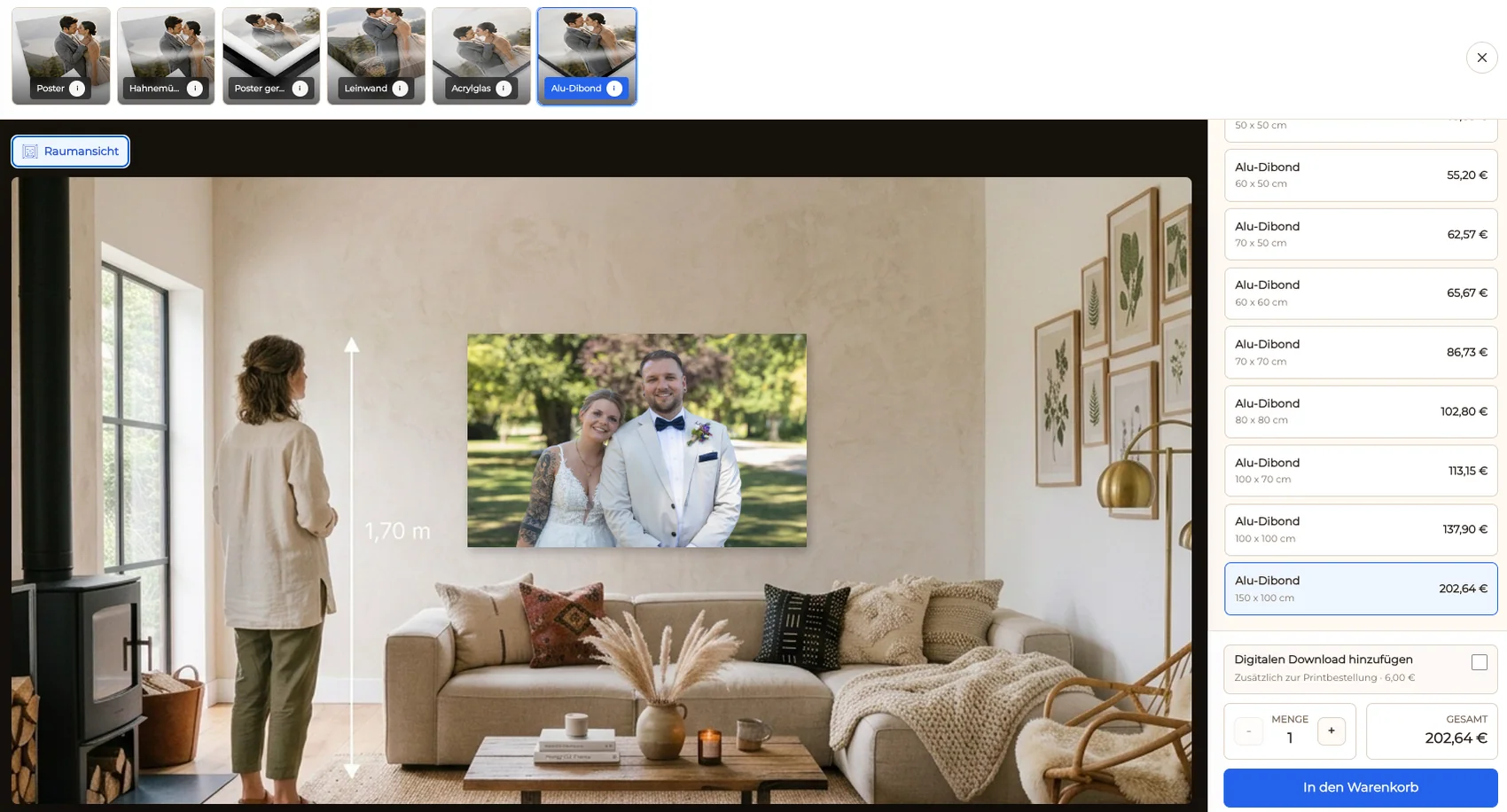
Use the room preview to help the client understand whether a piece will feel intimate, balanced, or intentionally prominent.
04
Set the visible selling price for each active product and review the buyer-facing offer before sharing the gallery.
Purchase experience
The best upsell still feels like part of the original photography service.
01
Let the client begin with the photograph rather than navigate a disconnected product catalog.
02
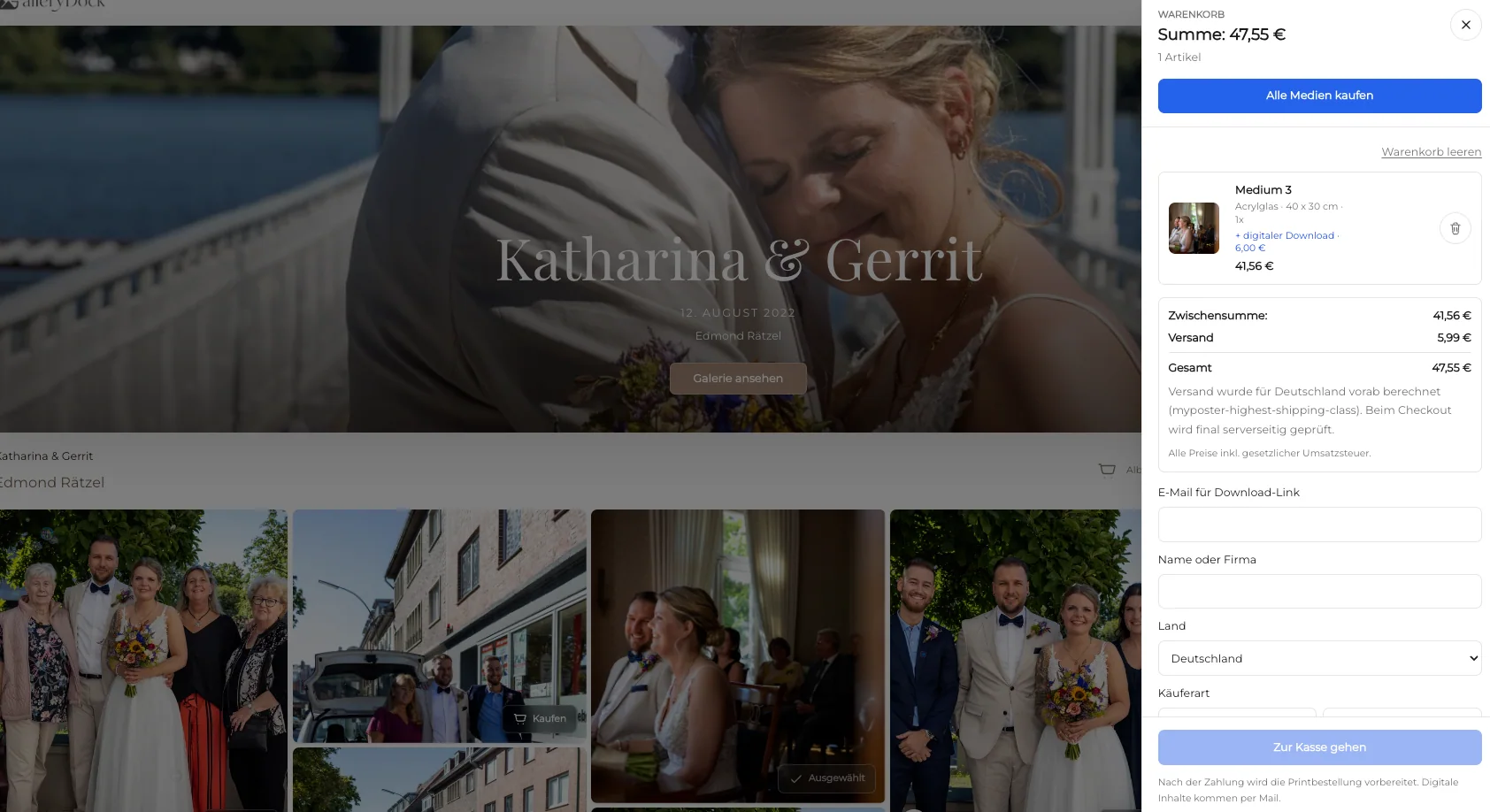
Carry product, dimensions, crop, quantity, and price into the cart so the order remains easy to verify.
03
Review the gallery, preview, cart, and checkout at the screen sizes clients are likely to use.
04
When appropriate, remind the client about a meaningful image or planned room rather than sending a generic discount message.

Comparison
Use the sales structure that fits the client relationship and level of customization.
| Approach | Best for | Tradeoff |
|---|---|---|
| Gallery-attached print | Existing portrait, wedding, family, or business clients | Requires a focused approved catalog |
| Digital-only delivery | Clients who only need files | Leaves no physical artwork option |
| Consultation-led sale | Highly custom wall collections | Adds manual scheduling and presentation |
| Generic online store | Broad public product sales | Weakens the link to the commissioned image |
| Inquiry-only print | One-off bespoke requests | Every order needs manual clarification |
A couple orders one quiet portrait as wall art after receiving the full wedding gallery and digital files.
A family compares two approved sizes for a group photograph and uses the room preview before choosing.
A company selects a finished brand photograph for a reception or meeting room in a defined wall format.
Frequently asked questions
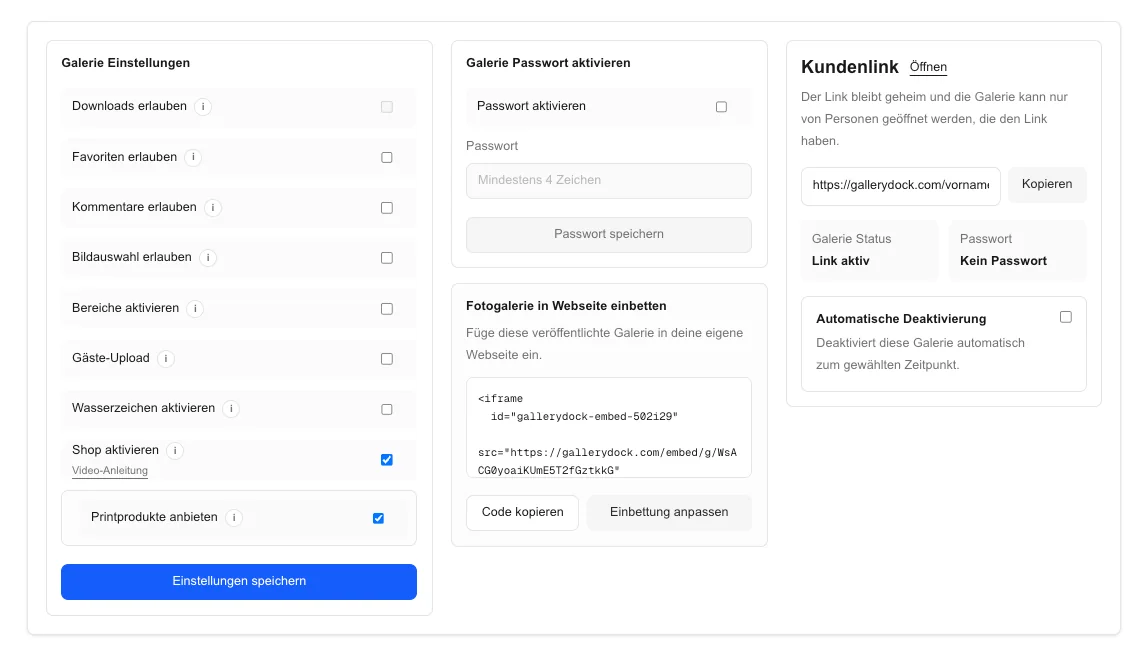
Yes. A GalleryDock gallery can present selected physical print products with sizes, prices, preview, cart, and checkout alongside eligible digital products.
Choose finished images with emotional or visual importance, strong composition, sufficient source quality, and a clear reason to live in a physical space.
No. A smaller catalog of combinations you have reviewed is easier for clients to understand and easier for you to stand behind.
For suitable wall products, a room preview can help clients understand how the selected size may read in a space.
Yes. They can appear in the same gallery as clearly separated product choices when both belong to your offer.
GalleryDock supports the gallery and order workflow. The photographer remains responsible for source approval and the physical production arrangement.
Related resources
Pricing
Free forever
0 EUR
EUR 0 per month
Perfect for sharing your first galleries professionally.
Start free, no credit card required
Monthly
19 EUR
EUR 228 billed yearly. plus VAT
Ideal for photographers who regularly deliver client galleries.
For regular client delivery
Monthly
29 EUR
EUR 348 billed yearly. plus VAT
For photographers managing many projects, videos and growing storage.
For regular client delivery
Create a focused fine art offer in GalleryDock and let the photograph lead the client from viewing to checkout.
Create a free account