Opening
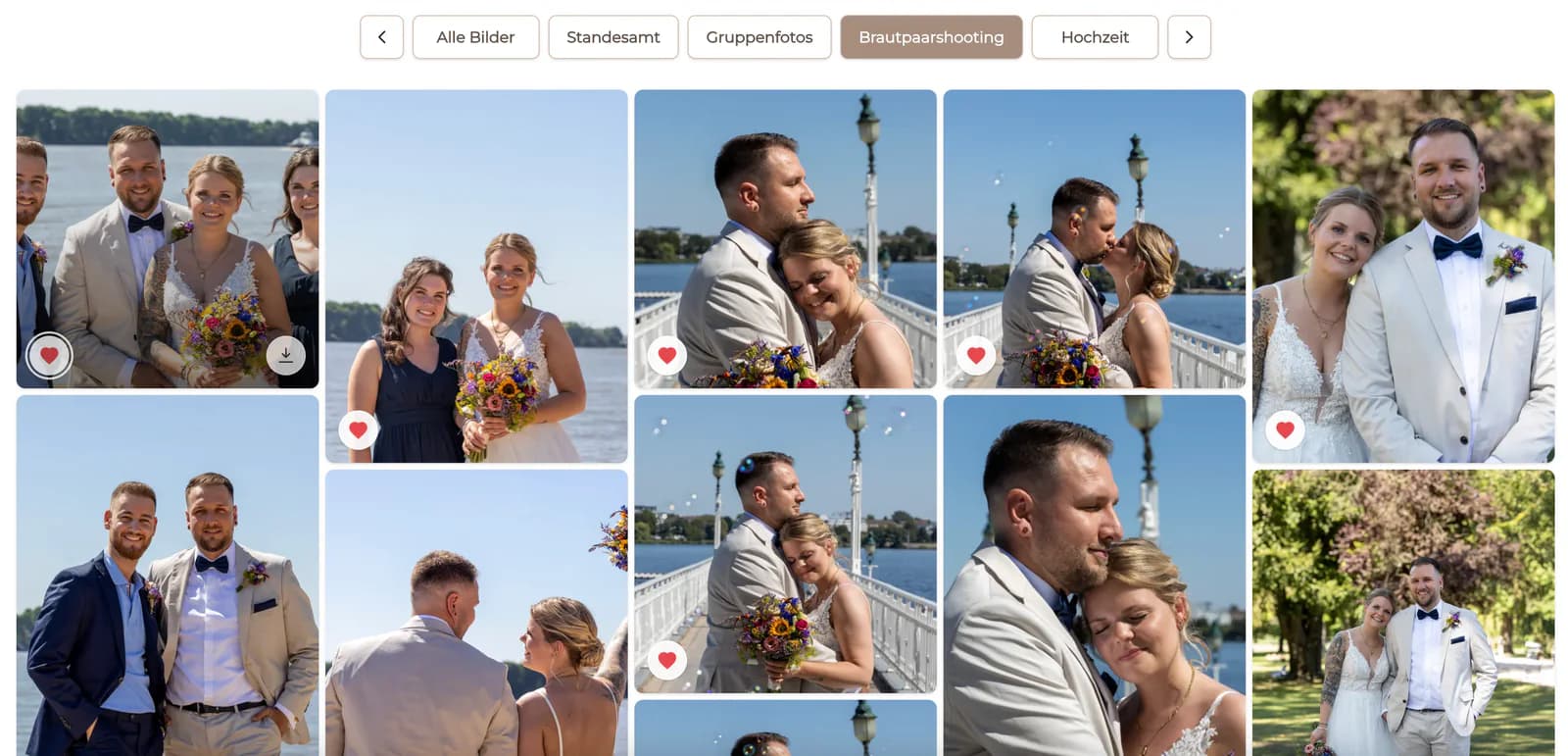
Your proof gallery is ready. Please review the photographs and mark the [number] images included in your package as favorites.
Client selection message
Use a clear client photo-selection message covering favorites, selection limits, comments, confirmation, deadlines, and next steps.

Quick answer
A useful client photo selection message explains five things before the client opens the gallery: what they are choosing, how many images they may select, how to mark favorites or leave comments, when the selection is due, and what happens after confirmation. Adapt the template to the assignment and package instead of asking clients to infer the workflow from gallery icons alone.
Copy-and-adapt template
Replace the brackets with your real package, date, and next step. Remove any sentence that does not match your process.
Your proof gallery is ready. Please review the photographs and mark the [number] images included in your package as favorites.
Open the private link, use the favorite control on each chosen image, and check your final count before confirming the list.
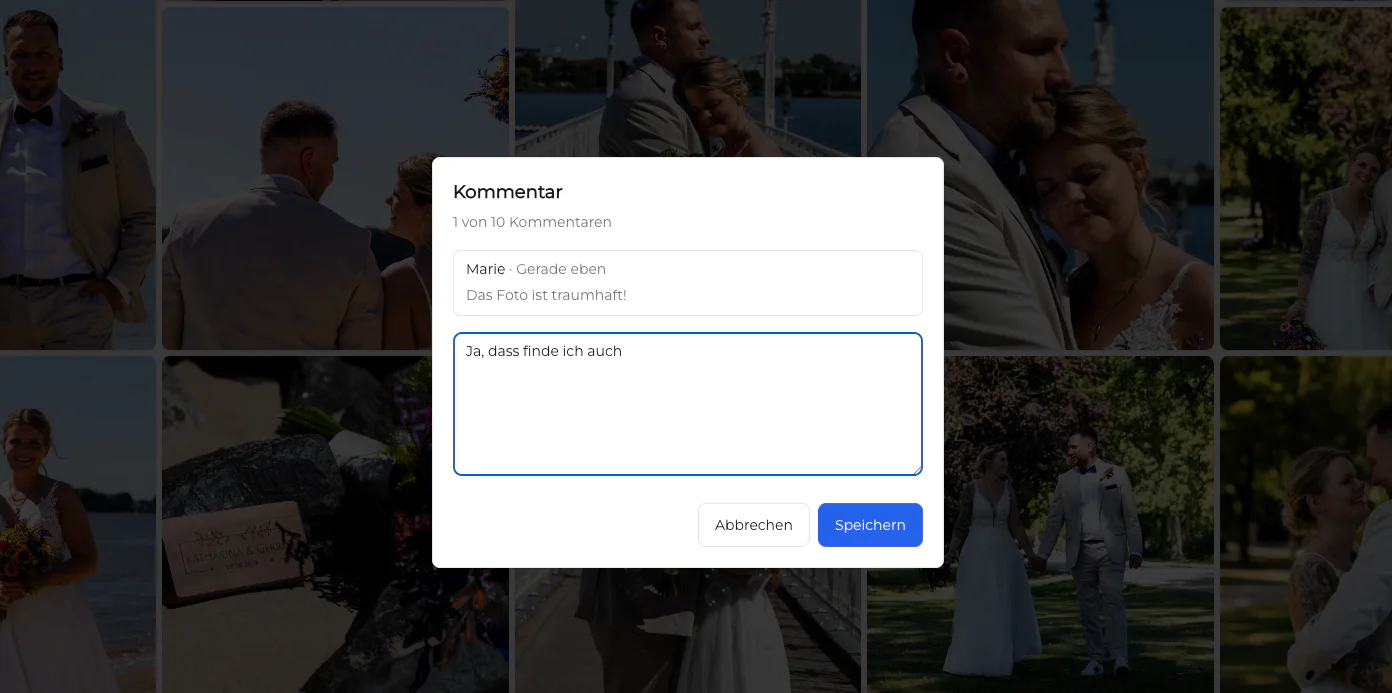
Leave image-specific questions or agreed retouching requests in the comment field so the note stays connected to the correct file.
Please complete and confirm your selection by [date]. After confirmation, I will begin [retouching, album design, or final preparation].
Customize before sending
A template saves time only when its promises match the contract, gallery settings, and production workflow.
01
Say whether the client is choosing retouched finals, album candidates, print images, or another clearly defined set.
02
Use the package quantity or explain honestly when no fixed limit applies. Do not hide extra-image pricing inside vague wording.
03
Only instruct clients to use favorites, comments, downloads, or confirmation when those actions are actually available in the project.
04
Connect the due date to the production schedule and explain how a delayed selection affects the next step.
Prevent follow-up
A few precise sentences prevent screenshots, duplicate lists, and uncertainty about whether the choice is final.
State whether confirmation locks the list and how the client should contact you if a genuine correction is needed.
Tell clients to leave agreed image-specific notes in comments rather than sending a separate unlabeled message.
Explain the agreed extra-image process or ask the client to reduce the list before production begins.
Describe the next step and timing only according to your actual contract and workload.
Comparison
A gallery-based instruction reduces ambiguity because the action and the image remain connected.
| Approach | Best for | Tradeoff |
|---|---|---|
| Filename list by email | Very small selections | Typing errors and separate context |
| Screenshots in chat | One quick clarification | Hard to reconcile at production scale |
| Shared spreadsheet | Structured external approvals | Clients switch between images and rows |
| Gallery with no instructions | Experienced repeat clients | The next step and limit may remain unclear |
| Gallery plus clear message | Professional repeatable selection | The template must be customized for each package |
The client marks the exact number of included portraits and attaches agreed cleanup notes to individual frames.
The contact person receives a deadline, decision rule, and one place for image-specific comments.
The couple knows whether they are choosing broad favorites or a final album-ready set and what happens after confirmation.
Frequently asked questions
State the selection purpose, quantity, controls to use, comment rules, deadline, confirmation behavior, and next production step.
Use it as a structure, but replace every package, timing, pricing, and workflow detail with your actual agreement.
Use favorites for the selection itself and comments for questions or agreed image-specific notes when those features are enabled.
A clear realistic deadline helps protect the production schedule. Explain any consequence according to your contract rather than inventing a penalty.
No. The photographer adapts and sends the message; GalleryDock provides the gallery where clients can favorite and comment.
Follow the package agreement: ask for a reduced list or explain the approved extra-image option before production begins.
Related resources
Pricing
Free forever
0 EUR
EUR 0 per month
Perfect for sharing your first galleries professionally.
Start free, no credit card required
Monthly
19 EUR
EUR 228 billed yearly. plus VAT
Ideal for photographers who regularly deliver client galleries.
For regular client delivery
Monthly
29 EUR
EUR 348 billed yearly. plus VAT
For photographers managing many projects, videos and growing storage.
For regular client delivery
Prepare the selection settings in GalleryDock, adapt the template to the package, and give the client one clear next step.
Create a free account