01
State the primary audience
Name whether the film addresses customers, applicants, partners, investors, employees, or a broader public audience.
Brand video review
Review a brand video with timecoded stakeholder comments, clear message checks, discussion threads, and open or resolved feedback.
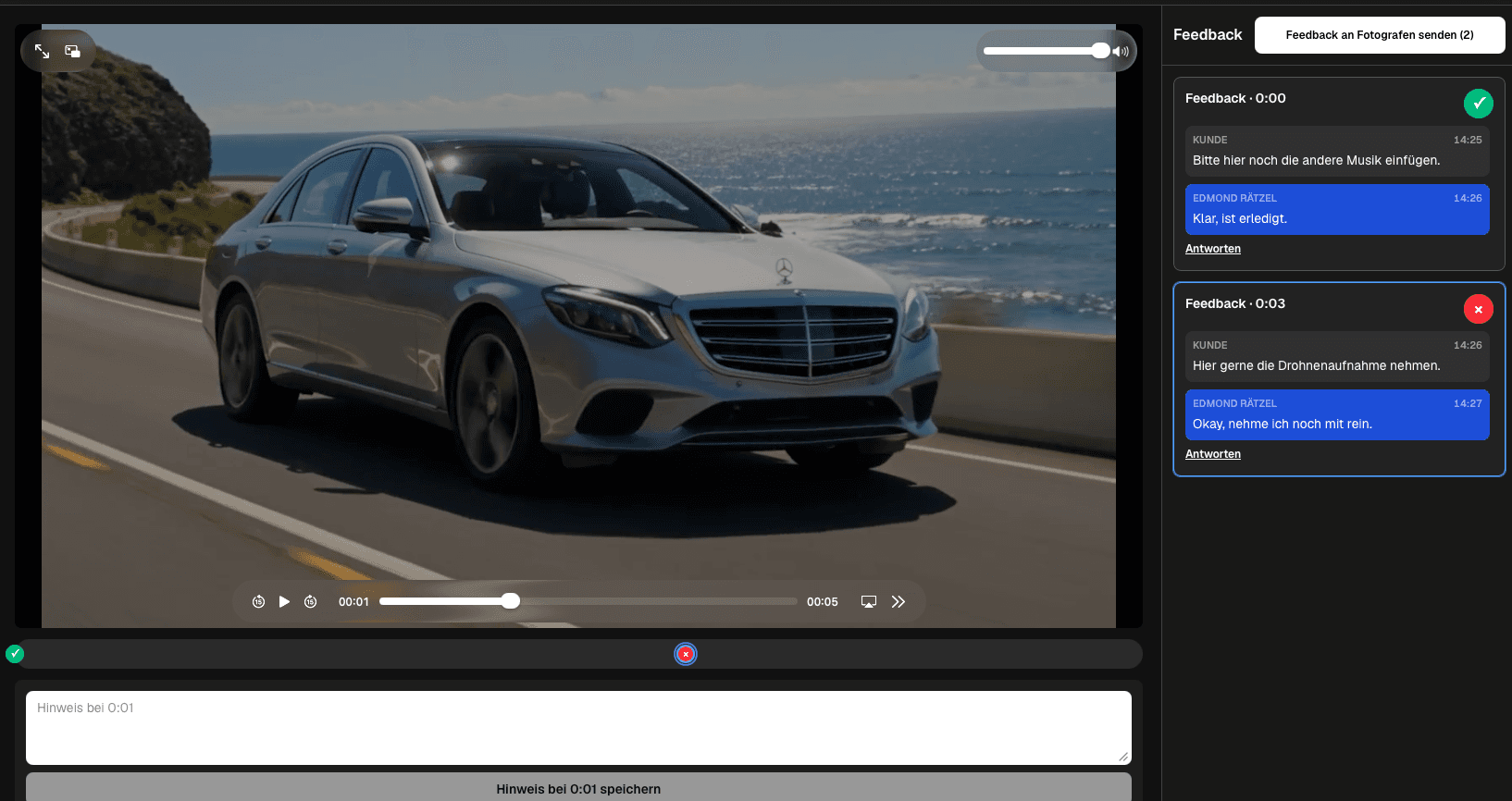
Quick answer
Brand video feedback needs to protect both the film and the message it represents. Marketing teams, founders, managers, agencies, and client contacts may evaluate whether the opening earns attention, the story reflects the organization, claims are accurate, interviews feel natural, branding appears at the right moments, and the final call to action is clear. GalleryDock lets reviewers watch the exported brand film in a professional gallery, pause at the relevant playback time, leave a connected comment, discuss the point in one thread, and distinguish open from resolved feedback. This creates a practical bridge between stakeholder knowledge and the next edit. GalleryDock organizes review around the uploaded video; it does not edit footage, draw on frames, verify every marketing claim, or create a legally binding approval by itself.
Message review
A clear review brief prevents stakeholders from judging different goals in the same cut.
01
Name whether the film addresses customers, applicants, partners, investors, employees, or a broader public audience.
02
Write the one idea viewers should understand and check whether the story supports it without conflicting side messages.
03
Assign names, figures, product statements, legal wording, and brand terminology to reviewers who can verify those areas.
04
Clarify who decides on pacing, music, performance, visual language, and the final balance when preferences conflict.
Timecoded feedback
Precise context turns broad reactions into decisions the filmmaker can interpret.
01
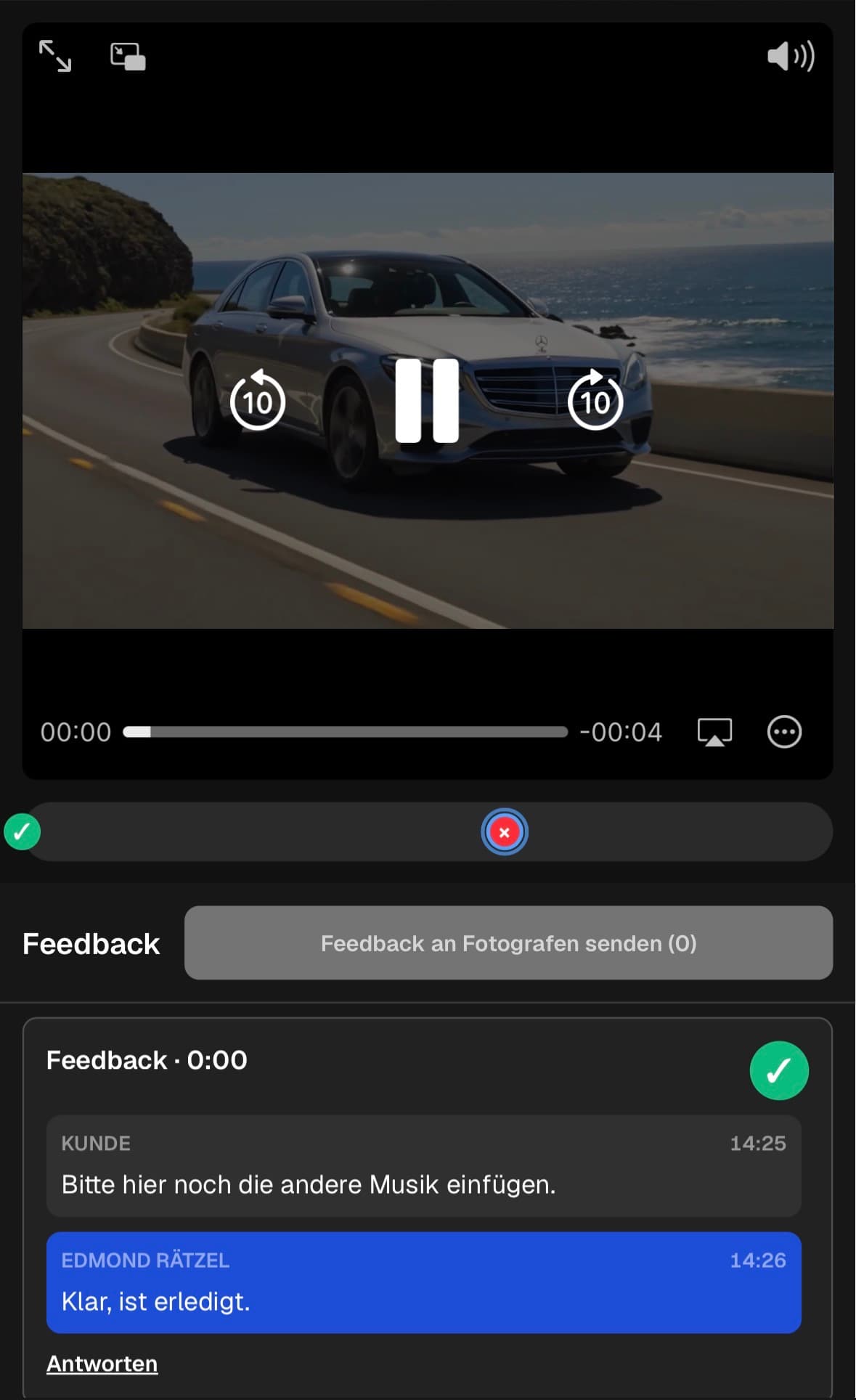
Attach the note to the line, shot, title, logo appearance, transition, or call to action that triggered it.
02
State whether the concern is factual accuracy, brand fit, audience clarity, tone, timing, or a required deliverable change.
03
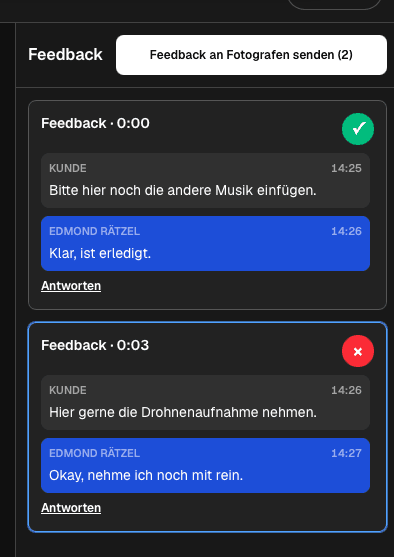
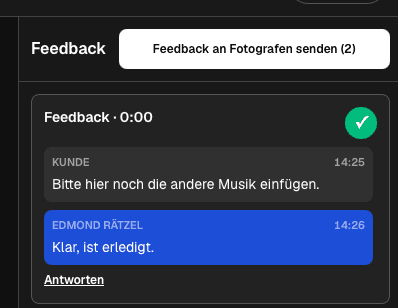
Keep replies and clarification with the original point so the next editor handoff does not combine unrelated decisions.
04
Mark a note resolved after the agreed change or conscious keep decision, leaving the next review focused on open work.
Stakeholder alignment
A review round should produce one prioritized direction instead of competing personal lists.
01
Invite marketing, management, subject experts, and client contacts for the questions they genuinely own.
02
Ask the designated decision-maker to choose when two comments would push the same scene in opposite directions.
03
Evaluate new requests against the brief so late additions do not turn a focused brand film into an unfocused overview.
04
Summarize what changed, what remains open, and which questions the next review round should answer.
Comparison
Match the review structure to the number of stakeholders and the decisions they own.
| Approach | Best for | Tradeoff |
|---|---|---|
| Timecoded stakeholder review | Message, scene, claim, and pacing decisions | Needs clear reviewer responsibilities |
| Live review meeting | Resolving strategic disagreement | Detailed decisions still need documentation |
| Email feedback | Formal summary and approvals | Exact video context is easy to lose |
| Public audience test | Broad comprehension signals | Not suitable for confidential drafts |
| Editing project access | Internal post-production teams | Too complex for most client stakeholders |
A founder checks whether personal statements remain accurate while the filmmaker protects pacing and emotional structure.
HR, marketing, and employees review role claims, workplace language, and the final applicant call to action.
Product and marketing contacts verify terminology, visible interfaces, benefit statements, and the order of the message.
Frequently asked questions
Review audience clarity, central message, factual claims, names, terminology, interview meaning, brand presentation, pacing, and the final call to action.
A timecode anchors the note to the exact scene or line, reducing ambiguity for the filmmaker and the next edit.
Yes. A connected thread keeps clarification and the decision history with the relevant moment.
Open and resolved states help the team focus on remaining decisions without deleting the context of completed ones.
No. GalleryDock supports review around the uploaded export; the filmmaker or post-production team performs the edit.
It organizes feedback and decisions but does not by itself create a legally binding signature or approval contract.
Related resources
Pricing
Free forever
0 EUR
EUR 0 per month
Perfect for sharing your first galleries professionally.
Start free, no credit card required
Monthly
19 EUR
EUR 228 billed yearly. plus VAT
Ideal for photographers who regularly deliver client galleries.
For regular client delivery
Monthly
29 EUR
EUR 348 billed yearly. plus VAT
For photographers managing many projects, videos and growing storage.
For regular client delivery
Share the current cut in GalleryDock and keep stakeholder notes connected to the moments and decisions they affect.
Create a free account