01
Present the draft professionally
Use a clear project title, cover image, and centered video instead of sending an unexplained file attachment or temporary transfer link.
Video approval software
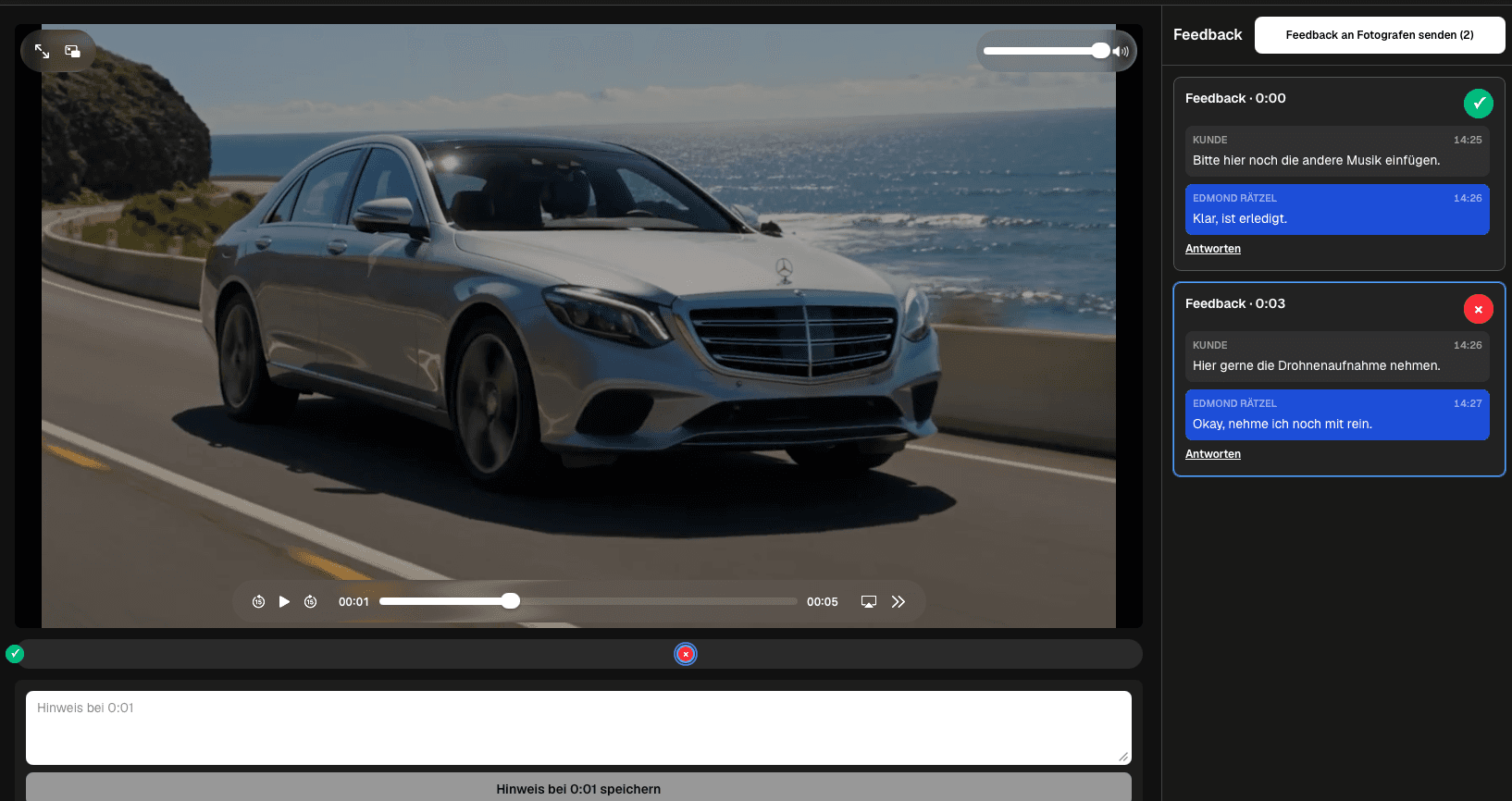
Give clients a private review link, collect timecoded feedback and replies, track open decisions, submit notes together, and deliver the final video.
Quick answer
Video approval software for filmmakers should support the entire client-facing review path without pretending to be an editing suite. The filmmaker prepares one current draft, presents it in a professional private client area, and shares a direct link. Reviewers pause at the relevant moment, write timecoded feedback, continue the discussion in a thread, and distinguish open points from completed ones. Feedback can be submitted together so the filmmaker receives a grouped notification instead of a separate email for every thought. After the review, the same client area can support final presentation and delivery. GalleryDock does not provide NLE timeline editing, real-time co-editing, deep version comparison, a formal legal-signature system, or guaranteed client acceptance. Choose the workflow by testing what the client and filmmaker must actually do from link opening to final handoff.
Setup
The software should make the active cut and expected client action obvious before any comment is written.
01
Use a clear project title, cover image, and centered video instead of sending an unexplained file attachment or temporary transfer link.
02
Share the intended private link and use the available access settings that fit the project's sensitivity and handoff plan.
03
Tell the client whether the round covers story, brand, factual content, timing, visual details, or final readiness.
04
Avoid mixing several unlabeled drafts in one decision path; communicate which cut is current and what happens to previous feedback.
Feedback
Useful approval software reduces translation work between what the client sees and what the filmmaker needs to change.
01
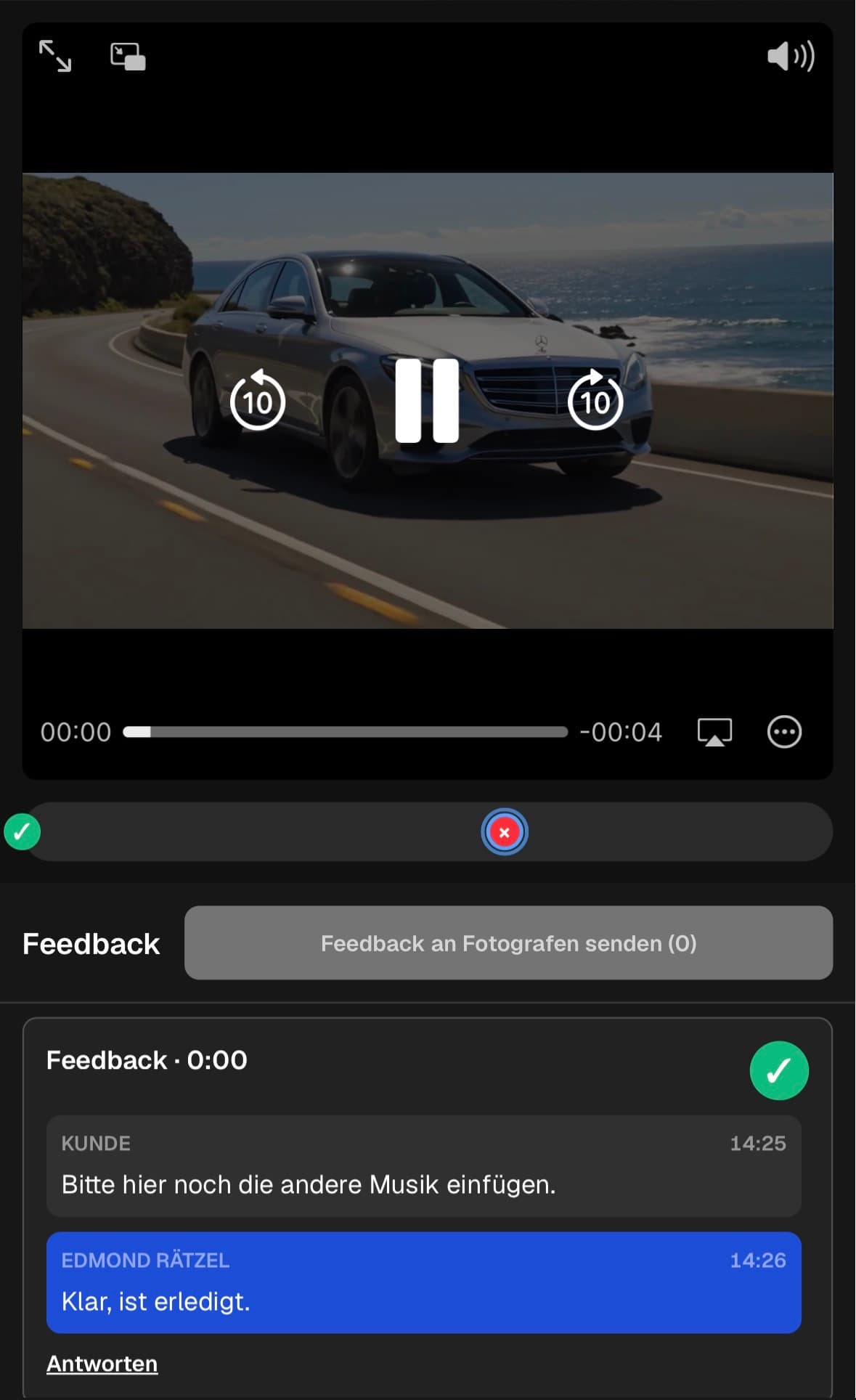
Let the reviewer pause at the relevant scene so the note carries an exact playback reference.
02
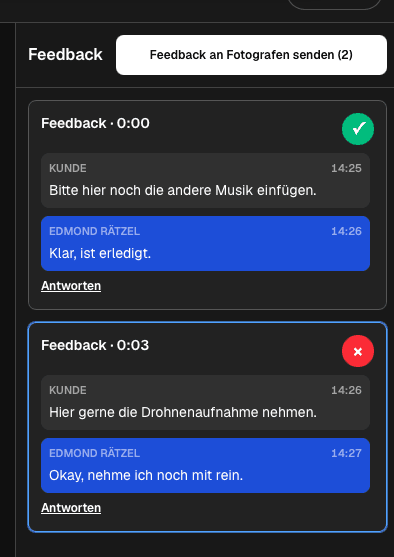
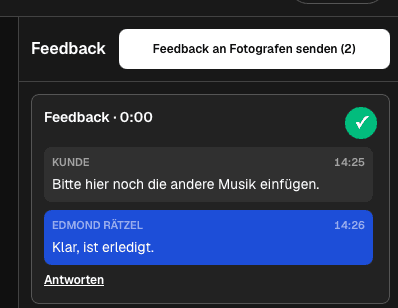
Continue clarification beside the original note instead of opening a separate email conversation with no scene context.
03
Use status to separate unresolved decisions from points that no longer need attention.
04
Give the client a chance to check and send their notes as a coherent set with one grouped notification.
Handoff
A useful client system continues after comments are resolved and keeps the presentation consistent through delivery.
01
Summarize the resolved decisions, remaining questions, and next promised milestone before preparing the next cut.
02
When another round is required, identify the updated draft and tell reviewers which previous points were addressed.
03
Present the final video and any approved downloadable media without forcing the client into an unrelated handoff channel.
04
Use the appropriate contract or signature workflow when the project requires binding acceptance or rights documentation.
Comparison
A filmmaker-facing approval system should be judged by the real review and delivery tasks it supports.
| Approach | Best for | Tradeoff |
|---|---|---|
| Private review link | Professional client access | Access settings still need deliberate configuration |
| Timecoded feedback | Scene-specific edit notes | Not frame drawing or NLE editing |
| Thread and status | Clarification and follow-up | Not an immutable approval ledger |
| Email attachment | Very small simple handoff | Separates comments from playback context |
| Editing suite review | Internal production teams | Can be too complex for client reviewers |
One private link replaces a chain of download links, screenshots, and time references written in separate emails.
The account manager gives the client a clear review experience while the editor receives structured scene decisions.
Several stakeholders discuss the cut asynchronously and the decision owner submits a consolidated response.
Frequently asked questions
Look for a clear private review path, timecoded comments, replies, open and completed status, grouped submission, and a consistent final delivery experience.
No. Creative editing remains in the filmmaker's NLE or production tools; GalleryDock provides the client-facing review and delivery context.
Participants can contribute feedback, but the project should still assign a decision owner who resolves conflicting requests and represents the final client position.
No. It is an operational workflow status and does not replace a signature, contract, or compliance record.
Yes. The same client-facing area can connect the review process with the final presentation and configured downloads.
Related resources
Pricing
Free forever
0 EUR
EUR 0 per month
Perfect for sharing your first galleries professionally.
Start free, no credit card required
Monthly
19 EUR
EUR 228 billed yearly. plus VAT
Ideal for photographers who regularly deliver client galleries.
For regular client delivery
Monthly
29 EUR
EUR 348 billed yearly. plus VAT
For photographers managing many projects, videos and growing storage.
For regular client delivery
Present a current cut, collect timecoded decisions, close resolved threads, and continue to final delivery in one professional client context.
Create a free account