Photo Studio Software With Print Sales for Client Orders
Use photo studio software with print sales to connect finished client photographs, gallery delivery, digital and physical choices, crop review, cart, and checkout.
Photo studio software with print sales should take approved client photographs from gallery delivery into clear digital and physical product choices, crop review, cart, and checkout. This page does not describe a complete CRM, RAW editor, booking calendar, project manager, accounting system, universal laboratory connection, or automatic fulfillment platform.
Offer design
Shape a clear photo studio print sales path
A strong photo studio print sales page begins with a narrow promise, a truthful configuration, and photographs that already have meaning for the intended buyer.
Start with the finished photographs
Use approved, fully edited photographs as the starting point. The studio needs a post-production client path that begins with approved images and ends with clear digital or physical order data. The offer should support the assignment rather than force every image into the same product or message.
Define a focused photo studio print sales path
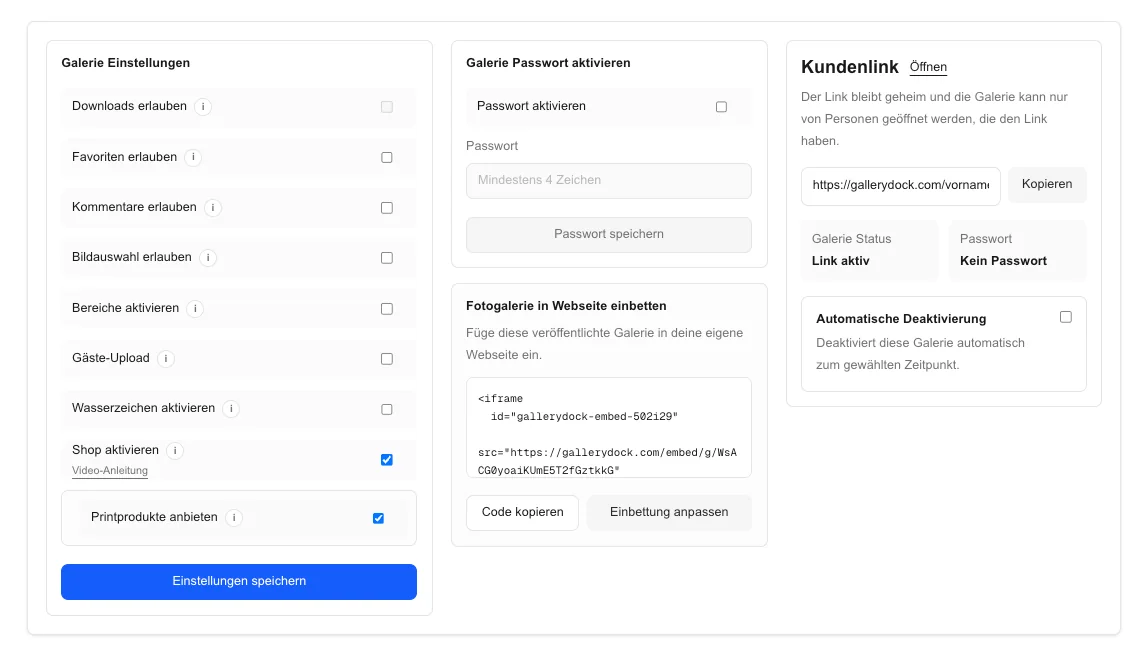
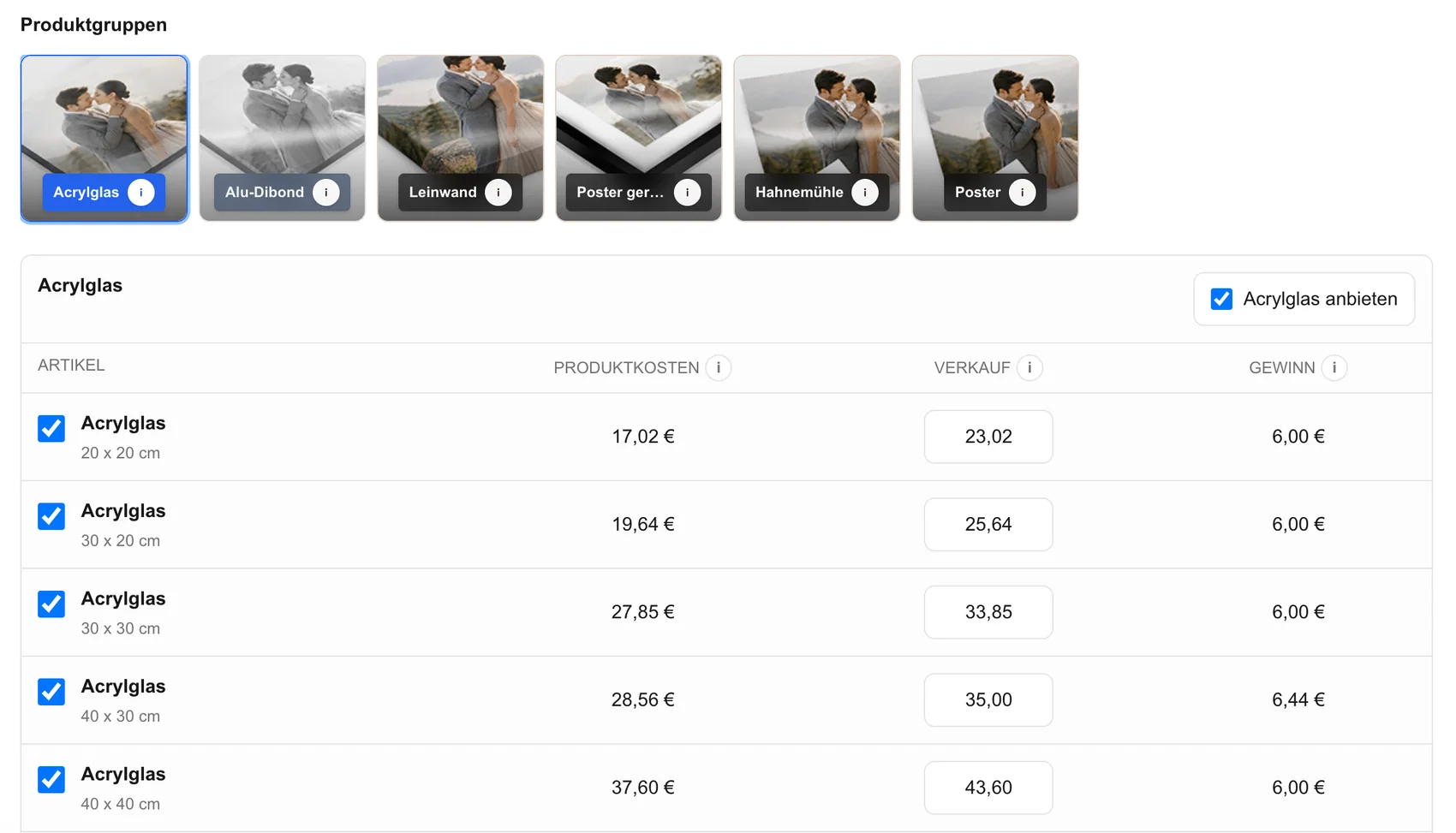
Choose only configured products, sizes, prices, and access settings that fit photo studios that want completed client assignments to continue into digital and physical print orders. State what the client receives and keep every claim limited to options that actually exist.
Keep the page's job specific
This page covers client delivery and print sales after the photographs are finished. It does not claim to replace a full CRM, RAW editor, scheduler, booking system, project manager, accounting platform, laboratory, or fulfillment operation. That boundary keeps this guide distinct from broader store, delivery, legal, or business-management pages.
Connect the offer to a real assignment
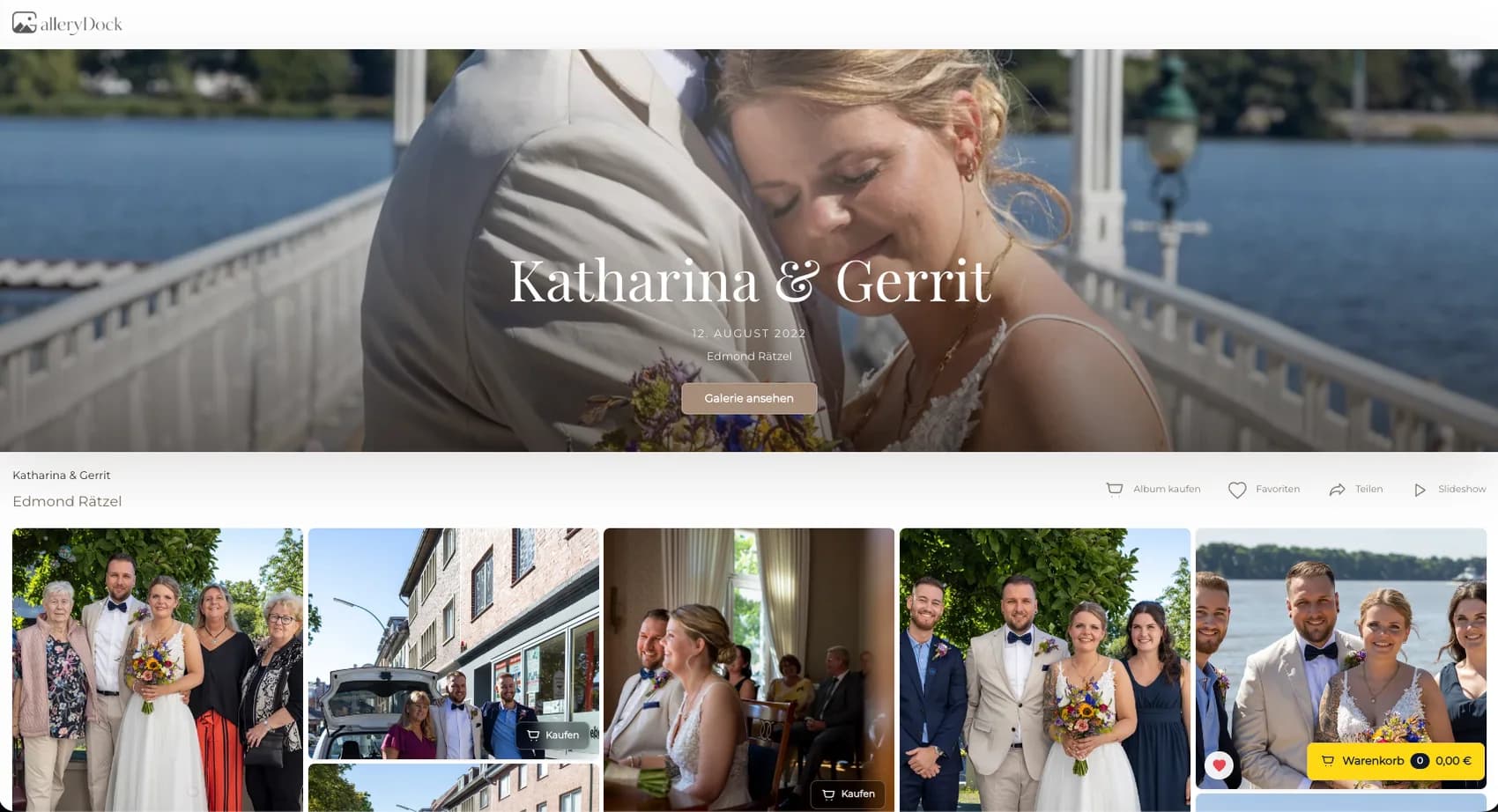
Place the offer beside the delivered photographs instead of asking clients to reconstruct image numbers and product choices in a separate message. The gallery context keeps the image and decision connected.
Client decision
Guide the choice at the image
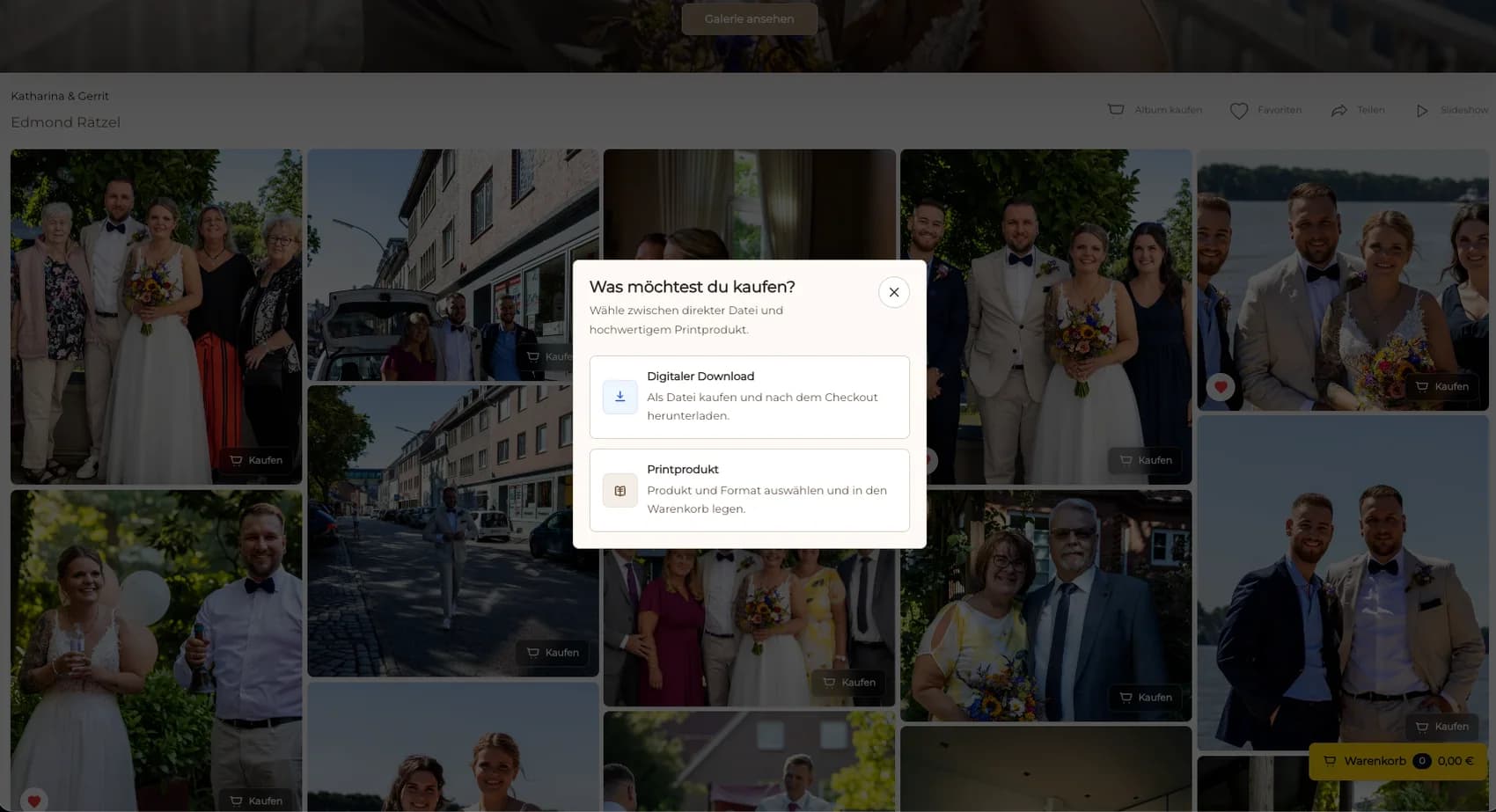
The useful decision is whether that exact image, product, access path, and price fit the assignment and the buyer's intent.
Review orientation and aspect ratio
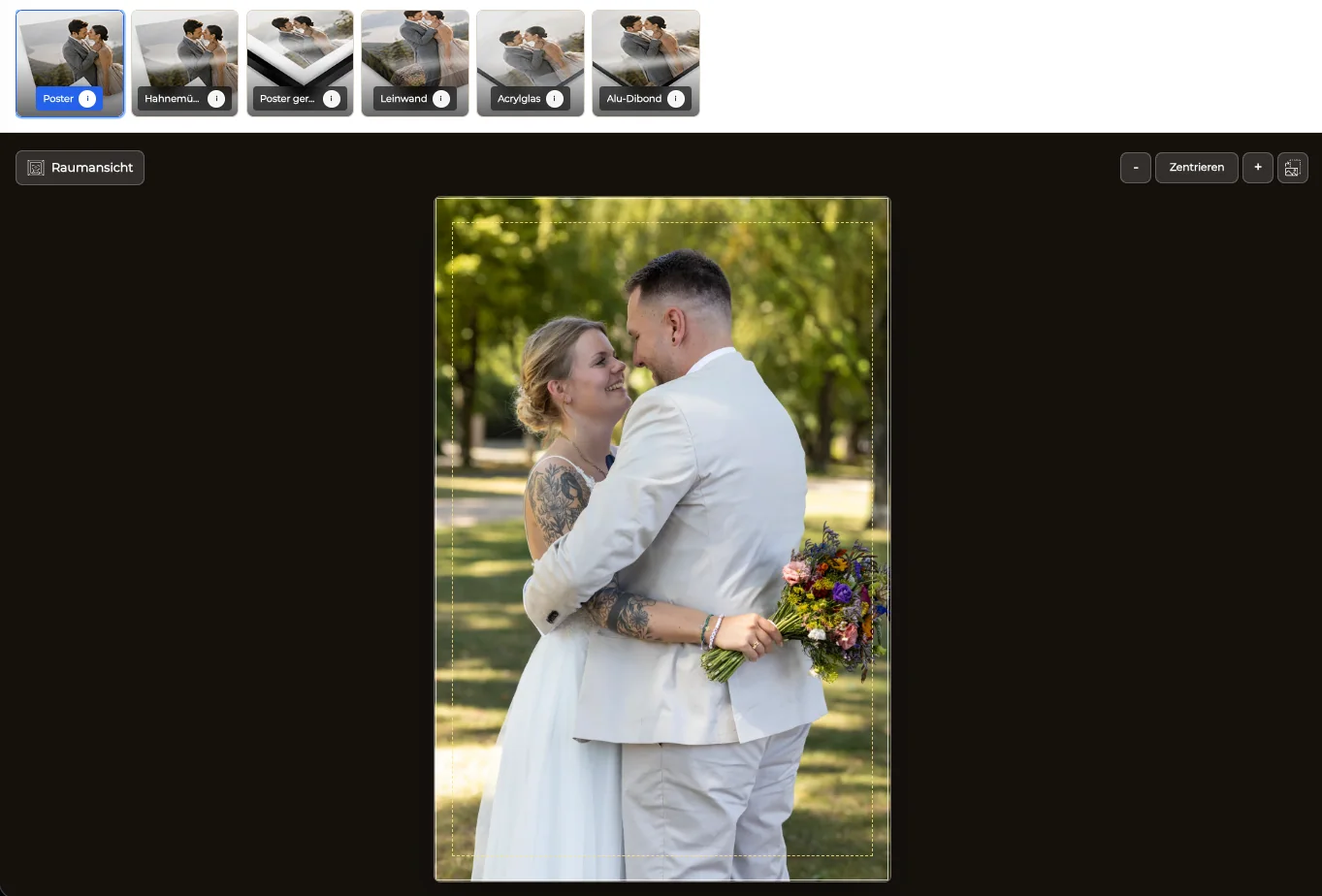
Compare the natural composition with available formats. Protect faces, hands, feet, instruments, edges, text, horizons, and intentional negative space instead of accepting an automatic crop without review.
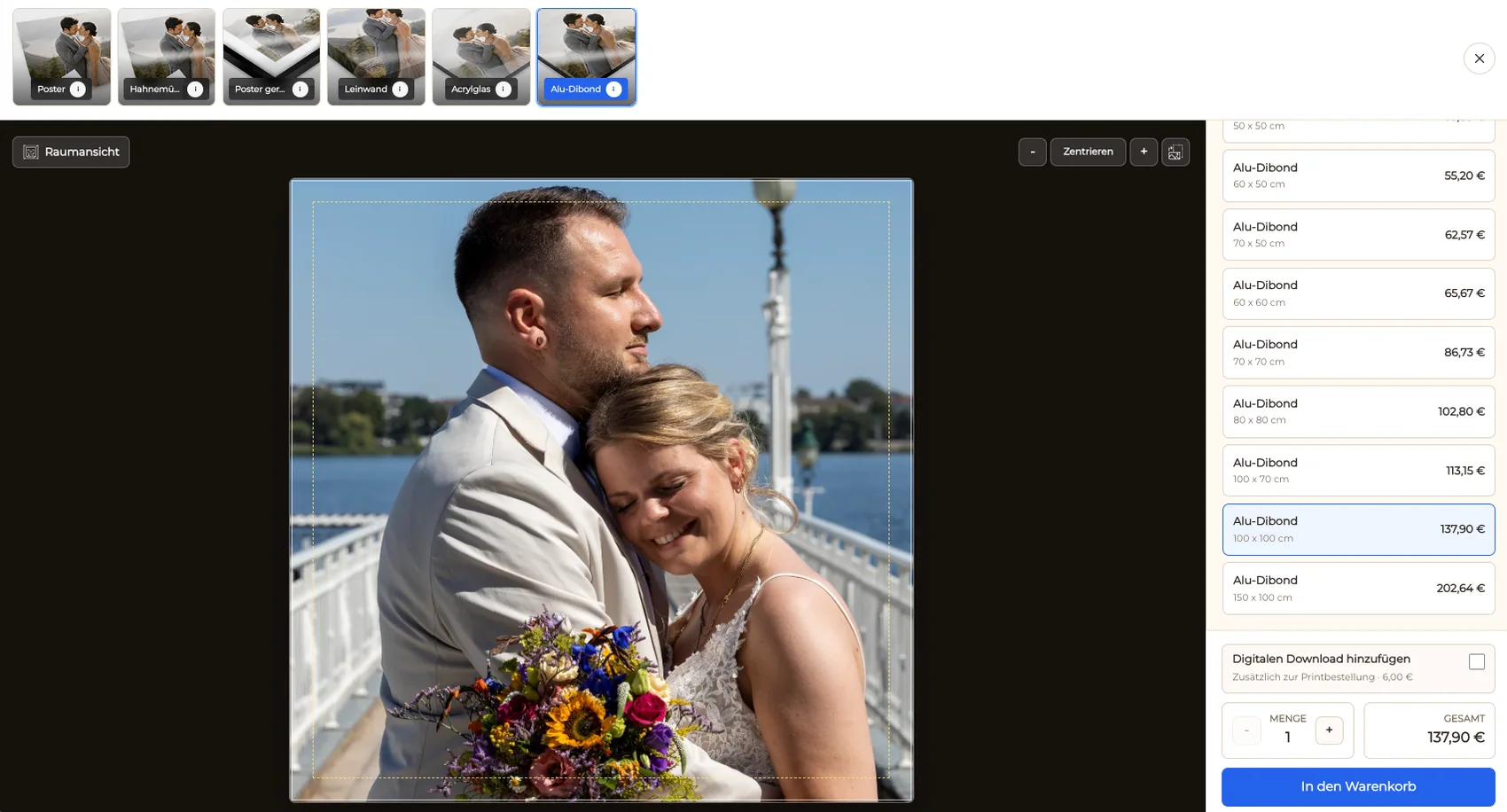
Use the preview as a crop check
Inspect the visible print area and safe area at the selected size. A preview can expose edge problems, but it does not replace the exact dimensions and production specification tied to the order.
Give size a familiar context
Room context can help a client discuss scale for wall products. Keep exact measurements visible because screen size, viewing distance, and device color cannot guarantee the final physical impression.
Explain price without hiding the product
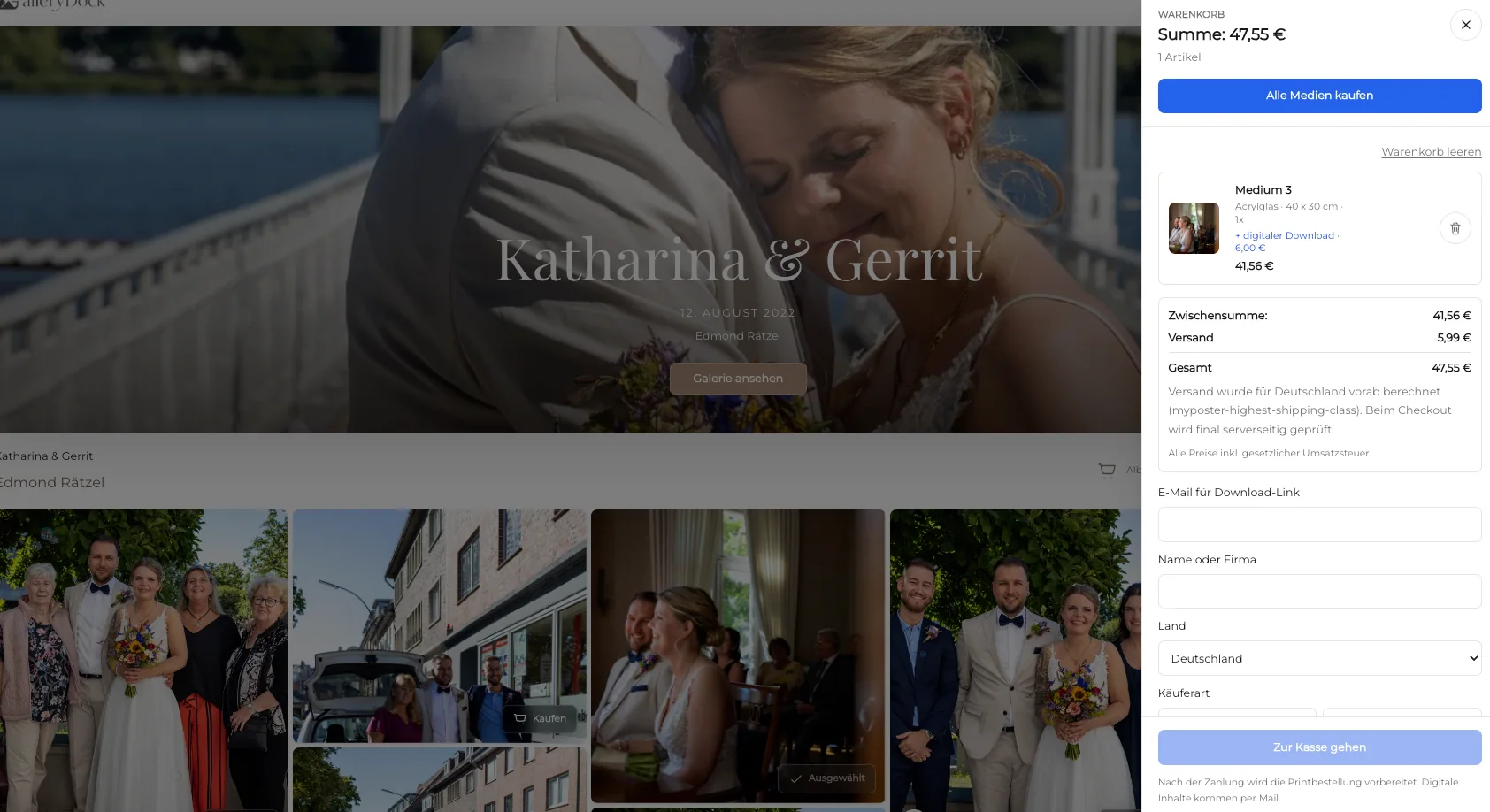
Show the selected product, size, quantity, and price together. If downloads are also available, describe them as a separate outcome so a file purchase is not confused with a physical print.
Order verification
Test the complete order path
Treat checkout as the end of the client's selection and the beginning of order review. Verify the record before it becomes a production, delivery, or accounting task.
Test desktop and mobile
Open a representative gallery on desktop and mobile. Confirm that access, product names, sizes, prices, preview controls, cart actions, and checkout handoff remain readable without horizontal overflow.
Inspect the cart before launch
Verify that the intended photograph, product, dimensions, orientation, quantity, and price survive the transition into the cart. A polished gallery is not enough if order data becomes ambiguous.
Keep operational claims bounded
GalleryDock supports the configured gallery-to-order path, but this page does not promise a universal legal result, lab, automatic production route, packing method, shipping speed, tax decision, or sales outcome.
Review the order before production
Check the completed image set, client access, digital and physical products, dimensions, prices, crop, cart, checkout, order record, and production responsibility. Resolve an unclear crop, access question, payment option, or product specification before the order enters the photographer's chosen production and delivery workflow.
Photo studio print store settingsUse this photo studio print store settings view to review the page-specific decision with the client before the order moves forward.Studio client digital or print choiceUse this studio client digital or print choice view to review the page-specific decision with the client before the order moves forward.Studio print crop and safe-area reviewUse this studio print crop and safe-area review view to review the page-specific decision with the client before the order moves forward.Studio print products sizes and pricesUse this studio print products sizes and prices view to review the page-specific decision with the client before the order moves forward.Studio print portrait and landscape formatsUse this studio print portrait and landscape formats view to review the page-specific decision with the client before the order moves forward.Photo studio print cart and checkoutUse this photo studio print cart and checkout view to review the page-specific decision with the client before the order moves forward.Studio photo print and poster optionsUse this studio photo print and poster options view to review the page-specific decision with the client before the order moves forward.
Comparison
Compare photo studio print sales choices before publishing
Compare the practical choices around photo studio print sales. The useful option is the one that fits the finished photographs, buyer context, and exact configured path—not the option with the broadest promise.
Approach
Best for
Tradeoff
Studio CRM
Leads and relationship records
Not the print decision at the image
RAW editor
Image development and retouching
Not client delivery or checkout
Client gallery with print sales
Finished work and client orders
Begins after image completion
Accounting system
Financial records and reporting
Separate from gallery selection
Portrait studio
Deliver approved portraits and offer selected physical products.
School or volume assignment
Keep access and ordering tied to the intended gallery structure.
Wedding studio
Continue from finished gallery to guest and couple print choices.
Commercial studio
Offer approved artwork without claiming a replacement for CRM or accounting systems.
Frequently asked questions
Questions about this workflow
Is this a complete studio CRM?
No. This guide focuses on finished client work, gallery delivery, product selection, cart, and checkout.
Does GalleryDock edit RAW files?
No. Upload approved, finished photographs after the studio's editing and retouching process.
Can the gallery offer downloads and prints?
Yes, when the studio configures both and explains them as distinct outcomes.
Does the software book sessions or manage accounting?
Those are separate operational systems and are not promised by this page.
What should the studio verify before publishing?
Check access, image status, products, dimensions, prices, crop, cart data, checkout, policies, and the post-order production process.
Ideal for photographers who regularly deliver client galleries.
Unlimited galleries
200 GB storage
Photos & videos
Image upload: 100 MB
Video upload: 15 GB
Your own shop for digital sales
Sell print products in your shop
Only 10% shop fee per sale
Your own profile in client galleries
Password-protect client galleries
Use your own logo as a watermark
Let clients select images and mark favorites
Control photo and video downloads
Embed galleries on your own website
Hide GalleryDock branding
Use your own logo in galleries
For regular client delivery
Pro
Monthly
29 EUR
EUR 348 billed yearly. plus VAT
For photographers managing many projects, videos and growing storage.
Unlimited galleries
1 TB storage
Photos & videos
Image upload: 100 MB
Video upload: 30 GB
Your own shop for digital sales
Sell print products in your shop
Only 5% shop fee per sale
Your own profile in client galleries
Password-protect client galleries
Use your own logo as a watermark
Let clients select images and mark favorites
Control photo and video downloads
Embed galleries on your own website
Hide GalleryDock branding
Use your own logo in galleries
For regular client delivery
Test one photo studio print sales path from image to cart
Choose one finished assignment, configure the relevant photo studio print sales path, inspect every client-facing decision, and test the complete journey from gallery view to cart before publishing.