01
Share the current export
Upload the intended review version to the private client gallery.
Explainer video feedback workflow
Run an explainer video feedback workflow that keeps voice-over, animation, on-screen text, branding, and factual clarity attached to the relevant moment.
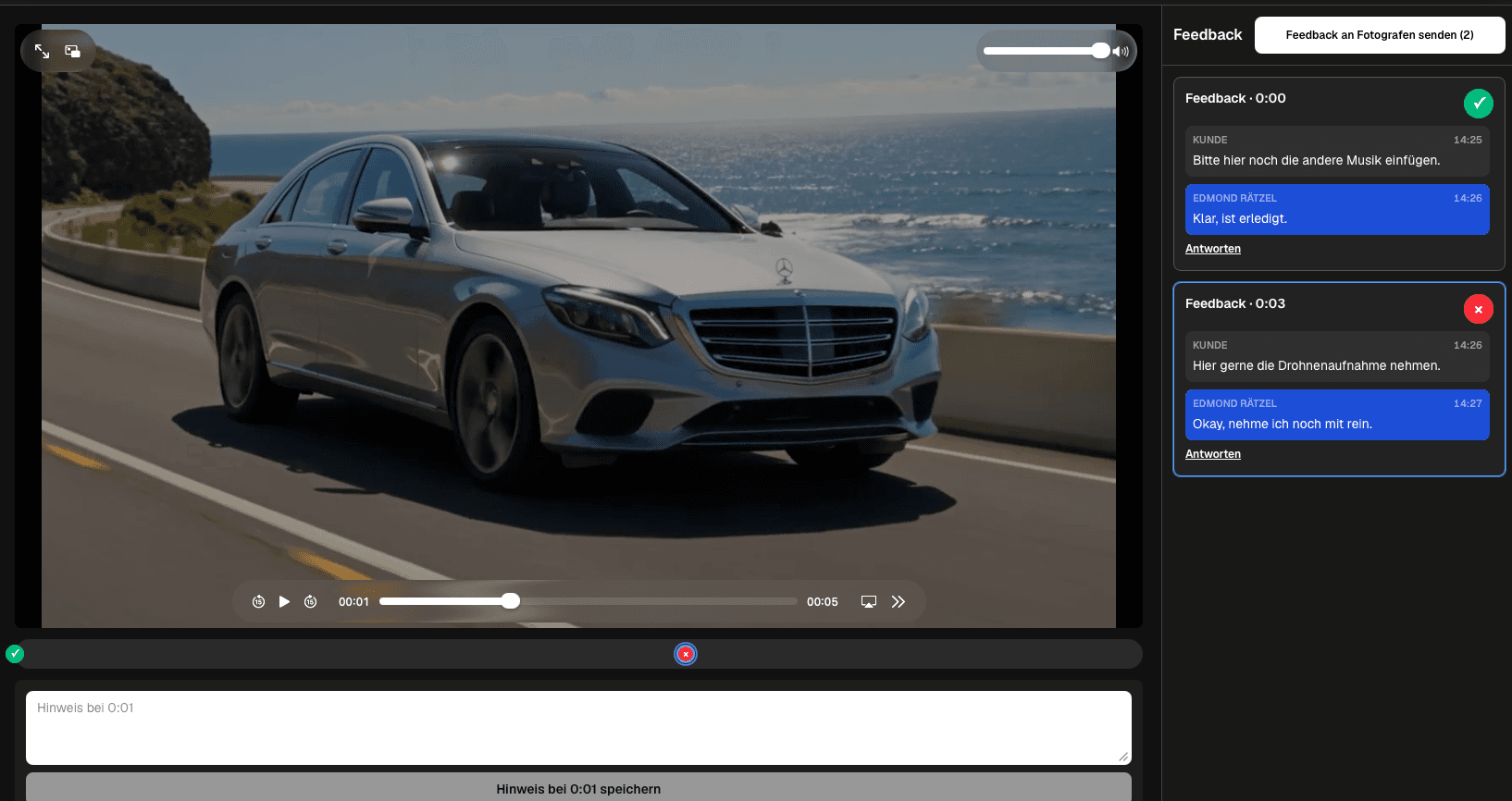
Quick answer
Run an explainer video feedback workflow that keeps voice-over, animation, on-screen text, branding, and factual clarity attached to the relevant moment. GalleryDock keeps timestamped comments and discussion together; it does not edit animation, draw on frames, or automatically verify scripts and factual claims.
Workflow
Keep each handoff explicit so the client and creative team know what happens next.
01
Upload the intended review version to the private client gallery.
02
Ask reviewers to pause where the narration, animation, or text needs attention.
03
Keep follow-up questions attached to the original scene.
04
Resolve completed notes, verify the export, and share the next version.
Project-specific review
Review the decisions that belong to this project instead of collecting vague approval messages.
Check pronunciation, phrasing, emphasis, and the spoken claim at the relevant moment.
Identify motion or timing that makes the explanation unclear.
Review terminology, readability, and how long the text remains visible.
Confirm brand details and factual clarity with the accountable stakeholder.
Quality control
A successful handoff needs a tested client path and an honest boundary around what the software does.
Open the client view on desktop and mobile. Check access, readable labels, media playback or product choices, and the next action without horizontal overflow.
Use names and instructions the client understands. Keep internal production language out of the final handoff unless it helps them make a decision.
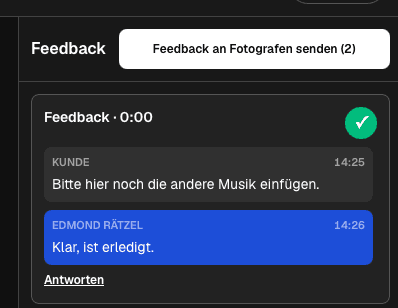
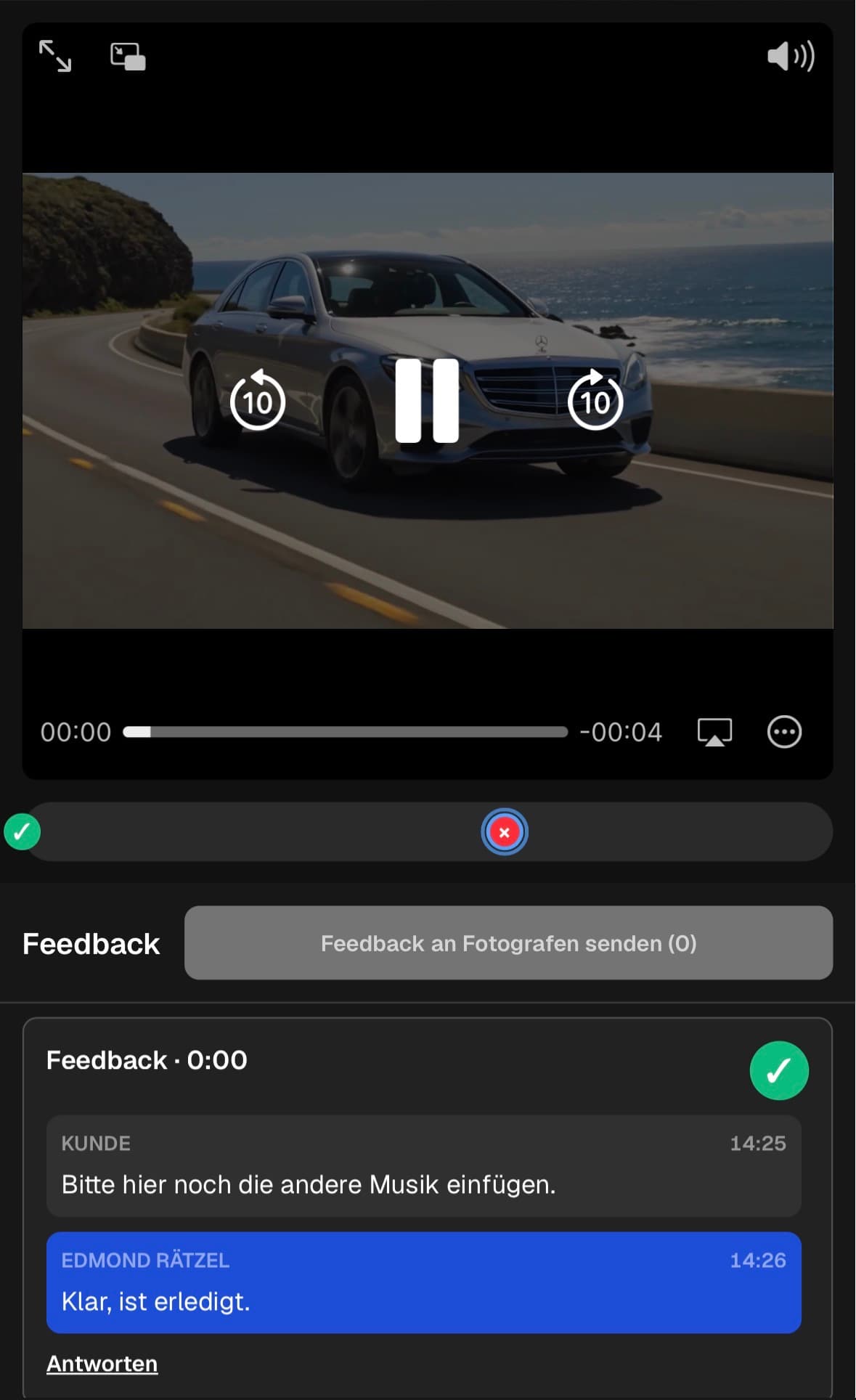
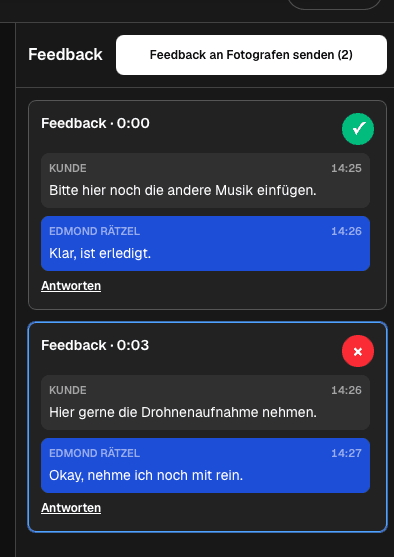
GalleryDock keeps timestamped comments and discussion together; it does not edit animation, draw on frames, or automatically verify scripts and factual claims.
Resolve every open point, verify the intended final file or order state, and only then publish or deliver the next version.
Comparison
Use this comparison to keep explainer video feedback workflow precise and product-truthful.
| Approach | Best for | Tradeoff |
|---|---|---|
| Timestamped client review | Voice-over, animation, text, and brand notes | Corrections are implemented in the production tools |
| Email feedback | A short general response | Scene context is easy to lose |
| Live review call | Sensitive or complex discussion | Decisions still need a written record |
| Drawing-based proofing | Visual annotations inside a frame | Not claimed by this GalleryDock workflow |
Product and marketing reviewers align interface language, narration, and animation.
A subject-matter expert corrects one technical claim in its scene context.
Brand reviewers check colors, logo use, timing, and the call to action.
Frequently asked questions
The client pauses at the relevant moment, leaves a timestamped comment, and uses the same thread for clarification.
Invited clients can use the private gallery path without creating their own GalleryDock account.
This workflow does not claim drawing or pin tools. Comments are tied to the saved playback time.
No. The responsible subject-matter reviewer must verify claims and wording.
Keep the discussion in its scene thread and mark completed items so open corrections remain visible.
The workflow can move from review to final delivery in the gallery, after the production team verifies the export.
Related resources
Pricing
Free forever
0 EUR
EUR 0 per month
Perfect for sharing your first galleries professionally.
Start free, no credit card required
Monthly
19 EUR
EUR 228 billed yearly. plus VAT
Ideal for photographers who regularly deliver client galleries.
For regular client delivery
Monthly
29 EUR
EUR 348 billed yearly. plus VAT
For photographers managing many projects, videos and growing storage.
For regular client delivery
Use one real client project to test the complete explainer video feedback workflow path before you make it your default.
Create a free account