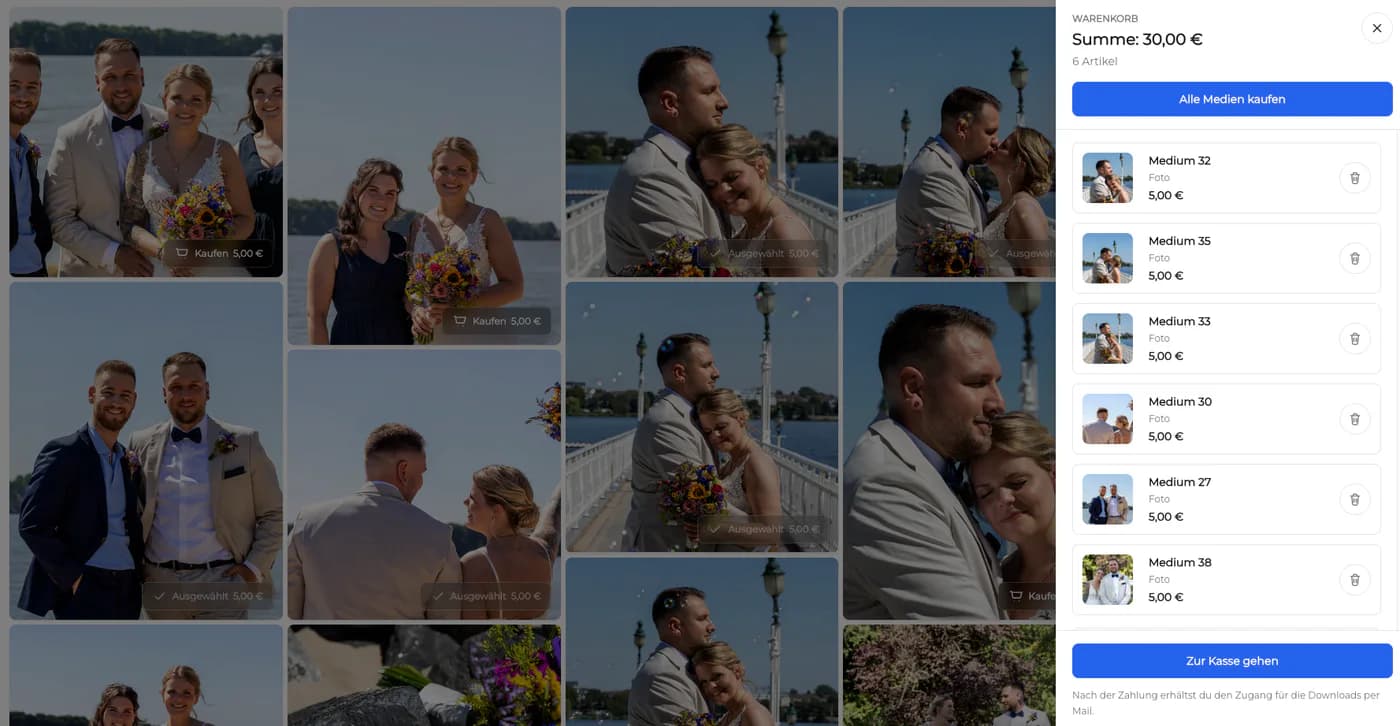
Create an Online Photo Gallery for Client Delivery
Create a client-ready online photo gallery by curating the set, choosing access, explaining review actions, testing the client view, and launching one controlled delivery link.
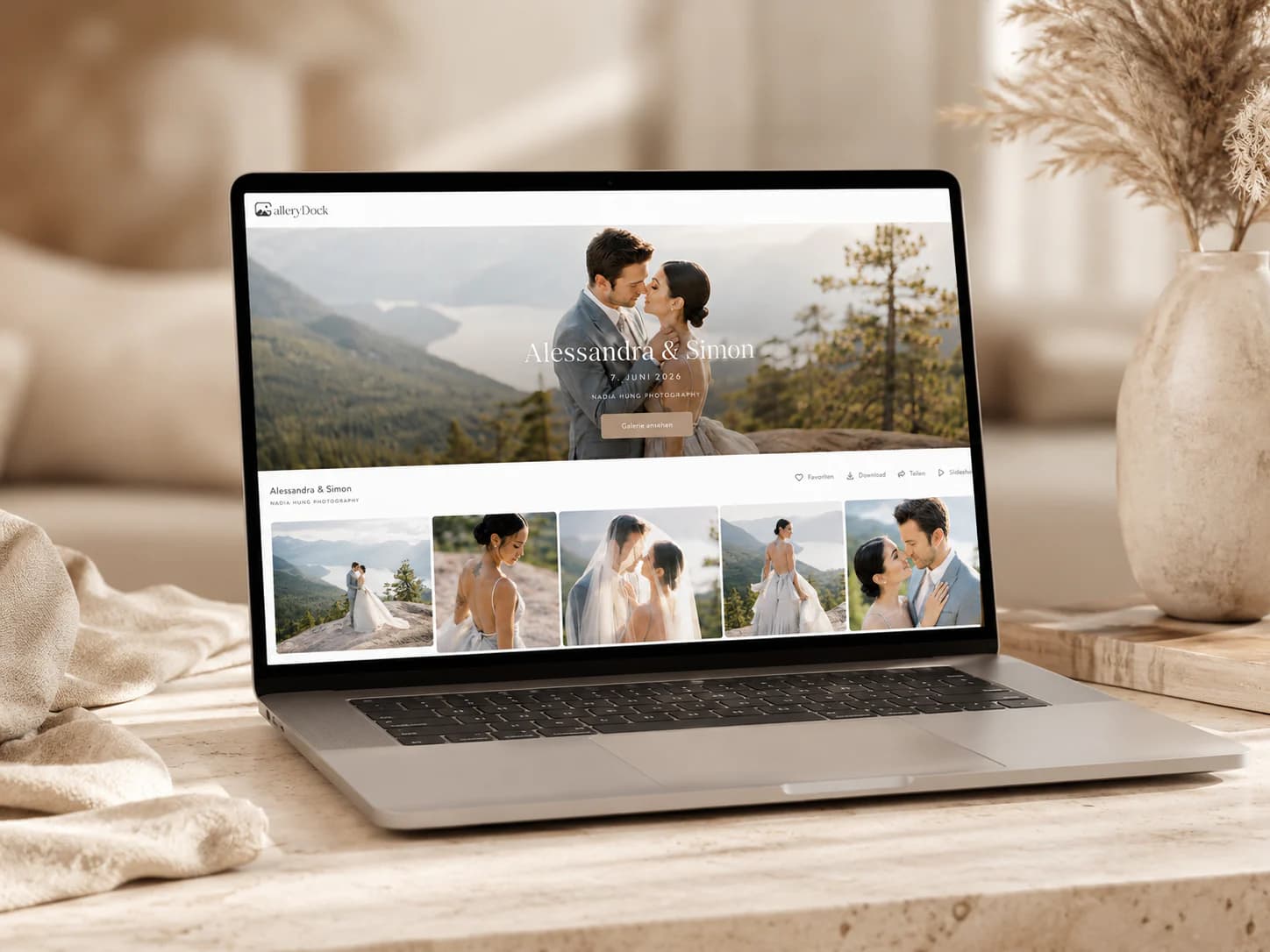
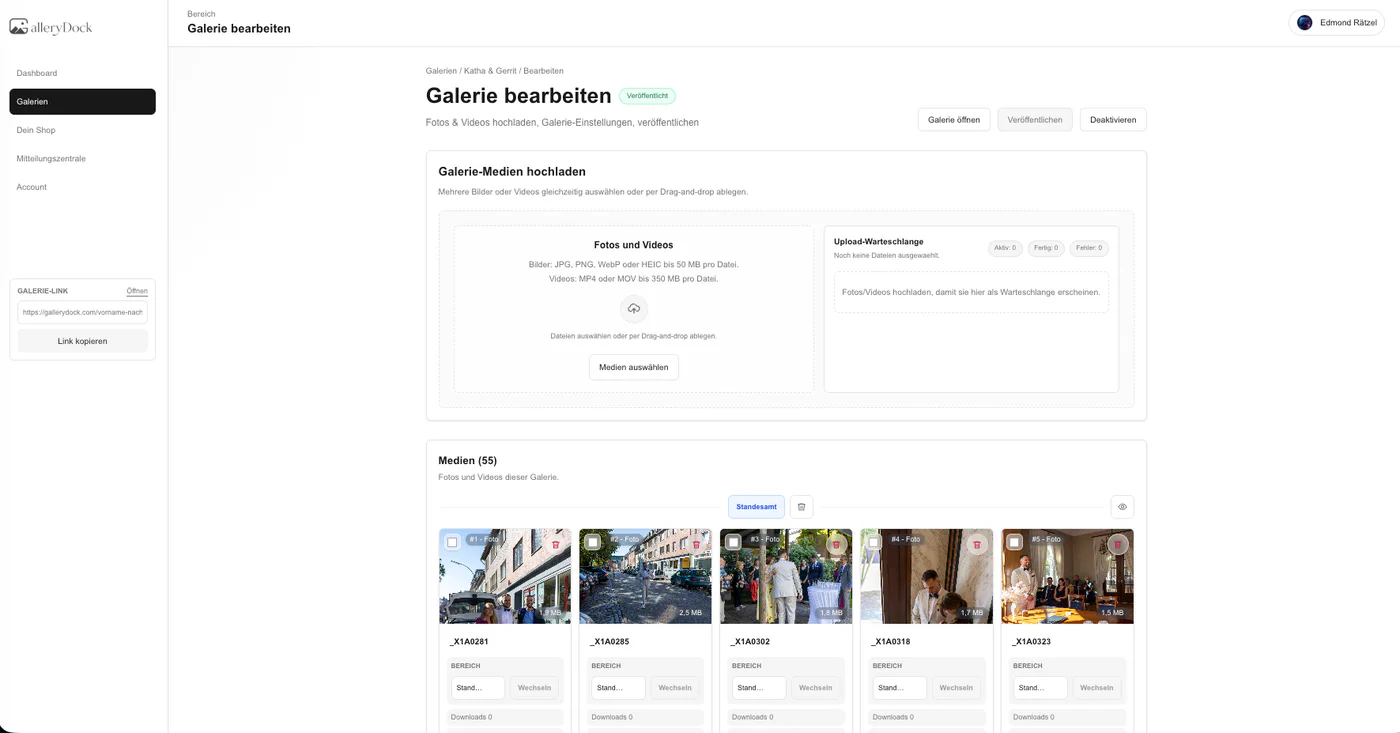
To create an online photo gallery for clients, begin with the delivery decision rather than the upload button. Decide which photographs belong in the client-facing set, how the gallery should be organized, who may access it, what favorites or comments mean, and when downloads become available. Then test the complete client view before sending the link. GalleryDock supports this professional proofing and delivery format; it is not a general website builder, a public social album, a guest-upload service, or the photographer's only archive. This guide concentrates on building the client-ready object itself, while the separate setup guide covers the broader operating checklist around a gallery account.
Purpose
Plan the gallery before uploading files
A clear delivery purpose determines the image set, organization, access, and client instructions.
01
Choose one job and audience
Build a dedicated gallery for a single commissioned assignment and its authorized client audience. Mixing jobs, stages, or unrelated viewers makes access harder to explain and increases the chance of releasing the wrong material.
02
Define proof or final
Decide whether clients are choosing photographs, approving edits, or receiving finished files. That one distinction controls which images belong in the gallery and whether downloads should be available.
03
Curate the image set
Remove duplicates, technical misses, internal reference exports, and any photograph outside the agreed scope. A purposeful set is easier to review and presents the photographer's work with confidence.
04
Map the sections
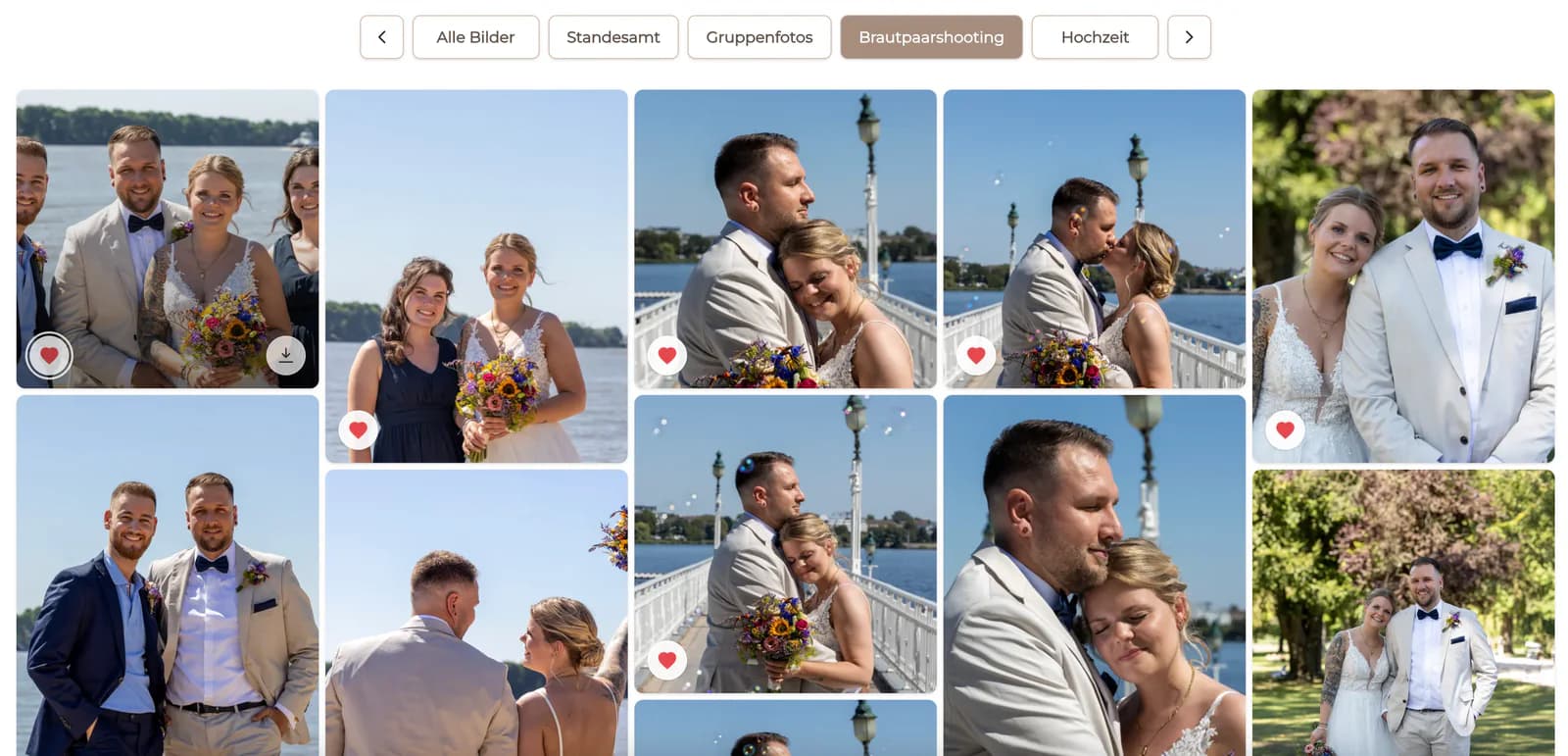
Group images by scene, person, product, location, or deliverable only when those labels help the client decide. Avoid a deep folder structure that recreates the photographer's internal production system.
Client actions
Configure only the actions the workflow needs
Every visible control should have an explained purpose in the current phase of the job.
01
Define favorites
Tell clients whether favorites mean included photographs, album candidates, retouching choices, or a shortlist. The same icon should not silently carry several meanings within one assignment.
02
Frame image comments
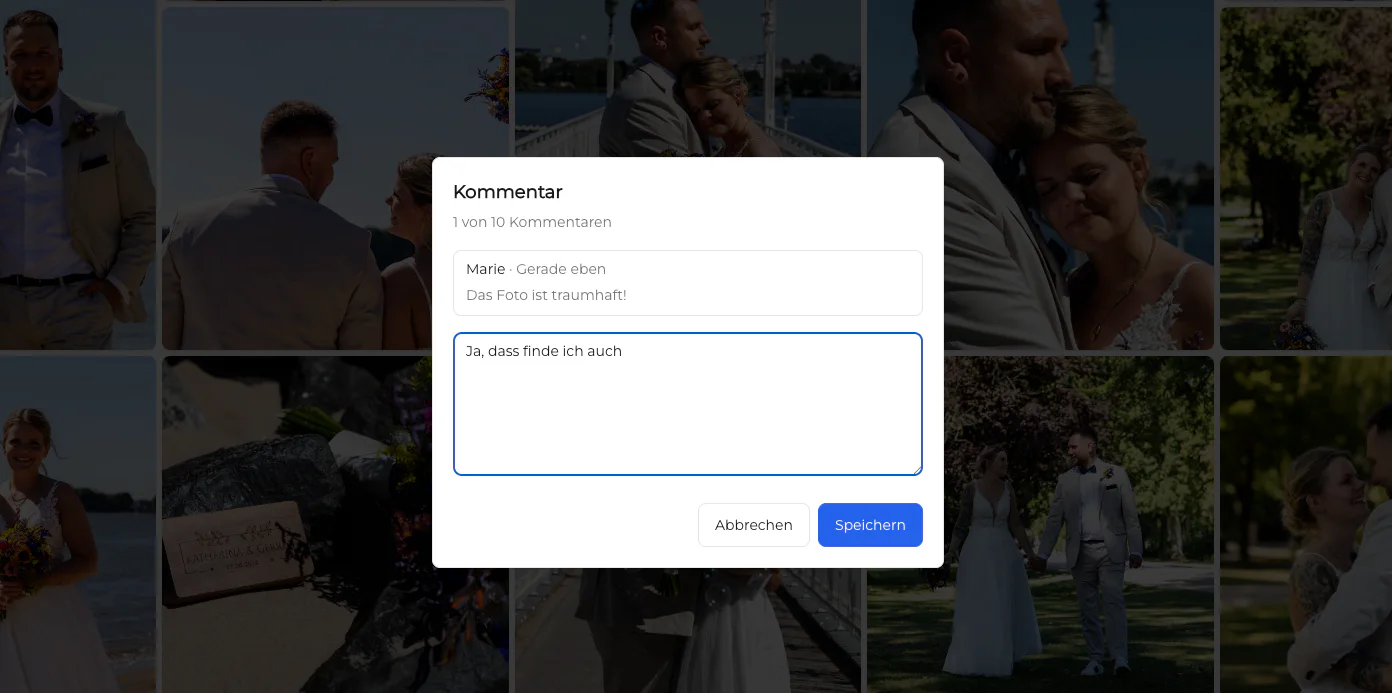
Invite comments for precise crop, retouching, approval, or version notes. General project discussion and contractual changes still belong in the established communication channel.
03
Set download timing
Keep downloads closed during proofing when the files are not final. Before release, verify that the gallery contains the approved exports and that clients understand the available file versions.
04
Add extras selectively
Digital extras should match the booked package, clear pricing, and the photographer's actual GalleryDock setup. Do not add a commercial choice simply because the interface can show one.
Launch
Test the complete client route before sharing it
The photographer should experience the same link, device widths, and instructions the client will receive.
01
Open the client link
Check the gallery without relying on the owner dashboard. Confirm the correct title, cover, photographer identity, image set, controls, and access behavior in the public client view.
02
Review desktop and mobile
Inspect important text, images, buttons, and grids at both widths. A gallery that looks polished on a large monitor can still hide instructions or create awkward image crops on a phone.
03
Test access and downloads
Use the intended password flow if enabled and verify the exact download behavior. Do not assume a saved setting produces the correct client result until the public route has been checked.
04
Send context with the link
The delivery message should state what the gallery contains, what the client should do, the due date when relevant, and who to contact. A bare URL leaves too much of the workflow implicit.
Start with a defined assignmentKeep each assignment identifiable before configuring client-facing details.Design the selection stepUse favorites only after defining the exact decision the heart represents.Collect contextual feedbackKeep review notes connected to the image instead of scattering them across messages.Plan the final handoffSeparate proofs from final files and release downloads only at the intended stage.Test the mobile client viewReview the gallery at phone width before assuming the desktop presentation is sufficient.Configure relevant extrasAdd digital extras only when they are part of the photographer's real offer and configuration.
Comparison
Ways to create an online photo destination
The right format depends on whether the audience is public, collaborative, or a commissioned client.
Approach
Best for
Tradeoff
Social album
Public or community sharing
Weak privacy and client workflow control
Website gallery
Portfolio and discovery
Not built around a private job decision
Cloud folder
Simple file access
Limited presentation and feedback context
Guest-upload gallery
Collecting attendee photographs
Different from curated professional delivery
GalleryDock
Curated client proofing and delivery
Not a website builder, social network, or sole archive
Portrait proof gallery
Upload a curated proof set, explain the included-image limit, collect final favorites, and release only the finished retouched files.
Wedding delivery gallery
Organize the finished wedding story into useful sections, verify mobile viewing, and send one private link with clear download guidance.
Business approval gallery
Present campaign or headshot options to one responsible contact and keep image-specific change requests attached to the relevant photograph.
Frequently asked questions
Questions about this workflow
How do I create an online photo gallery for clients?
Define the job and client action, curate the image set, organize useful sections, configure access and review controls, test desktop and mobile client views, and then send the link with clear instructions.
Should clients see every photograph from the shoot?
Usually no. A professional gallery should contain a purposeful proof or final set rather than technical misses, duplicates, test exports, or images outside the agreed scope.
Can clients mark favorites and leave comments?
Yes. Define what a favorite means and ask clients to use image comments for precise visual notes so the review remains actionable.
Should downloads be enabled during proofing?
Only when the workflow intentionally includes downloadable proofs. Otherwise, keep review separate and release approved final files later.
Is GalleryDock an online portfolio or website builder?
No. GalleryDock is a client-gallery product for professional review and delivery, not a general website-building platform.
Can the gallery replace the photographer's backup?
No. Keep source files, edits, exports, and business records in an independent backup and retention system.
Ideal for photographers who regularly deliver client galleries.
Unlimited galleries
200 GB storage
Photos & videos
Image upload: 100 MB
Video upload: 15 GB
Your own shop for digital sales
Sell print products in your shop
Only 10% shop fee per sale
Your own profile in client galleries
Password-protect client galleries
Use your own logo as a watermark
Let clients select images and mark favorites
Control photo and video downloads
Embed galleries on your own website
Hide GalleryDock branding
Use your own logo in galleries
For regular client delivery
Pro
Monthly
29 EUR
EUR 348 billed yearly. plus VAT
For photographers managing many projects, videos and growing storage.
Unlimited galleries
1 TB storage
Photos & videos
Image upload: 100 MB
Video upload: 30 GB
Your own shop for digital sales
Sell print products in your shop
Only 5% shop fee per sale
Your own profile in client galleries
Password-protect client galleries
Use your own logo as a watermark
Let clients select images and mark favorites
Control photo and video downloads
Embed galleries on your own website
Hide GalleryDock branding
Use your own logo in galleries
For regular client delivery
Build one client-ready photo gallery
Start with a curated assignment, configure only the review and delivery actions the job needs, verify the public view on desktop and mobile, and send the link with an explicit next step.