01
Name the current cut
Use a visible project and cut label so the client knows which version is under review and older links are not mistaken for the active decision.
Client video approval
Present one current cut, define the decision owner, collect scene-specific feedback, close resolved threads, and complete a clear client review round.

Quick answer
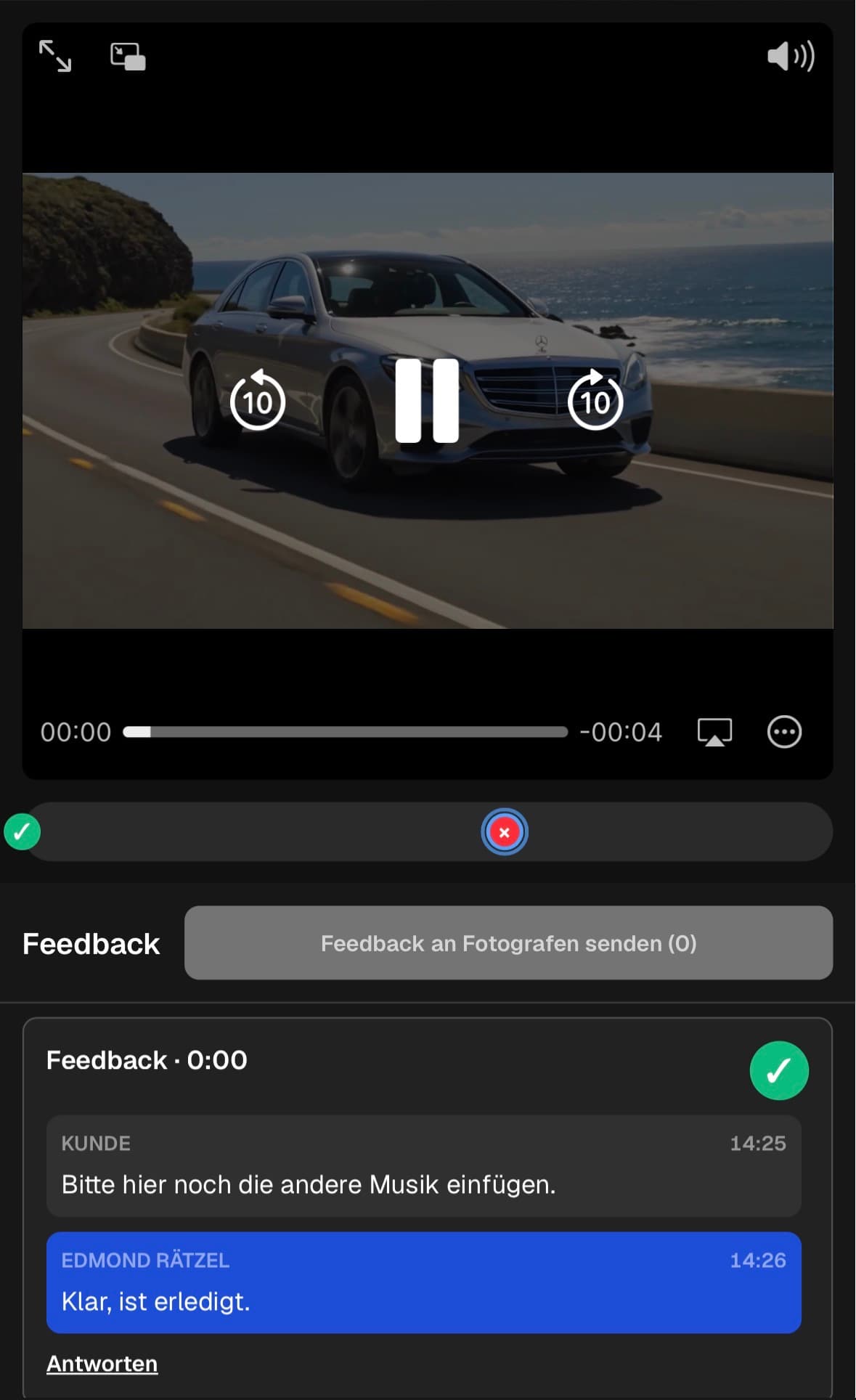
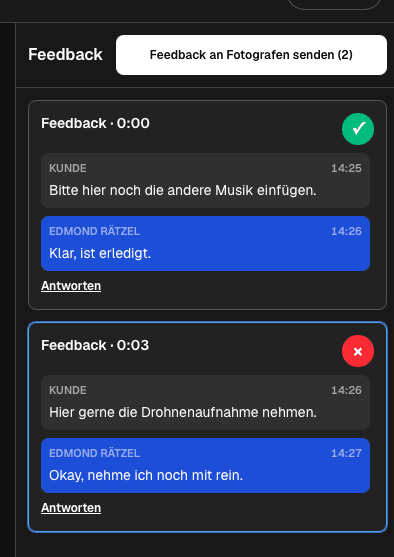
A client video approval workflow should end with an understandable production decision, not another scattered email thread. Present one clearly named current cut in a private client area and explain what the reviewer is deciding in this round. The client watches the video, pauses at the relevant scene, adds a timecoded comment, and uses the same thread for clarification. The filmmaker keeps unresolved decisions open, marks completed points when the outcome is clear, and receives the submitted feedback as a grouped notification. This creates an operational review record and a clean end to the round. It is not a legal signature, contract amendment, immutable audit trail, or guaranteed formal acceptance. If legal approval is required, use the appropriate separate agreement and retain the necessary records outside this workflow.
Review brief
The reviewer needs a current cut, a clear question, and an explicit decision boundary before playback begins.
01
Use a visible project and cut label so the client knows which version is under review and older links are not mistaken for the active decision.
02
Explain whether the round covers message, structure, scene choice, factual accuracy, branding, or final delivery readiness.
03
Identify who consolidates the client's position when several stakeholders participate, and set an internal response deadline.
04
Use a separate contract or signature process when the project requires binding approval, usage permission, or formal change control.
Scene decisions
Timecoded threads reduce the work of translating vague notes back into exact scenes.
01
Create the comment at the current playback time instead of describing the location as somewhere near the middle.
02
State what should change or what decision is needed, including the reason when context helps the filmmaker choose the right edit.
03
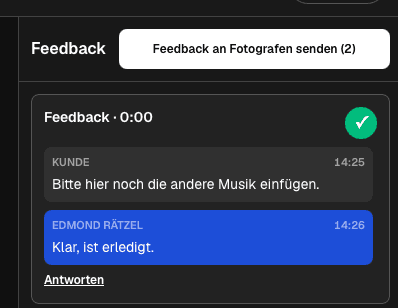
Ask and answer follow-up questions beside the original note so the scene, concern, and agreed outcome remain together.
04
Keep uncertain or unfinished decisions open and mark them complete only after the intended outcome is clear.
Round closure
The review round is complete only when participants understand what is resolved, what remains open, and what happens next.
01
Send the prepared review after checking the complete set so the filmmaker receives a coherent notification rather than isolated messages.
02
Merge or clarify comments that ask for conflicting outcomes before the edit begins.
03
Summarize the few decisions that still need an owner, client answer, asset, or factual check.
04
Explain whether the result triggers another revision, a final delivery, or a separate formal approval step.
Comparison
A production review thread and a legally binding acceptance process serve different purposes.
| Approach | Best for | Tradeoff |
|---|---|---|
| Timecoded review thread | Scene-specific production decisions | Not a legal signature |
| Grouped feedback submission | One coherent review round | Requires reviewers to consolidate their notes |
| Open completed status | Operational follow-up | Does not create an immutable audit trail |
| Email confirmation | Simple project communication | Can separate the decision from the scene |
| Formal acceptance document | Contractual or compliance needs | Requires a separate legal workflow |
Marketing consolidates stakeholder notes, while the brand owner confirms the final message and logo treatment.
The client reviews names, sequence, and factual details at precise scenes before the delivery round closes.
A subject expert resolves content accuracy while the project owner decides whether the cut can move to delivery.
Frequently asked questions
It is a structured review round that presents one current cut, collects scene-specific decisions, clarifies them in threads, and closes completed items.
No. It records an operational review status, not a binding signature, contract amendment, or immutable legal acceptance.
Assign a decision owner, collect notes in the shared review area, resolve conflicts, and submit one coherent client position.
Yes. The client area supports a mobile review path so participants can watch and add scene-specific feedback without a desktop workflow.
Confirm resolved and open decisions, state the next revision or delivery step, and use a separate formal process if legal acceptance is required.
Related resources
Pricing
Free forever
0 EUR
EUR 0 per month
Perfect for sharing your first galleries professionally.
Start free, no credit card required
Monthly
19 EUR
EUR 228 billed yearly. plus VAT
Ideal for photographers who regularly deliver client galleries.
For regular client delivery
Monthly
29 EUR
EUR 348 billed yearly. plus VAT
For photographers managing many projects, videos and growing storage.
For regular client delivery
Present one current cut, define the review goal, collect scene-specific feedback, and finish with an explicit next state.
Create a free account