Use the latest link
Open the photographer's current delivery message rather than an old bookmark or forwarded preview.
Client download troubleshooting
Troubleshoot a missing client gallery download button by checking the correct link, access state, free or purchased item path, browser, and photographer settings.
Quick answer
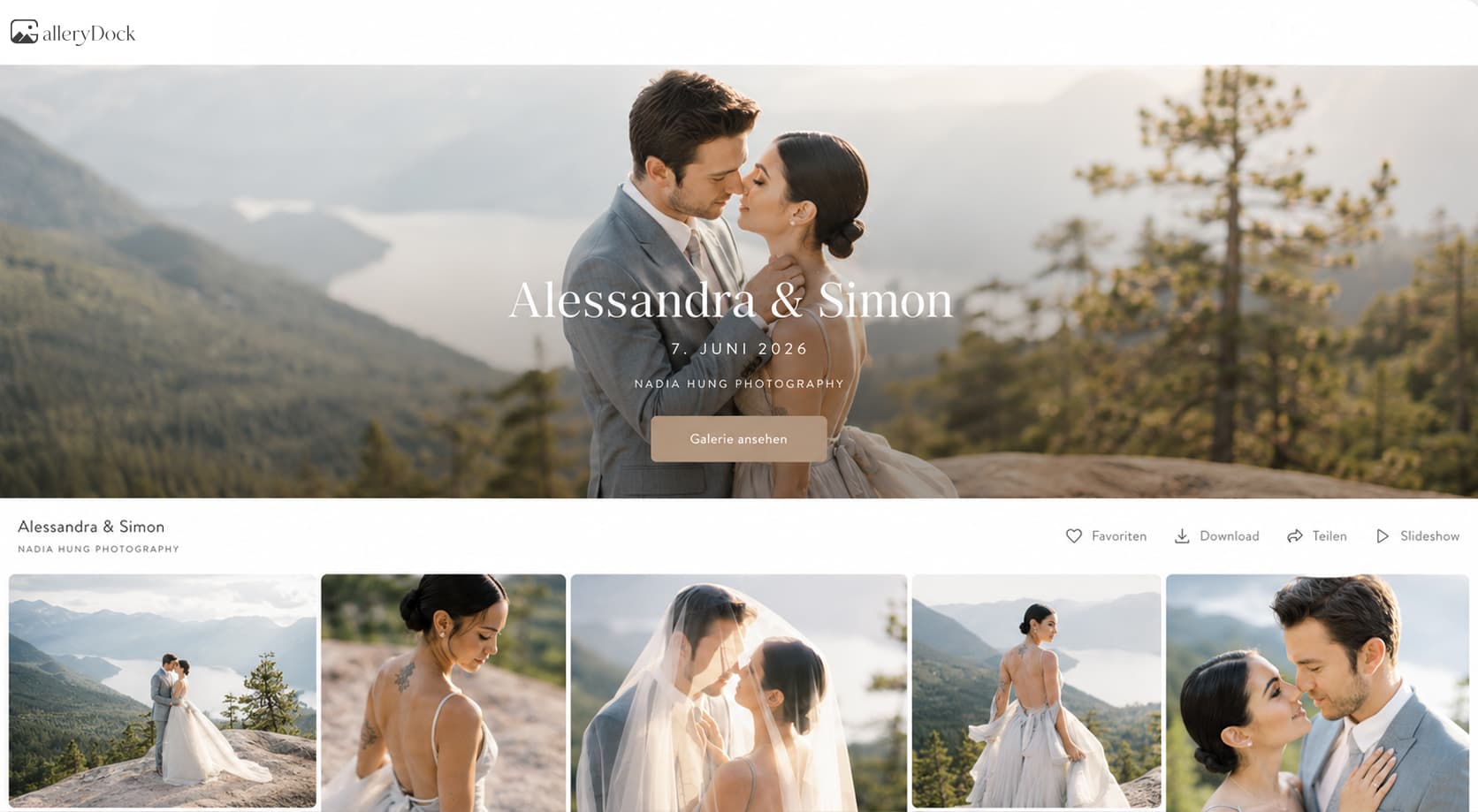
When a client gallery download button is missing, first confirm that you opened the current link and completed the intended access step. Then distinguish a freely downloadable file from an item that requires a purchase, completed order, or photographer action. Reload once, try the supported public view on another browser or device, and contact the photographer with the exact gallery and image if the control is still absent. Client-side troubleshooting cannot bypass owner settings, purchase requirements, or an unreleased delivery.
Quick checks
Rule out an old link, incomplete access step, or temporary browser state before asking the owner to inspect settings.
Open the photographer's current delivery message rather than an old bookmark or forwarded preview.
Enter the supplied password or other legitimate access information and confirm that the gallery fully loads.
Determine whether the control is missing for one file, a selected set, or every image.
Refresh the public gallery and test again after the page and image have completed loading.
Access path
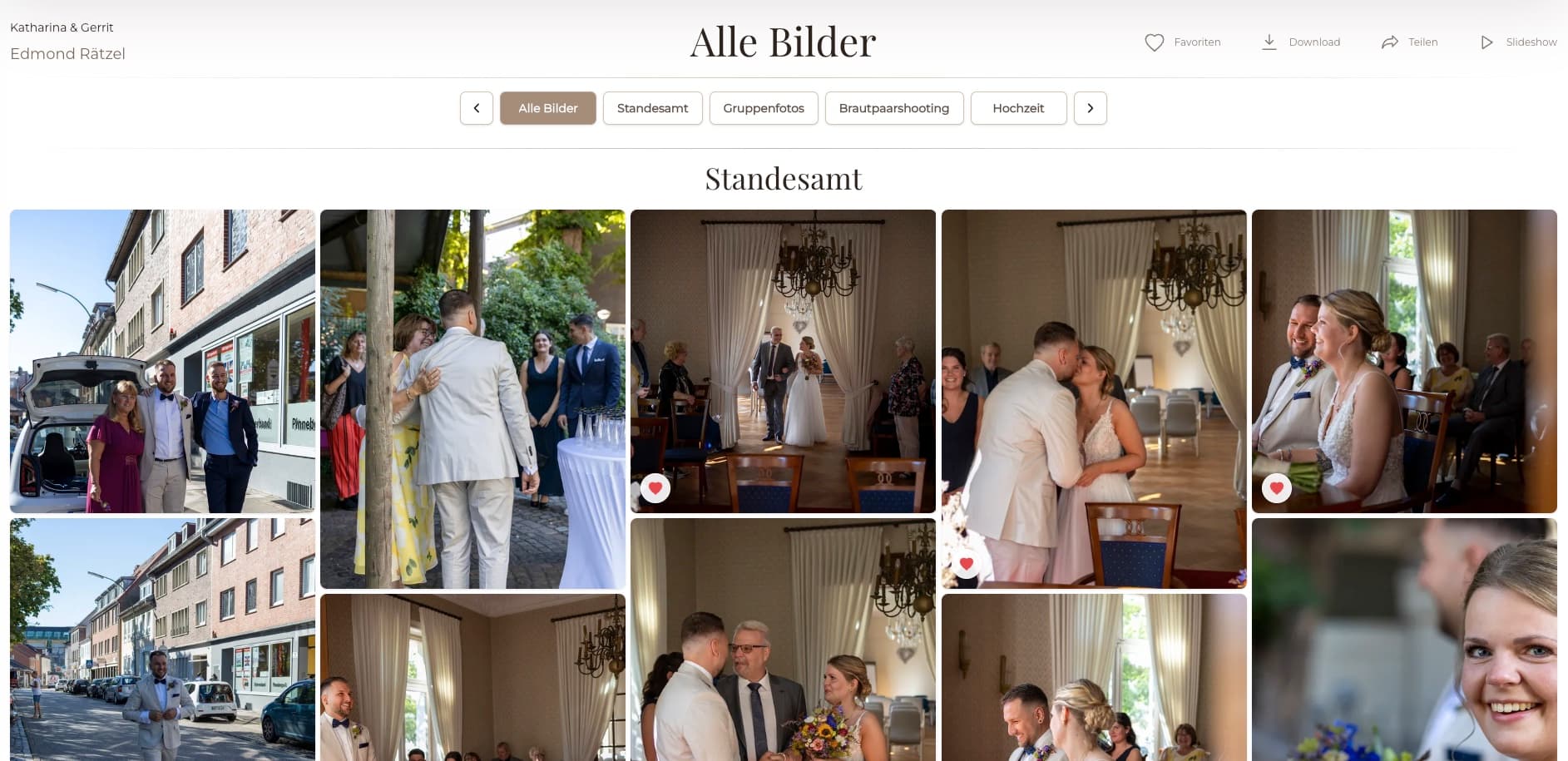
The absence of a free download button may be correct when the photographer uses another release or commerce path.
01
Check the delivery email for a release date, purchase step, code, or separate final-gallery link.
02
Identify whether the expected item is included for direct download or offered through a shop or order flow.
03
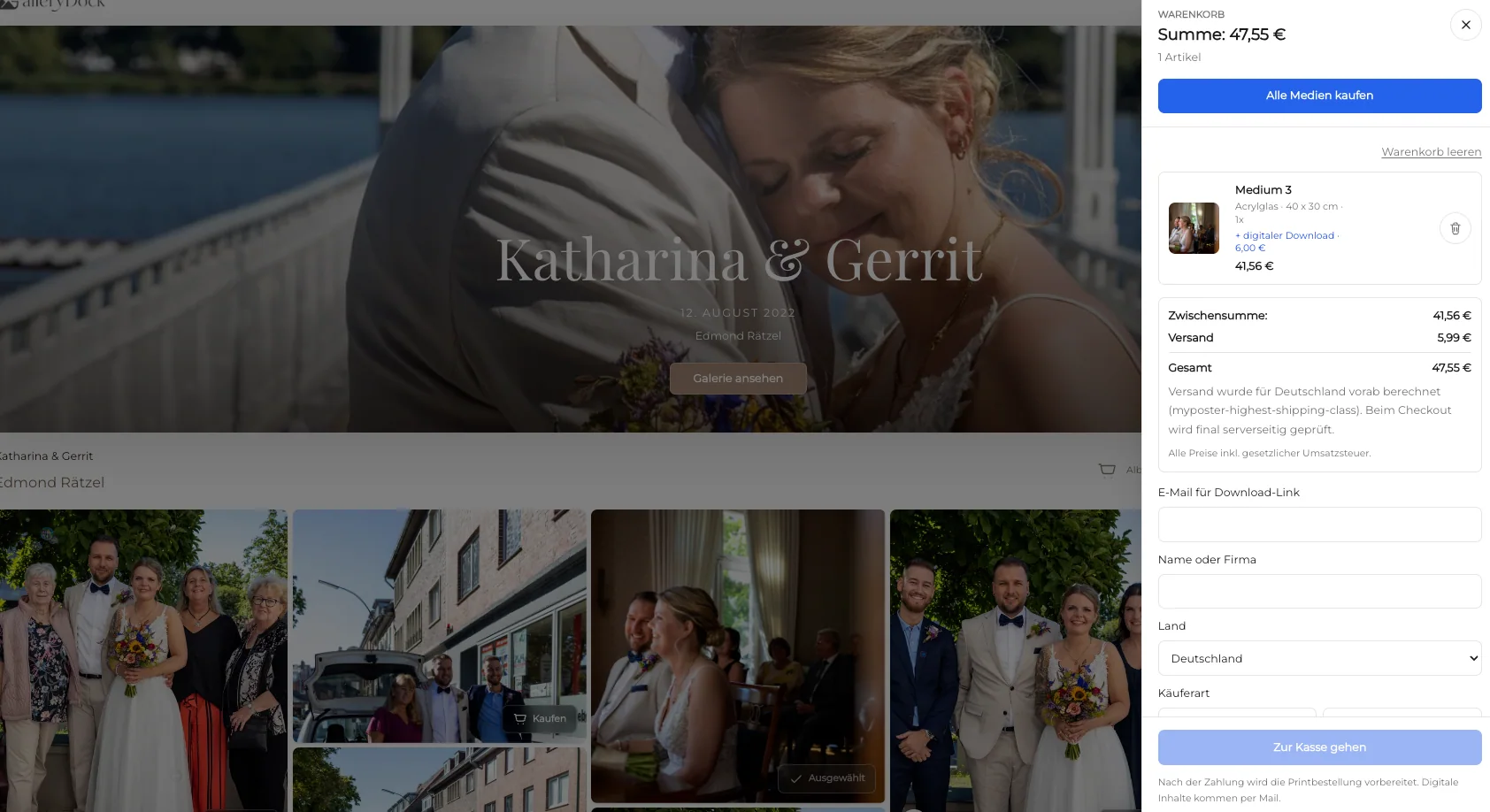
If a purchase applies, use the actual confirmation and current status rather than assuming a cart action completed delivery.
04
Try a supported browser or device only to isolate a display issue—not to bypass access rules.
Escalation
The owner can investigate settings faster when the report identifies the exact public route, file, and expected path.
Include the project or gallery name and the current public link without posting private access data publicly.
Provide the filename, image position, or a clear description of the affected item.
Say whether you expected a free delivery, post-payment release, purchased product, or final download.
Mention browser, device, visible message, and the safe checks already completed.
Comparison
Use the observed workflow to identify the next legitimate check instead of attempting a workaround.
| Approach | Best for | Tradeoff |
|---|---|---|
| Downloads disabled | Owner-controlled preview or proofing | The client must wait for the intended release |
| Free item not offered | A gallery without complimentary file delivery | No direct free-download action is expected |
| Purchase required | Shop-based product or file delivery | Access depends on the actual order flow and status |
| Wrong or old link | Nothing | Can show a different gallery state from the intended delivery |
| Temporary browser issue | A one-device display failure | Another browser test does not override owner settings |
The missing button may be intentional while the client is selecting rather than receiving final files.
Use the actual purchase and fulfillment status before expecting a delivered download.
Report the exact image and compare it with another file in the same public gallery.
Frequently asked questions
Downloads may be disabled, unreleased, unavailable for that item, connected to a purchase path, or affected by the link or browser state.
A preview is not a substitute for the intended delivered file. Ask the photographer for the correct access path.
Not necessarily. Follow the actual product, order, payment, and fulfillment instructions for that gallery.
No. It may identify a display issue, but it cannot legitimately bypass gallery permissions or purchase requirements.
Send the gallery title, current link, exact image, expected delivery type, device and browser, visible message, and checks already completed.
The owner can change eligible gallery settings and release workflows, but the timing and scope depend on the agreed delivery.
Related resources
Pricing
Free forever
0 EUR
EUR 0 per month
Perfect for sharing your first galleries professionally.
Start free, no credit card required
Monthly
19 EUR
EUR 228 billed yearly. plus VAT
Ideal for photographers who regularly deliver client galleries.
For regular client delivery
Monthly
29 EUR
EUR 348 billed yearly. plus VAT
For photographers managing many projects, videos and growing storage.
For regular client delivery
Use GalleryDock settings and client instructions together so customers know whether to download, purchase, wait, or contact the photographer.
Create a free account