01
Keep the public site curated
Use the Cargo site to communicate specialty, visual point of view, selected projects, credibility, and inquiry direction rather than exposing every proof or delivery file.
Cargo Collective alternative for photographers
Compare Cargo Collective and GalleryDock by responsibility: an art-directed public site presents the photographer's work, while a private gallery manages client selections, feedback, delivery, and configured sales.
Quick answer
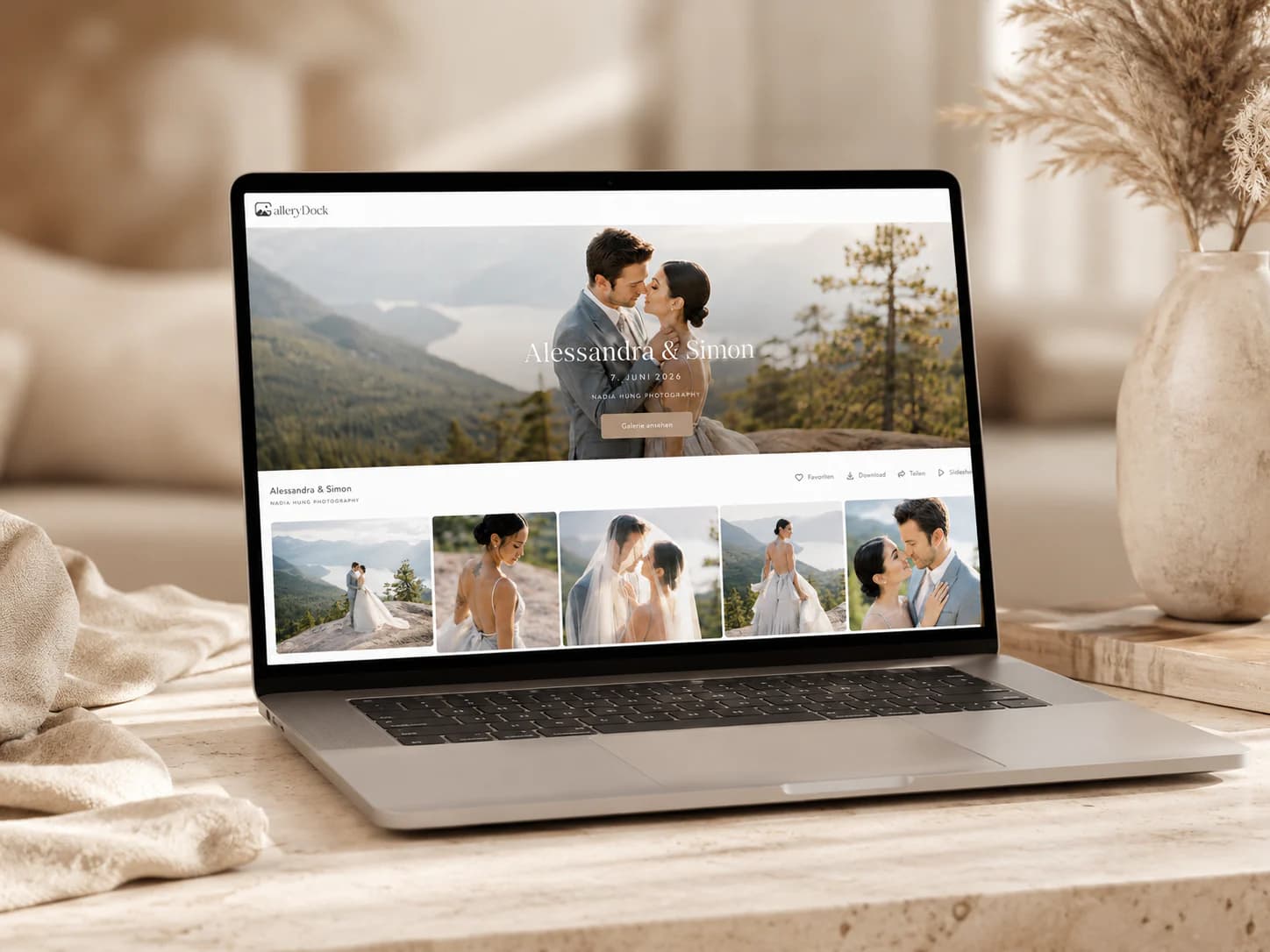
Cargo Collective centers a design-led public site, while GalleryDock centers the private workflow after a photography client books. The tools can coexist with a deliberate public-to-private handoff. GalleryDock is not a public design-led website builder or feature-for-feature Cargo Collective replacement; Cargo's current templates, design controls, hosting, plans, and capabilities should be verified directly.
Public and private
A distinctive public website can remain the marketing front while a separate private system manages the operational client journey.
01
Use the Cargo site to communicate specialty, visual point of view, selected projects, credibility, and inquiry direction rather than exposing every proof or delivery file.
02
Once the assignment is booked, give the client a private destination named for the job with an explicit review stage and decision deadline.
03
Carry consistent language and presentation into the gallery, but keep website design decisions separate from proofing, feedback, delivery, and commerce.
04
Explain who may use the client link and how it should be handled. A public portfolio URL and a private commissioned-gallery link have different sharing assumptions.
Selection workflow
A client gallery should state what the client is choosing and what production step follows that choice.
01
Remove unusable frames, duplicates, internal references, and unfinished exports. A deliberate proof set reduces confusion and protects the photographer's standard.
02
Tell the client whether a favorite means included selection, retouching request, publication candidate, album image, or another single agreed purpose.
03
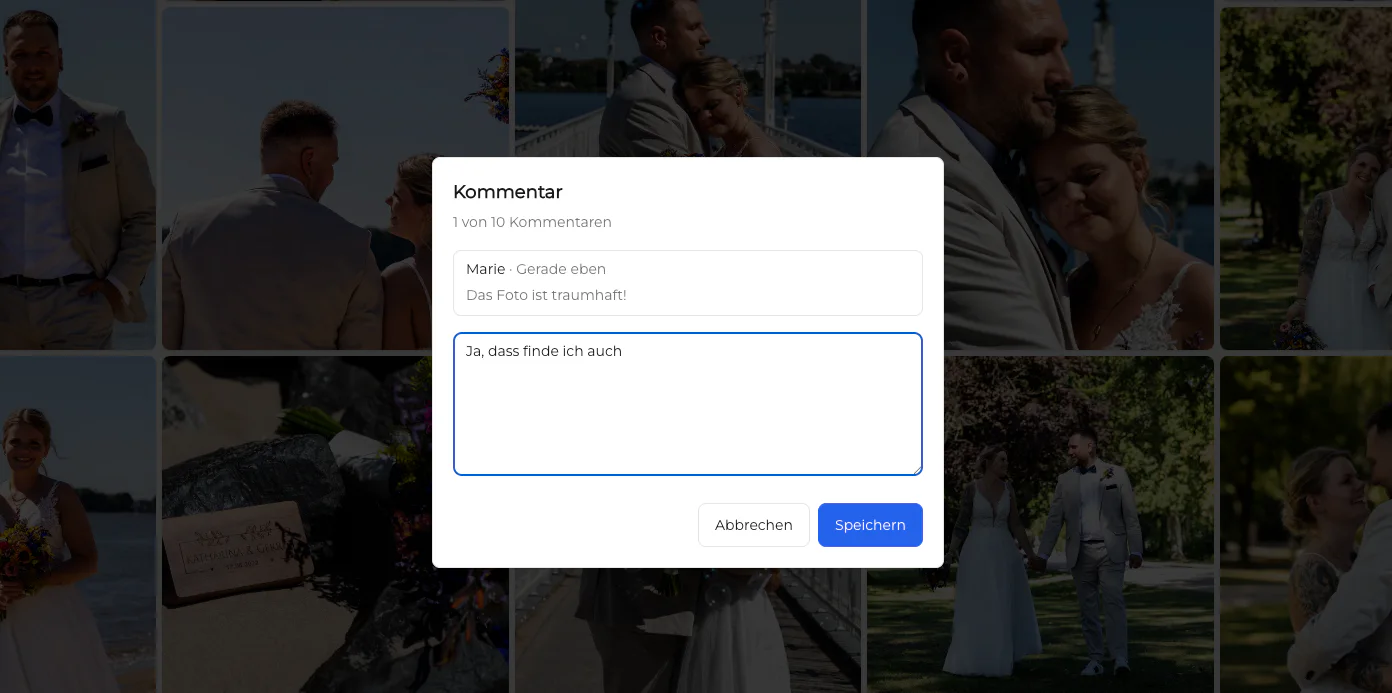
Keep image and video notes with the relevant item so the photographer does not have to match a general website message to similarly named files.
04
Ask the responsible client contact to confirm the final selection before retouching, layout, exports, or additional production begins.
Delivery workflow
A finished client journey needs verified files, understandable download options, and an honest boundary around optional purchases.
01
Do not imply that a proof is downloadable or licensed as a final file. Release only the approved exports through the intended delivery settings.
02
Explain whether files are high resolution, web ready, video masters, previews, or another agreed format so the client chooses the correct asset.
03
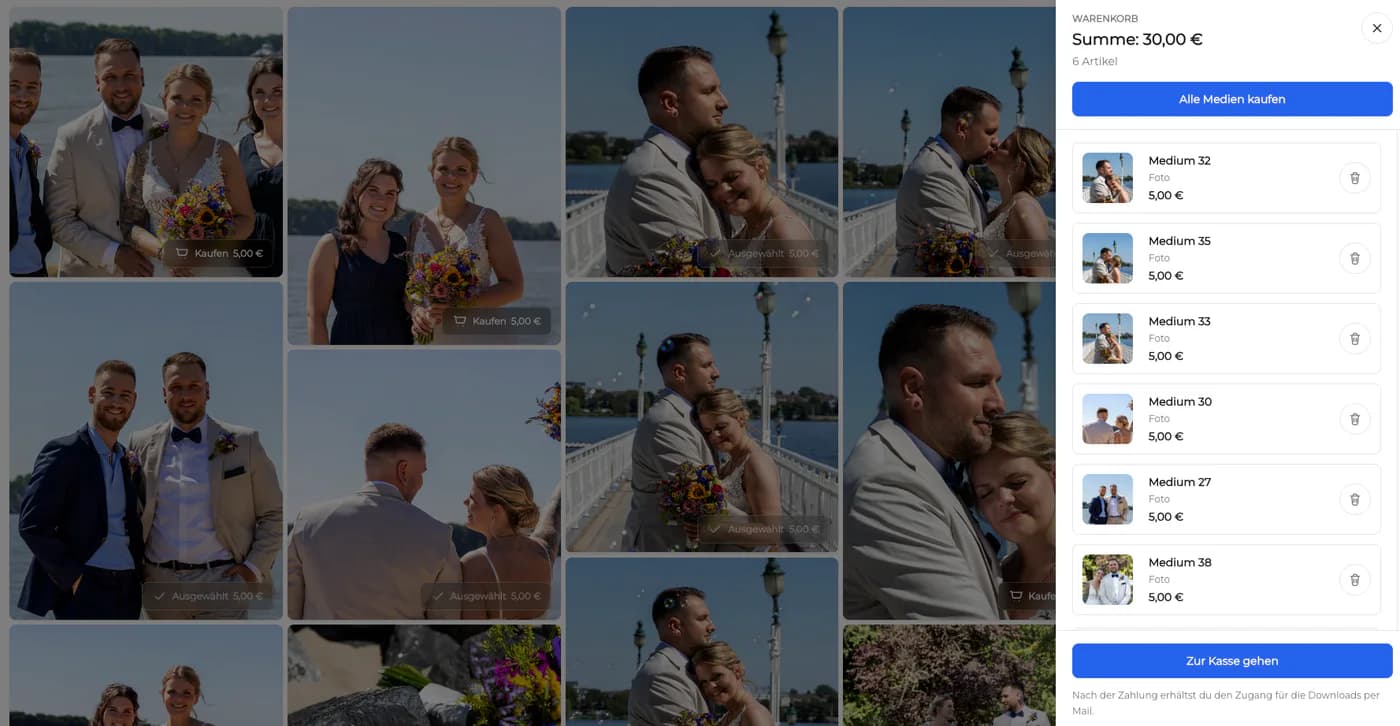
Additional digital images or physical prints can be made available when they fit the package and GalleryDock configuration; included and optional items must remain clear.
04
Keep source files, contracts, licenses, invoices, and archival copies in their proper independent systems. The gallery is the client surface, not the entire business stack.
Decision
Cargo and GalleryDock can coexist because one centers public design while the other centers the commissioned-client workflow.
01
Continue using it when the verified current design controls, project presentation, and public website behavior serve the photographer's brand strategy.
02
Use GalleryDock when the missing layer is private selection, contextual feedback, controlled delivery, and configured sales after booking.
03
Moving a public site involves domains, SEO, redirects, analytics, project structure, and inquiry paths that are outside this client-gallery comparison.
04
Make the public-to-private handoff clear in team procedures and client communication so no one expects the portfolio page to manage production decisions.
Journey proof
A design comparison is incomplete until a real commissioned client has moved from public discovery into a private decision and delivery path.
01
Begin with the public project or inquiry path, then document how the booked client receives the gallery, understands the proofing task, resolves feedback, confirms finals, and accesses the agreed files or configured extras.
02
Look for duplicated introductions, inconsistent terminology, unclear access expectations, and requests that fall back into email. Improve the handoff copy and ownership before blaming either the public site or the private gallery.

Comparison
Use the differences below as decision criteria, then verify the complete path with one real client project before changing your standard workflow.
| Workflow need | Cargo Collective | GalleryDock |
|---|---|---|
| Primary canvas | Design-led public site and project presentation | Private assignment gallery and client workflow |
| Audience | Prospects, peers, and public visitors | Invited clients and their decision stakeholders |
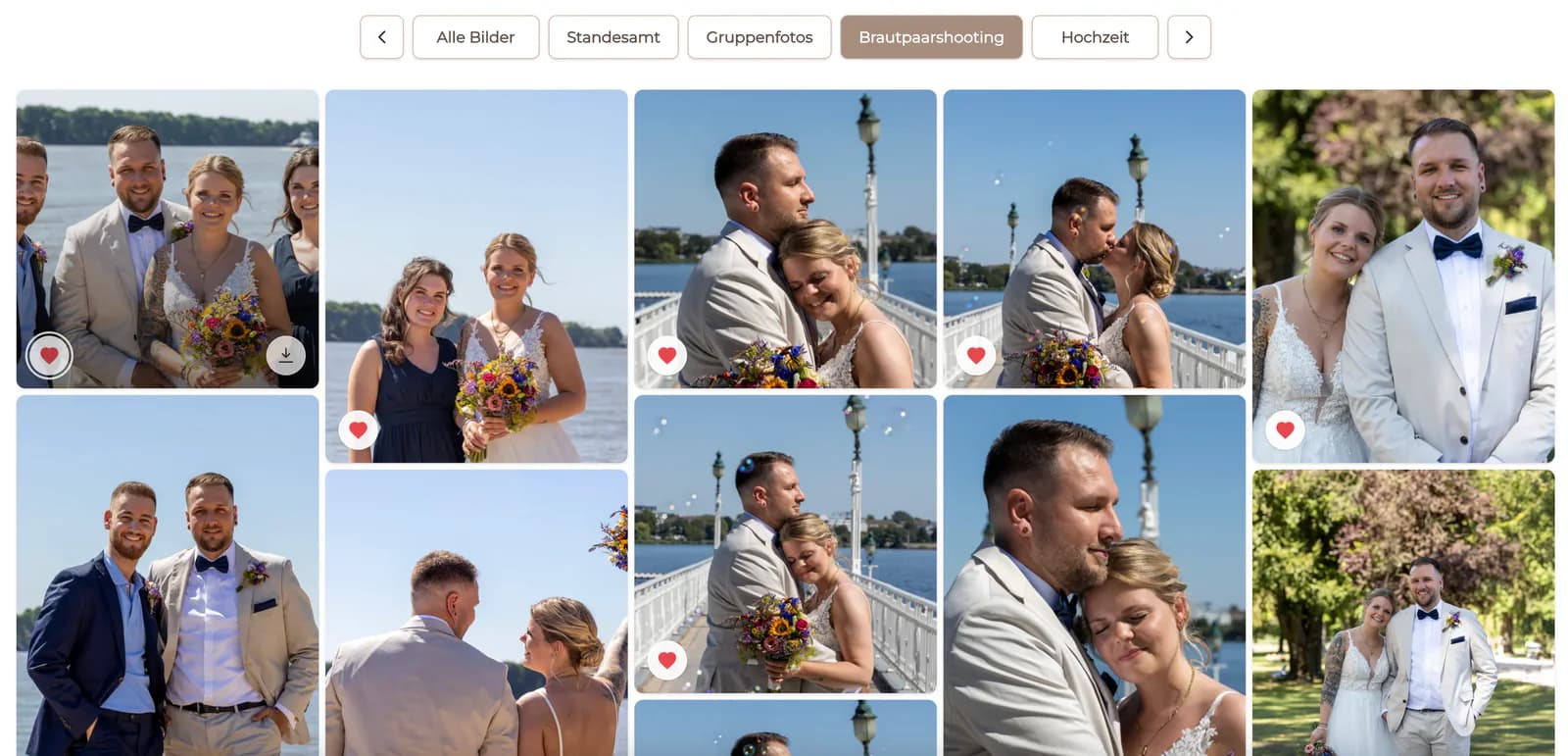
| Image decisions | Project pages present selected work | Favorites and comments manage a commissioned selection |
| Feedback | General site contact or separate communication | Image-specific and timecoded notes stay with client media |
| Delivery | Public presentation remains central | Approved files move into controlled client downloads |
| Commerce | Check Cargo's current options directly | Configured digital and physical sales can continue the gallery journey |
The Cargo site presents a carefully designed public case study, while the booked brand enters a private GalleryDock gallery for selects, retouching notes, and approved exports.
Public project pages communicate voice and taste; each commissioned editor receives a separate gallery with a defined selection and download path.
The public site earns trust and inquiries, then the private gallery handles personal photographs, client choices, final delivery, and configured extras.
Frequently asked questions
It is an alternative for private post-booking client work, not a feature-for-feature replacement for Cargo's public site-building and design-led portfolio purpose.
Cargo describes itself as a site builder for designers and artists. Photographers may use that public canvas to shape an art-directed portfolio and professional presence.
GalleryDock supports the commissioned client journey through private galleries, selections, contextual feedback, controlled downloads, and configured digital or physical sales.
Yes. Keep the public Cargo site focused on positioning and projects, then send booked clients to GalleryDock for the assignment-specific workflow.
Yes. Define what a favorite means in the current stage, then collect the exact image list without relying on screenshots or copied filenames.
No. This page does not position GalleryDock as a general-purpose public website builder or replacement for Cargo's design controls.
Related resources
Pricing
Free forever
0 EUR
EUR 0 per month
Perfect for sharing your first galleries professionally.
Start free, no credit card required
Monthly
19 EUR
EUR 228 billed yearly. plus VAT
Ideal for photographers who regularly deliver client galleries.
For regular client delivery
Monthly
29 EUR
EUR 348 billed yearly. plus VAT
For photographers managing many projects, videos and growing storage.
For regular client delivery
Choose one real assignment and verify the complete path from curated proof through client decisions, final downloads, and any configured extras.
Create a free account