01
Let the portfolio attract
Curate public work around specialty, style, credibility, and the type of assignment you want. Avoid mixing unfinished proofs or private client decisions into that presentation.
Carbonmade alternative for photographers
Compare Carbonmade and GalleryDock by stage: a public portfolio helps photographers present their work, while a private client gallery manages selections, feedback, delivery, and configured extras after booking.
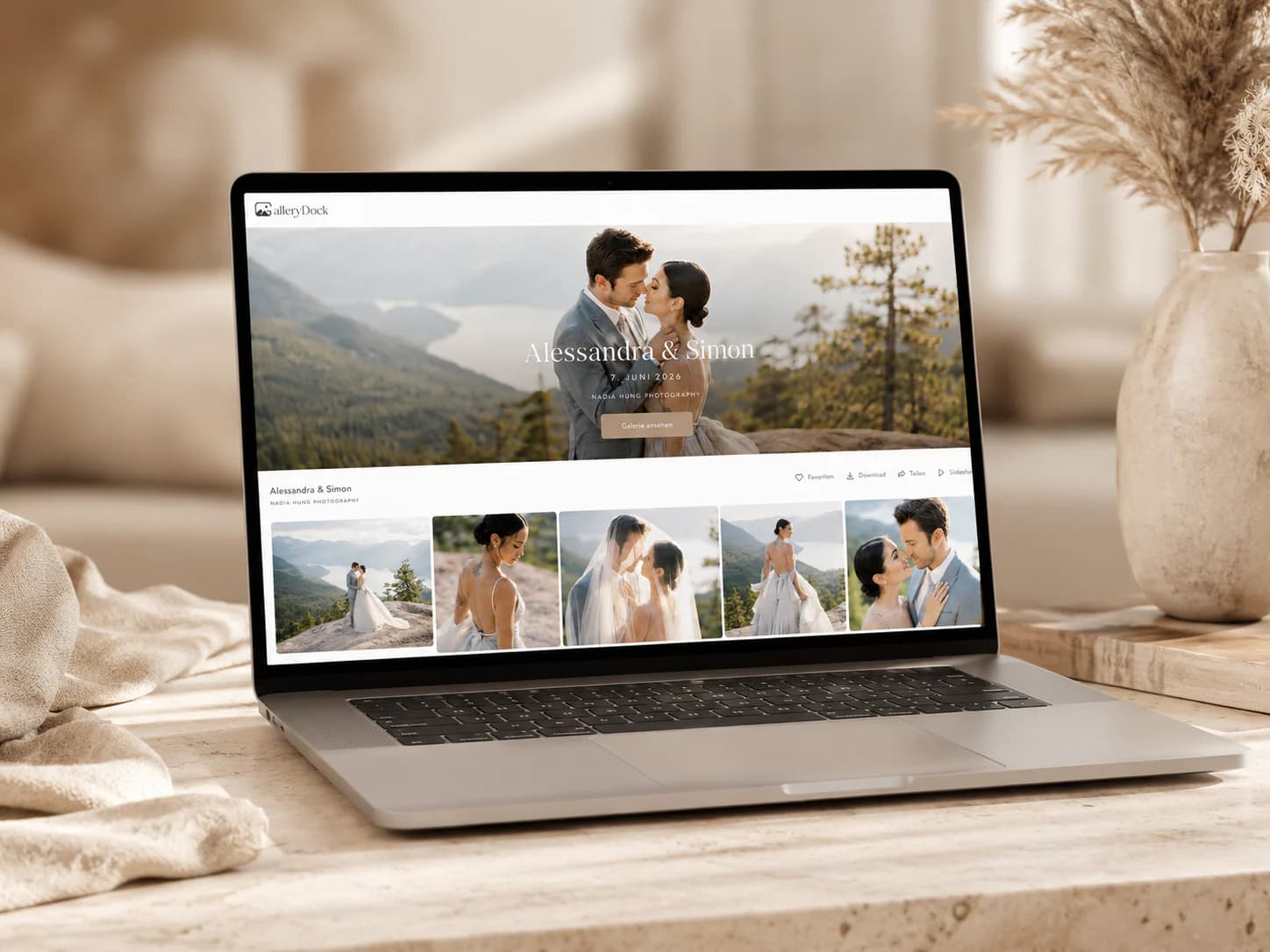
Quick answer
Carbonmade centers public portfolio presentation and discovery, while GalleryDock centers the private commissioned-client workflow. The practical alternative decision begins after a prospect becomes a client. GalleryDock is not presented as a public portfolio network, discovery marketplace, resume site, or feature-for-feature Carbonmade clone; Carbonmade's current plans and capabilities should be checked directly.
Stage separation
A photographer does not need to force public marketing and private production into one interface to create a coherent brand.
01
Curate public work around specialty, style, credibility, and the type of assignment you want. Avoid mixing unfinished proofs or private client decisions into that presentation.
02
After booking, move the client into a gallery named for the assignment, with a clear stage, decision task, deadline, and responsible contact.
03
A public portfolio is meant to be discovered. A client gallery should be shared with the intended people and configured according to the assignment's actual privacy needs.
04
Use consistent voice, imagery, and service expectations across the public and private stages without pretending that both tools perform the same operational job.
Client decisions
Once the job is booked, every client action should have a defined meaning and a visible next step.
01
Remove technical misses, duplicates, internal tests, and unfinished exports. The client should review a deliberate set that supports the agreed decision.
02
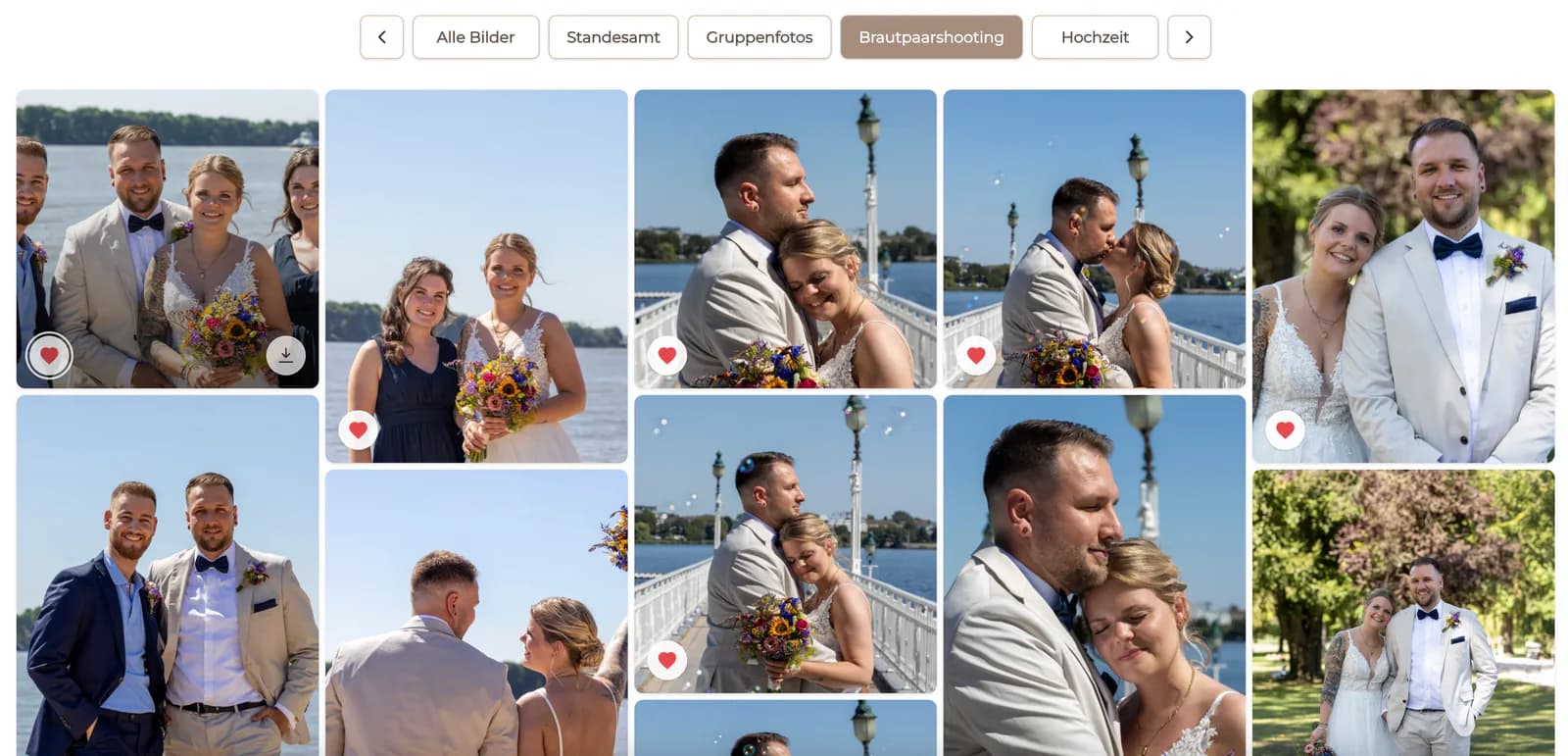
State whether a favorite means included image, retouching candidate, album choice, campaign select, or something else. One symbol should not carry several hidden meanings.
03
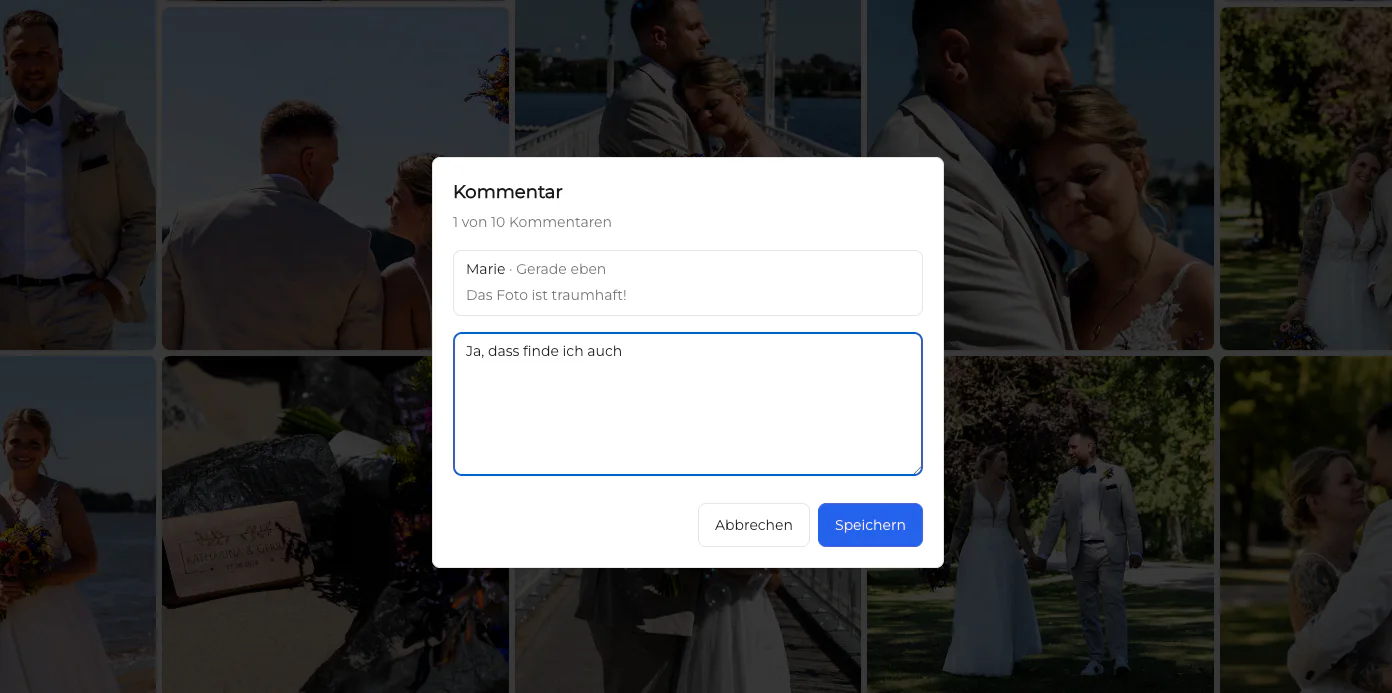
Ask for crop, retouching, expression, caption, or usage questions beside the relevant photograph instead of relying on screenshots and copied filenames.
04
Confirm the final list with the decision owner before retouching, export, album design, or another production step begins.
Delivery and sales
The final gallery should explain what is approved, what can be downloaded, and which optional products are actually available.
01
Separate proof access from final download access. Verify filenames, formats, color space, and gallery settings before announcing completion.
02
Tell clients whether they receive original-resolution, web-ready, or another agreed export without adding unsupported usage rights or archival promises.
03
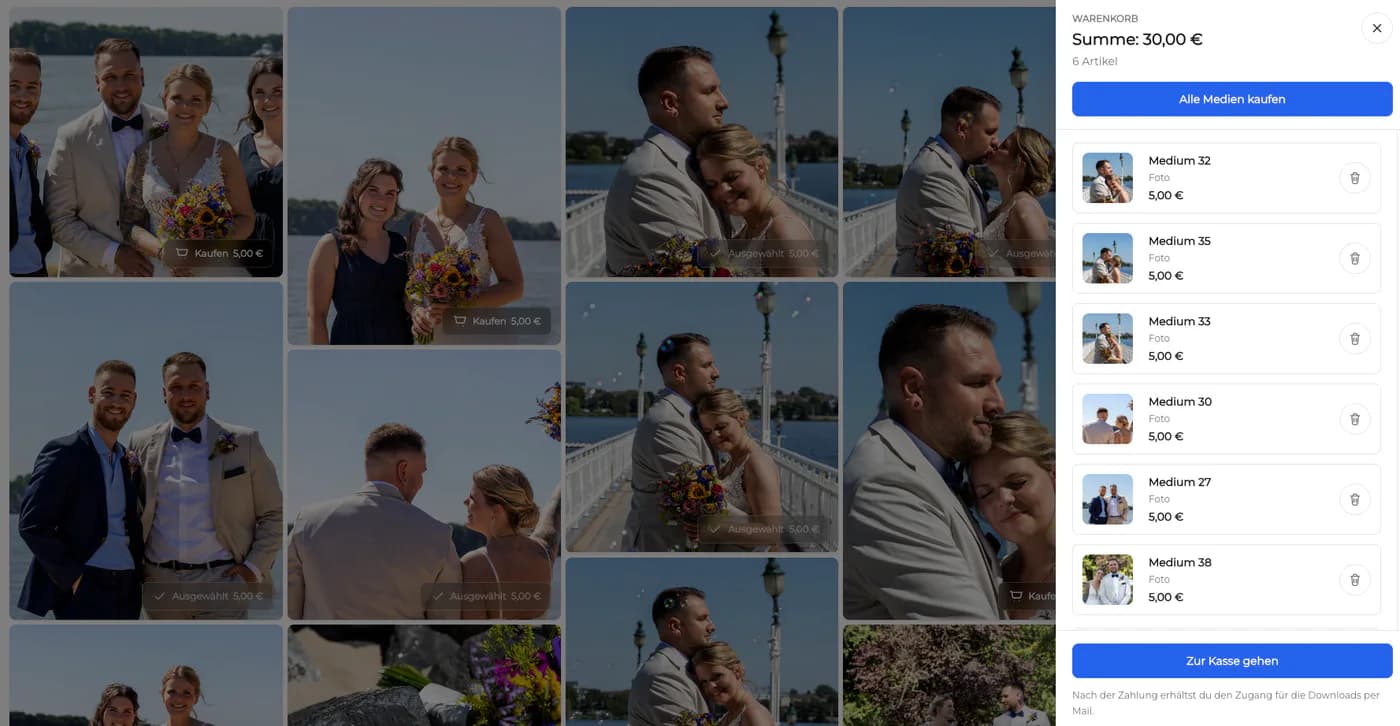
Additional digital photographs or physical prints can be offered when the package and GalleryDock configuration support them. The gallery should make included and optional items clear.
04
Source files, contracts, and production records belong in the photographer's archival and business systems. Neither the public portfolio nor client gallery should be the only copy.
Decision
Many photographers need both a public portfolio and a private gallery; others already have public marketing and only need the client workflow.
01
Continue using it when its current portfolio presentation and discovery approach fit the marketing strategy verified for your account.
02
Use GalleryDock when selections, contextual feedback, final delivery, and configured sales are the operational gap.
03
If consolidating public marketing elsewhere, verify SEO, domains, portfolio structure, redirects, analytics, and inquiry handling separately from this client-gallery decision.
04
Tell the team and client when the public portfolio journey ends, where the private gallery begins, and which destination owns each future action.
Journey proof
The alternative is credible only when the marketing promise and the commissioned service connect without confusing their responsibilities.
01
Record what the prospect sees publicly, what changes after booking, how the private link is introduced, which decisions the gallery requests, and how the approved package is finally released to the client.
02
Compare the specialty, tone, visual standard, privacy expectation, and service promise established by the portfolio with the actual gallery experience. Correct mismatches in communication without turning the private workflow into another public showcase. Confirm that the photographer's contact and follow-up language remain recognizable across both stages.

Comparison
Use the differences below as decision criteria, then verify the complete path with one real client project before changing your standard workflow.
| Workflow need | Carbonmade | GalleryDock |
|---|---|---|
| Primary audience | Prospects and people discovering public portfolio work | Invited clients working on a commissioned assignment |
| Primary goal | Showcase work and professional identity | Collect selections and feedback, then deliver approved files |
| Feedback context | General portfolio contact or inquiry context | Comments and favorites attached to specific client images |
| Access | Public portfolio presentation | Private job-specific gallery link and configured access |
| Delivery | Presentation is the central job | Controlled downloads continue the commissioned workflow |
| Optional sales | Check Carbonmade's current offering directly | Configured digital and physical sales can follow the gallery journey |
A prospect discovers the photographer's style publicly, then the booked client receives a private GalleryDock space for selecting included portraits and approved extras.
The public portfolio establishes capability while the client gallery handles stakeholder favorites, retouching notes, final exports, and controlled downloads.
Public work helps the client choose a photographer; the commissioned story, private decisions, downloads, and optional print or digital sales stay in the client gallery.
Frequently asked questions
It is an alternative for the post-booking client workflow, not a feature-for-feature replacement for Carbonmade's public online portfolio and discovery purpose.
Carbonmade describes itself as an online portfolio used to show work and get discovered, including by photographers, designers, and other creatives.
GalleryDock gives photographers a private client destination for proofing, image-specific feedback, delivery, and configured digital or physical sales.
Not necessarily. A public portfolio and a private client gallery can work together when the first earns attention and the second manages the commissioned assignment.
Yes. Define what a favorite means for the current stage, then let the client select the relevant photographs and attach specific comments where needed.
Yes. After the selection and production work are complete, approved files can be released through the configured gallery download workflow.
Related resources
Pricing
Free forever
0 EUR
EUR 0 per month
Perfect for sharing your first galleries professionally.
Start free, no credit card required
Monthly
19 EUR
EUR 228 billed yearly. plus VAT
Ideal for photographers who regularly deliver client galleries.
For regular client delivery
Monthly
29 EUR
EUR 348 billed yearly. plus VAT
For photographers managing many projects, videos and growing storage.
For regular client delivery
Use one representative assignment to move a booked client from public presentation into private selection, feedback, final delivery, and any configured extras.
Create a free account