01
Choose supported products
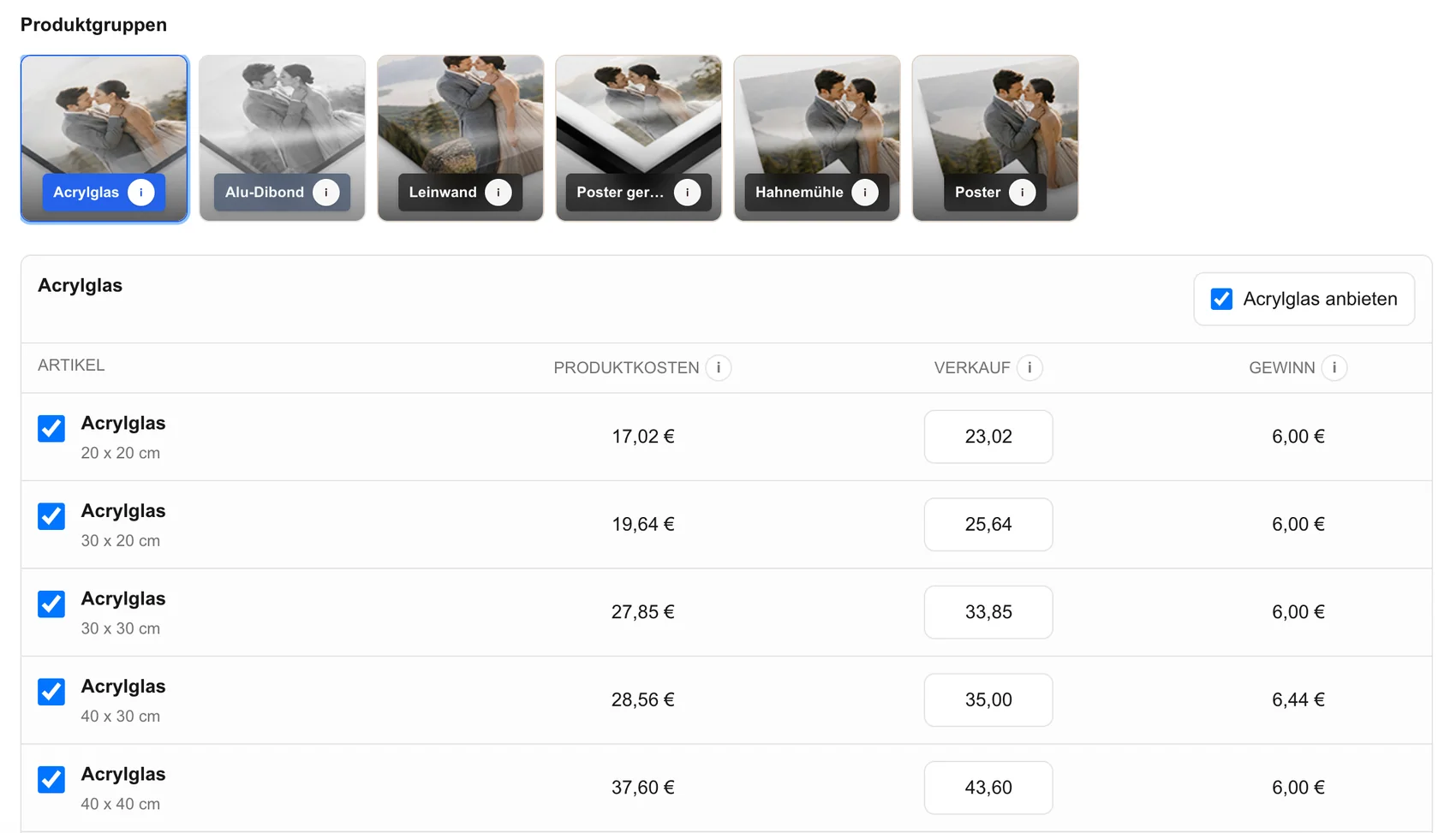
List the prints and wall products the photographer can explain, price, prepare, and order through an approved provider relationship.
online gallery lab workflow
Build a photo lab workflow for online galleries that preserves client image, product, size, orientation, crop, cart, and order data for production review.
Quick answer
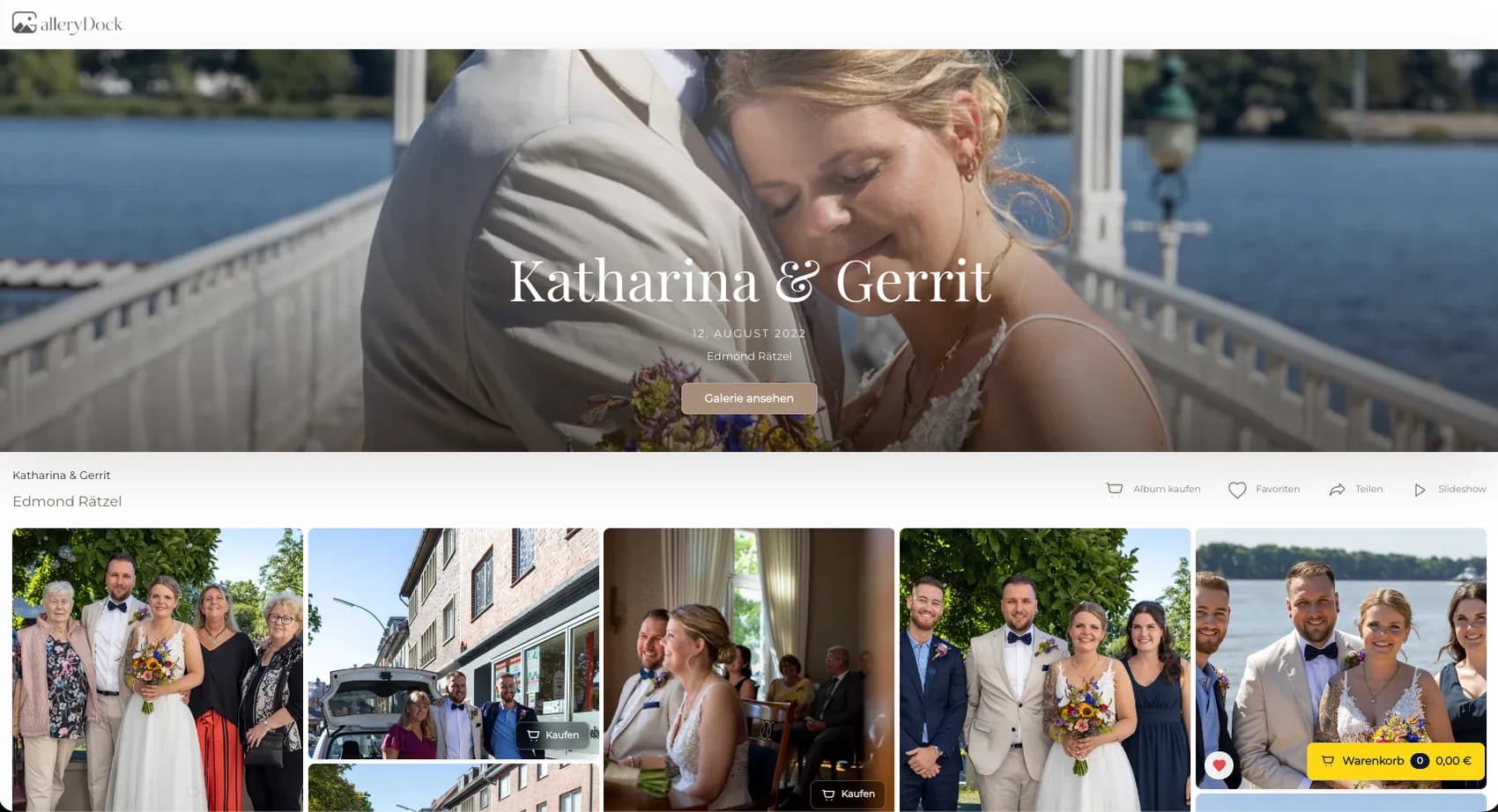
A photo lab workflow for online galleries begins with the client's image-level choice and carries a verified physical product specification toward a photographer-owned production handoff. Begin with one representative client project and define the photograph, physical offer, decision points, and review responsibility before publishing. GalleryDock keeps the image, configured digital or physical products, crop, cart, and checkout handoff in one client-facing context. The photographer remains responsible for product truth, prices, source-file suitability, production coordination, access decisions, and final order review. Test the complete path on desktop and mobile rather than treating an editor preview, room mockup, redirect, or provider description as proof. Workflow is the product-truthful term: this page does not promise a native integration, direct API, automatic routing, every lab, free provider choice, synchronized catalog, identical color pipeline, manufacturing, packing, shipping, or guaranteed turnaround.
Gallery setup
Only verified production choices should appear in the gallery.
01
List the prints and wall products the photographer can explain, price, prepare, and order through an approved provider relationship.
02
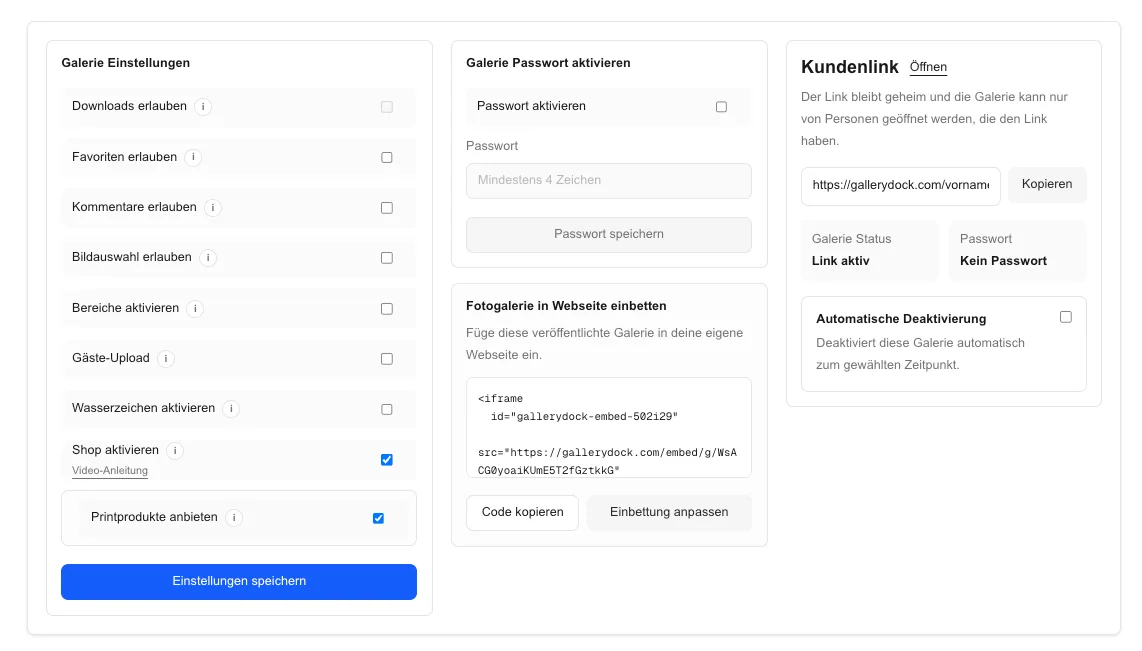
Connect each product to supported sizes, orientations, and client-facing prices.
03
Test the catalog with portraits, landscapes, bright files, dark files, and fine detail before clients use it.
04
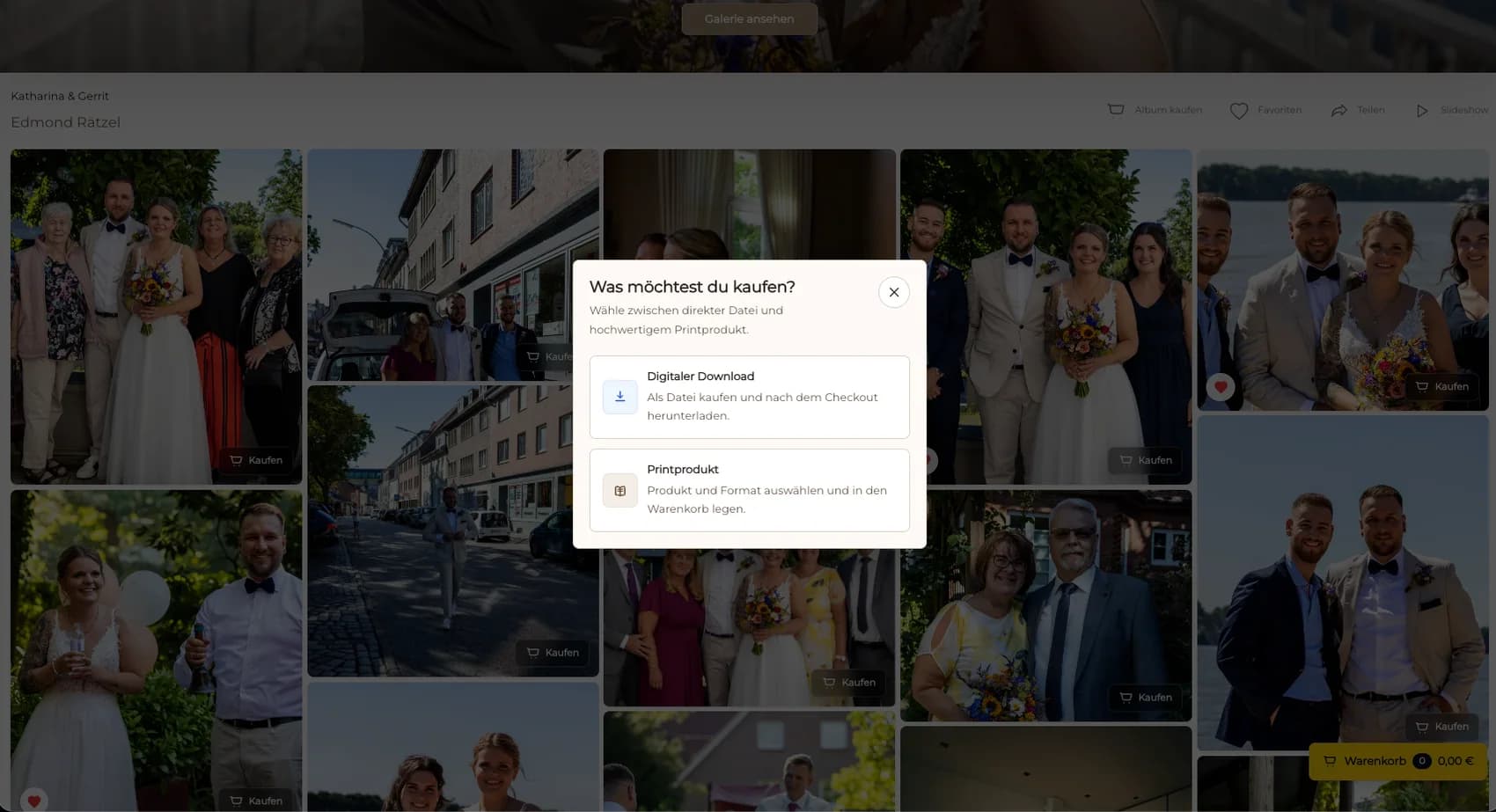
Make clear when the same photograph can be purchased as a file and as a product that requires production.
Client order
The gallery is where many downstream errors can be prevented.
01
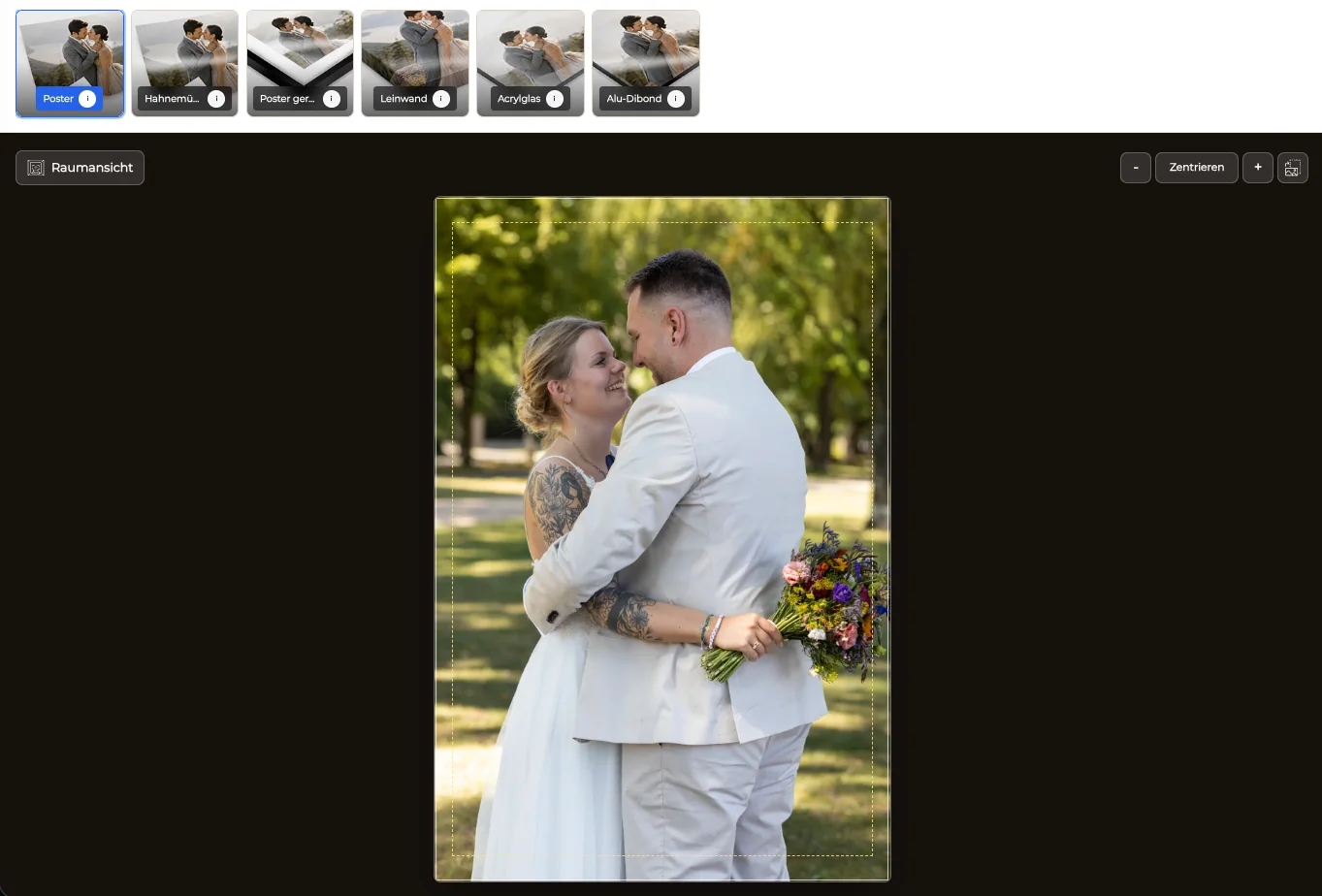
Let the client choose the configured product from the approved photograph rather than an unrelated catalog listing.
02
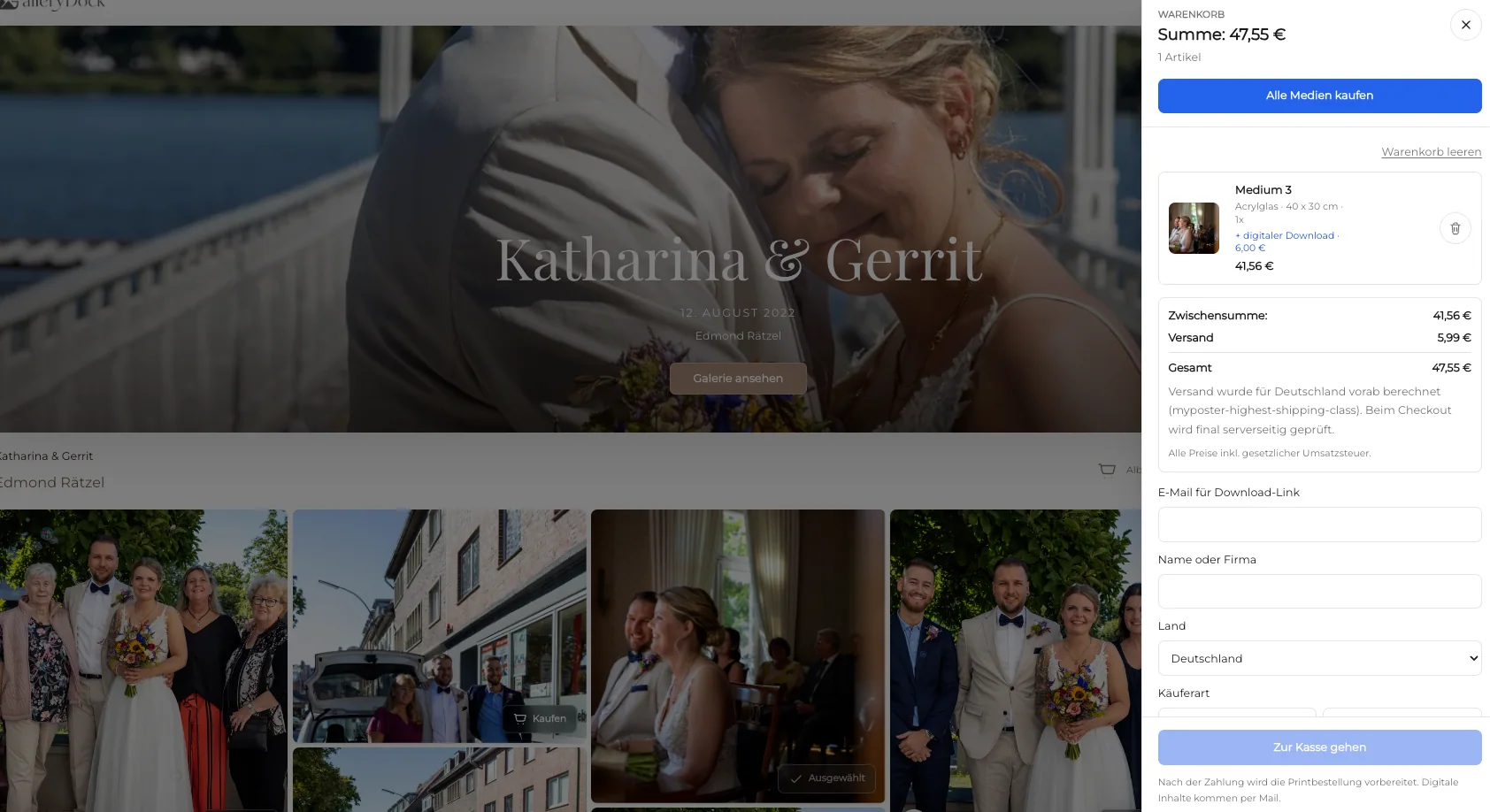
Carry the exact product, size, orientation, quantity, and price into the cart.
03
Protect faces, hands, horizons, and important edge content while keeping final production approval with the photographer.
04
Verify the response and order state without treating a redirect alone as proof of payment or fulfillment.
Lab handoff
This is the boundary between gallery commerce and provider-specific manufacturing.
01
Check client, photograph, product, dimensions, crop, quantity, price, and payment state.
02
Approve retouching, resolution, color preparation, sharpening, and the final production crop.
03
Submit the exact file and specification through the photographer's established lab workflow.
04
Record substitutions, provider feedback, client corrections, production state, and delivery communication outside unsupported assumptions.
Comparison
The gallery can structure the order without pretending every provider connection is identical.
| Approach | Best for | Tradeoff |
|---|---|---|
| GalleryDock structured order | Client image choices with connected product data | The photographer reviews and hands off production |
| Native lab integration | A separately verified supported provider | Availability behavior and catalog are provider-specific |
| Manual email handoff | An exceptional custom request | Easy to separate image crop and product details |
| Lab ordering software | Provider-specific file submission | Usually does not replace the client gallery sale |
| General online store | A broad catalog | May not retain the original gallery-image context |
The chosen family photograph, size, crop, and quantity remain connected through production review.
The artwork and configured physical specification are approved before provider submission.
A digital item and a physical print remain distinct while the physical product moves into the lab workflow.
Frequently asked questions
It connects gallery product setup, client image and product choice, crop, cart, checkout handoff, order review, file approval, and provider submission.
No. A workflow can structure data and responsibilities without claiming a direct API or automatic lab routing.
No unrestricted provider choice or universal integration is claimed.
The photographer remains responsible for final retouching, resolution, output preparation, crop, and production specification.
No. Payment, order review, production submission, manufacturing, and delivery are separate states.
Related resources
Pricing
Free forever
0 EUR
EUR 0 per month
Perfect for sharing your first galleries professionally.
Start free, no credit card required
Monthly
19 EUR
EUR 228 billed yearly. plus VAT
Ideal for photographers who regularly deliver client galleries.
For regular client delivery
Monthly
29 EUR
EUR 348 billed yearly. plus VAT
For photographers managing many projects, videos and growing storage.
For regular client delivery
Configure a verified product, complete a representative client order, review the captured specification, and approve the final file before production.
Create a free account