01
Choose supported products
Activate only digital and physical products that fit the photographer's real client work and production process.
automated print shop
Build an automated print shop workflow for photography clients from configured products and image-level choices to crop, cart, checkout handoff, and order review.
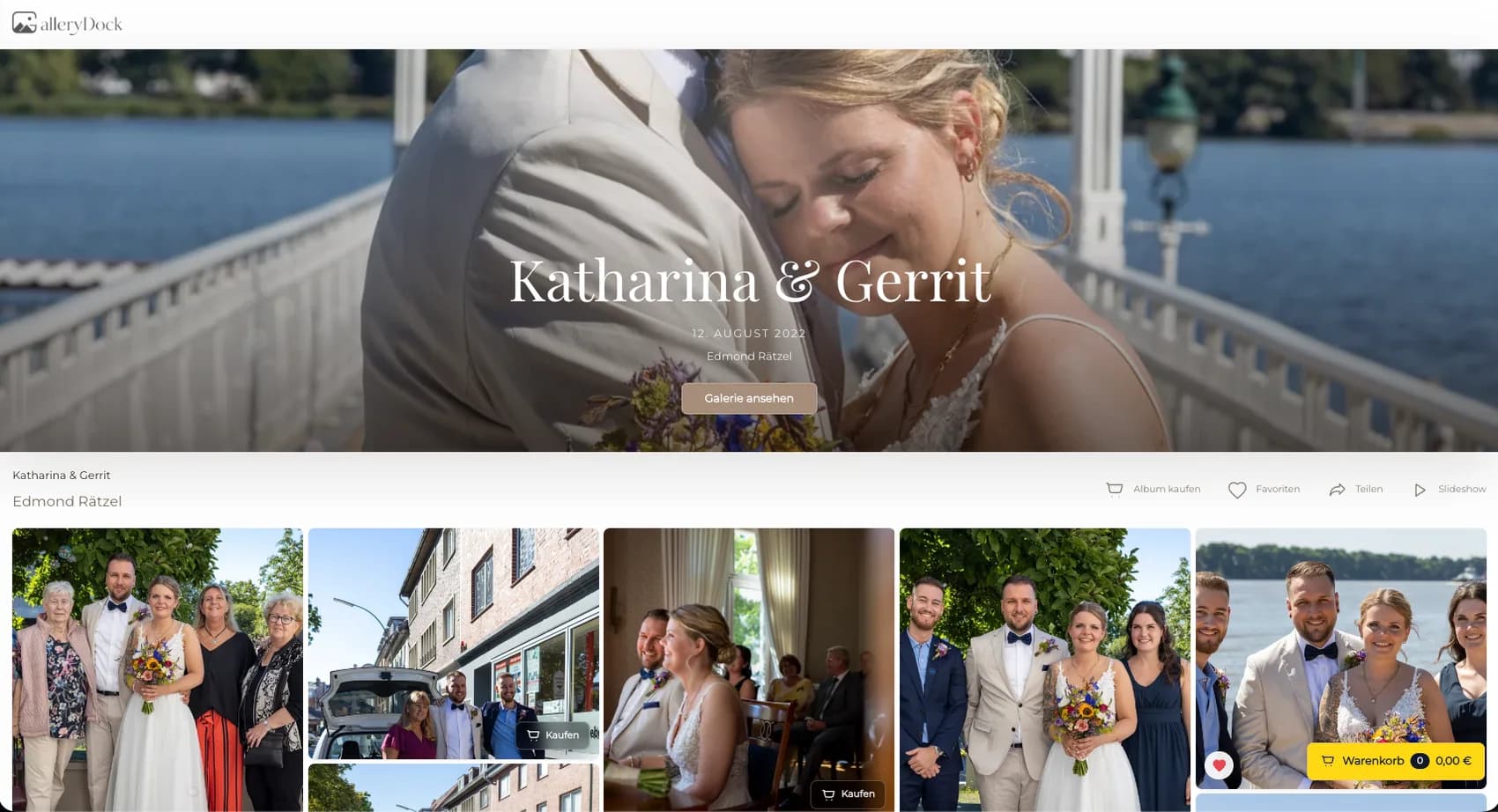
Quick answer
An automated print shop for photographers reduces repeated manual order reconstruction by keeping the client photograph, configured products, crop, cart, checkout handoff, and order data in one repeatable path. Begin with one representative client project and define the photograph, physical offer, decision points, and review responsibility before publishing. GalleryDock keeps the image, configured digital or physical products, crop, cart, and checkout handoff in one client-facing context. The photographer remains responsible for product truth, prices, source-file suitability, production coordination, access decisions, and final order review. Test the complete path on desktop and mobile rather than treating an editor preview, room mockup, redirect, or provider description as proof. Automation here means a repeatable gallery-to-order workflow; it is not a universal promise of lab routing, manufacturing, packing, shipping, inventory, accounting, tax handling, customer support, zero-touch operations, or passive income.
Configuration
Reliable automation begins with explicit catalog decisions rather than hidden defaults.
01
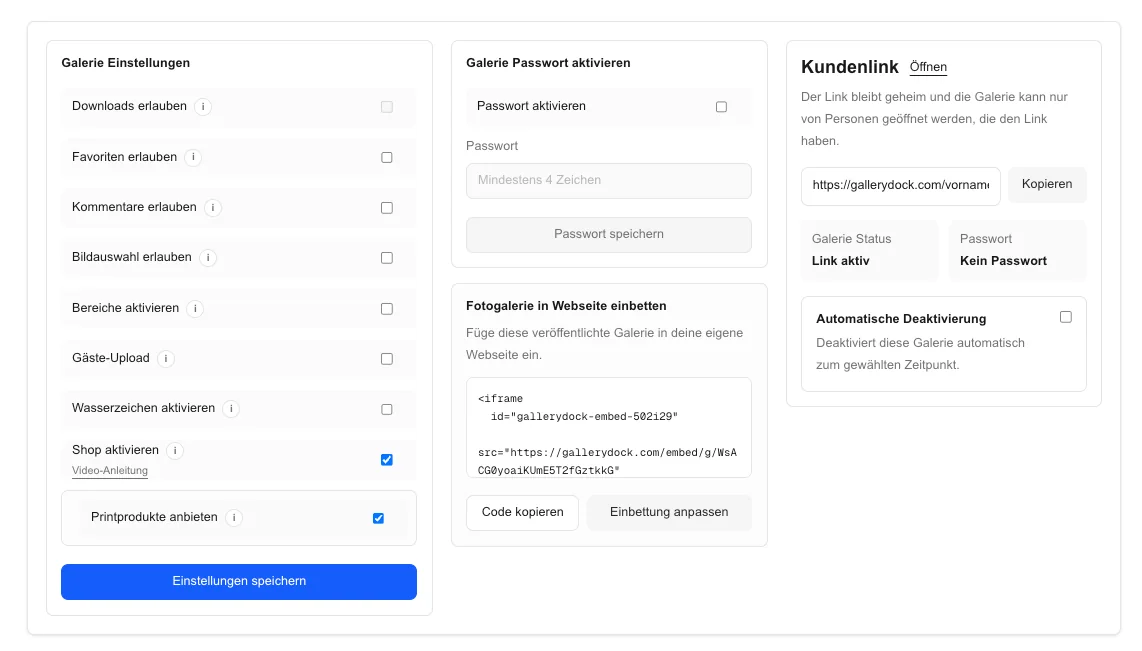
Activate only digital and physical products that fit the photographer's real client work and production process.
02
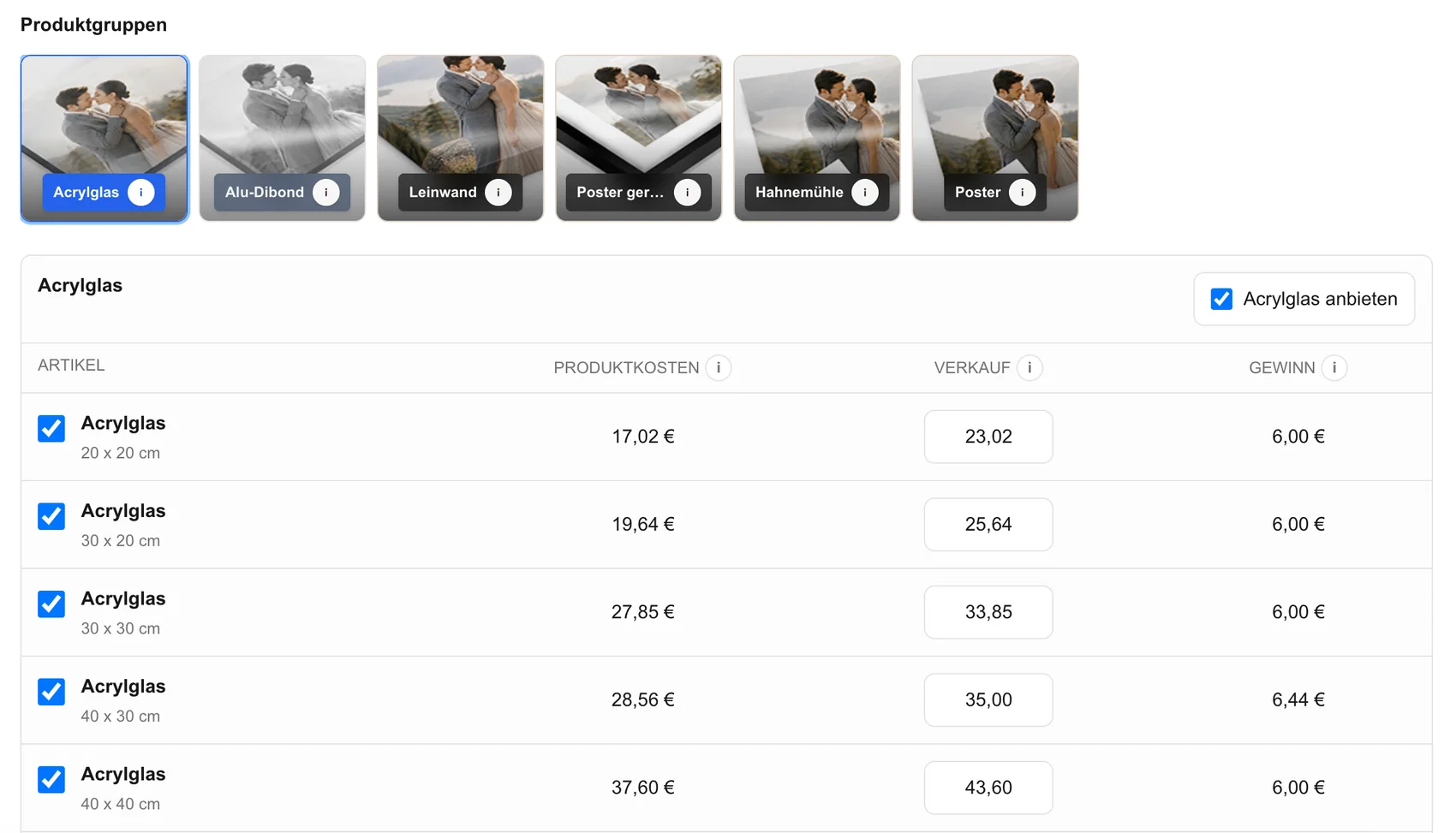
Publish exact dimensions, variants, and prices so each order follows the same documented decision path.
03
Test portrait, landscape, bright, dark, and detailed photographs against the products before the catalog becomes client-facing.
04
Decide where the photographer still reviews crop, source preparation, payment state, production data, and exceptional requests.
Client path
The useful part of automation is consistent context, not removing responsibility.
01
Let a client open an approved image before choosing a product instead of searching a disconnected merchandise list.
02
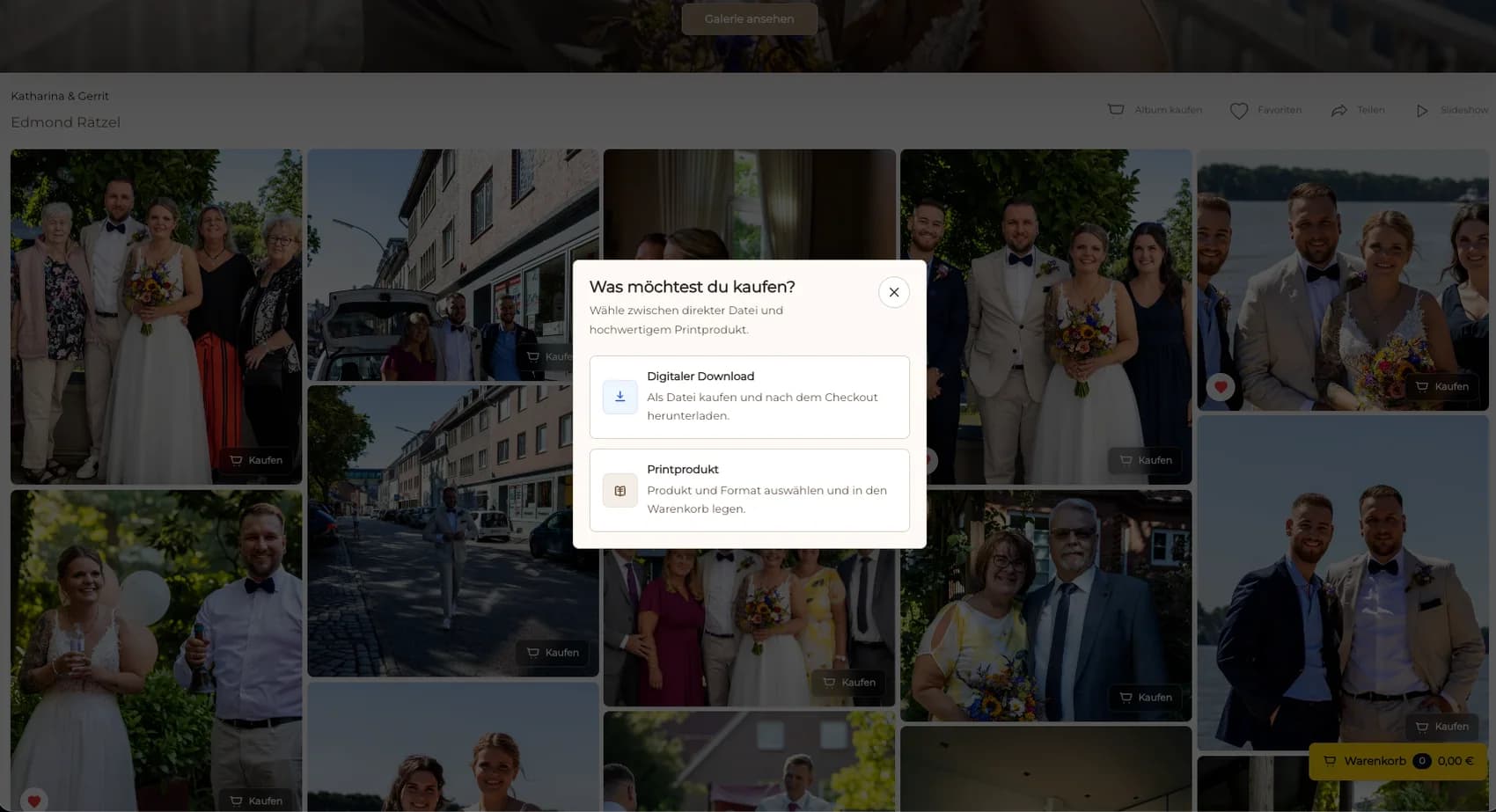
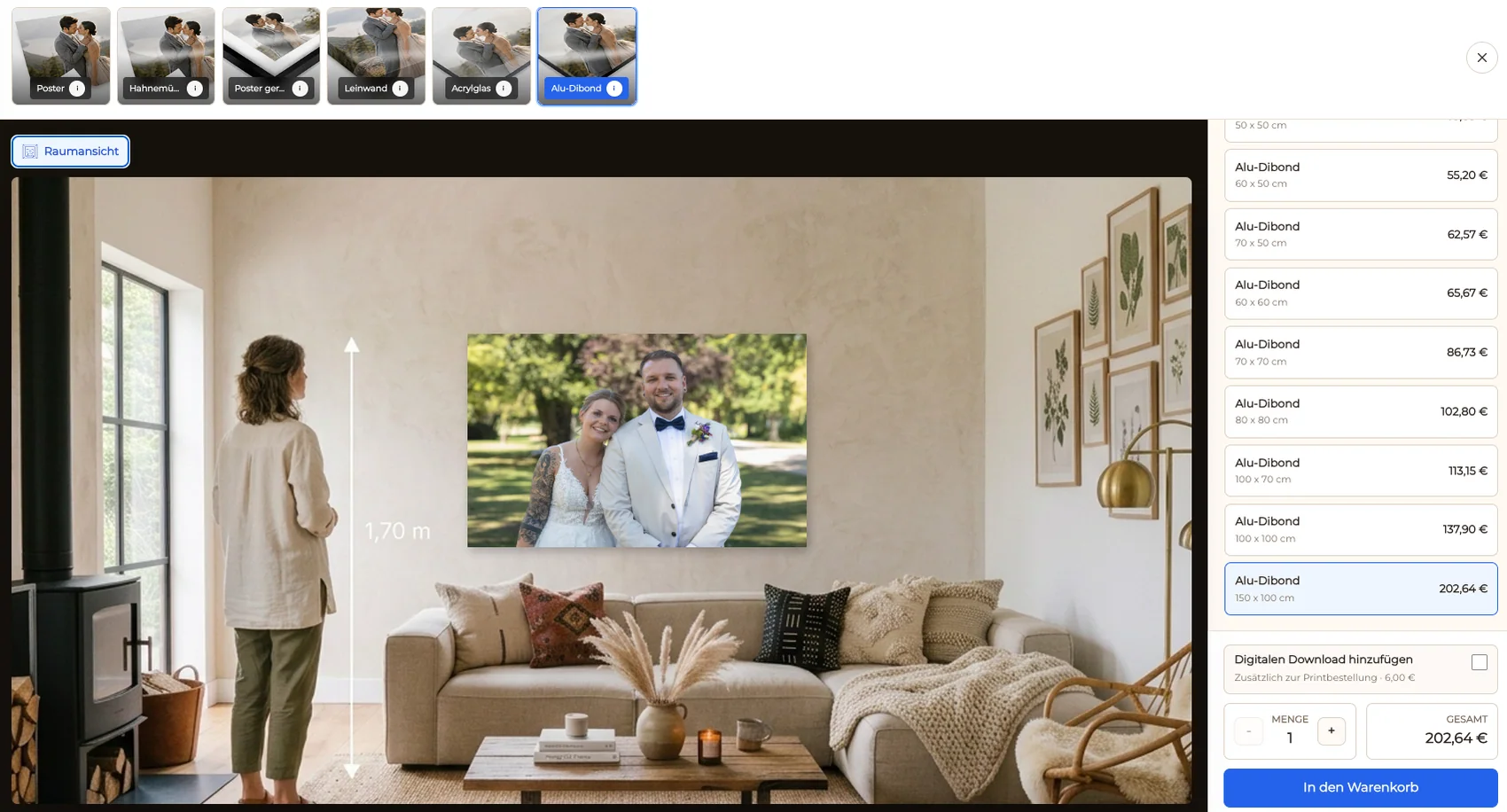
Show digital and physical options, sizes, and prices that genuinely apply to the selected image.
03
Carry orientation and safe-area decisions forward so the buyer understands the exact product selection.
04
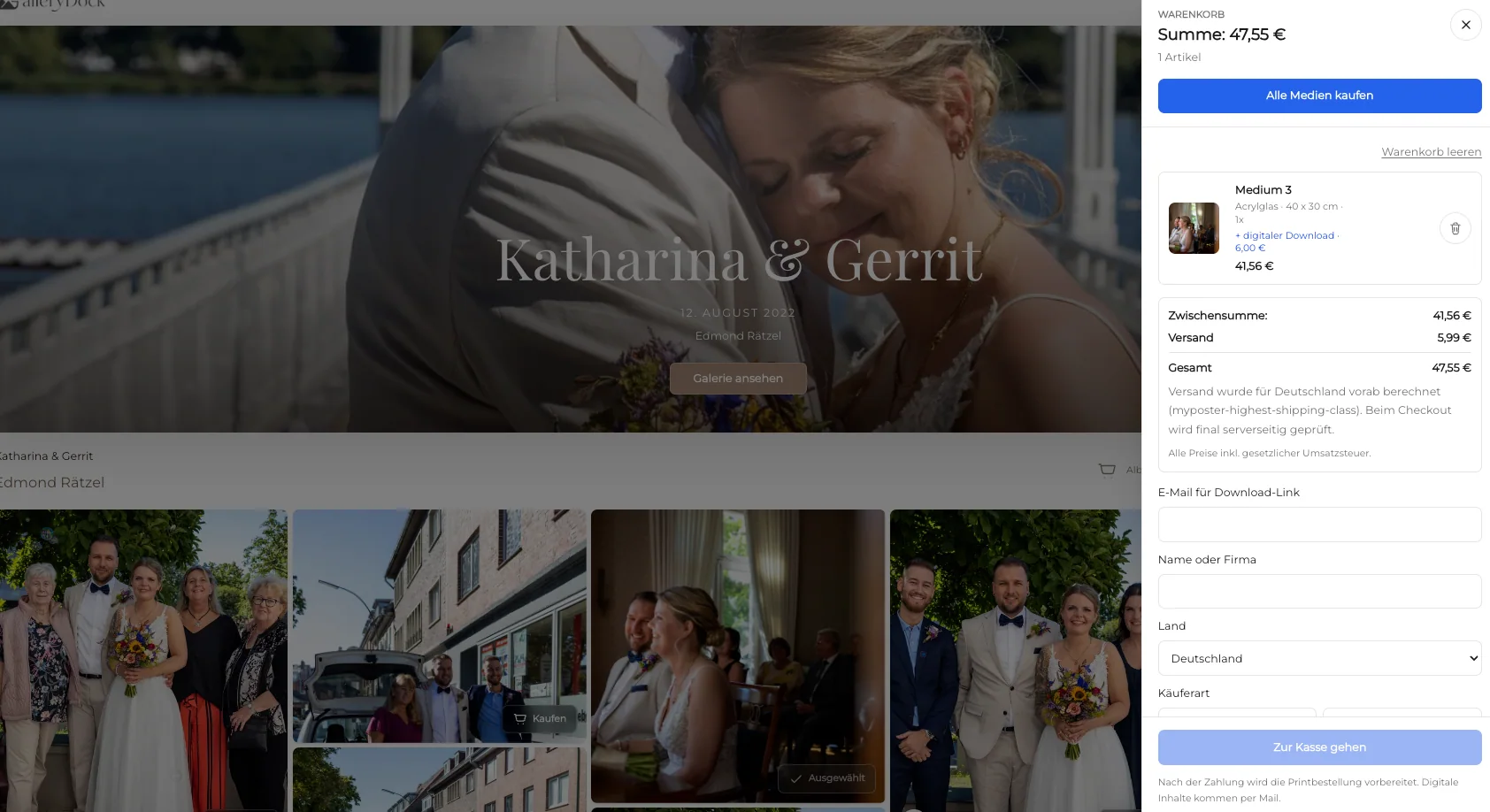
Keep image, product, size, crop, quantity, and price together through the checkout handoff.
Operations
A successful checkout response still requires a controlled downstream process.
01
Check the purchased image, product, dimensions, crop, quantity, price, and client details before production.
02
Confirm final retouching, resolution, output preparation, and any production-specific requirements.
03
Route unclear crops, unusual sizes, failed payments, or client questions to a defined human review rather than silently continuing.
04
Use the photographer's verified provider and delivery process without implying that every lab or region behaves the same way.
Comparison
Automation should remove repeated clerical work without hiding decisions that still need ownership.
| Approach | Best for | Tradeoff |
|---|---|---|
| GalleryDock image-level shop | Repeatable client orders connected to photographs | Product setup and production review remain with the photographer |
| General ecommerce automation | Large merchandise catalogs | May not preserve the client-image context |
| Manual email orders | Rare custom requests | Repeats product and payment coordination |
| Provider-specific fulfillment | A separately verified lab relationship | Provider behavior is not universal |
| Fully unattended workflow | Only tightly controlled proven operations | Exceptions still require accountable review |
A past client returns to a finished photograph and follows the same product, crop, and cart path without a new quote.
An attendee selects one approved image and a configured size while the order details stay attached.
A client compares a larger physical product with the digital option before checkout.
Frequently asked questions
The repeatable client path can connect an approved photograph with configured products, sizes, crop, cart, and checkout handoff.
No. Product setup, file approval, order review, production coordination, exceptions, and delivery still need defined ownership.
Yes. GalleryDock supports digital sales and physical print sales when those offers are configured.
No universal lab integration or unrestricted provider choice is claimed.
Complete representative desktop and mobile orders with mocked checkout locally, then verify the resulting live handoff under the approved test limits.
Related resources
Pricing
Free forever
0 EUR
EUR 0 per month
Perfect for sharing your first galleries professionally.
Start free, no credit card required
Monthly
19 EUR
EUR 228 billed yearly. plus VAT
Ideal for photographers who regularly deliver client galleries.
For regular client delivery
Monthly
29 EUR
EUR 348 billed yearly. plus VAT
For photographers managing many projects, videos and growing storage.
For regular client delivery
Configure a small product range, define the human checkpoints, and test one image from client selection through cart and order review.
Create a free account