01
Comment on one photograph
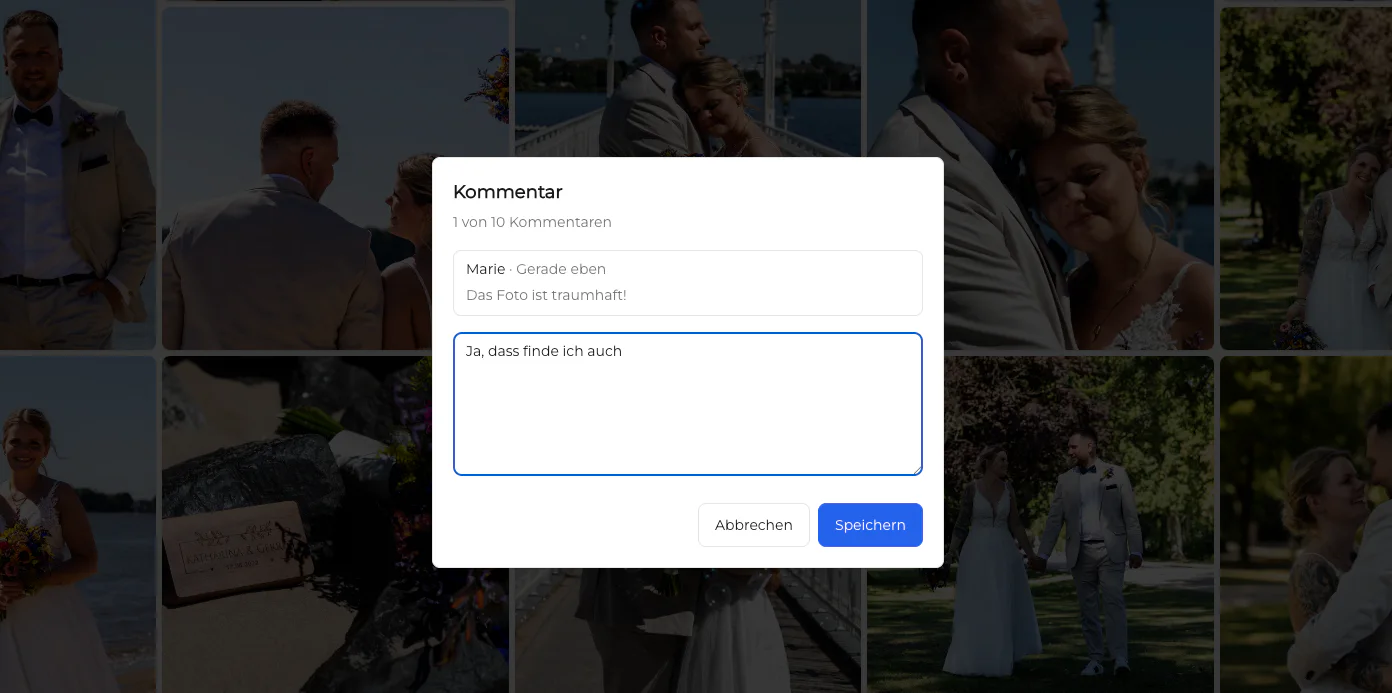
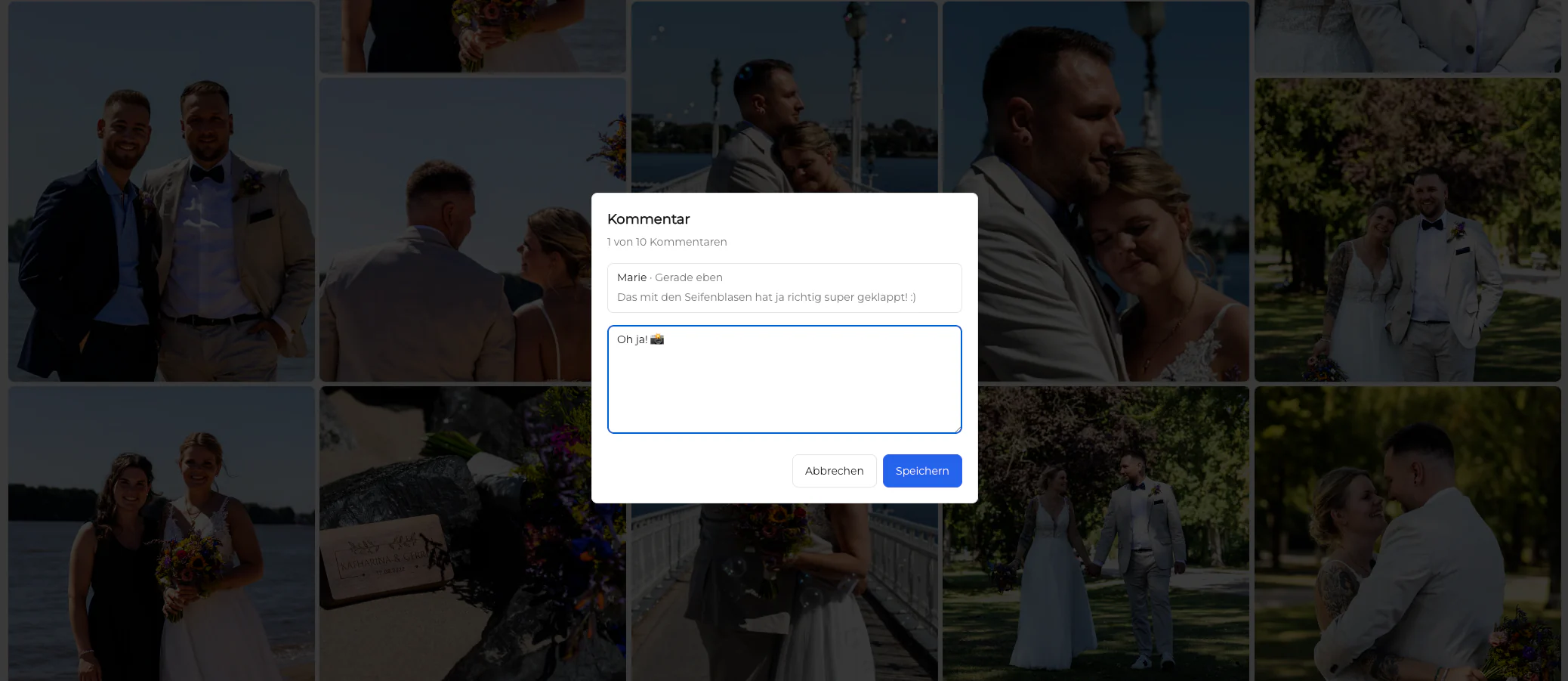
Use an image comment for retouching details, selection questions, usage notes, crop concerns, or a reaction tied to that exact photograph.
Client photo comments
Collect client comments on individual photographs or the full gallery and keep replies, visibility, and follow-up organized in GalleryDock.
Quick answer
A photo gallery with comments gives clients a clearer way to explain decisions than email references such as the third image in the second folder. In GalleryDock, feedback can stay connected to an individual photograph or address the gallery as a whole. The client can identify themselves for the review process, write the note where the context is visible, and continue a focused conversation. The photographer can then review the feedback in the gallery workflow and decide which comments become retouching tasks, selection changes, delivery questions, or simple replies. This page focuses on collecting and organizing still-image comments. It does not claim drawing annotations, brush marks, automatic retouching, or video timecode feedback. Those are different workflows. The goal is one understandable review space where the image, comment, author, visibility, and response remain connected.
Comment context
A photo-specific comment and a gallery-wide message solve different communication problems.
01
Use an image comment for retouching details, selection questions, usage notes, crop concerns, or a reaction tied to that exact photograph.
02
Use a gallery-level message for overall direction, delivery questions, shared priorities, or feedback that applies to the complete set.
03
Collect the name or review information needed to understand who made the request without turning the process into a separate account setup.
04
Use the available visibility context deliberately when comments involve private client decisions or multiple participants.
Client workflow
The client should be able to review the work without learning an internal production system.
01
The client starts from the same branded gallery used to view the photographs, preserving visual and project context.
02
Opening the photograph before writing the note avoids uncertain filenames, screenshots, and position descriptions.
03
Encourage a specific observation or desired outcome rather than combining unrelated changes into one long paragraph.
04
Check that photographs, fields, comments, and controls remain understandable on the phone the client may actually use.
Photographer follow-up
Collecting comments is only useful when the next action and responsibility remain clear.
01
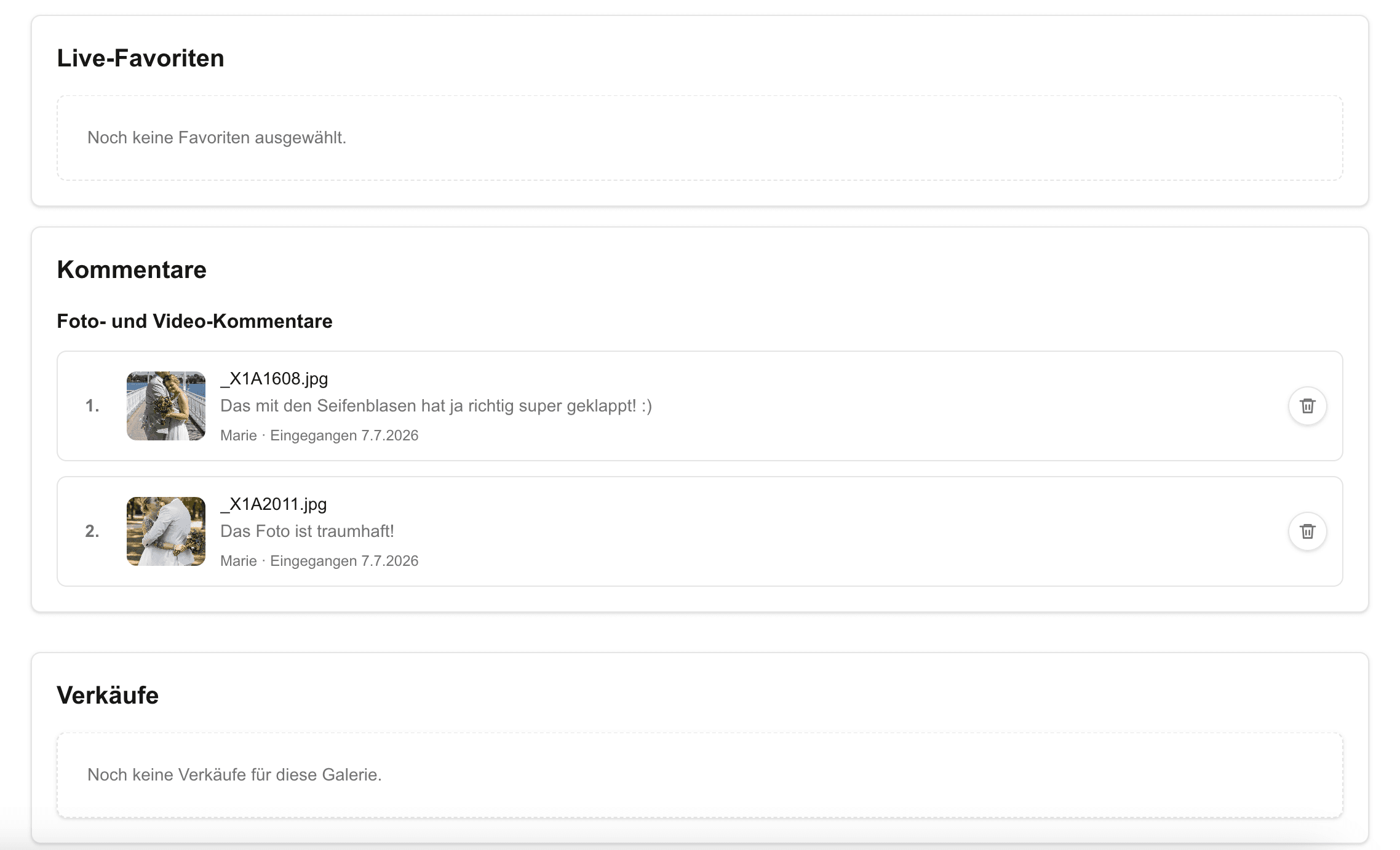
Review the note beside the relevant photograph or gallery instead of copying it into a disconnected inbox thread.
02
Reply where clarification is needed so the decision history remains connected to the original request.
03
Distinguish retouching changes, image selections, delivery questions, usage requests, and general feedback before acting.
04
Confirm which notes were addressed and what the client should review next, preventing old comments from becoming an unclear backlog.
Comparison
Use the method that preserves enough context for the requested decision.
| Approach | Best for | Tradeoff |
|---|---|---|
| Photo-specific comment | One image, detail, or retouching request | Not ideal for gallery-wide direction |
| Gallery comment | Overall feedback or delivery questions | Less precise for one photograph |
| Formal project communication | Image context is easy to lose | |
| Screenshot message | Fast informal clarification | Creates duplicate files and scattered history |
| Drawing annotation | Marking a visual region | Not the still-image comment workflow described here |
A client comments on one portrait to clarify a small retouching preference while keeping the request attached to the image.
A couple uses image comments for individual choices and one gallery message for the overall album direction.
A company contact leaves role or usage notes on specific headshots and follows up in the same review context.
Frequently asked questions
Yes. Image-specific comments keep the note connected to the photograph that prompted it.
Yes. Gallery-level comments are useful for overall direction, delivery questions, or feedback that applies across the collection.
The client review workflow can collect the information needed for feedback without requiring a separate customer account.
A connected conversation helps clarify a request while keeping the discussion associated with its image or gallery context.
This guide describes text comments connected to photographs and galleries, not brush, pin, or drawing annotations.
Yes, the photographer can interpret image-specific comments and move the relevant requests into the retouching workflow deliberately.
Related resources
Pricing
Free forever
0 EUR
EUR 0 per month
Perfect for sharing your first galleries professionally.
Start free, no credit card required
Monthly
19 EUR
EUR 228 billed yearly. plus VAT
Ideal for photographers who regularly deliver client galleries.
For regular client delivery
Monthly
29 EUR
EUR 348 billed yearly. plus VAT
For photographers managing many projects, videos and growing storage.
For regular client delivery
Create a GalleryDock gallery where clients can review images and explain decisions in the right context.
Create a free account