Consumer wall art or a studio-owned client sale

MYPOSTER Alternative for Professional Photographers

Compare MYPOSTER consumer photo products with a professional photographer’s curated client gallery, controlled print offer, cart, and checkout handoff.

  • Distinguish a consumer configurator from a commissioned gallery
  • Begin the print decision at the approved photograph
  • Own catalog, pricing, production, support, and exceptions
Professional client gallery as a MYPOSTER alternative

Quick answer

A MYPOSTER alternative for professional photographers should be evaluated by who owns the client relationship: a consumer configures a product from uploaded files, while a photographer curates commissioned work and controls the eligible offer. GalleryDock does not replace MYPOSTER manufacturing, product range, editor, discounts, shipping, customer service, or consumer account, and claims no integration.

Decision frame

Define the job before comparing software

A dependable decision starts with the client responsibility, business owner, evidence, and fallback—not with the longest feature list.

01

Write the operational question

State the decision as a workflow question: Should the client configure a consumer photo product independently, or buy an eligible print from the photographer’s commissioned gallery? This keeps branded search intent connected to a real assignment instead of turning the page into an unsupported market ranking.

02

Separate product centers

MYPOSTER owns its documented consumer product experience; the photographer owns GalleryDock catalog decisions, prices, production route, policies, and support. Write down what belongs to the gallery, what stays in another system, and what still requires a human decision. A familiar interface does not transfer responsibility.

03

Collect current evidence

current official MYPOSTER product information, the photographer’s configured offer, GalleryDock’s tested transaction path, and one representative order. Date each volatile fact and distinguish official documentation, observed behavior, internal policy, and assumption. Never convert a marketing phrase into a guaranteed client outcome.

04

Set a reversible pilot

Use a representative gallery, realistic files, the expected device mix, and a genuine client action. Keep originals, prior links, order records, and the established fallback intact until the test is complete.

Client journey

Test every handoff from invitation to closeout

A client-facing workflow succeeds only when a first-time visitor understands the next action and the studio can recover from exceptions.

01

Prepare client-ready material

Upload only files appropriate for viewing, selection, feedback, delivery, or sale. Confirm names, orientation, crop tolerance, resolution, package status, and whether digital or physical products are eligible.

02

Observe access and navigation

Open the same invitation as a client on desktop and mobile. Check protection steps, loading, image context, instructions, controls, selection state, optional products, cart continuity, downloads, and content overflow.

03

Follow the intended decision

Ask the client to complete the actual job: select favorites, leave contextual feedback, approve finals, choose an eligible product, review crop context, or download the agreed files. Administrator previews are not client evidence.

04

Record questions and recovery

Capture pauses, abandoned steps, repeated explanations, incorrect choices, device-specific friction, payment or handoff uncertainty, and the fallback used. These observations reveal more than a general statement that the gallery looks professional.

Professional offer design

Keep the commissioned image and studio promise attached to the sale

A professional workflow protects curation, licensing, crop, product suitability, client price, production quality, and support instead of outsourcing the meaning of the offer.

01

Curate eligible work

Publish only approved photographs with the correct retouching, orientation, licensing, and sale status.

02

Limit the catalog

Expose only products and sizes the studio can accurately describe, produce, and support.

03

Review the client price

Confirm the final visible amount and keep taxes, fees, margins, promotions, and exceptions in the responsible business records.

04

Close the production loop

Verify order details, production owner, quality control, shipping, damage handling, and client communication.

Commercial boundaries

Keep the offer, transaction, and production chain explicit

Software can present configured options, but the photographer remains responsible for the package, eligible images, prices, production route, communication, and exceptions.

01

Name what is included

Explain which digital files, review rounds, downloads, products, or credits belong to the package and which choices are optional. Do not let interface availability silently redefine the signed offer.

02

Verify the configured product

Check product name, dimensions, orientation, customer price, crop and safe-zone context, quantity, cart summary, checkout handoff, order details, and production ownership. A successful click alone does not prove a correct order.

03

Keep dynamic claims current

GalleryDock does not replace MYPOSTER manufacturing, product range, editor, discounts, shipping, customer service, or consumer account, and claims no integration. Do not publish volatile competitor prices, commissions, limits, provider rankings, or feature parity. Recheck material terms directly before purchase, migration, or a client promise.

04

Plan support and fulfillment

Identify who answers client questions, who verifies the order, who produces and ships any physical item, how damage or an incorrect choice is handled, and where the authoritative record remains. GalleryDock does not make those business decisions automatically.

Adoption and review

Turn a successful pilot into a maintainable studio standard

The final workflow should be understandable to another photographer or developer, measurable after real assignments, and reversible when requirements change.

01

Measure the agreed outcome

Use a preserved professional relationship, correct image and product, understandable crop and price, known fulfillment ownership, fewer order emails, and a traceable closeout. Compare the result with the existing process and include hidden administration, support, correction, and follow-up work.

02

Write the decision record

Record the owner, tested assignment, source dates, verified capability, exclusions, client result, support issues, fallback, chosen path, and next review date. Another team member should understand the choice without reconstructing the research.

03

Adopt in controlled stages

Expand by assignment type only after the pilot completes without hidden manual work, missing records, incorrect client expectations, or an unsupported product claim. Preserve source archives and contractual records independently.

04

Review after completed work

Retest when the studio changes packages, product catalogs, prices, providers, fulfillment, team ownership, file types, client roles, or supported devices. A workflow that succeeded once is not permanently validated.

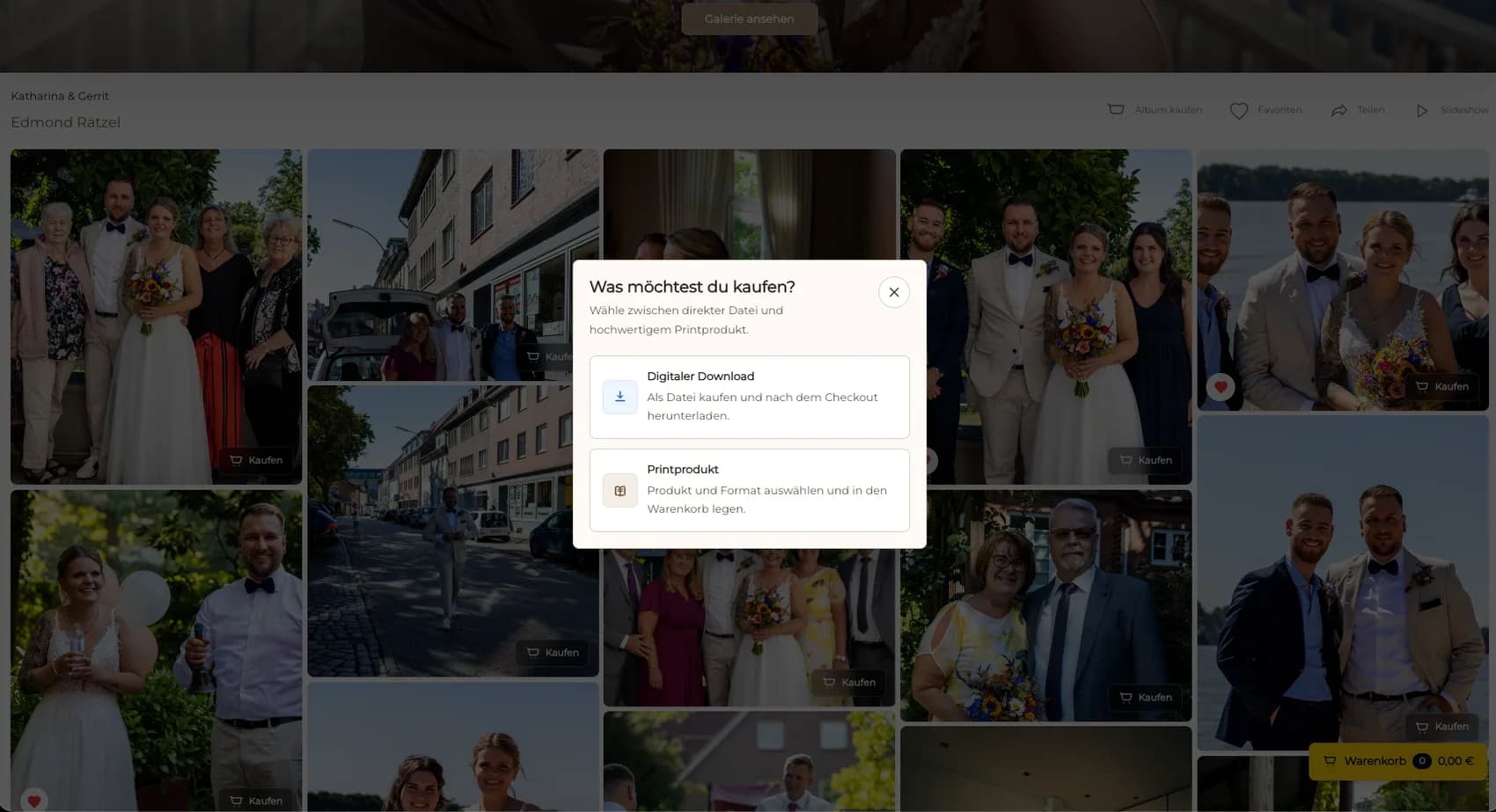
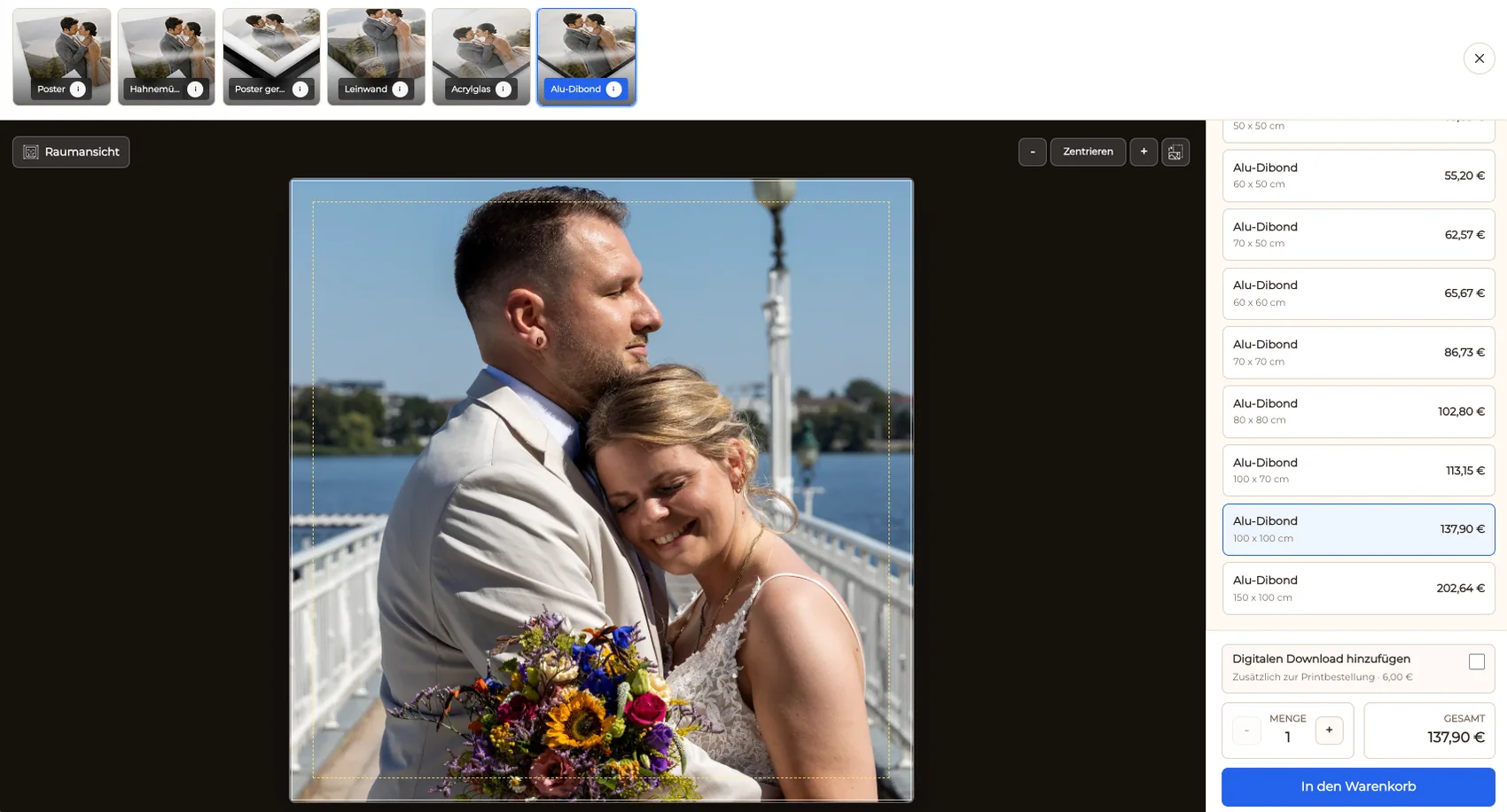
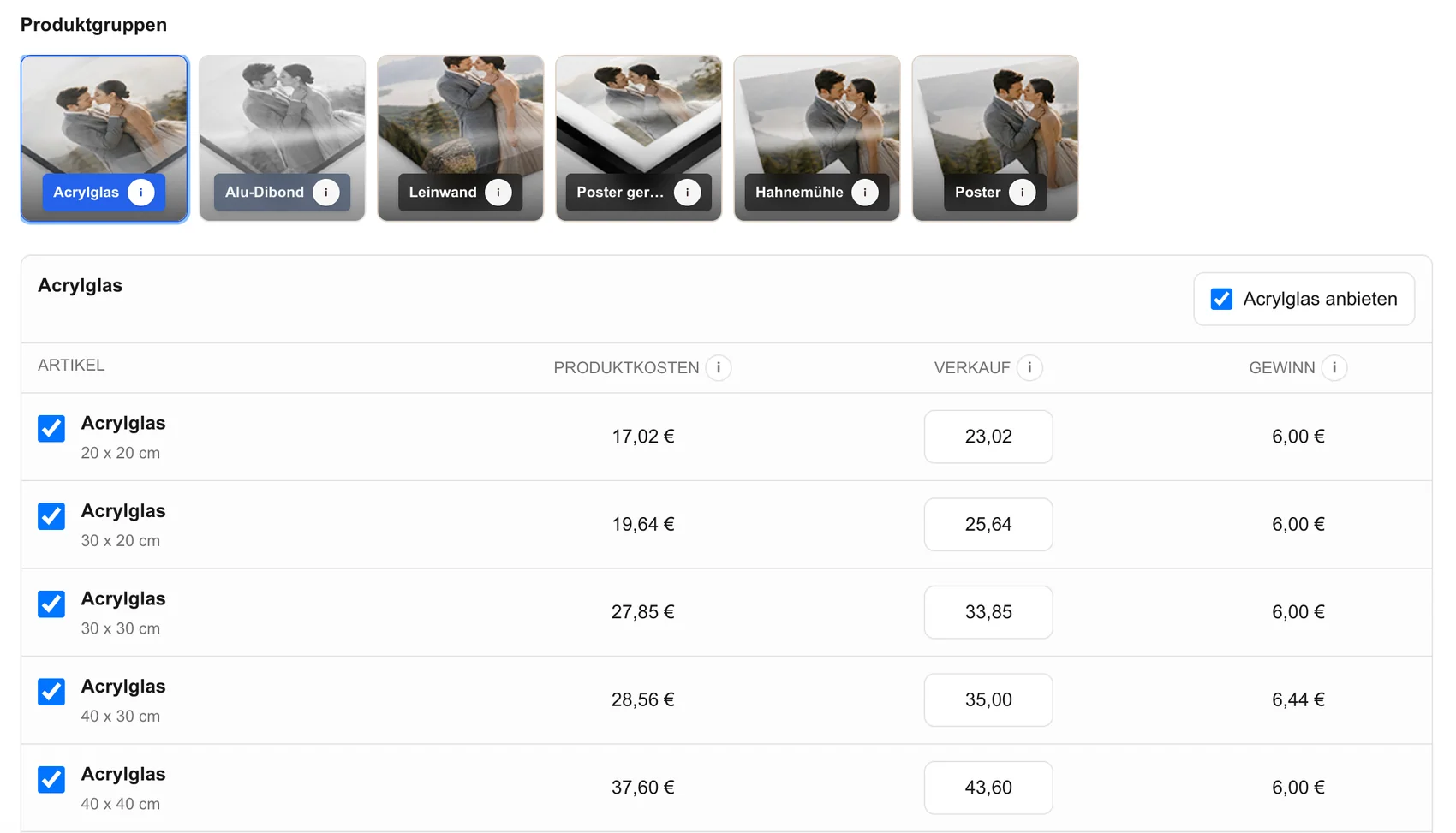
Professional photo products, sizes, and client prices
Professional photo products, sizes, and client pricesThe studio controls the eligible offer.
Digital or print choice in a commissioned gallery
Digital or print choice in a commissioned galleryThe package boundary stays visible.
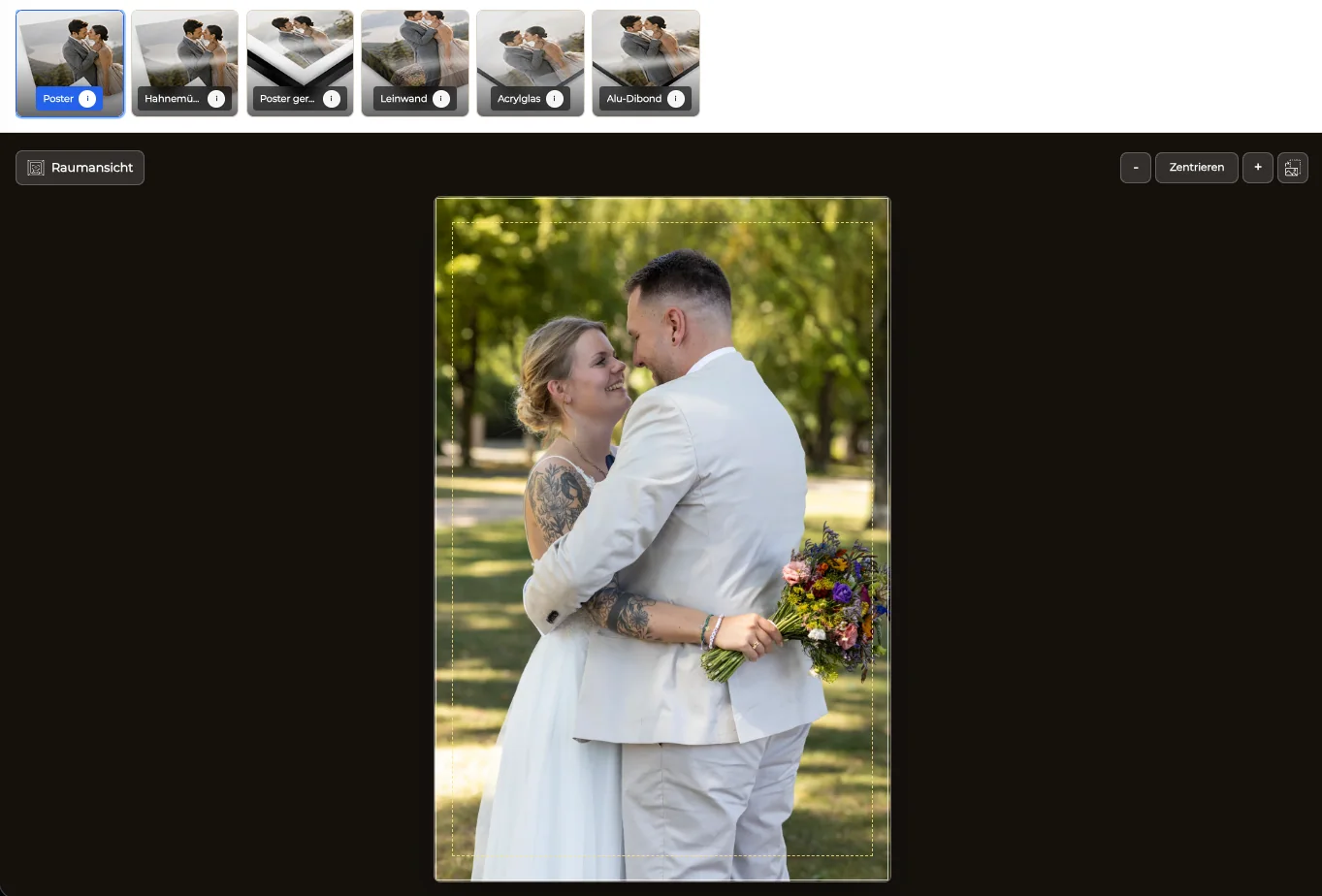
Portrait and landscape print orientation
Portrait and landscape print orientationThe chosen product must fit the approved photograph.
Crop and safe-zone review for professional prints
Crop and safe-zone review for professional printsClient expectations are checked before checkout.
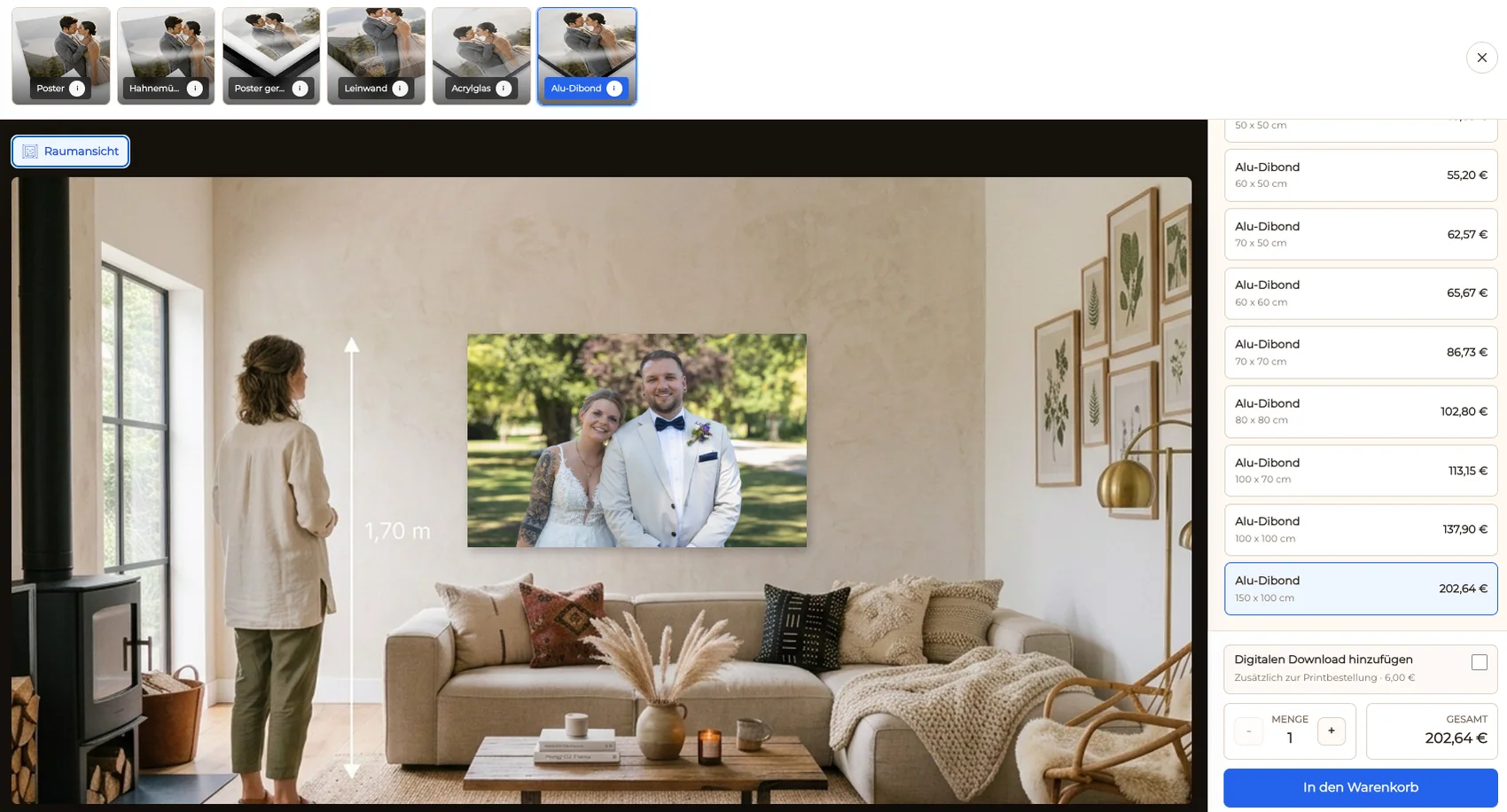
Professional wall-art room preview
Professional wall-art room previewThe visualization supports discussion without guaranteeing scale or color.
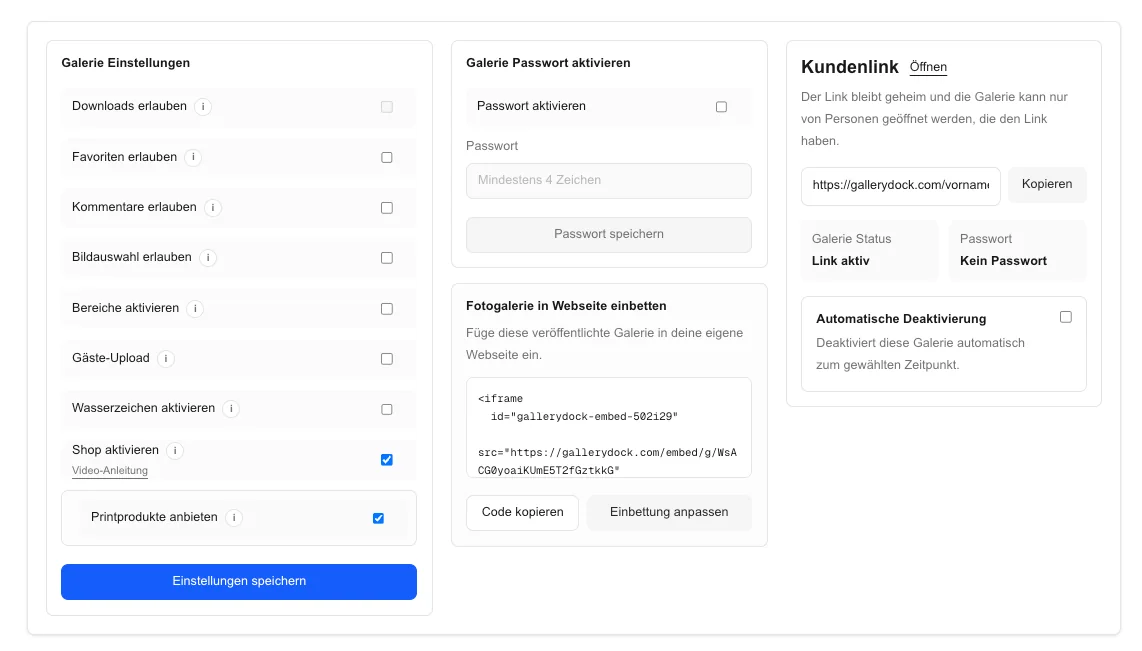
Activation of a professional gallery store
Activation of a professional gallery storeCommerce is enabled only for appropriate assignments.
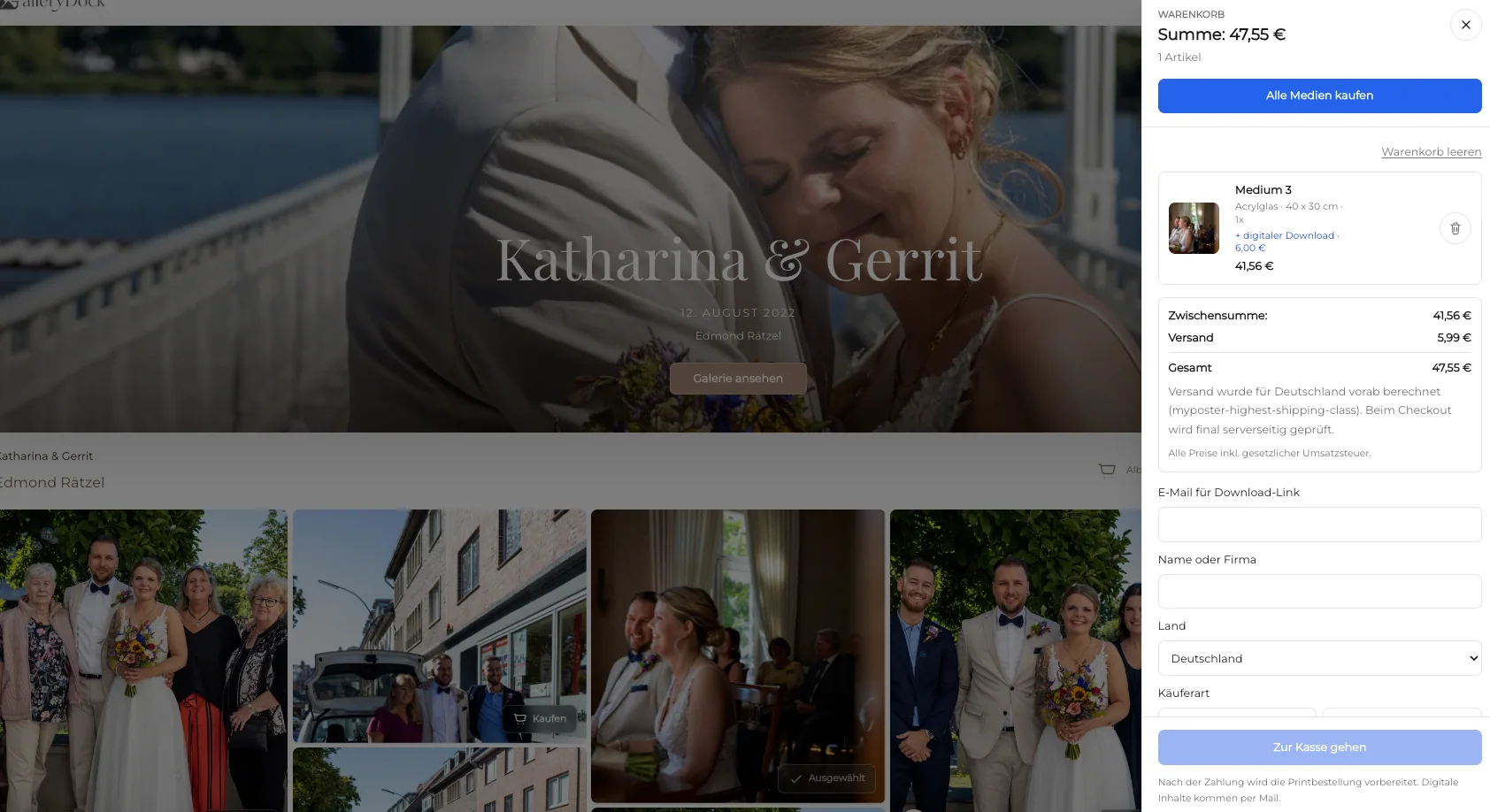
Professional print cart and checkout handoff
Professional print cart and checkout handoffImage and product context remain connected.

Comparison

Consumer customization and a photographer-led sale have different owners

Use this comparison as a documented shortlist, then verify changing provider facts on current official pages and test one representative assignment before replacing a working process.

WorkflowBest fitBoundary to verify
MYPOSTER consumer pathPeople uploading their own files to create wall art, photo books, prints, or other documented productsThe photographer does not control a GalleryDock assignment or inherit MYPOSTER production
GalleryDock studio offerProfessional photographers selling eligible products from commissioned galleriesThe studio configures the offer and remains responsible for production and support
Client self-orders externallyStudios intentionally delivering files and letting clients choose an outside supplierSimple for the studio, but image, crop, quality, and support context may separate
Gallery sale plus external productionPhotographers retaining a chosen supplier behind a controlled client experienceNo automatic integration is claimed; records need a deliberate handoff
Bespoke consultationPremium or unusual work requiring samples, measurements, and a quoteHigher touch, but appropriate when self-service would mislead
Digital-only packageClients receiving licensed files without a physical offerThe gallery stays focused on delivery

Portrait studio wall-art follow-up

The client begins with an approved portrait, sees only eligible wall options, and understands that the studio—not the consumer brand comparison—owns support.

Professional headshot package

The assignment ends with licensed downloads, so no physical product is introduced despite the availability of consumer print services elsewhere.

Fine-art release with controlled production

The photographer curates an edition and keeps certificates, production checks, and shipping records outside the gallery transaction.

Frequently asked questions

Questions about this workflow

Should the client configure a consumer photo product independently, or buy an eligible print from the photographer’s commissioned gallery?

A MYPOSTER alternative for professional photographers should be evaluated by who owns the client relationship: a consumer configures a product from uploaded files, while a photographer curates commissioned work and controls the eligible offer. GalleryDock does not replace MYPOSTER manufacturing, product range, editor, discounts, shipping, customer service, or consumer account, and claims no integration.

What should I test before changing the workflow?

Use current official MYPOSTER product information, the photographer’s configured offer, GalleryDock’s tested transaction path, and one representative order. Test invitation, access, viewing, selection, feedback, the intended sale or delivery action, mobile behavior, support questions, and closeout. Keep the current route available until a representative client completes the new path.

Does GalleryDock replace storage, backup, accounting, or a CRM?

No. MYPOSTER owns its documented consumer product experience; the photographer owns GalleryDock catalog decisions, prices, production route, policies, and support. Source files, redundant backups, contracts, invoices, accounting, tax decisions, licensing records, and legal documentation remain in the systems responsible for them.

Can I promise the same features as the compared provider?

No. GalleryDock does not replace MYPOSTER manufacturing, product range, editor, discounts, shipping, customer service, or consumer account, and claims no integration. Provider capabilities, plans, fees, limits, automation, integrations, fulfillment, and policies can change. Verify material facts at decision time and describe only the capability actually tested.

How should I introduce the new client path?

Start with one reversible pilot that resembles paid work. Explain what clients can view, choose, comment on, download, or buy; identify what is included versus optional; name the support contact; and preserve the previous link and source records until the pilot closes.

How do I know the workflow is successful?

Measure a preserved professional relationship, correct image and product, understandable crop and price, known fulfillment ownership, fewer order emails, and a traceable closeout. Review several completed assignments instead of relying on a demo, one enthusiastic client, or a feature checklist.
Related resources

Pricing

Start free and upgrade when you need more.

Free

Free forever

0 EUR

EUR 0 per month

Perfect for sharing your first galleries professionally.

  • 3 galleries
  • 1 GB storage
  • Photos & videos
  • Image upload: 50 MB
  • Video upload: 750 MB
  • Your own shop for digital sales
  • Sell print products in your shop
  • 15% shop fee per sale
  • Your own profile in client galleries
  • Password-protect client galleries
  • Use your own logo as a watermark
  • Let clients select images and mark favorites
  • Control photo and video downloads
  • Embed galleries on your own website
Free account

Start free, no credit card required

Base

Monthly

Most popular

19 EUR

EUR 228 billed yearly. plus VAT

Ideal for photographers who regularly deliver client galleries.

  • Unlimited galleries
  • 200 GB storage
  • Photos & videos
  • Image upload: 100 MB
  • Video upload: 15 GB
  • Your own shop for digital sales
  • Sell print products in your shop
  • Only 10% shop fee per sale
  • Your own profile in client galleries
  • Password-protect client galleries
  • Use your own logo as a watermark
  • Let clients select images and mark favorites
  • Control photo and video downloads
  • Embed galleries on your own website
  • Hide GalleryDock branding
  • Use your own logo in galleries

For regular client delivery

Pro

Monthly

29 EUR

EUR 348 billed yearly. plus VAT

For photographers managing many projects, videos and growing storage.

  • Unlimited galleries
  • 1 TB storage
  • Photos & videos
  • Image upload: 100 MB
  • Video upload: 30 GB
  • Your own shop for digital sales
  • Sell print products in your shop
  • Only 5% shop fee per sale
  • Your own profile in client galleries
  • Password-protect client galleries
  • Use your own logo as a watermark
  • Let clients select images and mark favorites
  • Control photo and video downloads
  • Embed galleries on your own website
  • Hide GalleryDock branding
  • Use your own logo in galleries

For regular client delivery

Test the studio-owned print offer

Use one commissioned series to validate curation, product fit, crop context, client price, cart, checkout, production, support, and closeout.

Create a free account