01
Start with the agreed deliverables
Separate the images a client can review from the files you intend to deliver. A portrait proof set and a finished commercial image collection need different download decisions.
photo gallery with downloads
Embed a GalleryDock photo gallery with controlled downloads on your website, keep review and delivery together, and test the complete client path.
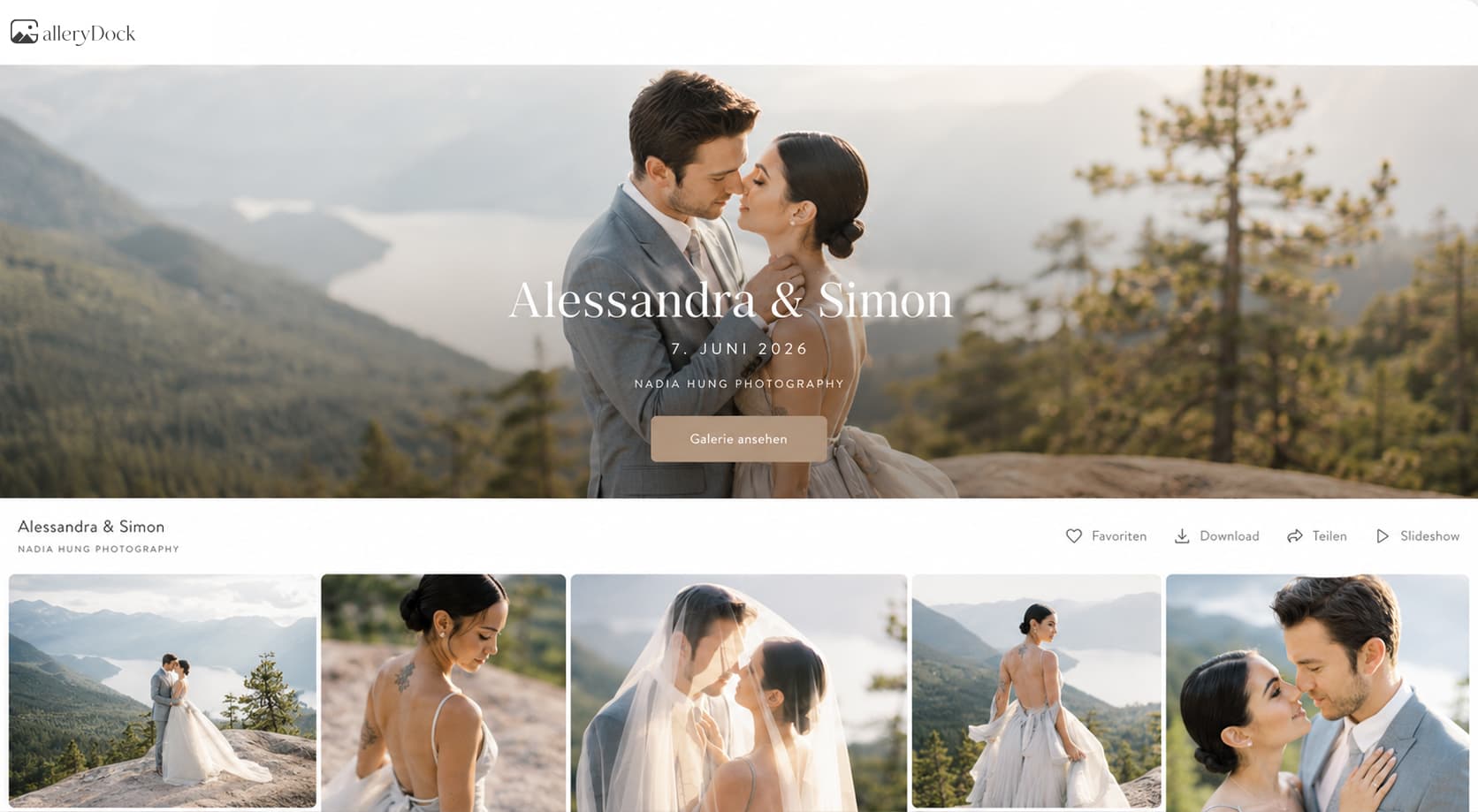
Quick answer
A photo gallery with downloads on your website keeps presentation, client review, and deliberate file release in one maintained destination. The practical result is a branded gallery where clients can review the intended collection and save only the files the photographer has released. Begin with one representative project, prepare only the images and actions this audience should see, and define the next step before publishing. GalleryDock supplies the client-facing gallery, contextual favorites and comments, controlled downloads, guest uploads where configured, and digital or physical print sales when products are enabled. The website owner chooses the placement and remains responsible for the surrounding page, access decisions, publishing permissions, and testing. Check the public experience on desktop and mobile instead of treating an editor preview as proof. This is not the general client-delivery guide, a file-transfer service comparison, a ZIP tutorial, DRM, permanent storage, or a promise that every website host permits embeds.
Step 1
Start with the client’s purpose and the gallery choices that support it.
01
Separate the images a client can review from the files you intend to deliver. A portrait proof set and a finished commercial image collection need different download decisions.
02
Match the available download size to the assignment. A client preparing a print needs a different file from a colleague adding a headshot to a staff directory.
03
Tell clients whether the gallery contains proofs or final exports before they reach the download control. Use a short instruction beside the embed rather than expecting them to infer the stage from filenames.
04
Explain where the client should save the downloaded collection. An accessible gallery link is convenient for delivery, but it is not a substitute for the client keeping a separate copy.
Step 2
Use the prepared GalleryDock gallery and the website’s supported placement path.
01
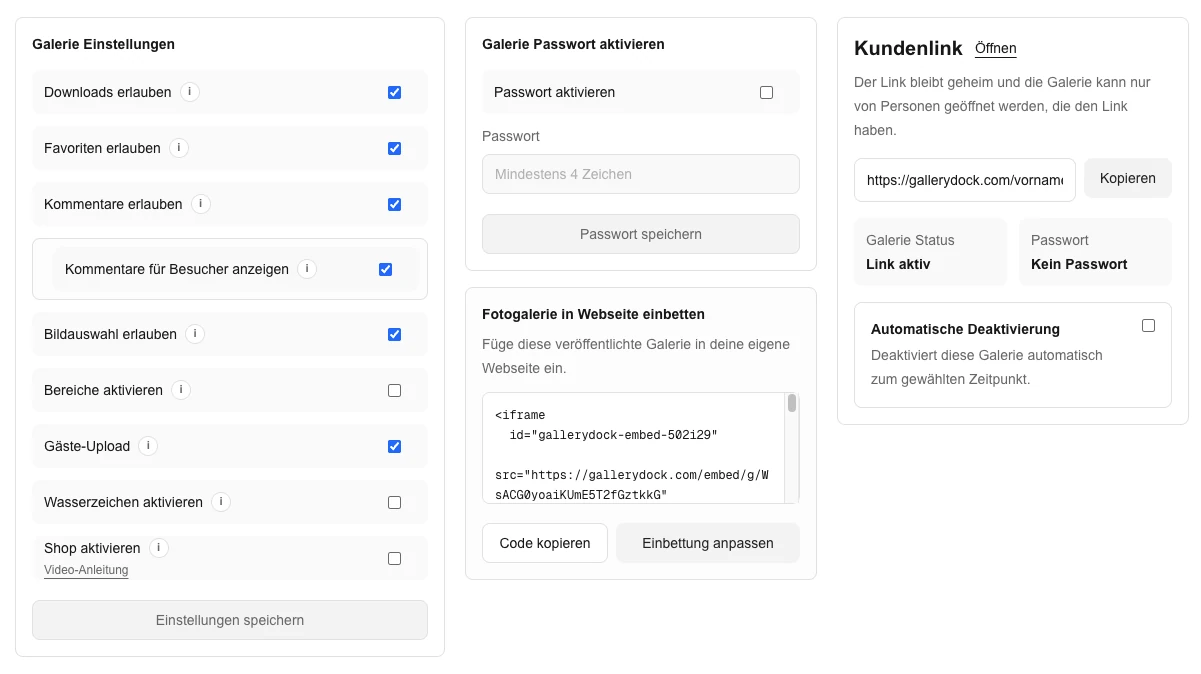
Review the gallery download setting before copying its embed code. Placing a gallery on your website should not be treated as a separate grant of download permission.
02
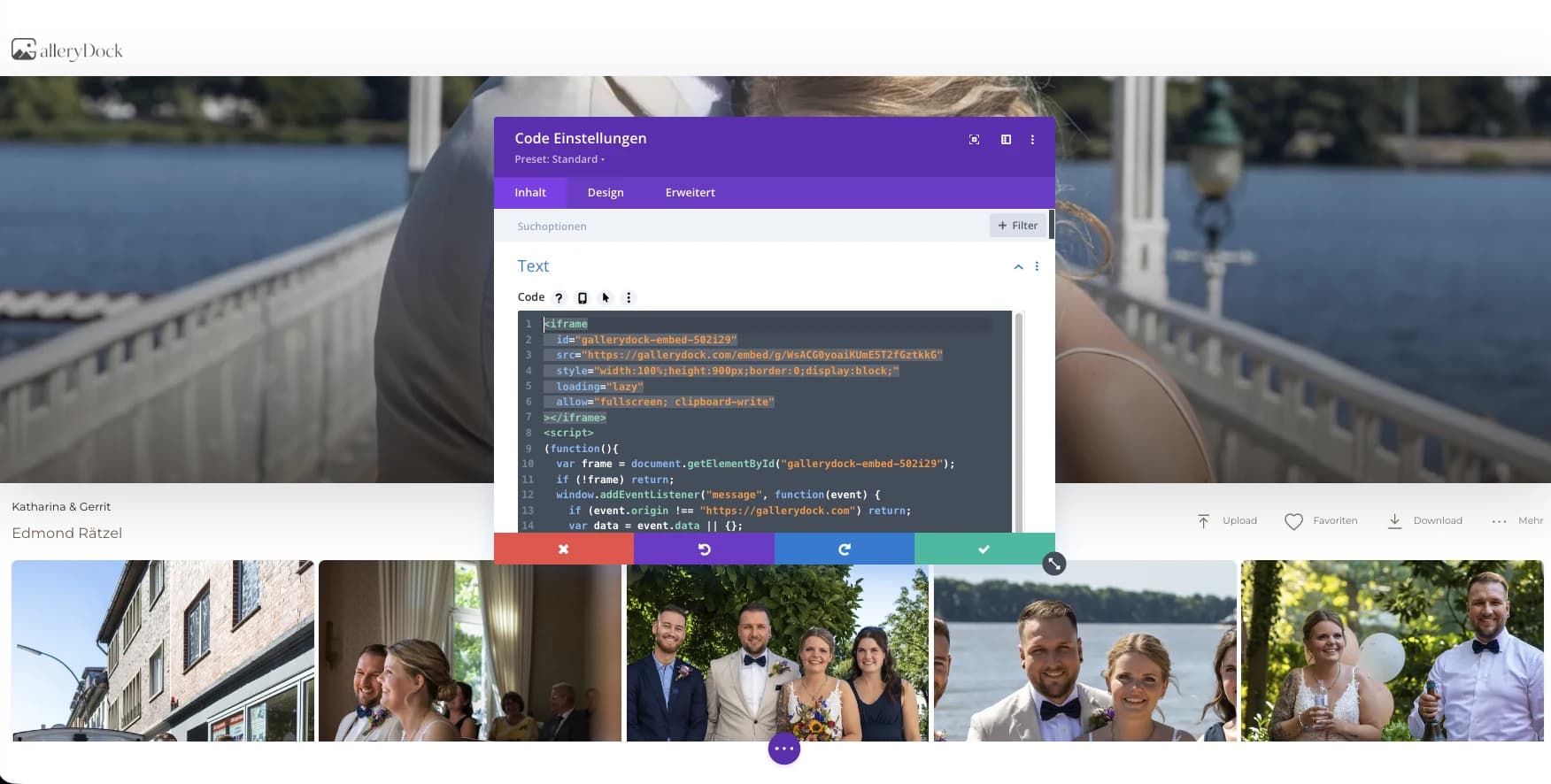
Paste the generated code into the supported HTML or embed area on your website. Keep enough width for both the photographs and the controls clients need to save them.
03
Add a concise handoff such as: review the finished collection, open the images you need, and use the available download option. Keep detailed proofing instructions on the selection page instead.
04
Open the real website URL before sending it to the client. An editor preview does not show whether the final page exposes the intended download control.
Step 3
Review the published page from the intended visitor’s point of view.
01
Visit the page without your photographer session. Confirm that a client can reach the intended collection and that any password step still works.
02
Open the saved file and inspect its dimensions and appearance. A visible download button alone does not establish that the client receives the intended export.
03
Check where a phone saves the file and whether the instructions are understandable on a small screen. Keep gallery navigation separate from the browser or device download interface.
04
After replacing proofs with finals or changing permissions, repeat the client check. Make the release decision in GalleryDock and confirm the result on the embedded page.
Comparison
Compare the options by the job they need to do, not just by whether they can display photographs.
| Approach | Best for | Tradeoff |
|---|---|---|
| Embedded download gallery | Clients view the collection and receive released files on your site | Check permissions and the actual saved file |
| Direct gallery delivery | A simple client handoff without a website page | The entry is outside the surrounding studio page |
| Selection-only gallery | Clients still need to choose the final images | File release is a later decision |
| File-transfer link | Sending an already agreed package of files | Less context for reviewing individual photographs |
| Website media downloads | A few public files maintained directly on the site | A separate delivery surface to maintain |
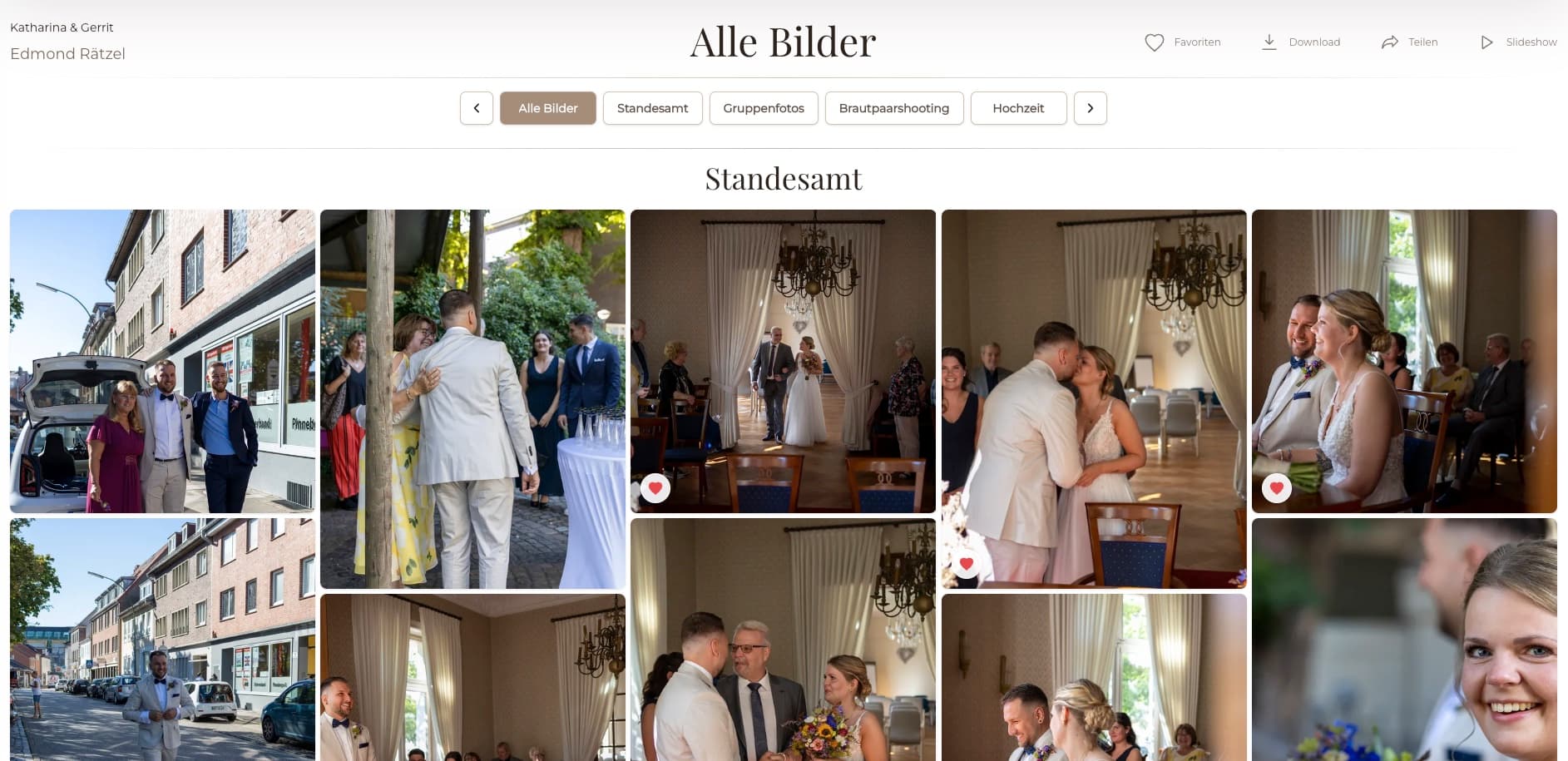
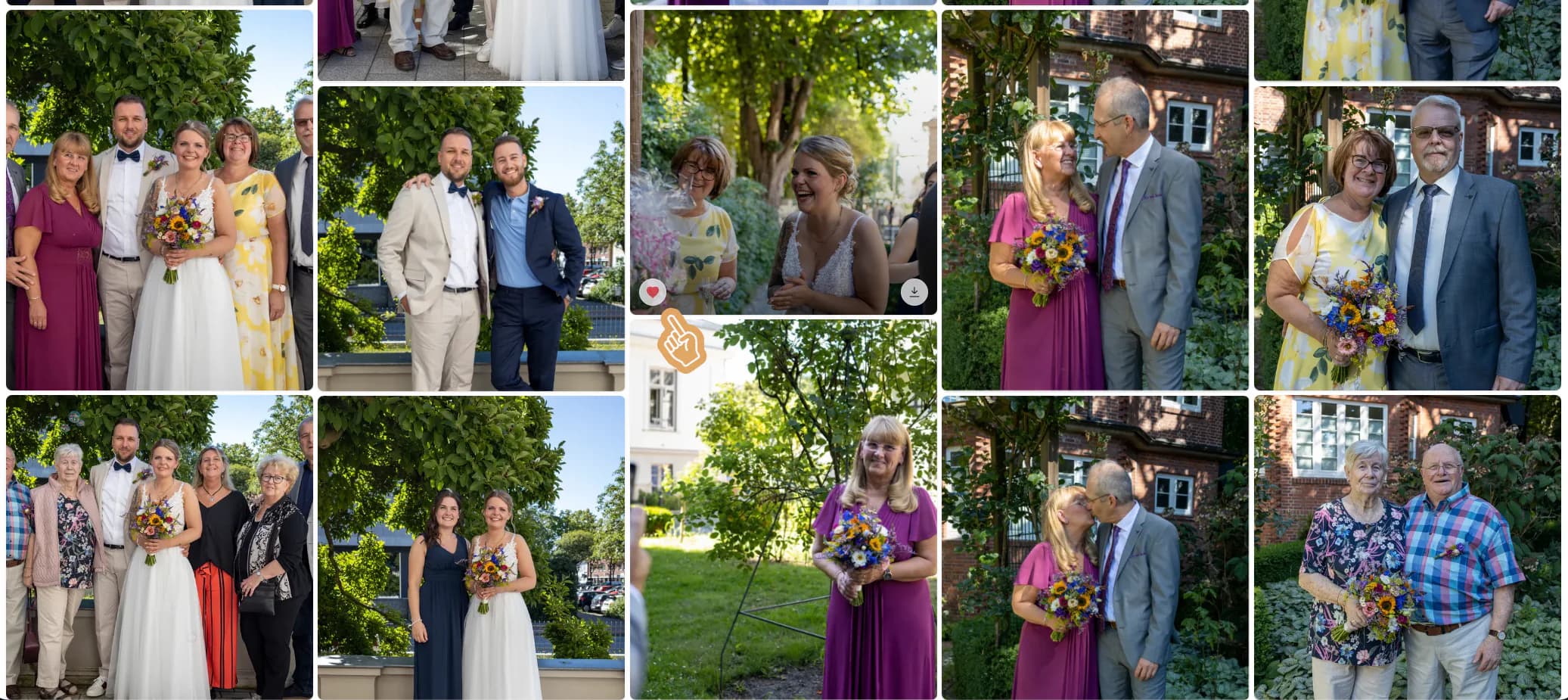
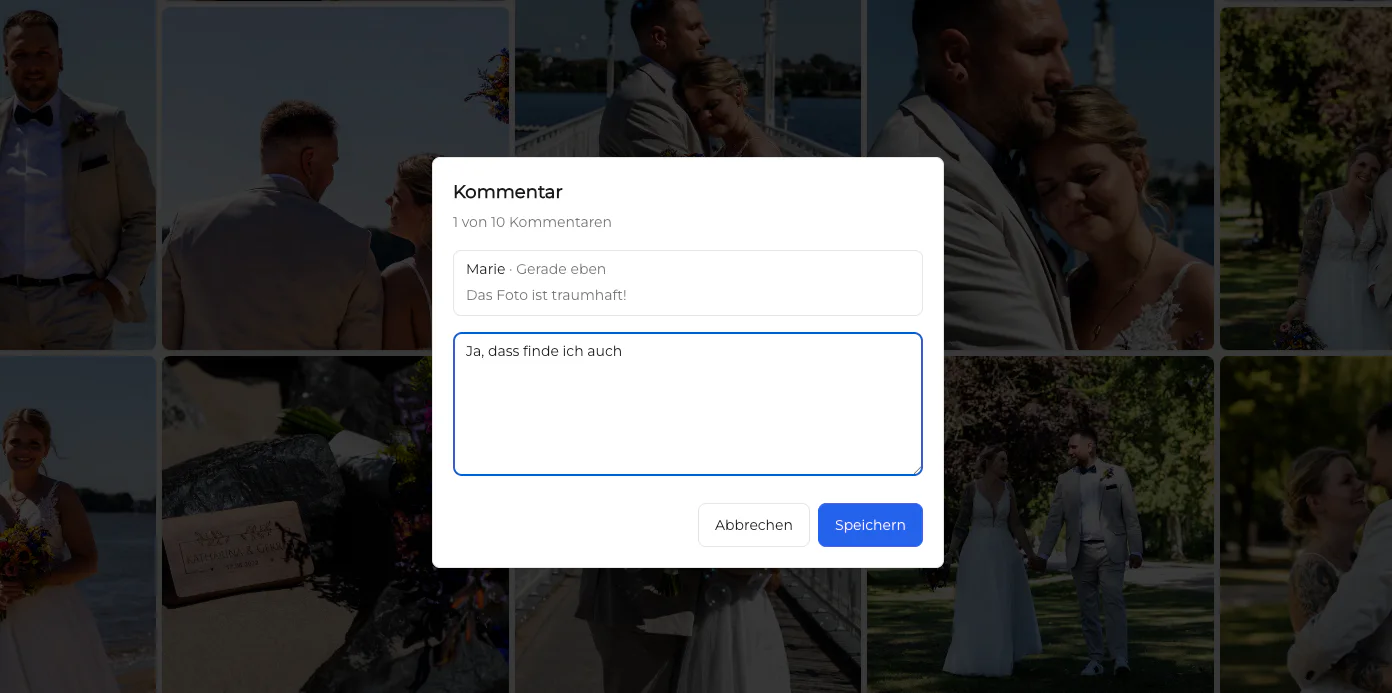
A client reviews the finished portraits before saving the released files.
A project contact confirms the approved image set and downloads the final exports.
A couple returns to the wedding story and downloads the completed collection from one branded page.
Frequently asked questions
Yes. Configure the intended GalleryDock download access, embed the gallery, and test the public client view.
Only if that is the photographer's deliberate workflow. Keep proofing and final release visibly distinct.
Use the available GalleryDock download settings that match the assignment, then verify the actual file received.
The website presents the embedded gallery; GalleryDock remains the maintained gallery service and delivery context.
No. Clients should keep their own backups according to the photographer's delivery terms.
Related resources
Pricing
Free forever
0 EUR
EUR 0 per month
Perfect for sharing your first galleries professionally.
Start free, no credit card required
Monthly
19 EUR
EUR 228 billed yearly. plus VAT
Ideal for photographers who regularly deliver client galleries.
For regular client delivery
Monthly
29 EUR
EUR 348 billed yearly. plus VAT
For photographers managing many projects, videos and growing storage.
For regular client delivery
Prepare one real gallery, place it on the intended page, and test the public result from start to finish. The goal is a branded gallery where clients can review the intended collection and save only the files the photographer has released. GalleryDock supports the gallery and commerce path without replacing website administration, professional judgment, access policy, or third-party platform responsibility.
Create a free account