01
Begin after the shoot
Use the portal when there is a curated assignment to review or deliver. Lead capture, discovery calls, proposals, scheduling, contracts, and deposits should already have happened in the appropriate business systems.
Post-shoot client space
Give photography clients one private place to review images, leave feedback, and access approved downloads without claiming a full CRM, contract, invoice, or scheduling portal.

Quick answer
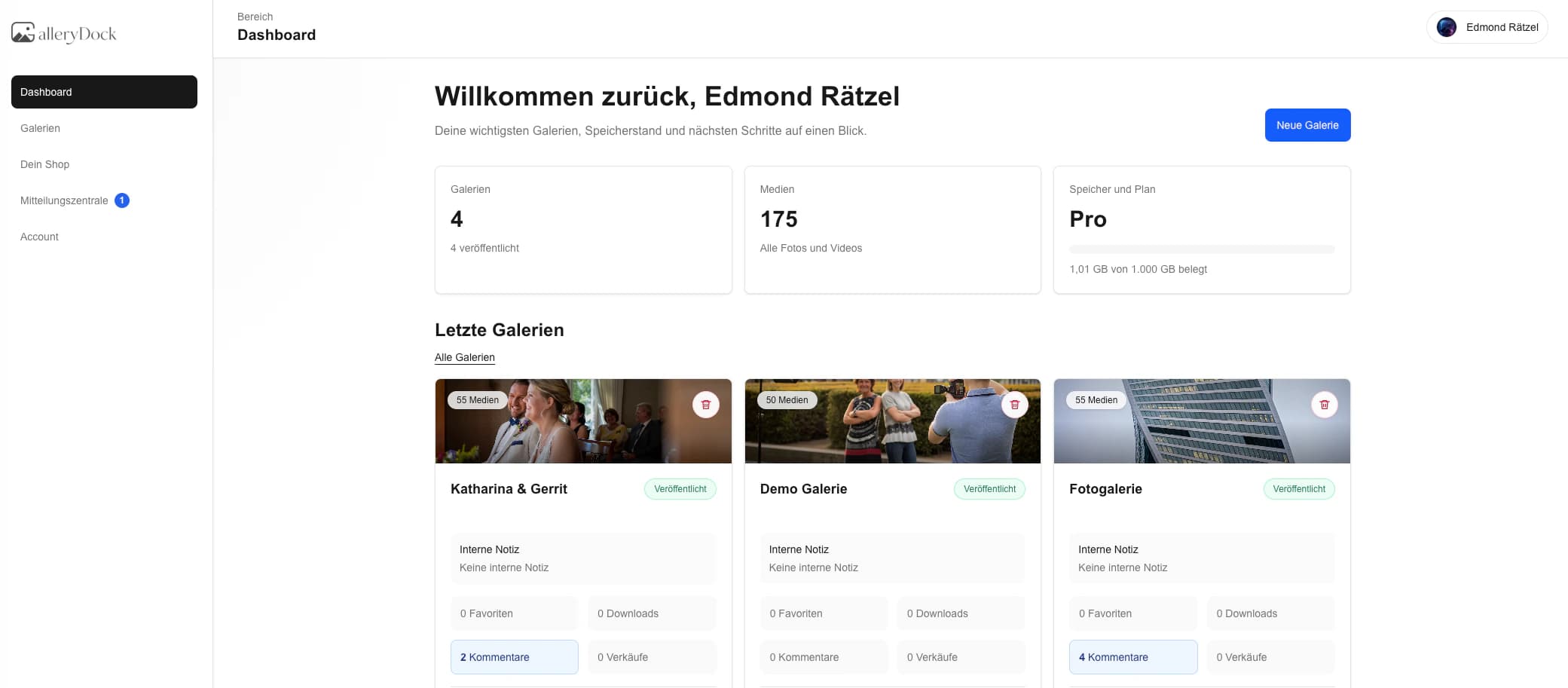
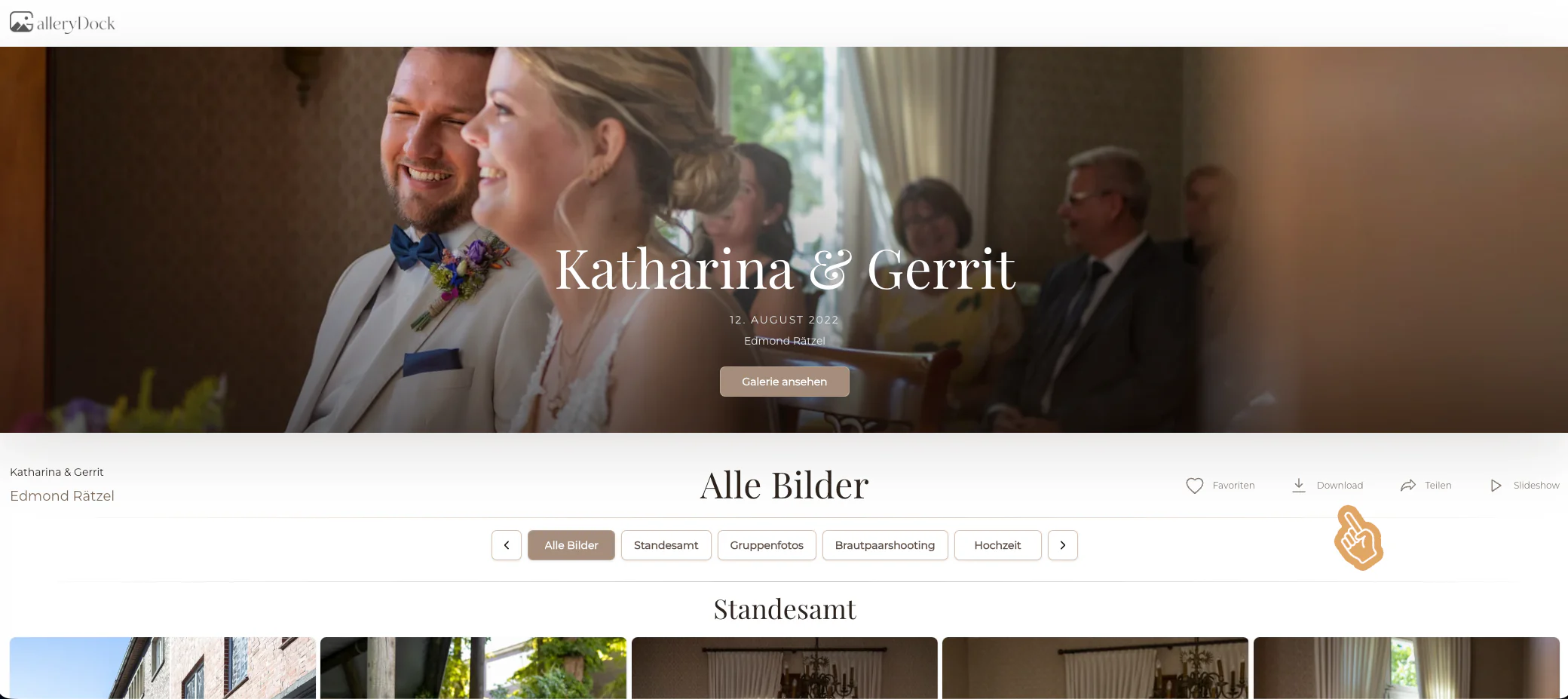
A client portal for photographers can mean two very different products. Full business portals manage leads, proposals, contracts, invoices, payments, appointments, and project messages. GalleryDock does not claim that category. Its role begins after the shoot: a private, photographer-branded client space for viewing a curated assignment, marking favorites, adding image-specific comments, receiving approved downloads, and seeing eligible digital extras. This guide makes that boundary explicit so clients get a simple experience and photographers do not accidentally promise CRM or financial functions that live somewhere else in their software stack.
Scope
A narrow promise is easier for clients to understand and easier for a photography business to deliver consistently.
01
Use the portal when there is a curated assignment to review or deliver. Lead capture, discovery calls, proposals, scheduling, contracts, and deposits should already have happened in the appropriate business systems.
02
Tell clients whether they can view, favorite, comment, download, or consider digital extras. Do not call the space an all-purpose dashboard if those are the only real actions it supports.
03
Invoices, tax records, payment status, signed agreements, and booking history belong in the photographer's accounting, CRM, or contract system. A gallery link should not be presented as their legal source of truth.
04
For family, wedding, or business assignments, identify the person who can approve the final selection. The portal supports review, but it should not create uncertainty about whose answer controls production.
Client journey
A portal feels professional when the client understands the current stage before clicking anything.
01
Send the link with the project name, purpose, access instructions, current stage, and due date. A short orientation prevents the client from treating proofs as finished deliverables.
02
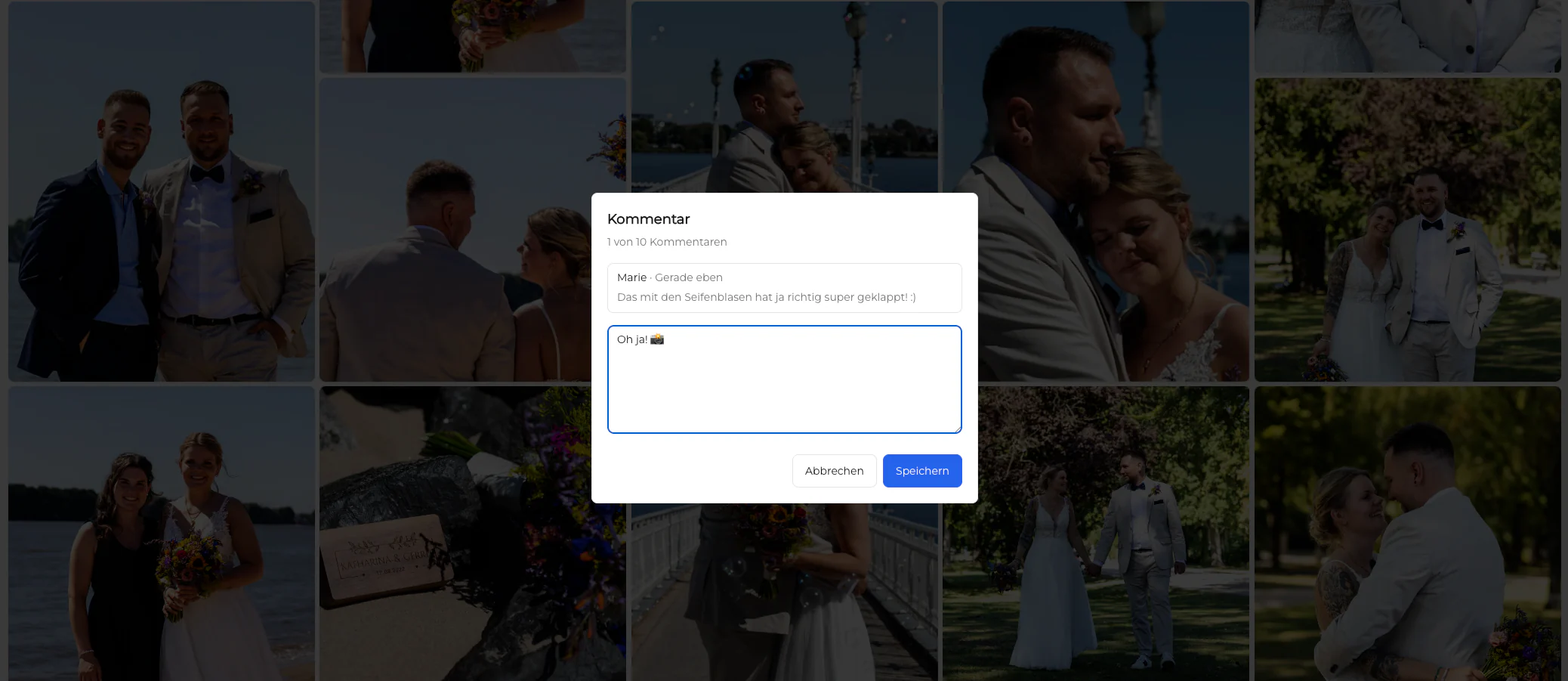
Define whether favorites mean retouch, include, approve, or consider. Ask clients to reserve comments for image-specific notes instead of starting parallel conversations in email and messaging apps.
03
Confirm the final list and explain that later changes may affect timing or cost. A visible checkpoint lets the photographer start retouching or export work with a stable brief.
04
When approved files are ready, state exactly what changed, which files can be downloaded, and whether the link has a retention deadline. Delivery should feel like a deliberate milestone rather than a silent settings change.
Boundaries
The strongest workflow gives each tool a clear job and avoids duplicate client records.
01
Keep inquiry status, follow-ups, package selection, and sales pipeline activity in the CRM or booking system. Pass only the confirmed assignment context into the client gallery workflow.
02
Use culling and editing software for technical image work. Upload a purposeful proof or final set rather than using the client portal as a substitute for the photographer's production environment.
03
Record invoices and payments in the financial system designed for them. If digital extras are offered in the gallery, keep the commercial wording consistent with the photographer's actual package and records.
04
Retain originals, exports, contracts, and correspondence according to a separate backup and retention plan. Client access can end without putting the photographer's business archive at risk.

Comparison
Choose language that matches the functions a client actually receives.
| Approach | Best for | Tradeoff |
|---|---|---|
| CRM portal | Leads, jobs, and communication history | Usually broader than image review |
| Booking portal | Availability, sessions, and forms | Does not replace proofing and delivery |
| Billing portal | Invoices, payments, and receipts | Financial rather than visual workflow |
| Cloud folder | Basic file access | Little client guidance or image context |
| GalleryDock | Post-shoot review and delivery | No CRM, contracts, scheduling, invoices, or general payments |
The couple receives one private gallery, agrees on favorites and notes, and returns later for the final download without entering a separate business portal.
The client chooses package images and confirms retouching notes while the photographer keeps contracts and invoices in dedicated systems.
A communications contact consolidates team feedback in the gallery while procurement and payment records stay in the company's established process.
Frequently asked questions
In this GalleryDock context, it is a private post-shoot space for reviewing a curated photography assignment, recording favorites or image comments, and receiving approved downloads.
No. Lead pipelines, appointment scheduling, questionnaires, proposals, and bookings belong in a CRM or booking tool.
No. Do not describe GalleryDock as a contract-signing, invoicing, receipt, or general payment portal.
Yes. Image-specific comments keep a request attached to the relevant photograph and are useful during selection or approval.
Yes. The photographer can separate review from delivery and release downloads when the agreed final set is ready.
No. The photographer should keep independent backups, source files, exports, contracts, and business records outside the client-facing gallery.
Related resources
Pricing
Free forever
0 EUR
EUR 0 per month
Perfect for sharing your first galleries professionally.
Start free, no credit card required
Monthly
19 EUR
EUR 228 billed yearly. plus VAT
Ideal for photographers who regularly deliver client galleries.
For regular client delivery
Monthly
29 EUR
EUR 348 billed yearly. plus VAT
For photographers managing many projects, videos and growing storage.
For regular client delivery
Create a private GalleryDock space for the assignment, explain the current review or delivery stage, and keep CRM, contracts, scheduling, invoices, payments, and archives in their proper systems.
Create a free account