01
Prepare a public gallery logo
Use a clear studio mark that remains readable at the size and contrast used in the public client-gallery interface.
Branded client delivery
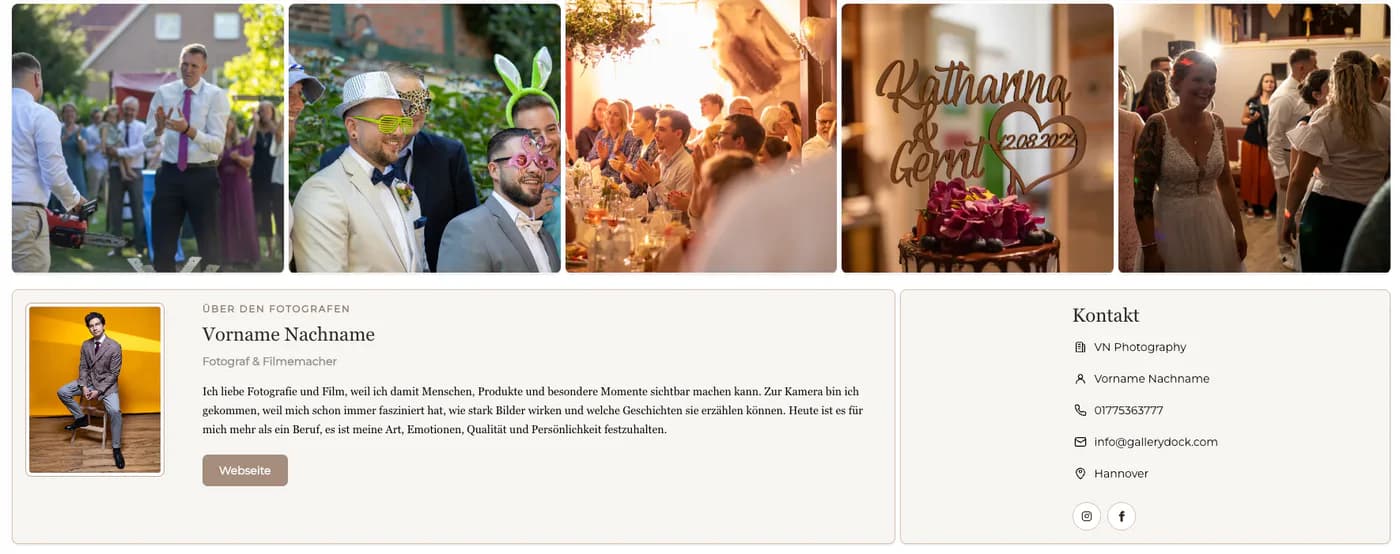
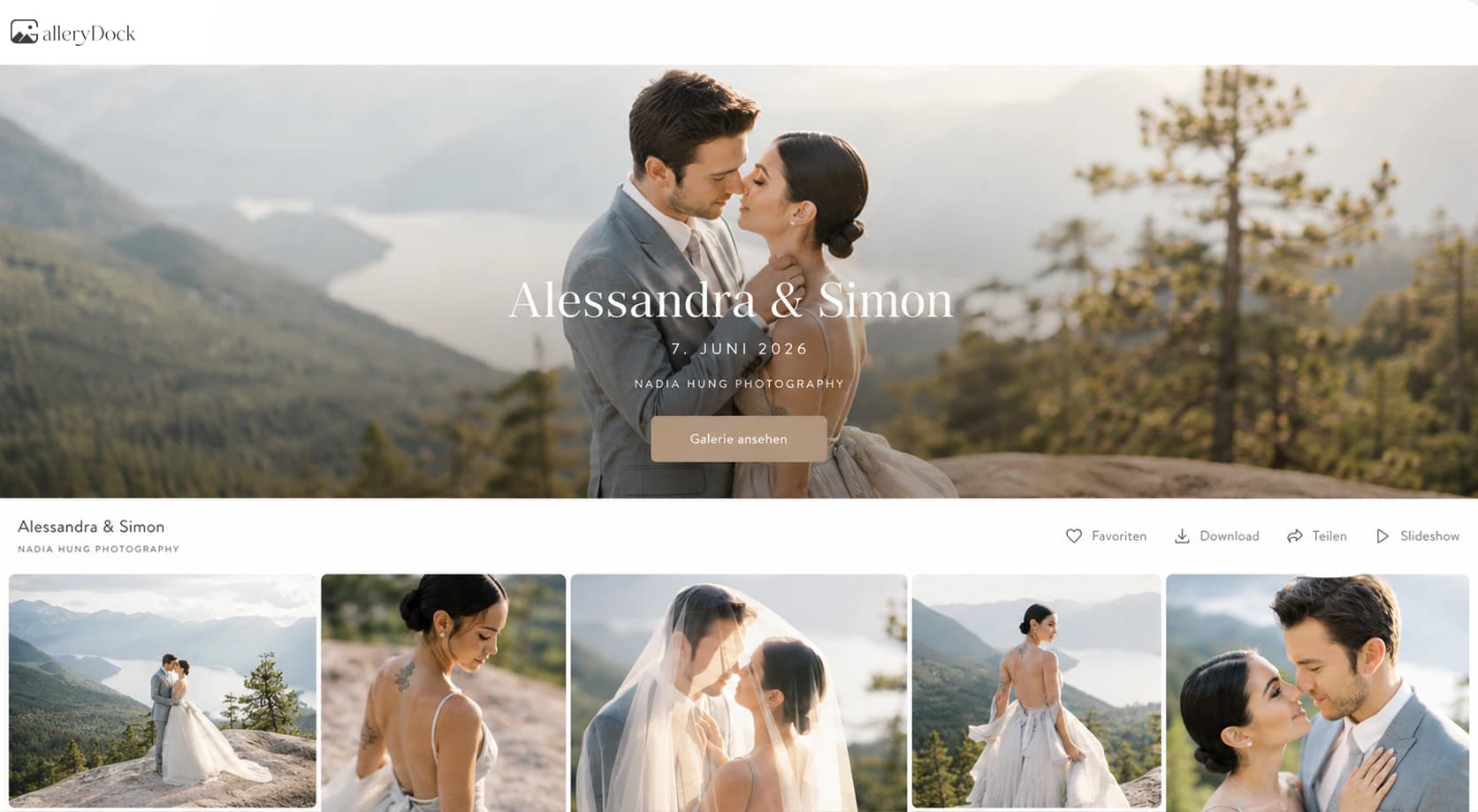
Deliver photographs through a client gallery that connects your public gallery logo, photographer profile, client actions, and mobile presentation.
Quick answer
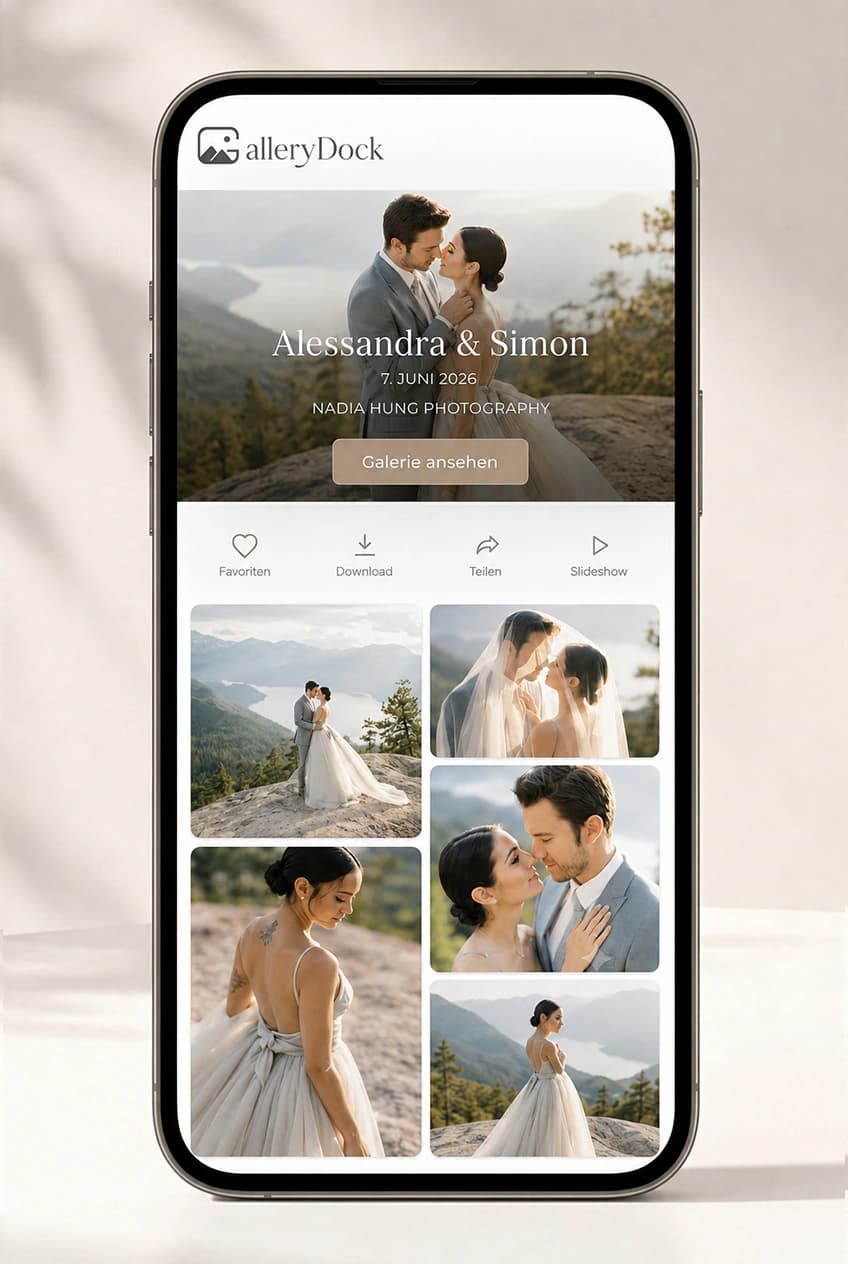
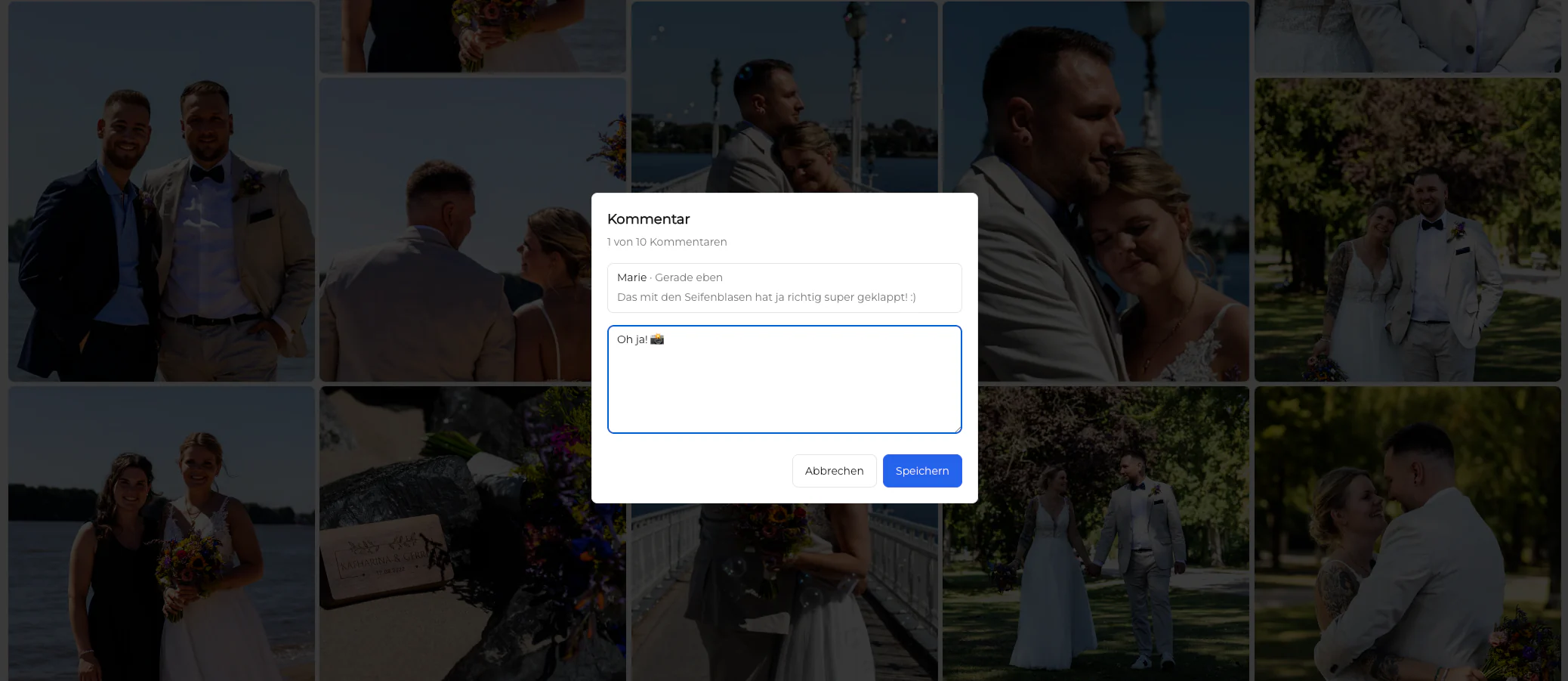
A branded client gallery makes photo delivery feel like part of the photographer's service instead of a generic file handoff. The client should recognize the studio when the gallery opens, understand who sent the work, and move naturally from viewing to favorites, comments, downloads, or an optional shop. GalleryDock supports a public gallery logo and a photographer profile, and the GalleryDock branding can be hidden in the current Base and Pro plans. The gallery remains responsive across desktop and mobile while keeping client actions beside the photographs. This is a focused branding layer for the delivery experience. It is not a full white-label website builder and does not promise a custom domain, unrestricted brand colors, complete layout control, or a watermark on every image.
Brand foundation
Logo, profile, and project context should answer who created and delivered the work.
01
Use a clear studio mark that remains readable at the size and contrast used in the public client-gallery interface.
02
Keep the studio name, identity, and relevant contact context consistent so the gallery has an understandable professional sender.
03
Use a title and cover image that connect the gallery to the actual assignment instead of relying on a generic upload label.
04
Treat the gallery logo and profile as interface branding; use image watermarks only when the photograph itself needs a visible mark.
Client journey
A logo matters more when the complete viewing and delivery path remains coherent.
01
Keep the work visually central and use branding to establish confidence without competing with the images or making the interface harder to use.
02
Let clients select and discuss photographs in the same gallery experience rather than sending them to separate forms or message threads.
03
Choose the appropriate password and download settings for the project while keeping the public presentation consistent with the studio.
04
Offer digital products and physical prints in the same client-gallery context when sales are part of the assignment or follow-up.
Quality control
A quick client-view review catches visual and workflow issues before they become part of the delivery.
01
Review the exact page the client will receive instead of assuming the owner dashboard accurately represents the public experience.
02
Check logo scale, cover crop, profile context, navigation, favorites, comments, downloads, and shop actions at different viewport sizes.
03
Verify the currently active plan and branding settings before promising logo placement or hidden GalleryDock branding to a client.
04
Describe the available gallery-branding controls without presenting the service as a fully custom website, domain, or unrestricted white-label platform.
Comparison
The right level of branding depends on how the gallery fits the photographer's broader client journey.
| Approach | Best for | Tradeoff |
|---|---|---|
| Branded client gallery | Professional proofing, delivery, feedback, and sales | Uses defined gallery-branding controls |
| Generic cloud folder | Simple file transfer | Offers little studio or project context |
| Portfolio website | Public marketing and lead generation | Usually not designed for private client delivery |
| Fully custom client portal | Bespoke business systems | Requires more development and maintenance |
| Watermarked proof gallery | Visible image-level marking | Watermarking alone does not create a branded handoff |
A couple opens a private gallery that immediately reflects the photographer's studio before they select favorites and download the finished photographs.
A company contact sees a clear professional sender while reviewing headshots, sharing internal feedback, and choosing approved files.
Consistent logo, profile, and delivery behavior helps clients recognize the workflow across several assignments without relearning the handoff.
Frequently asked questions
Yes. The current Base and Pro plans include a public gallery logo. Verify the current plan details before publishing time-sensitive pricing copy.
The current Base and Pro plans allow GalleryDock branding to be hidden. That does not turn the gallery into an unrestricted white-label platform.
It gives the gallery a clear sender and connects the delivered photographs to the professional or studio responsible for the project.
No. Gallery branding appears in the delivery interface, while a watermark is a visible mark placed on the image preview itself.
Yes. Branding accompanies the gallery workflow; the available client actions still depend on the settings chosen for that gallery.
No. This guide describes the current gallery logo, profile, and provider-branding controls, not a custom-domain website builder.
Related resources
Pricing
Free forever
0 EUR
EUR 0 per month
Perfect for sharing your first galleries professionally.
Start free, no credit card required
Monthly
19 EUR
EUR 228 billed yearly. plus VAT
Ideal for photographers who regularly deliver client galleries.
For regular client delivery
Monthly
29 EUR
EUR 348 billed yearly. plus VAT
For photographers managing many projects, videos and growing storage.
For regular client delivery
Create a GalleryDock client gallery, configure the available branding controls, and test the complete public view before sharing it.
Create a free account