01
Name the starting object
Identify whether the client begins with a commissioned photograph, a gallery, a general product catalog, a portfolio, a notification, or a broader account.
Album and store ecosystem or gallery-led photo sale
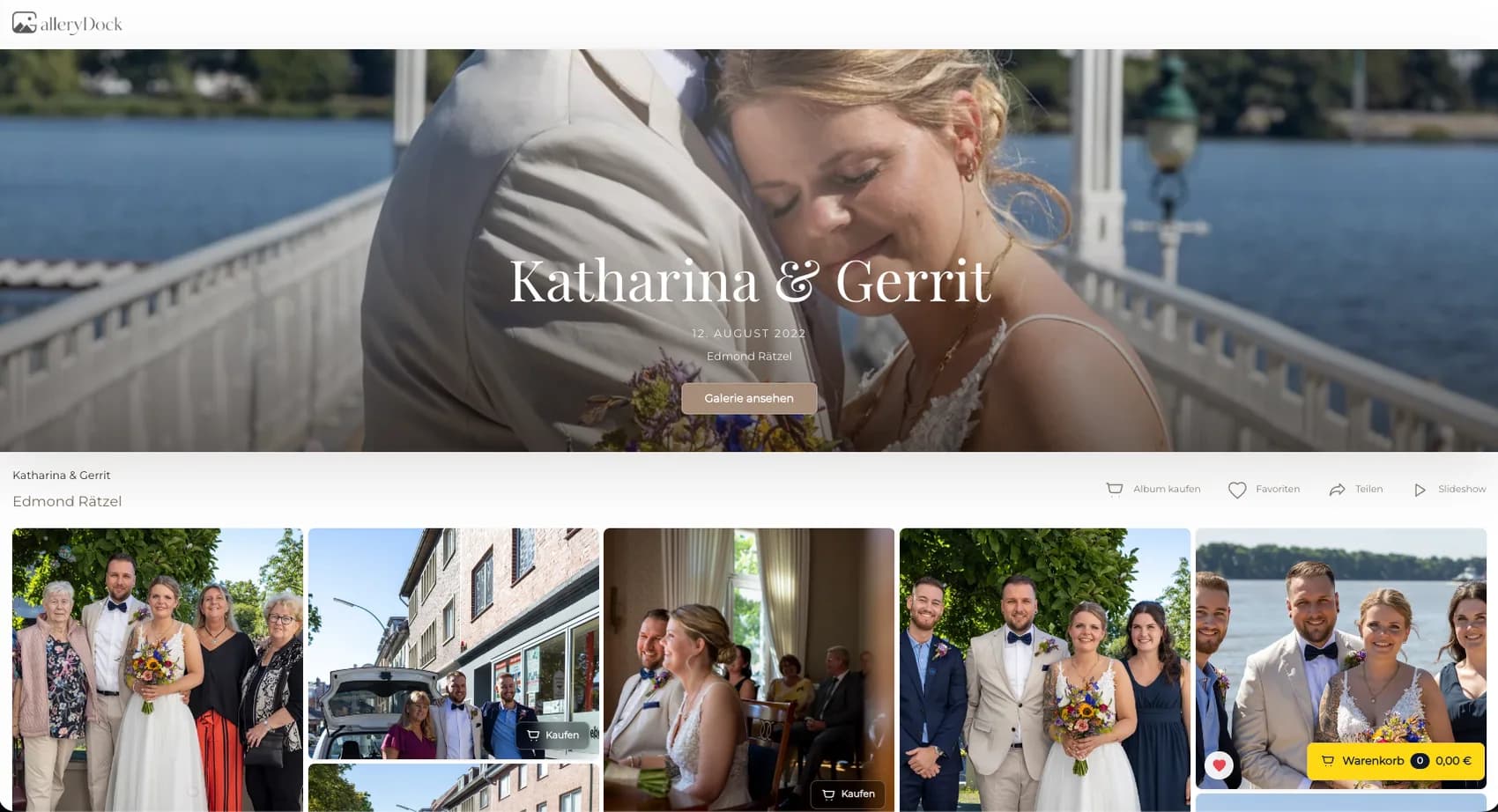
Compare Zno's documented gallery, estore, and album context with a GalleryDock workflow that keeps a commissioned photograph connected to configured digital and physical purchase options.
Quick answer
A Zno print store alternative should be evaluated by the client's immediate job: using a broader album and store ecosystem or purchasing a configured digital file or physical print from a commissioned GalleryDock gallery. GalleryDock does not reproduce Zno's documented album ecosystem, estore, design tools, product catalog, laboratory services, fulfillment, shipping, integrations, plans, or feature set.
Decision frame
Write the real decision in one sentence: Do you need Zno's broader documented album and estore ecosystem, or a focused GalleryDock sale attached to the client's commissioned photographs? A precise decision keeps branded search intent connected to an actual studio workflow and prevents a broad provider name from becoming an unsupported claim of equivalence.
01
Identify whether the client begins with a commissioned photograph, a gallery, a general product catalog, a portfolio, a notification, or a broader account.
02
Zno owns its documented products, tools, platform, and provider services; the photographer owns GalleryDock image eligibility, product configuration, prices, production route, client communication, records, and exceptions.
03
Use current official Zno product information, the signed package, album and print responsibilities, the GalleryDock configuration, producer specifications, and one representative completed order.
04
Use one representative paid assignment with realistic files, products, permissions, devices, addresses, and client questions.
Client journey
A polished administrator screen is not proof of a clear client experience. Observe a first-time visitor on desktop and mobile, then follow the resulting studio work until the record is complete.
01
Publish only approved files.
02
Open the invitation outside the administrator session.
03
Ask the client to perform the real gallery-led digital and physical photo sales action without coaching.
04
Verify the authoritative gallery, selection, comment, transaction, production, delivery, support, and accounting records as applicable.
Distinct page fingerprint
A Zno print store alternative should be evaluated by the client's immediate job: using a broader album and store ecosystem or purchasing a configured digital file or physical print from a commissioned GalleryDock gallery.
01
Do you need Zno's broader documented album and estore ecosystem, or a focused GalleryDock sale attached to the client's commissioned photographs? Answer that question throughout the page.
02
GalleryDock does not reproduce Zno's documented album ecosystem, estore, design tools, product catalog, laboratory services, fulfillment, shipping, integrations, plans, or feature set.
03
Test a portrait, wedding, family, commercial, school, event, or fine-art case only when its signed package and client role match the example.
04
Measure correct separation of album and print scope, understandable image-led choices, known manufacturing ownership, traceable order records, and no unsupported design or fulfillment promise.
Commercial and product truth
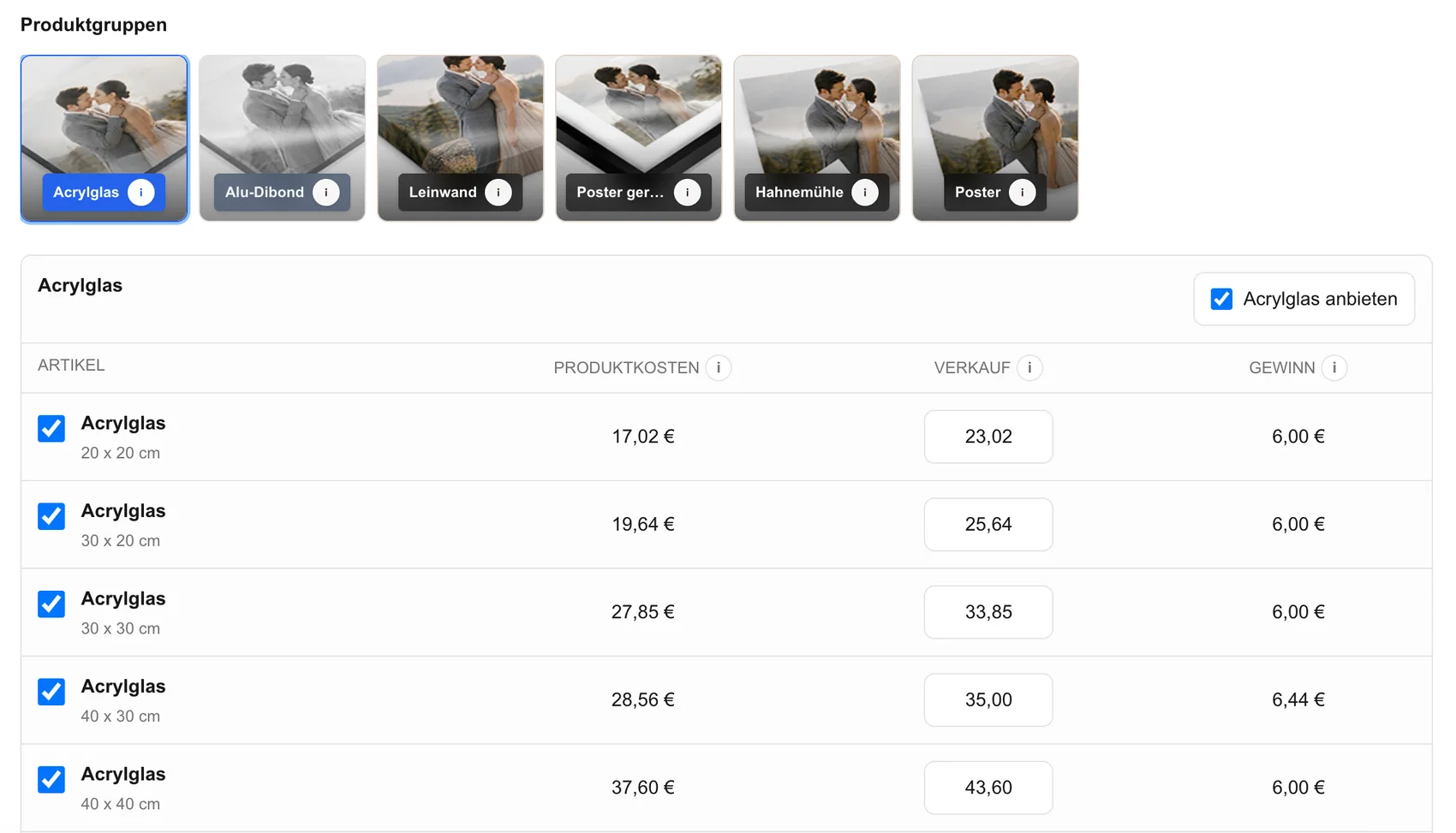
GalleryDock can support digital sales and physical print sales. The photographer still defines the signed offer and must keep volatile provider facts, product eligibility, customer communication, and physical production responsibilities accurate.
01
State which digital files, review rounds, downloads, products, sizes, quantities, or credits are included and which are optional purchases.
02
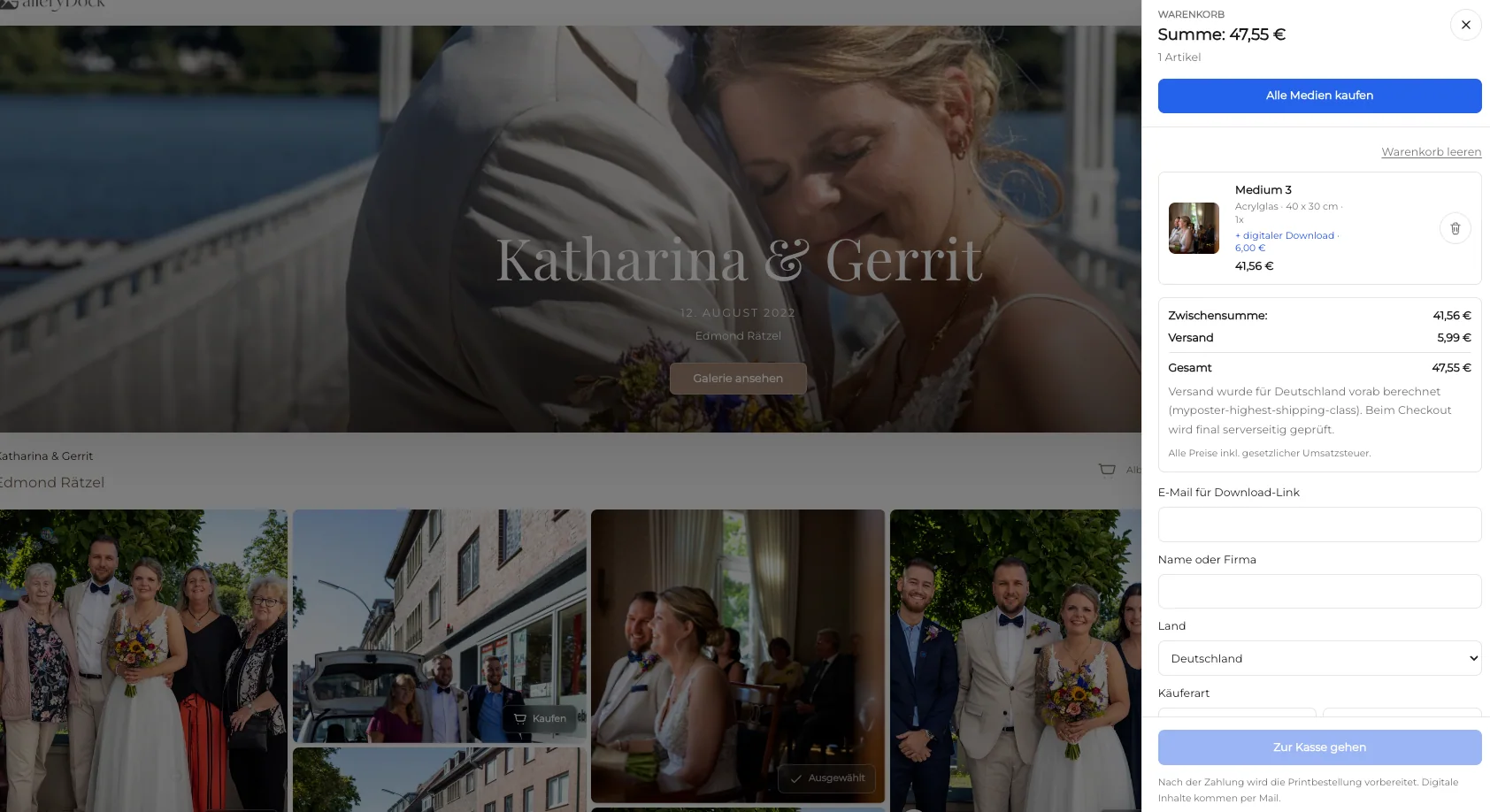
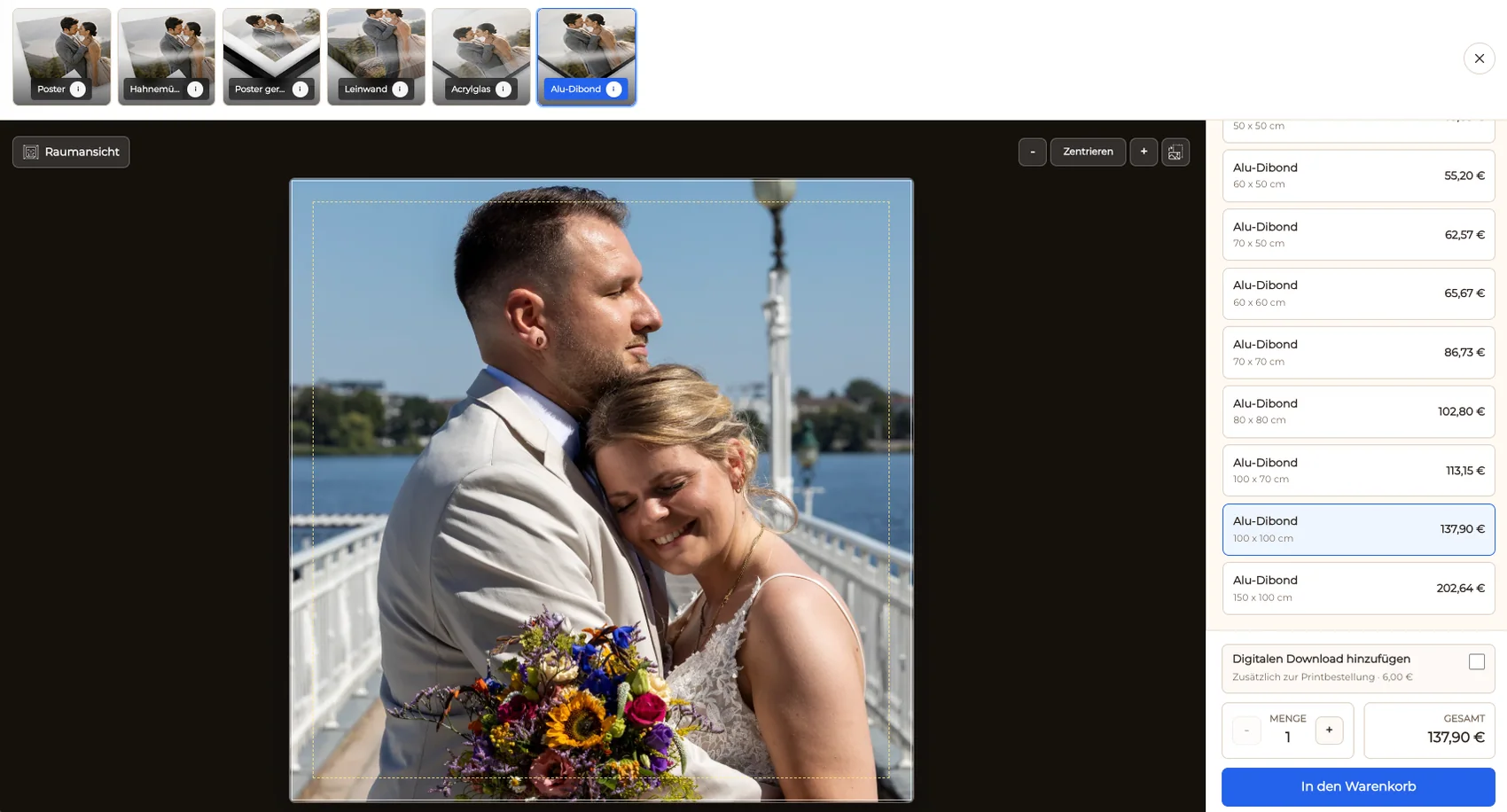
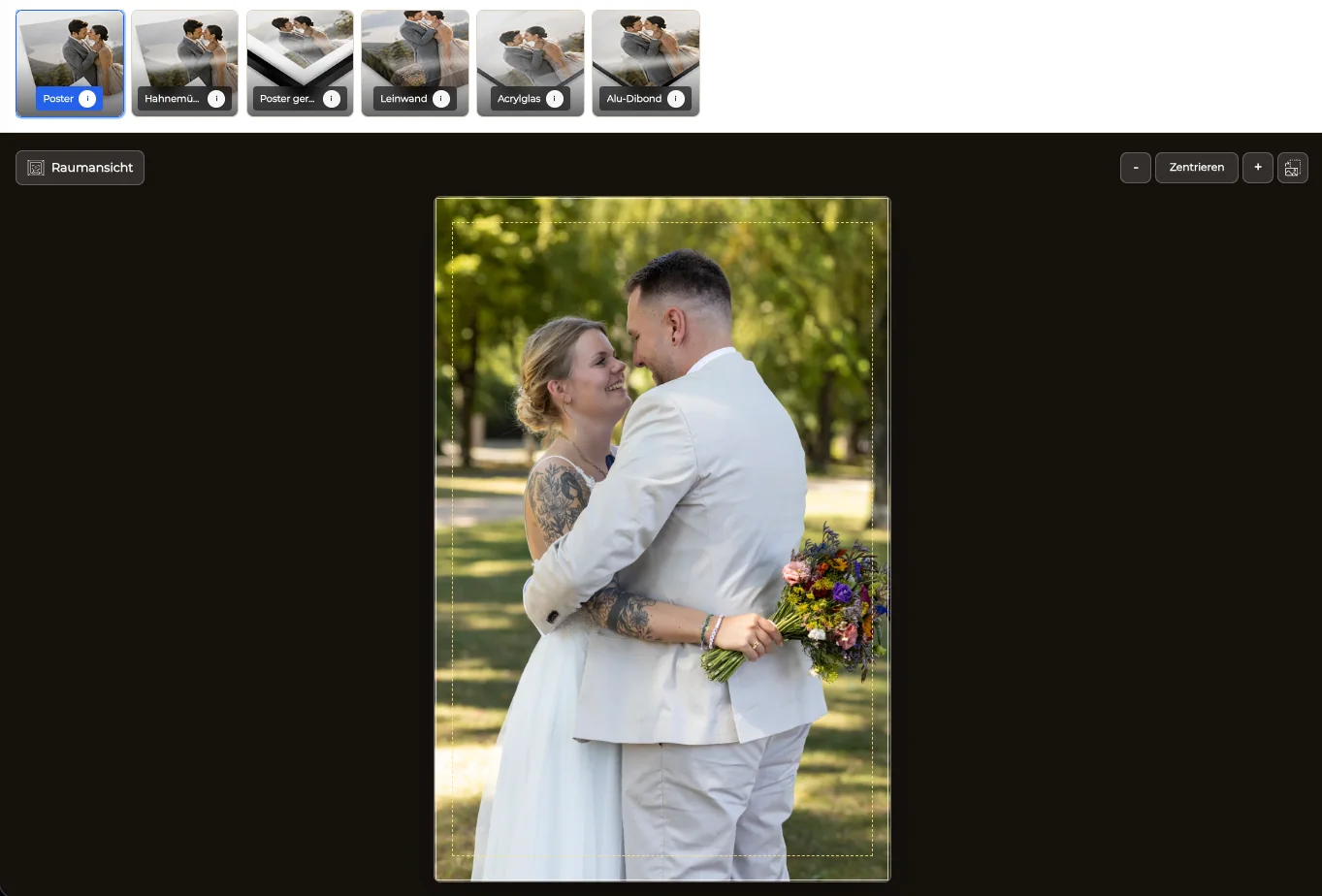
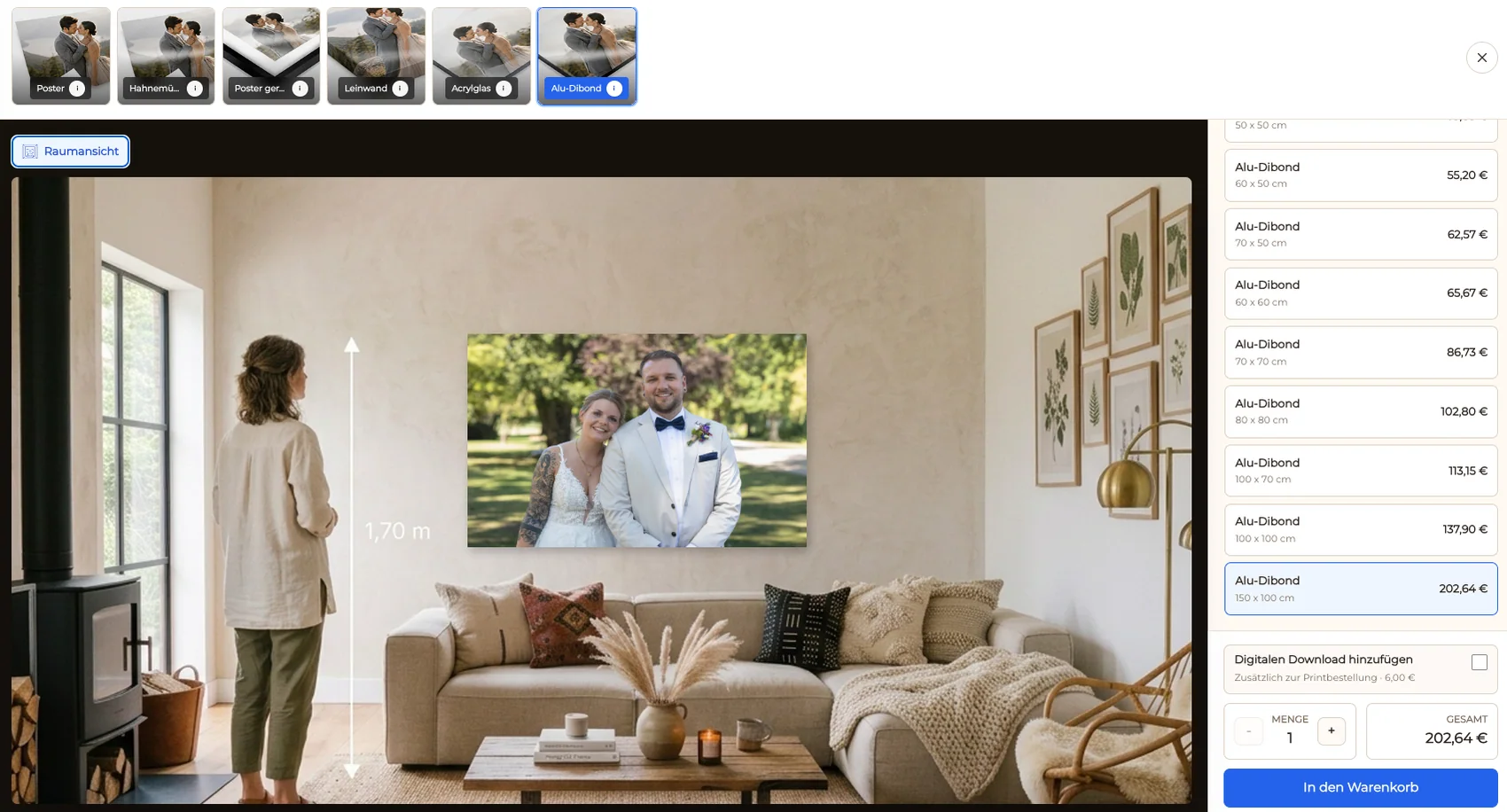
Check image identity, product name, dimensions, orientation, customer price, tax and policy context, crop, safe zone, quantity, cart summary, checkout handoff, order record, and production owner.
03
GalleryDock does not reproduce Zno's documented album ecosystem, estore, design tools, product catalog, laboratory services, fulfillment, shipping, integrations, plans, or feature set.
04
Identify who answers questions, verifies selections or orders, prepares files, chooses the producer, handles shipping, damage, refunds, corrections, changed addresses, licensing, privacy, and records.
Adoption and maintenance
Adopt only after the complete assignment works for the client and the studio. The final standard should be understandable after a team change, product update, provider change, or future engineering handoff.
01
Use correct separation of album and print scope, understandable image-led choices, known manufacturing ownership, traceable order records, and no unsupported design or fulfillment promise.
02
Record the owner, tested scope, source dates, verified behavior, exclusions, client instructions, production route, support path, fallback, retention location, chosen system, and next review date.
03
Introduce one assignment type at a time.
04
Repeat the representative path when packages, prices, products, providers, fulfillment, policies, integrations, team ownership, file types, notification behavior, client roles, supported devices, or GalleryDock behavior changes.
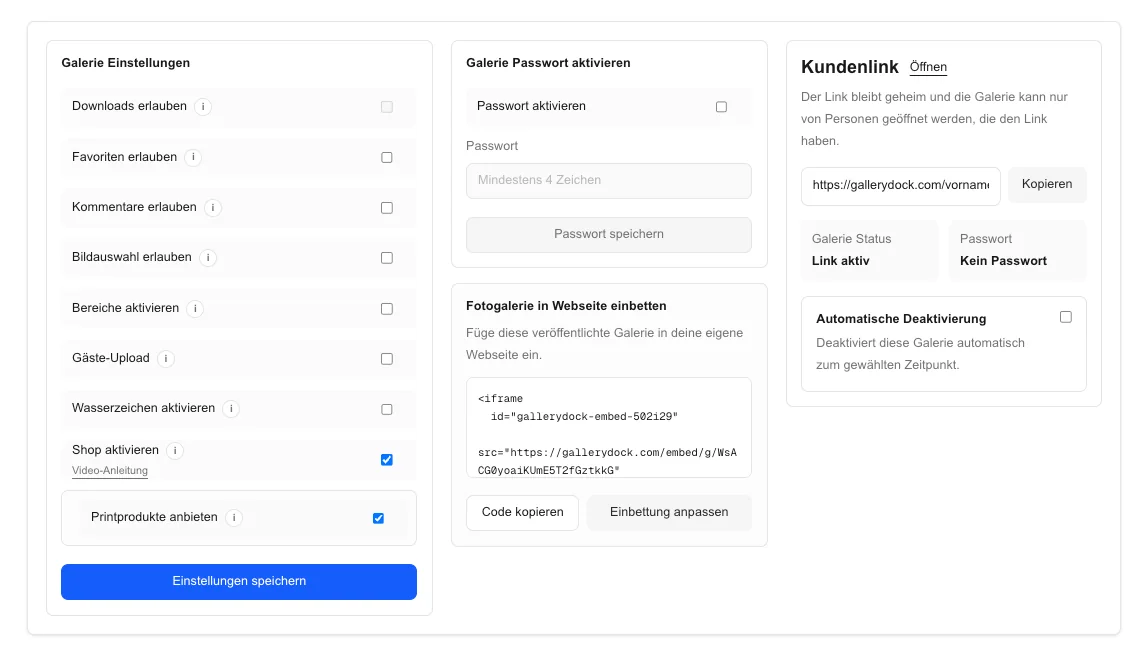
Comparison
The useful question is not which interface has more labels. It is whether the provider, the studio, and the client share a clear understanding of the assignment, the next action, the authoritative record, and the recovery path. GalleryDock does not reproduce Zno's documented album ecosystem, estore, design tools, product catalog, laboratory services, fulfillment, shipping, integrations, plans, or feature set.
| Operating path | Best fit | Boundary to verify |
|---|---|---|
| Compared provider workflow | Photographers who need the provider's currently documented ecosystem around gallery-led digital and physical photo sales | Plans, fees, catalogs, integrations, automation, territories, production, and policies can change and require current official verification |
| GalleryDock assignment workflow | Photographers who want a focused client gallery for digital delivery and configured physical print sales | Zno owns its documented products, tools, platform, and provider services; the photographer owns GalleryDock image eligibility, product configuration, prices, production route, client communication, records, and exceptions. |
| GalleryDock plus chosen production route | Studios that deliberately separate the client sale from physical manufacturing and shipment | The producer, file preparation, ordering handoff, shipping, support, and exception policy remain explicit studio responsibilities |
| Delivery without optional commerce | Assignments whose signed package already contains everything the client needs | Do not activate or promote a store merely because the interface can display products |
| Controlled dual-system pilot | Studios comparing a new route while preserving the proven client and business record | Both paths need clear names, owners, support instructions, retention rules, and a planned end date |
| Decision after completed work | Teams measuring a representative assignment instead of a demo or marketing checklist | Use current official Zno product information, the signed package, album and print responsibilities, the GalleryDock configuration, producer specifications, and one representative completed order. before adopting the new path |
A family returns to approved photographs and chooses a limited physical product from the actual image. The studio keeps album scope, optional prints, crop review, production, and support explicit.
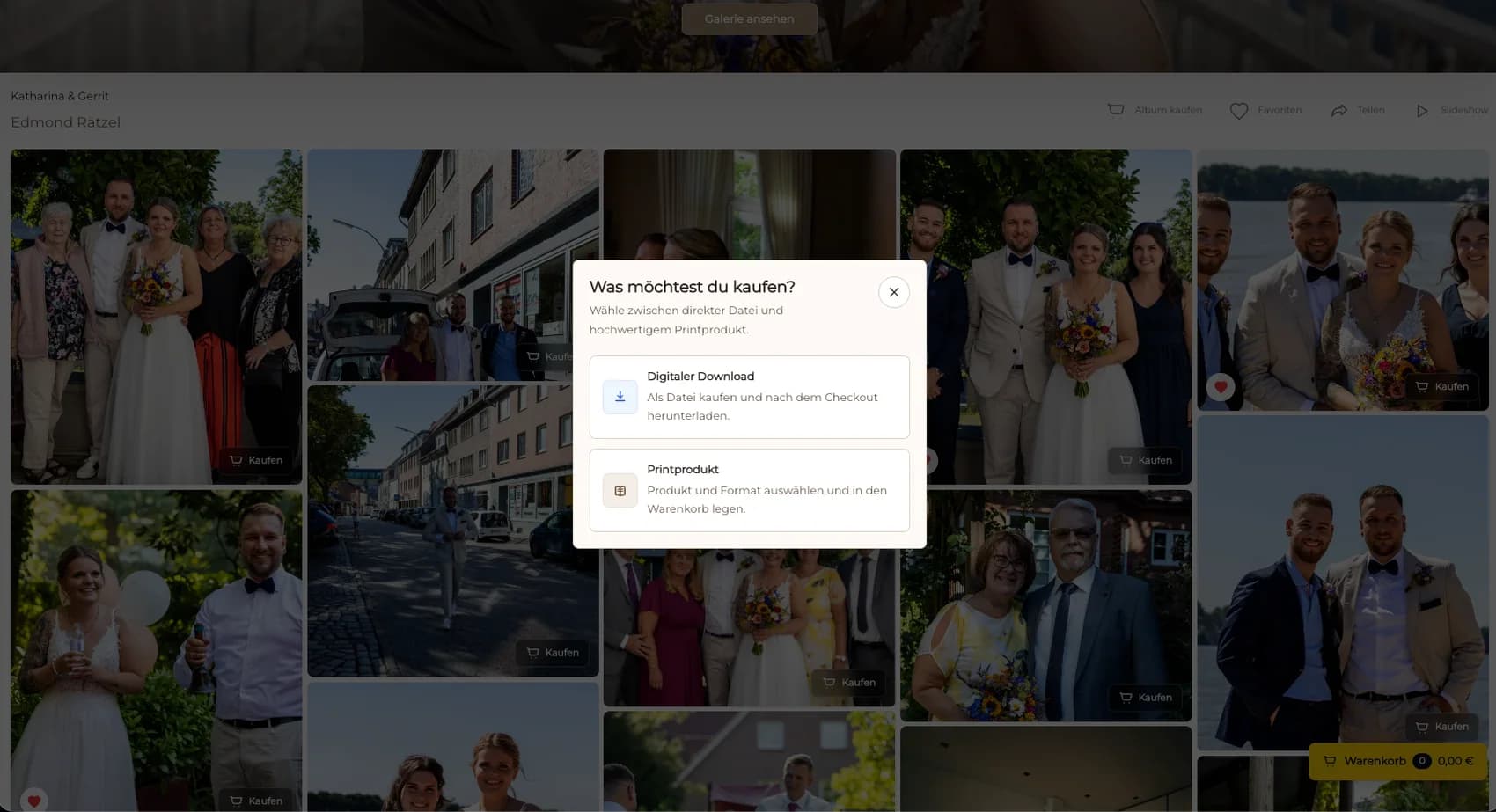
The photographer allows an eligible client to choose between a digital file and a physical print while protecting included deliverables and keeping every price and product deliberate.
A studio keeps album design and album production in their responsible tools while testing GalleryDock for a narrower client-gallery print sale instead of implying that one system replaces the other.
Frequently asked questions
A Zno print store alternative should be evaluated by the client's immediate job: using a broader album and store ecosystem or purchasing a configured digital file or physical print from a commissioned GalleryDock gallery. GalleryDock does not reproduce Zno's documented album ecosystem, estore, design tools, product catalog, laboratory services, fulfillment, shipping, integrations, plans, or feature set.
Use current official Zno product information, the signed package, album and print responsibilities, the GalleryDock configuration, producer specifications, and one representative completed order. Test the intended client action on desktop and mobile, then verify the authoritative record, support path, production responsibility, closeout, and fallback before replacing a proven process.
No. Keep source files, redundant backups, contracts, invoices, tax decisions, licensing records, client communication, production specifications, and legal documentation in the systems responsible for them. GalleryDock does not become those systems simply because the gallery participates in the workflow.
No. GalleryDock does not reproduce Zno's documented album ecosystem, estore, design tools, product catalog, laboratory services, fulfillment, shipping, integrations, plans, or feature set. Describe only the current capability you verified. Recheck changing provider facts directly before migration, purchase, or a client-facing promise.
Start with one reversible paid-work pilot. Explain available actions, included and optional items, response expectations, production ownership, and support. Preserve the previous link and source records until the client result and studio closeout are confirmed.
Measure correct separation of album and print scope, understandable image-led choices, known manufacturing ownership, traceable order records, and no unsupported design or fulfillment promise. Review completed assignments and exceptions, not a demo, one enthusiastic client, a provider feature table, or a successful click in an administrator session.
Related resources
Pricing
Free forever
0 EUR
EUR 0 per month
Perfect for sharing your first galleries professionally.
Start free, no credit card required
Monthly
19 EUR
EUR 228 billed yearly. plus VAT
Ideal for photographers who regularly deliver client galleries.
For regular client delivery
Monthly
29 EUR
EUR 348 billed yearly. plus VAT
For photographers managing many projects, videos and growing storage.
For regular client delivery
Use one representative assignment to test gallery-led digital and physical photo sales, product truth, client understanding, records, production ownership, support, closeout, and recovery. Keep the existing route until the new path produces a verified result without hidden promises.
Create a free account