Attachments are easy to lose
Email can handle a handful of small files, but inbox limits, compression, forwarded threads, and multiple versions quickly make it unreliable for a complete photography delivery.
Send photos to clients
Compare email, transfer links, cloud folders, and client galleries. Learn how photographers can send photos with clear access, presentation, and downloads.
Quick answer
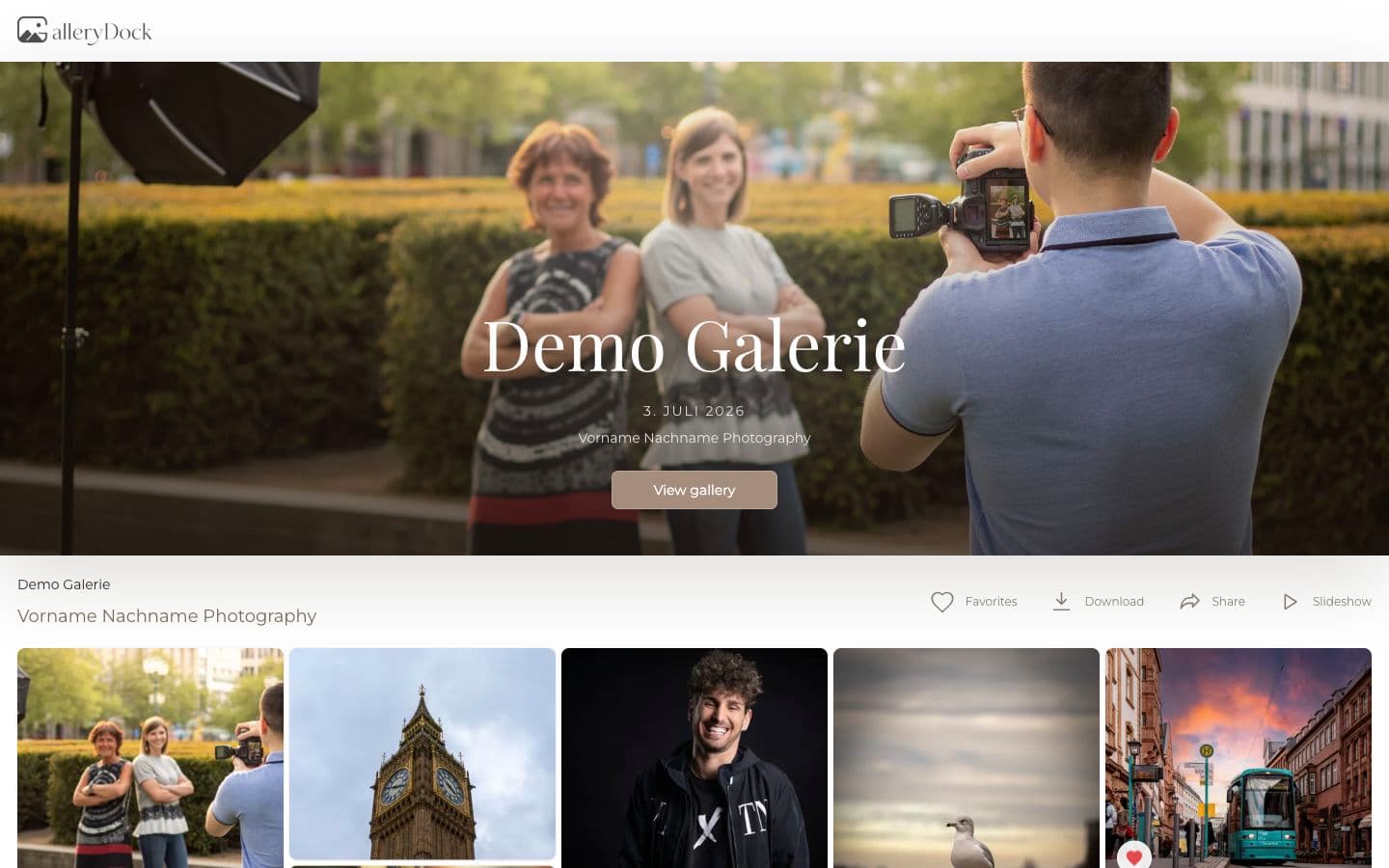
The best way to send photos depends on what should happen after the client receives the link. Email works for a few reference files, and transfer services work for a one-time handoff. A client gallery is stronger when presentation, private access, favorites, downloads, and follow-up all matter. GalleryDock gives photographers one branded place to manage that experience.
Start with the handoff
A finished assignment still needs context: whose gallery this is, what the client may download, whether feedback is still open, and where they should return later. The delivery method shapes how professional that final part of the project feels.
Email can handle a handful of small files, but inbox limits, compression, forwarded threads, and multiple versions quickly make it unreliable for a complete photography delivery.
Transfer services are useful for moving a package once. They are less useful when the client needs a gallery they can revisit, share deliberately, or use for selections and comments.
The cover, image order, gallery sections, photographer identity, and clear actions turn delivery into an experience instead of presenting the work as an anonymous folder of files.
A dependable process
A reliable delivery starts before you copy the link. Confirm what is final, what the client may download, how long the gallery should remain available, and who is allowed to access it.
01
Check crops, color, filenames, ordering, and the versions included in the agreement. Open representative files before upload so a successful export is not assumed from a completed progress bar.
02
Add the final set to a clearly named gallery, choose the cover, organize sections when the story benefits from them, and remove any proof that should not be delivered.
03
Use a private link, add a password when appropriate, and enable the download options that match your contract. Do not make the client guess which files are final.
04
Explain what the link contains, how to download, whether sharing is allowed, and whom to contact if something is missing. Keep those instructions shorter than the gallery experience itself.
After the link is sent
The handoff may lead to a download, a favorite selection, feedback, internal approval, or an additional image purchase. When those actions are connected to the gallery, you avoid rebuilding the project around another tool.
Instead of searching an old download folder, the client can revisit the gallery and recognize the collection through the cover, image sequence, and familiar presentation.
A gallery link is easier to explain than a package of attachments. You can set expectations about who may receive it and whether a password should be shared separately.
Delivery carries your studio identity through the last client-facing step. That makes the service feel complete even when the practical goal is simply to release the files.

Comparison
Not every job needs a full gallery, but every method has a point where it stops helping. Choose based on file volume, presentation, access, feedback, and how long the client needs the collection.
| Approach | Best for | Tradeoff |
|---|---|---|
| Email attachments | A few small references or quick approvals | Limits, compression, and weak presentation for complete jobs |
| Transfer service | One-time delivery of a prepared package | Temporary and disconnected from proofing or client experience |
| Cloud storage folder | Ongoing shared storage or internal collaboration | Folder administration replaces a photographer-led delivery flow |
| USB drive | A physical handoff specifically promised in the package | Slower, harder to update, and easy for the client to misplace |
| GalleryDock client gallery | Branded viewing, private sharing, proofing, and downloads | Needs a few minutes of gallery setup before the handoff |
Organize a large collection so the couple can view the day as a story, download the included files, and share the link according to your access guidance.
Give the client one gallery for approved portraits or campaign assets, with clear file versions and a handoff their marketing team can understand.
Use one gallery to confirm favorites, finish the chosen retouching, and then release the completed files without changing the client’s familiar destination.
Frequently asked questions
A client gallery is a strong choice when clients need to view, select, share, or download photos in a branded and organized space. A transfer link may be enough for a simple one-time file handoff.
A few files may fit, but email attachment limits and compression make it unreliable for a complete high-resolution gallery.
Use a private gallery link, enable password protection when appropriate, and communicate clearly about who may access or share the gallery.
A ZIP is practical for a final package. A gallery link is better when the client should first browse the work, understand the collection, select favorites, or choose a download option.
Yes. Photographers can configure download availability so clients receive the files intended for their gallery and agreement.
Include the gallery link, a short explanation of what is final, download guidance, access or password instructions, sharing expectations, and a contact path for questions.
Related resources
Pricing
Free forever
0 EUR
EUR 0 per month
Perfect for sharing your first galleries professionally.
Start free, no credit card required
Monthly
19 EUR
EUR 228 billed yearly. plus VAT
Ideal for photographers who regularly deliver client galleries.
For regular client delivery
Monthly
29 EUR
EUR 348 billed yearly. plus VAT
For photographers managing many projects, videos and growing storage.
For regular client delivery
Create a GalleryDock gallery, organize the client’s photographs, and deliver the work in a place built for viewing as well as downloading.
Create a free account