01
Use a clean master
Export from the approved brand artwork rather than a screenshot, compressed email attachment, or low-resolution web preview. Cropped edges and accumulated compression become more visible after repeated processing.
Watermark asset preparation
Prepare a readable watermark logo with suitable file format, transparency, contrast, simplified detail, and a representative photo test before client delivery.
Quick answer
A logo designed for a website header is not automatically ready to work as a photo watermark. Begin with a clean source file, simplify fine detail that disappears at preview size, and prepare light and dark artwork when the brand requires both. GalleryDock currently accepts JPG, PNG, WebP, or HEIC watermark-logo uploads up to 5 MB, processes the source as WebP, and keeps it within a 1600 by 1600 pixel box. A single-color logo with a transparent PNG background is often the most predictable starting point, but the photographer still needs to inspect the rendered result on light, dark, detailed, and low-contrast photographs. GalleryDock does not automatically choose a different logo, contrast, location, or opacity for every image.
Source artwork
Small preview marks reward clear shapes and controlled spacing.
01
Export from the approved brand artwork rather than a screenshot, compressed email attachment, or low-resolution web preview. Cropped edges and accumulated compression become more visible after repeated processing.
02
Thin taglines, tiny registration marks, and complex flourishes can disappear when the logo is reduced. Keep the version recognizable at the actual size clients will see over photographs.
03
A transparent PNG often provides a predictable single-color mark without a visible rectangular background. JPG can be accepted, but it cannot preserve transparency and may introduce an unwanted box.
04
Avoid excessive empty canvas that makes the visible logo appear too small. Also avoid cutting the artwork tightly enough that strokes touch the file boundary after scaling.
Contrast
One mark cannot be judged on a single convenient photograph.
01
A white or light mark can work on dark scenes, while a black or dark mark can work on bright scenes. Keep both variants aligned with the same approved brand geometry.
02
Review thin lines and small counters against detailed backgrounds. If the mark breaks apart, simplify the artwork rather than assuming a larger upload file will solve the visual problem.
03
The logo should remain legible without covering faces, products, text, or important composition. Watermarking is a communication choice, not permission to obscure the client's ability to review the work.
04
Build one representative test set and compare variants under the same conditions. Changing the photo, scale, and artwork simultaneously makes the result difficult to evaluate.
GalleryDock workflow
The file is only ready when the published client view behaves as intended.
01
Use JPG, PNG, WebP, or HEIC up to 5 MB. GalleryDock processes the uploaded source into a WebP asset within a 1600 by 1600 pixel box without enlarging a smaller source.
02
Confirm that the uploaded logo is the intended variant and has not inherited an opaque background, wrong crop, or obsolete brand version before enabling it for a gallery.
03
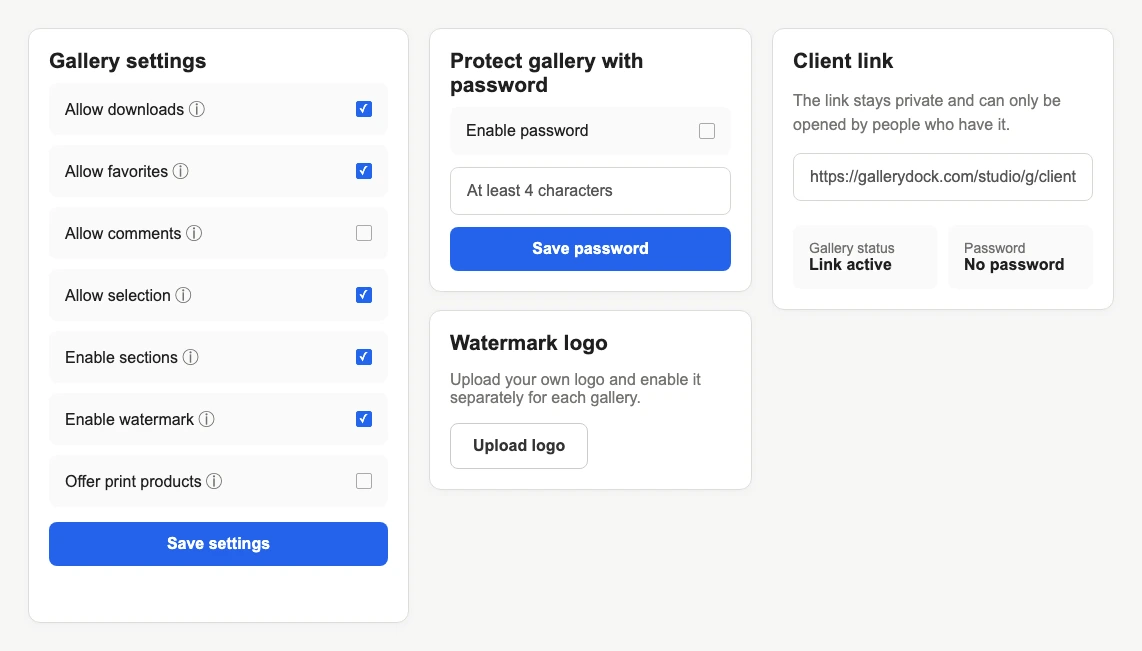
The watermark logo is stored separately from the gallery-level activation. Enable the mark only where the workflow calls for watermarked previews and save the gallery settings.
04
Open the published gallery signed out, review varied photographs, and verify the download path. GalleryDock does not automatically optimize contrast, position, or opacity image by image.


Comparison
Format is only one part of a usable watermark asset.
| Approach | Best for | Tradeoff |
|---|---|---|
| Transparent PNG | Simple single-color logo artwork | File size can be larger before processing |
| WebP | Compact prepared raster asset | Needs careful transparency export |
| JPG | Opaque artwork | Cannot preserve transparent background |
| HEIC | Supported source capture | Usually not the ideal brand-master format |
| Detailed full lockup | Large brand placements | Small text may fail on photo previews |
The photographer prepares a simple light logo and checks it over hair, clothing, skin tones, and bright backgrounds before inviting the client.
The studio tests dark and light variants against reflective products, packaging, and brand colors so the watermark remains visible without hiding review details.
A compact mark identifies previews across dim venues and bright daylight images, while the final delivery path is reviewed separately from the proof setting.
Frequently asked questions
The current upload accepts JPG, PNG, WebP, or HEIC files up to 5 MB.
GalleryDock processes the source as WebP and keeps it within a 1600 by 1600 pixel box without enlarging smaller artwork.
No, but a single-color logo with a transparent PNG background is often a predictable starting point for photo overlays.
No. It does not automatically switch logo variants or analyze each image's contrast.
Only if it remains legible at the rendered preview size. A simpler mark is usually more reliable across varied photographs.
Inspect the published client view on a fixed set of light, dark, detailed, and low-contrast photographs before delivery.
Related resources
Pricing
Free forever
0 EUR
EUR 0 per month
Perfect for sharing your first galleries professionally.
Start free, no credit card required
Monthly
19 EUR
EUR 228 billed yearly. plus VAT
Ideal for photographers who regularly deliver client galleries.
For regular client delivery
Monthly
29 EUR
EUR 348 billed yearly. plus VAT
For photographers managing many projects, videos and growing storage.
For regular client delivery
Export simple artwork, upload a supported file, activate it only where needed, and inspect the signed-out client view before sharing.
Create a free account