01
Write down the current bottleneck
Describe where the client or team loses time today. If the problem is not inside the post-shoot journey, a new gallery may not be the correct fix even when its presentation looks attractive.
Pic-Time alternative for photographers
Pic-Time alternative for photographers: compare client experience, proofing, delivery, sales, ecosystem scope, and adoption boundaries before choosing GalleryDock.
Quick answer
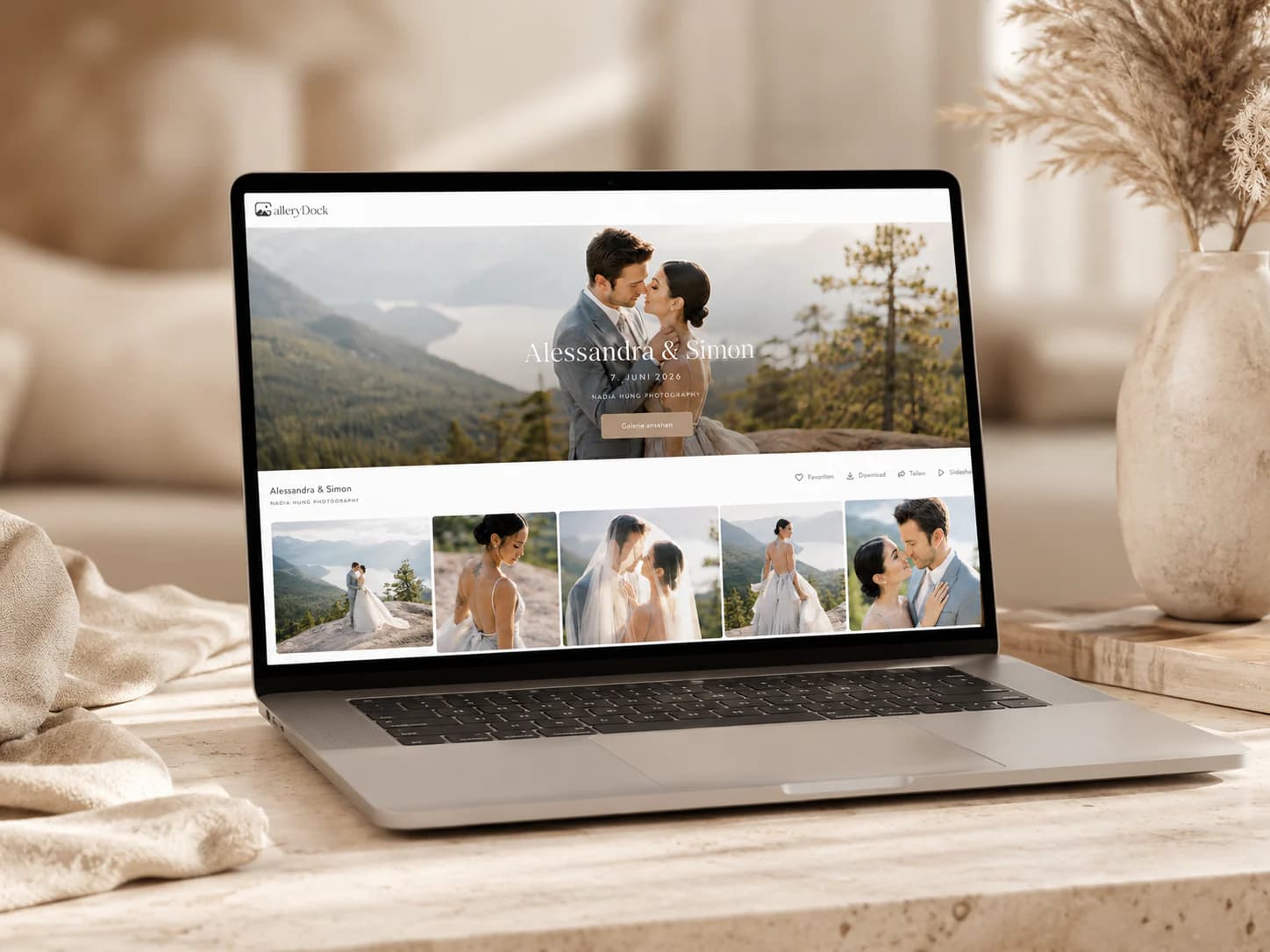
Pic-Time centers immersive client galleries with a connected sales and marketing ecosystem, while GalleryDock centers a private post-shoot client journey for presentation, selection, feedback, delivery, and configured sales. This is not a claim that GalleryDock reproduces Pic-Time's AI search, marketing automations, album design, lab relationships, or complete commerce ecosystem; confirm current provider details and plan limits directly before switching.
Category before features
Pic-Time is commonly evaluated for immersive client galleries with a connected sales and marketing ecosystem. GalleryDock is evaluated here for a calm post-shoot path from curated gallery through client decisions and final handoff. Naming those centers first prevents a misleading checkbox contest between products that can overlap without carrying identical responsibilities.
01
Describe where the client or team loses time today. If the problem is not inside the post-shoot journey, a new gallery may not be the correct fix even when its presentation looks attractive.
02
Record how Pic-Time currently supports immersive galleries, connected commerce, marketing automations, album design, and broader presentation tools. Keep capabilities that already work out of the migration scope unless the pilot produces a specific, measurable reason to change them.
03
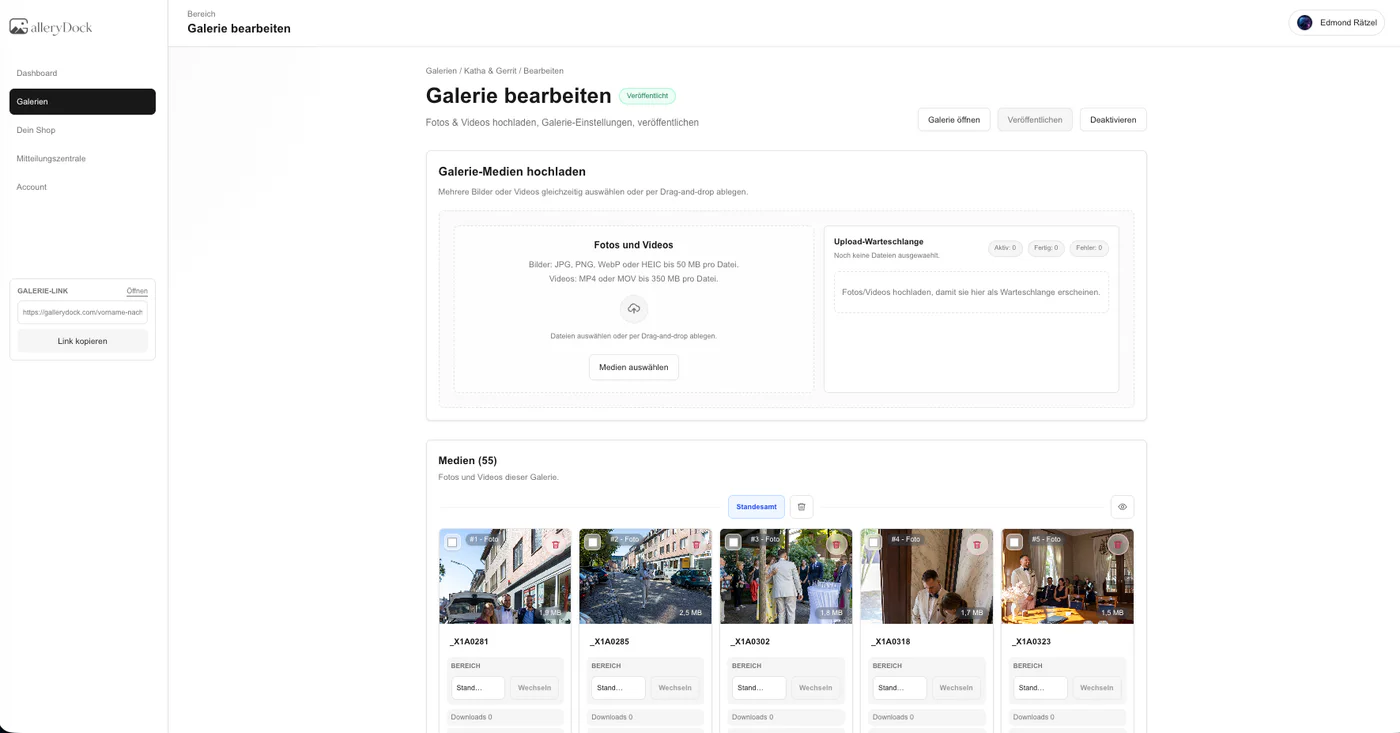
Limit the first evaluation to a private, branded client destination for curated presentation, favorites, comments, controlled downloads, and configured sales. This boundary makes ownership and success measurable.
04
Source-file storage, redundant backup, editing, contracts, scheduling, accounting, and legal records stay in their designated systems. A gallery is a client surface, not proof of a complete business migration.
Client journey
A useful Pic-Time alternative test follows a client from invitation to completion and records where access, decisions, context, or the final handoff becomes unclear.
01
Send the same concise instructions you would use for a paid assignment. Test the link on a phone and computer, verify optional protection deliberately, and remove internal terminology that a client would not understand.
02
State whether a favorite is a retouching choice, album candidate, included file, team shortlist, or optional purchase. The software records an action; the package and photographer define its consequence.
03
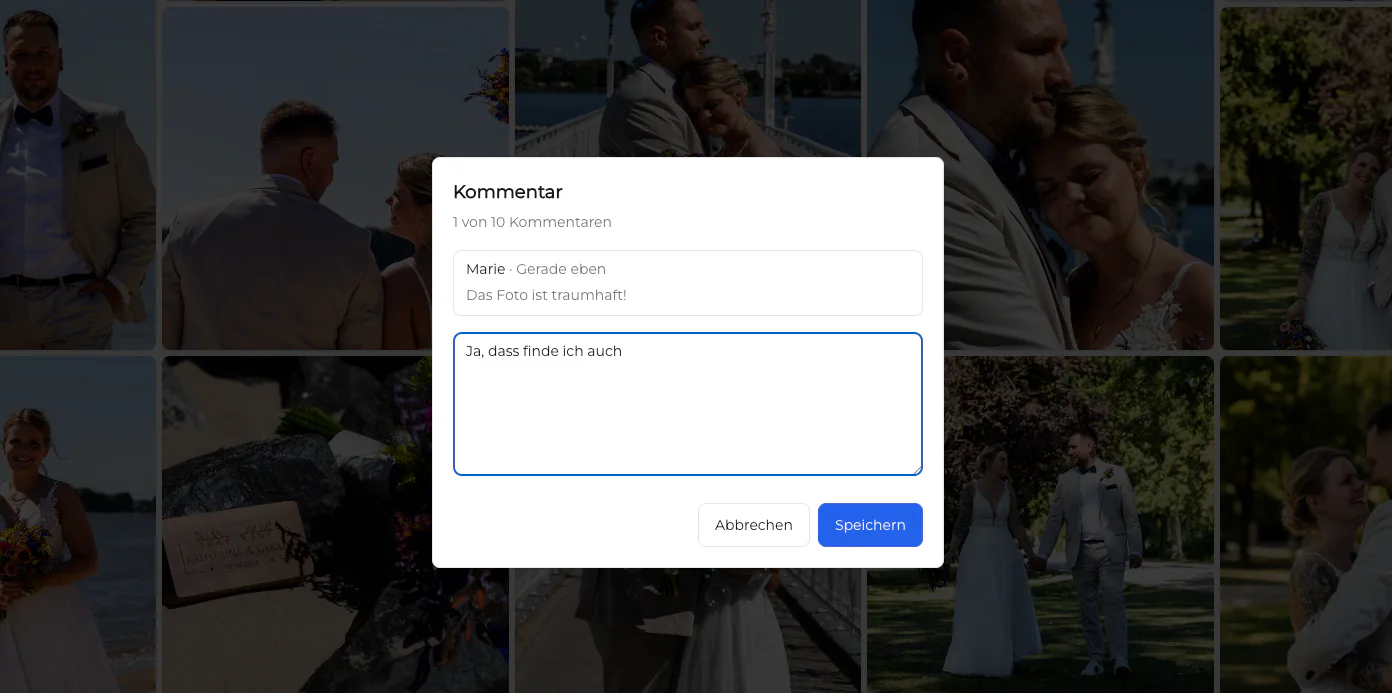
Ask reviewers to attach crop, retouching, approval, or replacement notes to the relevant image. Confirm who consolidates stakeholder input and how the studio resolves conflicting requests.
04
Verify that approved files are clearly separated from proofs and that download access matches the assignment. The final email should identify what is available, for how long, and where future questions belong.
Sales without assumptions
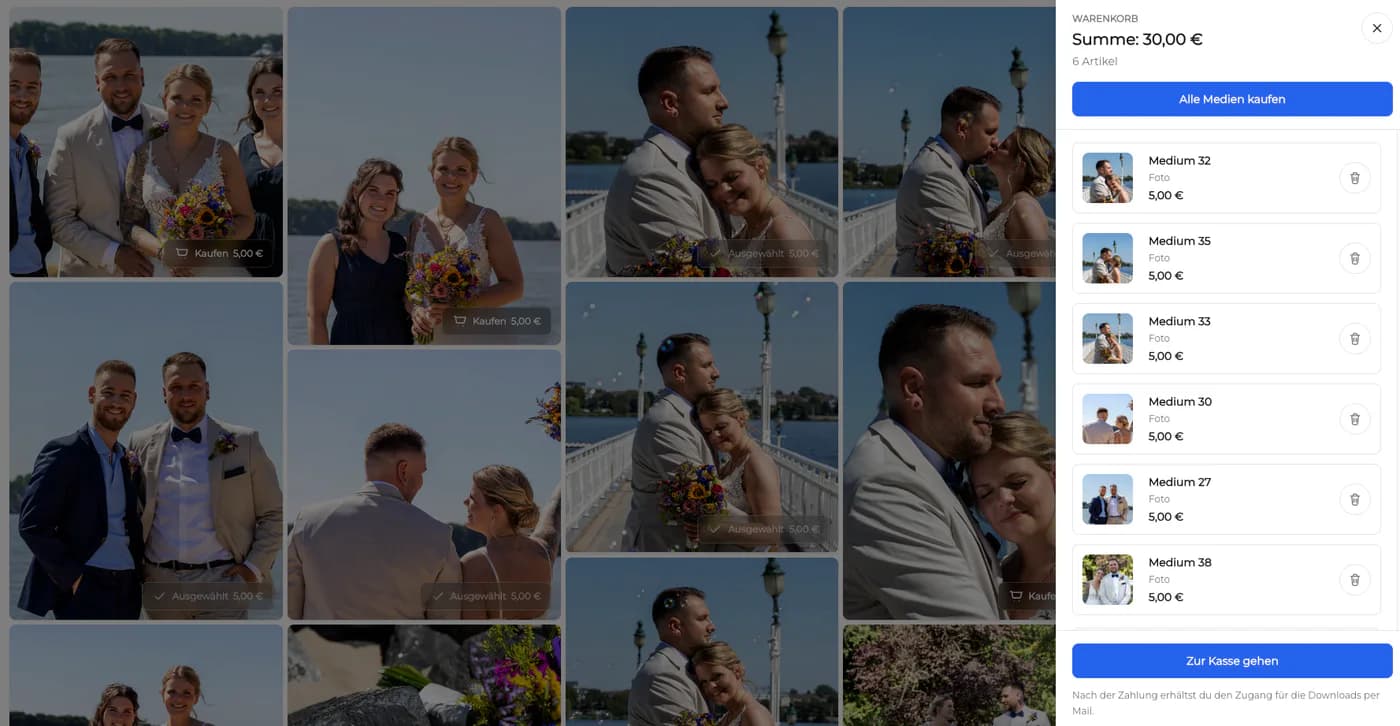
This comparison recognizes Pic-Time's commerce and marketing orientation without claiming that GalleryDock recreates it. GalleryDock can place configured digital and physical offers near the client gallery, but the existence of a store does not decide which products belong in a package or how fulfillment, taxes, support, and customer expectations are handled.
01
Write the included quantity and resolution into the package before the gallery opens. Optional products should not make the client uncertain about files they have already paid to receive.
02
Use current costs, service time, licensing, positioning, and margin rather than copying a competitor example. This page intentionally publishes no competitor price, commission, storage, or plan comparison.
03
A client should understand what is being purchased, what happens after checkout, and where support comes from. Do not infer fulfillment partners, turnaround times, tax treatment, or revenue outcomes from a gallery screenshot.
04
Track completed selections, clarified feedback, successful delivery, support questions, and eligible purchases. Vanity metrics do not show whether the workflow reduced administration or improved client confidence.
Adoption boundary
A safe decision does not begin by deleting projects or promising a wholesale migration. It identifies dependencies, exports the records that must remain available, and proves the new client path while Pic-Time is still accessible.
01
List domains, embedded galleries, client links, stored projects, automation, contracts, integrations, analytics, and team procedures connected to Pic-Time. A feature page cannot reveal every operational dependency.
02
Use a current but noncritical assignment with a cooperative client. Keep the original files, delivery record, and previous workflow available until the final handoff and any configured purchase path have been verified.
03
Give the photographer, editor, studio manager, and client only the instructions required for their role. Record where they hesitate, because repeated explanations are evidence that the workflow or copy needs refinement.
04
Adopt the new path only if it improves named outcomes such as fewer clarification emails, faster selection completion, clearer approvals, reliable downloads, or a more consistent branded handoff.
Decision record
The final decision should state why the studio is keeping, combining, or replacing a client-facing step. That record is more useful than declaring one product universally better, because it connects the tool choice to a specific audience, package, and responsibility.
01
Pic-Time can remain responsible for immersive galleries, connected commerce, marketing automations, album design, and broader presentation tools, while GalleryDock handles a calm post-shoot path from curated gallery through client decisions and final handoff. A documented handoff is often safer than forcing unrelated work into one platform.
02
GalleryDock is a stronger candidate when the unmet need is a connected private path for viewing, selection, image-specific feedback, final delivery, and configured digital or physical sales.
03
If clients already complete the process reliably and the proposed change has no measurable benefit, retaining Pic-Time can be the lower-risk decision.
04
Revisit the decision after several representative assignments. Confirm that the improvement survives different clients, devices, project sizes, and team members before making it the studio standard.
Comparison
Verify these differences with one representative client assignment before switching.
| Approach | Best fit | Boundary to verify |
|---|---|---|
| Pic-Time: immersive client galleries with a connected sales and marketing ecosystem | Photographers who want immersive galleries, connected commerce, marketing automations, album design, and broader presentation tools and are prepared to configure the wider product around that priority. | The decision becomes weak if the studio assumes every surrounding capability is necessary for each commissioned client job. |
| GalleryDock: private post-shoot client workflow | Photographers who want presentation, favorites, image-specific comments, controlled downloads, and configured digital or physical sales in one client destination. | GalleryDock is not positioned as a substitute for Pic-Time's AI search, marketing automations, album design, lab relationships, or complete commerce ecosystem; those responsibilities remain in their proper tools. |
| Client decisions | Teams that need to define what a favorite, comment, approval, download, or purchase means before the link is sent. | A polished interface cannot repair an undefined package, unclear approval owner, or inconsistent final-file policy. |
| Sales context | This comparison recognizes Pic-Time's commerce and marketing orientation without claiming that GalleryDock recreates it. | The photographer still owns product eligibility, pricing, taxes, fulfillment choices, customer communication, and the distinction between included files and optional purchases. |
| Operations and records | Studios that deliberately separate the client-facing gallery from source-file backup, contracts, accounting, lead management, and long-term archives. | Neither a gallery comparison nor a successful demo proves that the complete business stack has been replaced. |
| Adoption test | A real wedding and portrait assignment tested on desktop and mobile from invitation through final delivery. | A feature checklist without client observation can hide confusing instructions, access friction, duplicated messages, or an unnecessary migration. |
The studio already has contracts, accounting, archives, and editing under control. Its missing layer is a calmer way for clients to review curated work, mark selections, leave image-specific notes, and receive finals without reconstructing context from email threads.
The photographer values immersive client galleries with a connected sales and marketing ecosystem and does not want a disruptive migration. A GalleryDock pilot is limited to one client-facing stage, while the existing Pic-Time setup remains available until the team can compare support effort and client behavior.
The team documents which system owns leads, contracts, source files, final exports, galleries, client decisions, and sales. GalleryDock is evaluated only for a calm post-shoot path from curated gallery through client decisions and final handoff, avoiding an unrealistic expectation that one interface should own the entire company.
Frequently asked questions
No. GalleryDock centers the post-shoot client journey. This comparison does not claim parity with Pic-Time's AI search, marketing automations, album design, lab relationships, or complete commerce ecosystem, and it does not promise that existing projects or settings migrate automatically.
Start with the client task that currently creates friction: selection, image-specific feedback, final delivery, or an optional purchase. Then test that exact task with a representative gallery instead of beginning with an abstract feature inventory.
Yes. Favorites and image-specific comments can keep decisions attached to the relevant photograph. The photographer should still explain what each action means and who confirms the final set.
GalleryDock supports configured digital and physical sales. Availability, product setup, pricing, fulfillment, taxes, and client communication remain business decisions and must not be inferred from this comparison.
No. Keep source files and long-term backups in an independent storage strategy, and keep contracts, scheduling, invoices, leads, and accounting in the systems responsible for those records.
Run one noncritical assignment in parallel, document the client instructions, collect mobile and desktop feedback, verify final-file access, and keep the current workflow available until the new path has completed successfully.
Related resources
Pricing
Free forever
0 EUR
EUR 0 per month
Perfect for sharing your first galleries professionally.
Start free, no credit card required
Monthly
19 EUR
EUR 228 billed yearly. plus VAT
Ideal for photographers who regularly deliver client galleries.
For regular client delivery
Monthly
29 EUR
EUR 348 billed yearly. plus VAT
For photographers managing many projects, videos and growing storage.
For regular client delivery
Create a focused GalleryDock pilot for a representative wedding and portrait job, observe the client journey, and decide from evidence rather than assuming a full Pic-Time replacement.
Create a free account