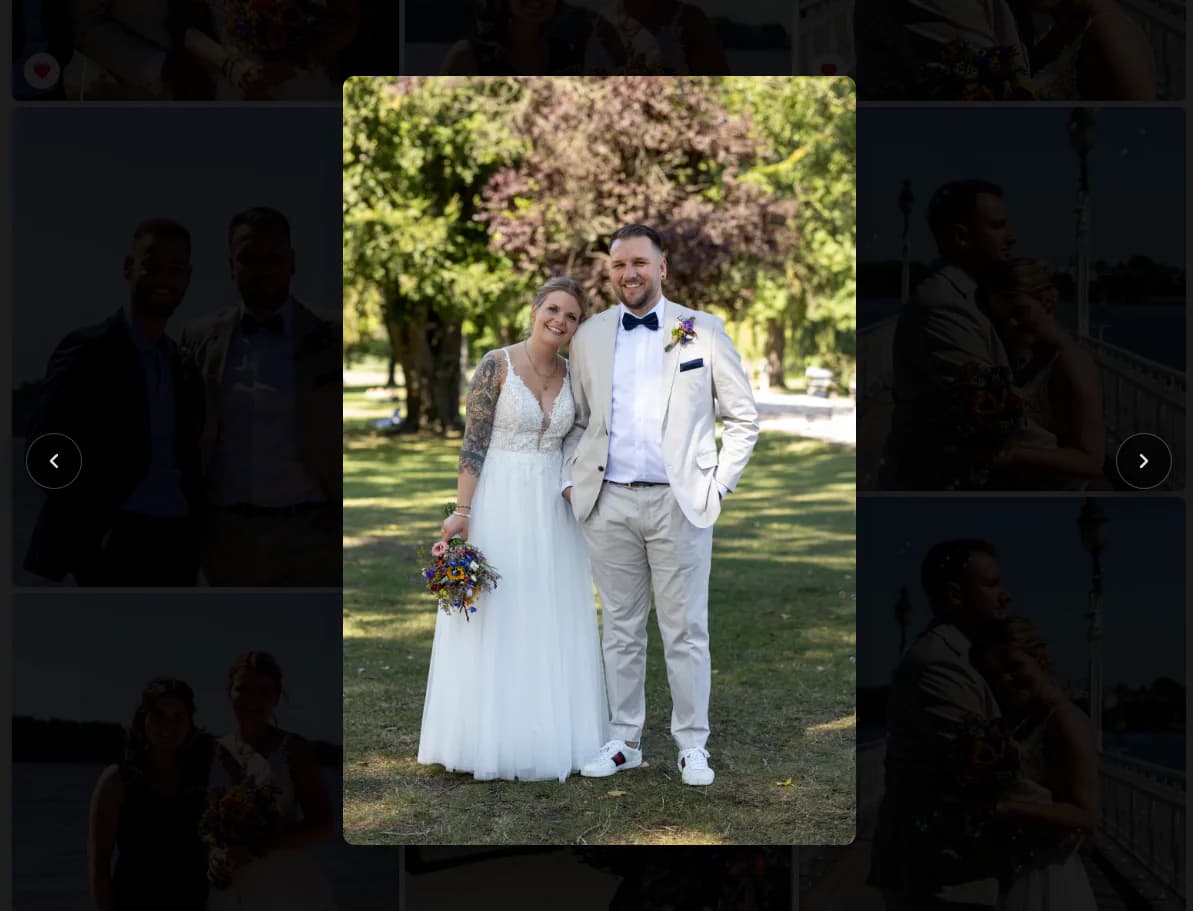
Photo sequencing for storytelling turns a collection of individually strong photographs into an experience that clients can follow. The sequence should establish where the viewer is, introduce the people or subject, vary wide and close perspectives, and close with an image that feels intentional. This guide explains a practical manual editing process for photographers who deliver weddings, events, portraits, families, or brand stories through a client gallery. GalleryDock preserves the order chosen by the photographer; it does not analyze scenes, write a story, or automatically rearrange images. The creative judgment remains with the person who photographed and edited the assignment.
Opening
Give the viewer context before asking for attention
The first group of photographs establishes the promise of the story and helps a client understand where the sequence begins.
01
Choose an establishing image
Begin with a frame that identifies the place, people, or emotional direction of the assignment. A wide scene can orient the viewer, while a strong portrait can work when the person is the unmistakable center of the story.
02
Introduce important people
Bring the central participants into the sequence early enough that later reactions and details have meaning. For a wedding, that may be the couple and immediate setting; for a brand shoot, it may be the founder and working environment.
03
Avoid a technical opening
Do not let filename order, camera time, or upload order decide the first impression by accident. Test frames and near-duplicates may be chronologically early, but they rarely make a confident introduction for a client.
04
Set one visual promise
Use the opening to signal whether the gallery will feel intimate, energetic, documentary, polished, or quiet. The following images can vary, but the initial promise gives those changes a coherent frame.
Rhythm
Alternate information, emotion, and visual scale
A useful sequence changes pace while keeping related moments close enough to remain understandable.
01
Move between wide and close
Pair environmental frames with medium views and details so the gallery does not feel visually flat. Scale changes help the viewer notice both the overall event and the small gestures that give it personality.
02
Remove redundant neighbors
Two similar photographs may both deserve delivery, but placing them together can stall the story. Separate them when they contribute different information, or choose the stronger frame when the difference is only technical.
03
Group one scene at a time
Keep a recognizable action or location together long enough to be understood. A scene should not be fragmented by unrelated images merely to create variety; variety works best inside a clear narrative boundary.
04
Use transitions intentionally
A doorway, landscape, detail, or quiet portrait can bridge one phase into another. The transition does not need to be dramatic, but it should make the next location, outfit, or activity feel expected rather than abrupt.
Ending
Finish with resolution and verify the complete path
The final section should slow the experience, confirm what the assignment was about, and leave a clear last impression.
01
Select a closing image
Choose a photograph that feels conclusive: a departure, an embrace, a calm environmental frame, or a strong final portrait. The best closer depends on the assignment, not on which file happened to upload last.
02
Check the emotional landing
Review the last five to ten images as a group. A powerful final frame loses impact when several weaker variations follow it, while an abrupt ending can make a complete gallery feel unfinished.
03
Preview desktop and mobile
Scroll the published view at both widths and watch where major images, repeated poses, and scene changes appear. Responsive layouts change how quickly viewers encounter each photograph even when the underlying order stays the same.
04
Keep the process manual
GalleryDock displays the photographer's chosen order. It does not recognize scenes, rank emotional importance, or automatically build a story, so the final review remains a creative editorial responsibility.
Test scene changes on mobileCheck the transition on a narrow screen because mobile scrolling makes weak repetitions especially obvious.Choose a deliberate endingThe final image should provide resolution rather than feeling like the upload simply stopped.
Comparison
Ways to order a client gallery
The right method depends on the assignment and on what the client should experience.
Approach
Best for
Tradeoff
Upload order
Very small technical transfers
Usually reflects workflow, not story
Strict chronology
Documentary timelines
Can preserve repetitive or weak transitions
Theme groups
Brand and editorial sets
May obscure the real event timeline
Favorites first
Quick highlight previews
Can remove context from later images
Manually edited sequence
A paced client story
Requires the photographer's judgment and review
Wedding day
Move from place and anticipation through ceremony, portraits, dinner, and celebration, then finish with a frame that releases the day's energy.
Personal brand session
Introduce the person, establish the workplace, alternate process details with portraits, and close on the clearest expression of the brand.
Family documentary
Use the environment to orient viewers, keep related interactions together, and finish with a quieter frame that feels complete rather than staged.
Frequently asked questions
Questions about this workflow
What is photo sequencing for storytelling?
It is the deliberate ordering of photographs so a viewer receives context, follows changes in scene or emotion, and reaches an intentional ending.
Should a client gallery always be chronological?
No. Chronology is useful when time is central, but visual scale, emotion, and clarity may justify careful changes that keep the experience coherent.
How many similar images should stay together?
Keep only enough to show meaningful development or choice. Repeated frames that communicate the same thing usually weaken pace when placed side by side.
Does GalleryDock sequence photographs automatically?
No. GalleryDock preserves the order selected by the photographer; it does not detect scenes, choose highlights, or create an automatic story.
Why test the sequence on mobile?
A narrow screen emphasizes one image at a time and can reveal repetition, abrupt transitions, or a weak ending that is less obvious in a desktop overview.
What makes a strong final image?
A strong closer resolves the assignment emotionally or visually and does not require additional frames afterward to explain why the gallery has ended.