01
Open payout settings
Start from the payout-account area in the GalleryDock store settings.
Photography store payout setup
Set up payouts for a photography store by completing connected-account onboarding, checking payment and payout readiness, and separating customer payment from the later bank payout.
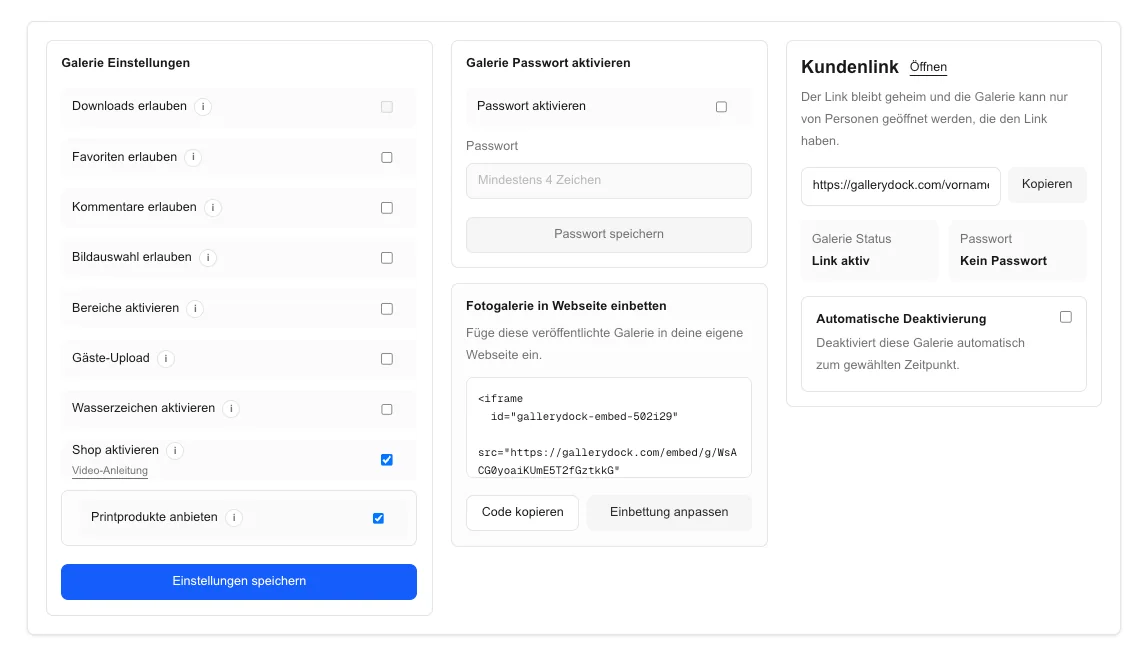
Quick answer
Set up payouts for a photography store by completing connected-account onboarding, checking payment and payout readiness, and separating customer payment from the later bank payout. GalleryDock opens the connected Stripe onboarding and reports account readiness, but it does not guarantee requested documents, fees, tax treatment, payout schedules, or bank processing times.
Workflow
Keep each handoff explicit so the client and creative team know what happens next.
01
Start from the payout-account area in the GalleryDock store settings.
02
Enter the current person, business, and bank information in the connected onboarding flow.
03
Confirm that the account reports payments and payouts as enabled.
04
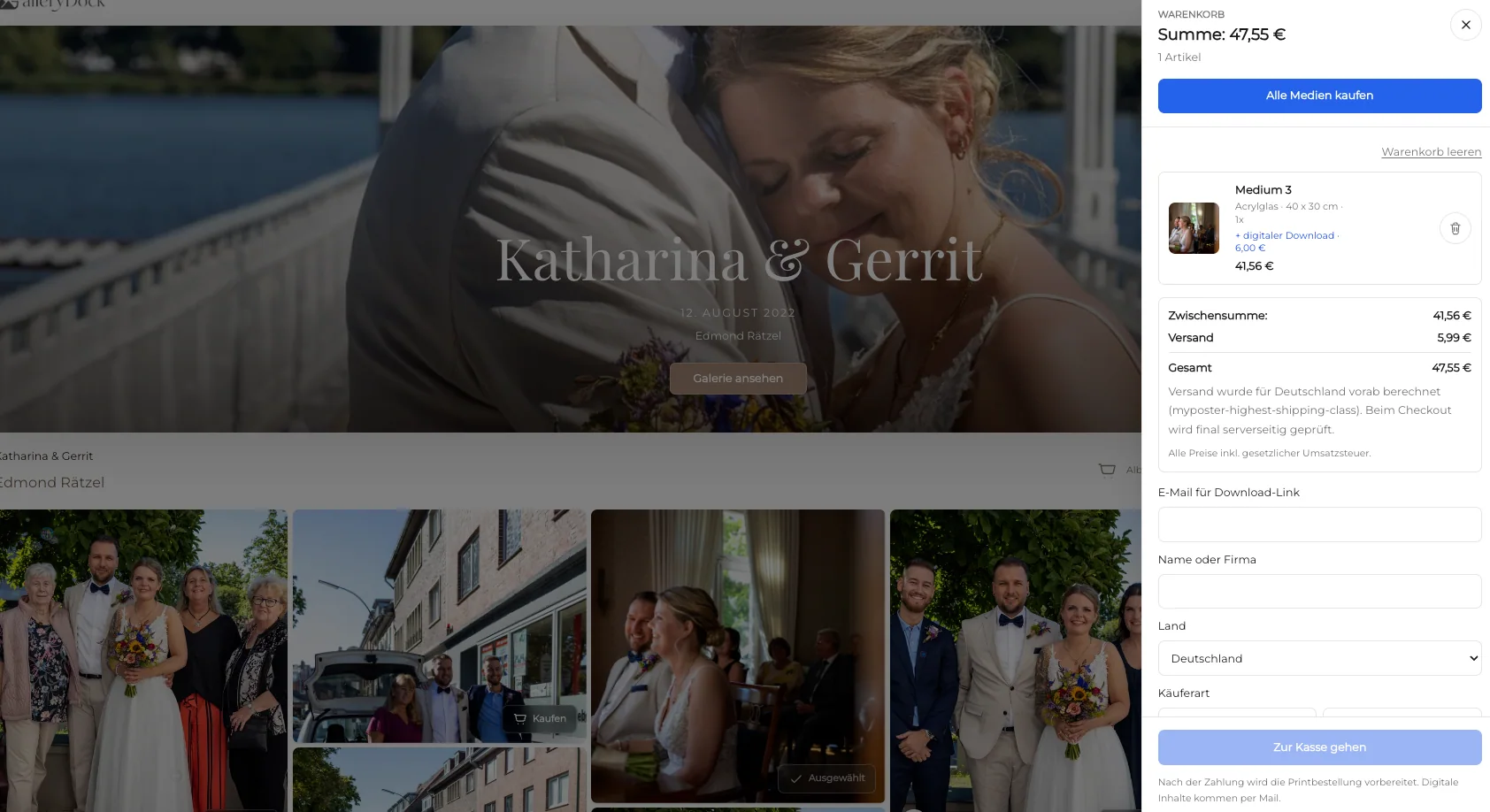
Check the store and checkout journey without assuming that a payment equals a bank payout.
Project-specific review
Review the decisions that belong to this project instead of collecting vague approval messages.
Use the current onboarding request to verify personal, business, and bank details without assuming a universal checklist.
Confirm the business identity and representative details requested for the connected account.
Return to the onboarding flow, resolve the remaining request, and recheck both capability statuses.
Treat checkout, balance availability, payout initiation, and bank arrival as distinct events.
Quality control
A successful handoff needs a tested client path and an honest boundary around what the software does.
Open the client view on desktop and mobile. Check access, readable labels, media playback or product choices, and the next action without horizontal overflow.
Use names and instructions the client understands. Keep internal production language out of the final handoff unless it helps them make a decision.
GalleryDock opens the connected Stripe onboarding and reports account readiness, but it does not guarantee requested documents, fees, tax treatment, payout schedules, or bank processing times.
Resolve every open point, verify the intended final file or order state, and only then publish or deliver the next version.
Comparison
Use this comparison to keep photography store payout setup precise and product-truthful.
| Approach | Best for | Tradeoff |
|---|---|---|
| Connected account onboarding | A photography store receiving customer payments | Requirements vary by account, country, and business |
| Manual invoice and transfer | A separately managed offline payment | The payment is outside the gallery checkout |
| Customer card payment | Completing a checkout | A successful charge is not the same as a bank payout |
| Available balance | Funds eligible for a later payout | Availability does not promise arrival at the bank |
A solo photographer completes the requested identity and bank steps before enabling a real store.
A studio checks company and representative requirements before its team publishes the shop.
A photographer returns after an interrupted session and verifies the final capability status.
Frequently asked questions
Open the store settings, start the connected Stripe onboarding, submit the information requested there, return to GalleryDock, and confirm that both payments and payouts are enabled.
Requirements vary by person, business, country, and account status. Follow the current onboarding request instead of relying on a fixed document list.
No. A customer charge, an available balance, and a bank payout are separate stages.
Reopen the account setup, complete the remaining requirements, and verify the status again before testing the store.
No. This workflow does not promise a payout schedule or bank processing time.
Confirm the legal business details requested in onboarding, the intended bank account, enabled payment and payout capabilities, and the complete test checkout path.
Related resources
Pricing
Free forever
0 EUR
EUR 0 per month
Perfect for sharing your first galleries professionally.
Start free, no credit card required
Monthly
19 EUR
EUR 228 billed yearly. plus VAT
Ideal for photographers who regularly deliver client galleries.
For regular client delivery
Monthly
29 EUR
EUR 348 billed yearly. plus VAT
For photographers managing many projects, videos and growing storage.
For regular client delivery
Use one real client project to test the complete photography store payout setup path before you make it your default.
Create a free account