Define the real workflow
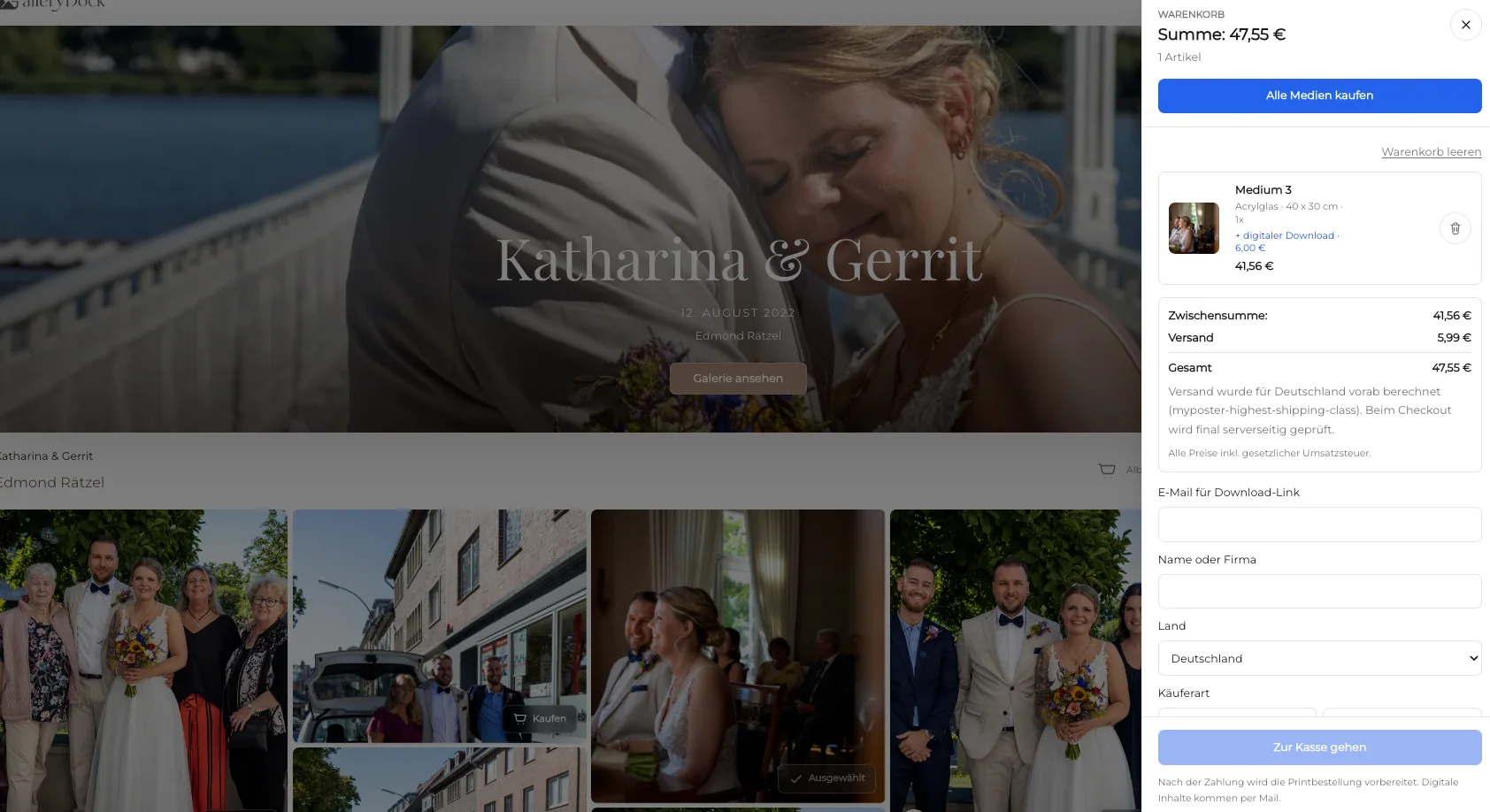
Build the cart from the selected physical products, collect the required delivery data, request the applicable shipping quote, show it separately, and require a requote after any relevant change.
Photo print shipping costs
Understand photo print shipping costs at checkout, including physical cart items, delivery destination, separate shipping totals, requotes, and unavailable states.
Quick answer
Understand photo print shipping costs at checkout, including physical cart items, delivery destination, separate shipping totals, requotes, and unavailable states. GalleryDock does not promise a universal flat rate, free shipping, every destination, a carrier, delivery speed, or a successful quote when required product or address data is unavailable.
Offer design
A useful photo print shipping costs at checkout workflow begins with a clear audience, finished photographs, and a truthful product path.
Build the cart from the selected physical products, collect the required delivery data, request the applicable shipping quote, show it separately, and require a requote after any relevant change.
Select only finished photographs that support photo print shipping costs at checkout. Remove technical misses and repetitive frames before the buyer sees the offer.
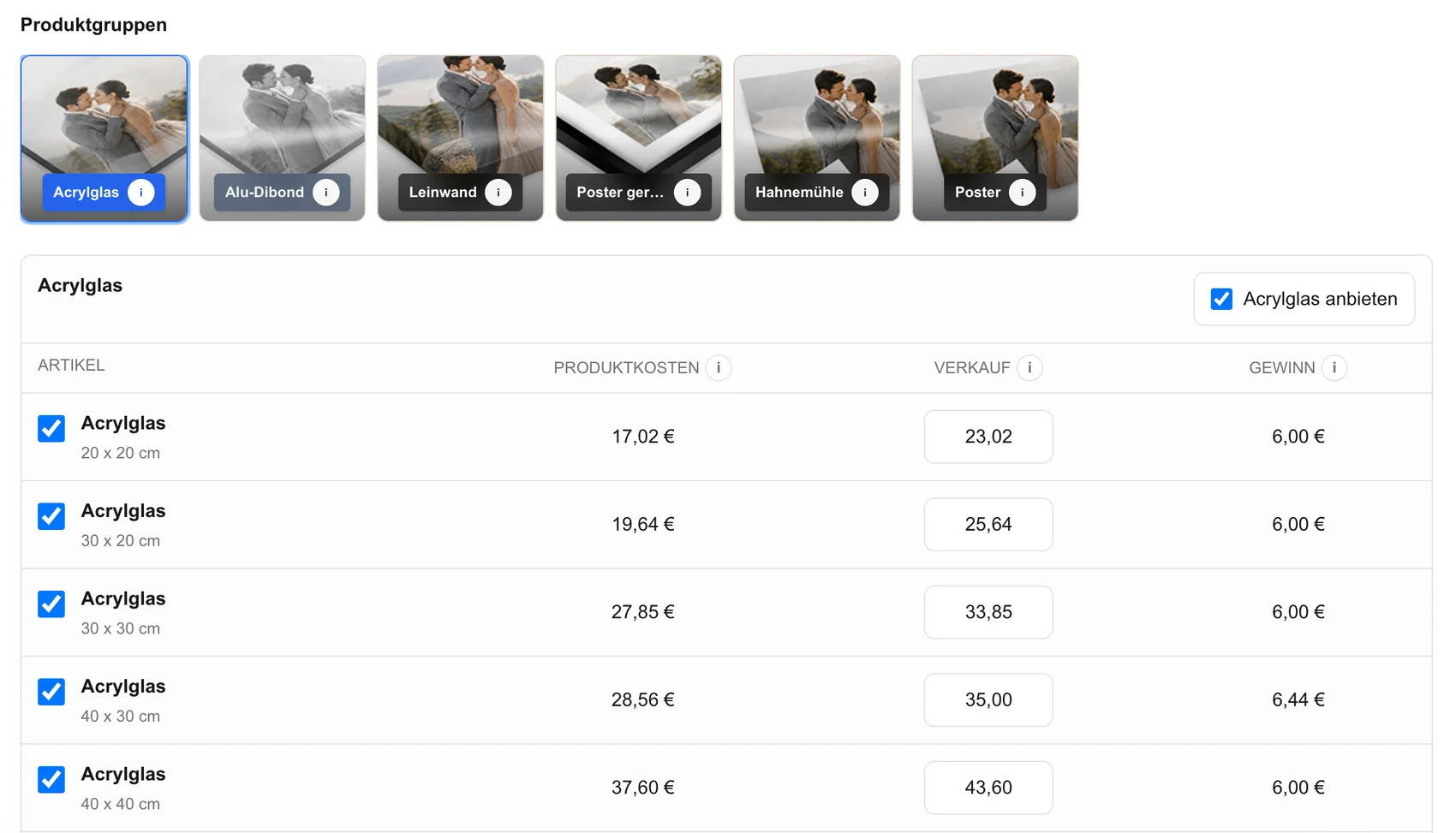
Choose configured products, dimensions, prices, and access settings for photographers explaining the shipping quote for physical photo products during checkout. Keep the offer narrow enough to understand at the image.
GalleryDock does not promise a universal flat rate, free shipping, every destination, a carrier, delivery speed, or a successful quote when required product or address data is unavailable.
Client decision
The buyer should understand which photograph is being ordered, what the configured product includes, and what remains outside the gallery workflow.
Request the shipping quote from the actual physical items and delivery destination, display it separately from merchandise, recheck it after relevant changes, and stop checkout when a valid quote cannot be obtained.
Compare the original composition with the configured formats. Protect faces, hands, important edges, horizons, text, symmetry, and intentional negative space.
Inspect the visible print area and safe area at the selected size. A preview can reveal edge problems but does not replace exact dimensions or a verified production specification.
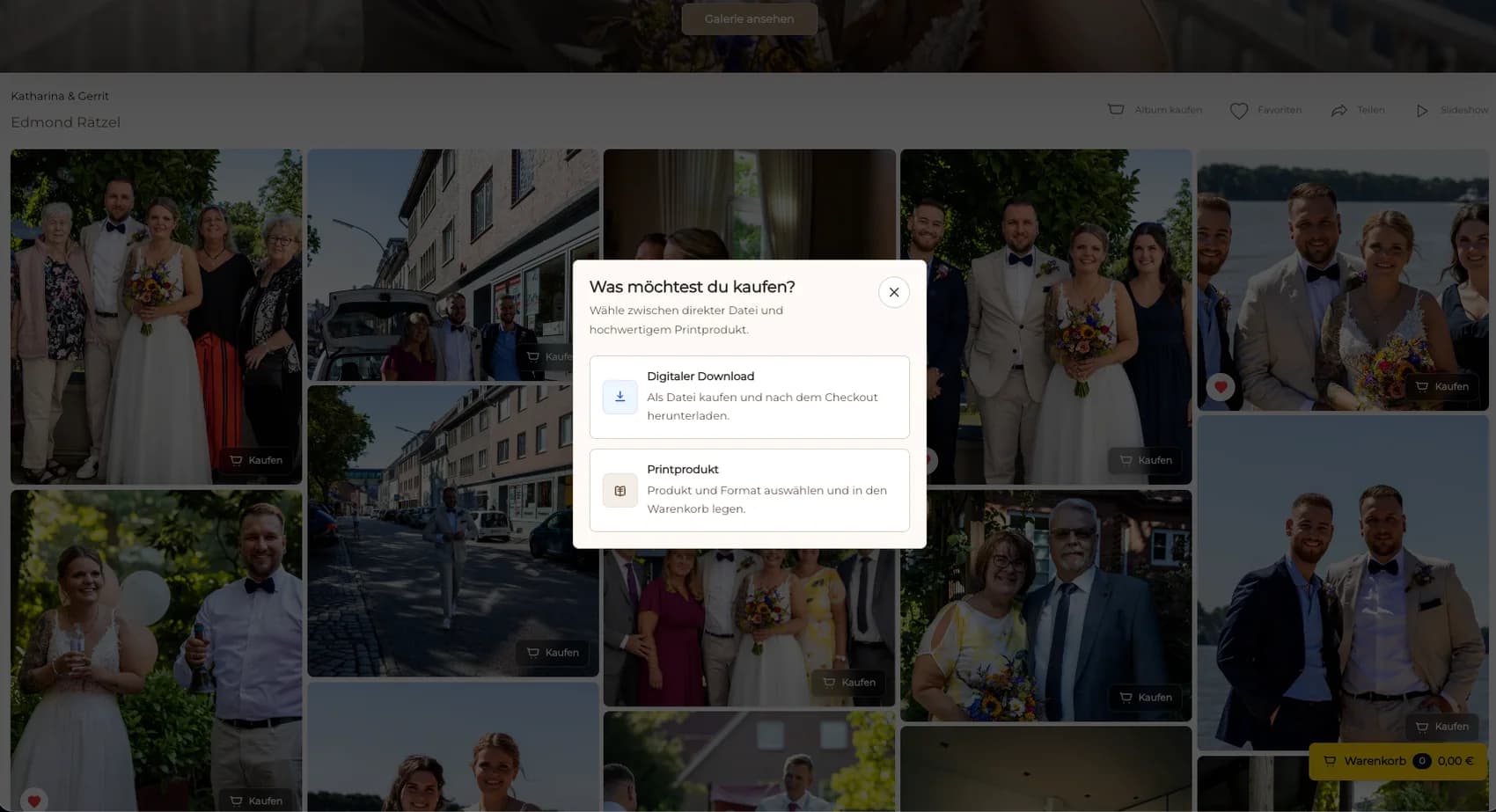
Show product, dimensions, quantity, and price together. If digital files are available too, describe them as a separate outcome before anything enters the cart.
Order verification
Treat checkout as the end of client selection and the beginning of a controlled order review.
Open a representative gallery on desktop and mobile. Confirm that access, product names, dimensions, prices, preview controls, cart actions, and checkout handoff remain readable without horizontal overflow.
Verify that the intended photograph, product, dimensions, orientation, crop, quantity, and price survive the transition into the cart.
Review the final source file, crop, product specification, buyer data, payment state, and resulting order before production. Resolve uncertainty before it becomes a delivery problem.
GalleryDock supports the configured gallery-to-order path. Manufacturing, packing, shipping, taxes, licensing decisions, and business results remain separate verified responsibilities.

Comparison
Compare practical approaches to photo print shipping costs at checkout. The useful route keeps the finished photograph, configured offer, buyer decision, and resulting order record connected.
| Approach | Best for | Tradeoff |
|---|---|---|
| Gallery-based order | photographers explaining the shipping quote for physical photo products during checkout | Requires a prepared gallery and verified product setup |
| Manual email order | An exceptional custom request | Separates the image, specification, and payment trail |
| General ecommerce catalog | Many unrelated product categories | Loses the original photography context |
| Download-only gallery | Digital delivery without physical products | Does not guide a physical print decision |
Calculate from the configured item and destination.
Do not invent shipping for a nonphysical outcome.
Keep merchandise and shipping totals understandable.
Request and display a fresh quote before payment.
Frequently asked questions
The quote depends on the physical products and delivery information used by the configured checkout path. Verify the displayed amount for the actual cart.
Shipping is displayed as a separate checkout amount in this workflow, so the buyer can distinguish merchandise from delivery.
Relevant changes require a new quote. Do not keep using an amount that no longer matches the cart and destination.
The checkout should fail closed and ask for correction or review rather than inventing a price or delivery promise.
Related resources
Pricing
Free forever
0 EUR
EUR 0 per month
Perfect for sharing your first galleries professionally.
Start free, no credit card required
Monthly
19 EUR
EUR 228 billed yearly. plus VAT
Ideal for photographers who regularly deliver client galleries.
For regular client delivery
Monthly
29 EUR
EUR 348 billed yearly. plus VAT
For photographers managing many projects, videos and growing storage.
For regular client delivery
Prepare one representative gallery, configure the photo print shipping costs at checkout path, inspect every visible choice, and test the journey from image to cart before publishing.
Create a free account